
AUTOCOUNT SOLUTIONS · MALAYSIA
Grow Your Business with the Right AutoCount Solution
Get clearer accounts, better stock control and less manual work. SL Software helps you choose and implement AutoCount—with AI features, modules, plugins and customization to suit your business.
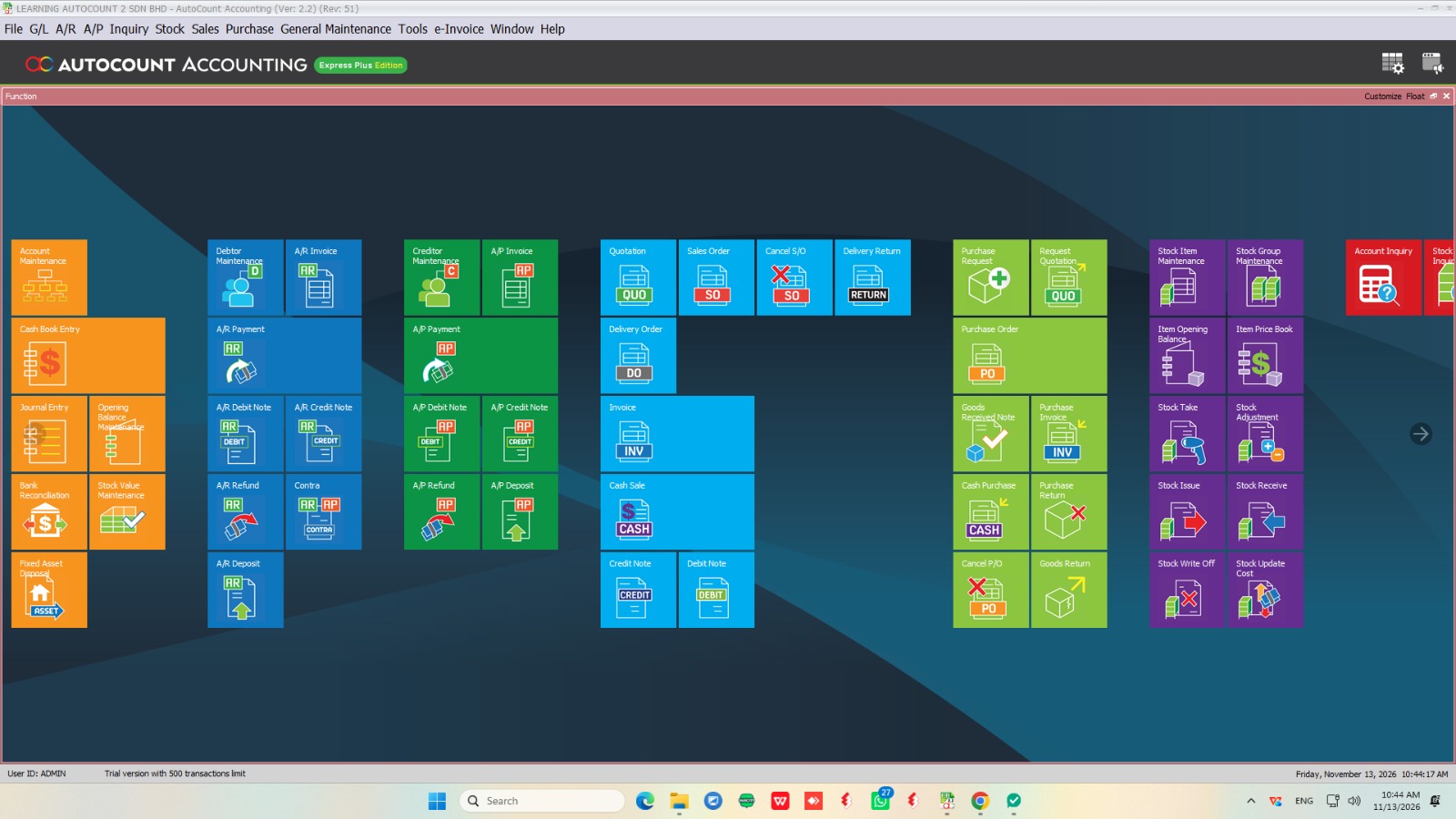
Accounting · Cloud · POS · Payroll
SL Software Solutions Sdn Bhd — AutoCount Authorized Dealer
Consultation · Implementation · Customization · Training · Support
Choosing your first system or improving an existing setup? Explore AutoCount AI, modules, plugins and custom programming with one team for consultation, implementation and support.
CHOOSE YOUR SOLUTION
Find the Right Software for Your Daily Operations
From accounts and stock to retail sales and employee management, choose a solution around the work your team handles every day.

AutoCount Accounting
Keep invoicing, customer balances, supplier payments and financial reporting organized. Add suitable inventory functions and modules when your business needs more control over purchasing and stock.
AutoCount Cloud Accounting
Access your accounts online and collaborate with your team or accountant. Explore a cloud accounting setup for managing business transactions without depending on a single office computer.
AutoCount POS
Support daily checkout and retail operations with a suitable POS setup. Discuss your outlet, stock and accounting requirements so we can recommend the right configuration.
AutoCount Payroll & HRMS
Bring payroll and employee administration into a more structured workflow. Choose suitable payroll, leave, attendance and claim functions for your team.
PRACTICAL AI FOR EVERYDAY WORK
Work Smarter with AutoCount AI
Put AI to work on practical tasks your team faces every day. Explore supported AutoCount AI features that help with document entry and HR administration.
AI SMARTSCAN · CLOUD ACCOUNTING
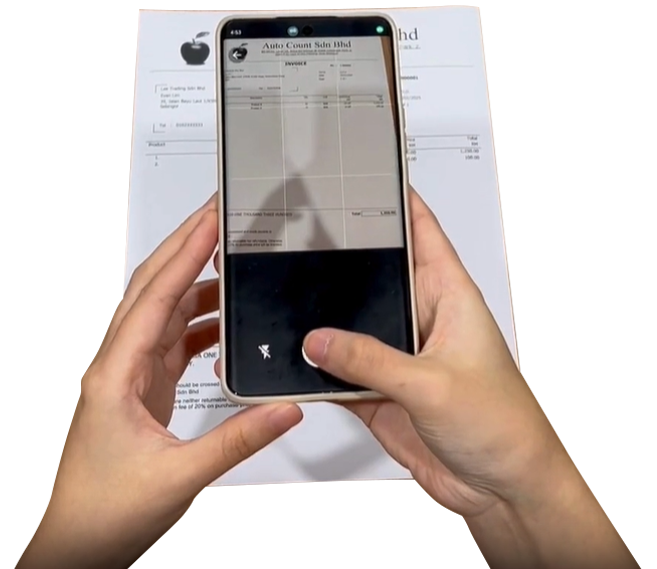
Spend Less Time Typing Document Details
AutoCount Cloud Accounting’s AI SmartScan extracts information from uploaded invoices, bills and receipts to help prepare transaction details. Your team can review the captured information rather than starting every entry from scratch.
SIORA · PAYROLL & HRMS
Get Assistance with Routine HR Work
Siora, AutoCount HRMS’s AI assistant, includes assistance with drafting HR letters and working with payroll formulas. HR staff can review the output before using it in their processes.

We will help you check which AI functions are available for your selected product and plan, including any usage limits or additional requirements.
Where Is Your Business Losing Time?
As your business grows, small workflow gaps can become daily interruptions. Tell us where your team gets stuck.
01
Staff re-enter the same information
Suitable import tools, AI document capture or integration options
02
Stock records are difficult to reconcile
Inventory setup, stock locations and traceability requirements
03
Management waits too long for useful reports
Reporting configuration and custom reporting needs
04
Important work happens outside the system
An existing module, a ready-made plugin or custom programming
05
Different systems need repeated manual updates
Integration feasibility and a suitable data exchange process
MODULES · PLUGINS · CUSTOM PROGRAMMING
Extend AutoCount to Fit Your Business
Already using AutoCount? You may be able to improve your workflow by extending your current setup. We help you compare existing functions, optional modules, plugins and custom development before choosing an approach.
AutoCount Modules: Add the Functions You Need
Explore options such as multi-location stock, serial and batch tracking, multi-currency and additional reporting capabilities. We help you identify relevant modules and check their availability for your edition.
AutoCount Plugins: Solve Specific Operational Problems
Explore ready-made extensions for tasks that need more specialized handling. Tell us what your team currently does manually, and we can check whether a suitable plugin is available for your AutoCount setup.
Program Customization: Build Around Your Workflow
When your requirements go beyond an available solution, discuss custom AutoCount plugins, reports, document formats, workflow logic or system integrations with our development team.
We assess your process, technical compatibility and project scope before proposing the work.
WHY SL SOFTWARE
Get Practical Guidance from Selection to Daily Use
Choosing software is one part of the decision. Making it useful for your business takes the right setup, clear processes and users who know how to work with it.
SL Software Solutions brings software consultation and development together to help Malaysian businesses implement and extend AutoCount.

01
Start with your requirements.
Explain your current process, business priorities and daily challenges.
02
Compare suitable options.
Understand whether standard functions, modules, plugins or custom development fit the work.
03
Prepare your team.
Plan implementation and training around the agreed scope.
04
Keep improving.
Discuss support, additional functions and compatibility checks as your needs change.
CUSTOMER SUCCESS STORIES
Real Businesses. Practical AutoCount Results.
See how businesses used AutoCount, plugins, integrations and custom programming to address their operational challenges.
CUSTOMIZATION · MANUFACTURING · THAILAND
Sleepwell Industries
Less repetitive document checking
Challenge: Replacing Exact ERP while preserving assembly and reporting workflows.
Solution: AutoCount with tailored assembly functions, consolidated reports and Sales Order-to-Invoice monitoring.
Outcome: Finance users could review information with less need to open separate invoices and documents.
PLUGINS · MULTI-COMPANY OPERATIONS
Core Synergy Group
Stronger group-wide visibility
Challenge: Managing collections, orders and reporting across related companies.
Solution: AutoCount with the Multi Company Plugin, mobile order processing and intercompany billing enhancements.
Outcome: More organised collections and clearer group reporting, while retaining individual company records.
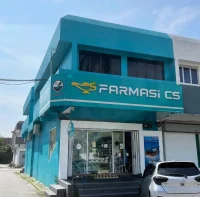
INTEGRATION · PHARMACY RETAIL
Farmasi C S (Station 18)
15-minute branch synchronisation
Challenge: Inconsistent item codes and delayed updates across outlets and online sales.
Solution: AutoCount with Sitegiant integration, Master Sync and branch synchronisation.
Outcome: More consistent item records and more timely sales and inventory information across locations.
Meet Some of Our Customers


HELPING YOU DECIDE
Frequently Asked Questions
Clear answers about choosing AutoCount, AI features, modules, plugins and custom programming.
Still have a question? Tell us about your business and the workflow you want to improve.
Which AutoCount solution is right for my company?
The right choice depends on your transactions, stock requirements, number of users, access needs and daily workflows. Share these details with SL Software so we can recommend a suitable product and setup.
Can you help if we already use AutoCount?
Yes. We can review your requirements and assess whether changes to your setup, additional modules, plugins or customization would help address the gaps.
What is the difference between a module, a plugin and customization?
A module provides a defined function within the AutoCount product. A plugin extends a supported system for a specific task. Customization is development work scoped around your requirements. Availability and compatibility depend on the product, edition and version.
Are AI features included in every AutoCount package?
AI availability varies by product, plan and feature. We will confirm the relevant functions, usage limits and any additional charges when recommending your setup.
Can AutoCount connect with our other software?
Integration may be possible through a supported connector or custom development. We first assess both systems, the available interfaces and the data you need to exchange.
How much will our AutoCount solution cost?
The quotation depends on the product, users, modules, plugins, implementation services and any development required. Tell us your priorities so we can define a suitable scope and explain the costs.
Compare AutoCount Accounting pricing or Payroll plans. Plugins, implementation and customization are quoted according to your requirements.
Do you provide training and support?
Yes. SL Software provides implementation guidance, training and after-sales support according to the agreed service scope.
LET’S DISCUSS YOUR NEXT STEP
Ready for Better Control of Your Business?
Tell us what is slowing your team down—or what you need your next system to do. We will help you explore the right AutoCount solution and a practical next step.
Already an AutoCount customer? Get Technical Support
Customer Success is Our Success.