“Why has our foreign-currency exposure changed?”
See exchange differences
Compare open balances against the exchange rates used for reporting.

Review the unrealized exchange differences on outstanding foreign-currency balances at a reporting date. In AutoCount's documented Unrealized Gain/Loss workflow, temporary journal entries are generated and reversed the next day, so the original transaction exchange-rate basis is retained. Confirm the available posting and reversal options for your version.
For businesses handling foreign-currency receivables and payables. Availability depends on your AutoCount edition, licence and accounting setup.
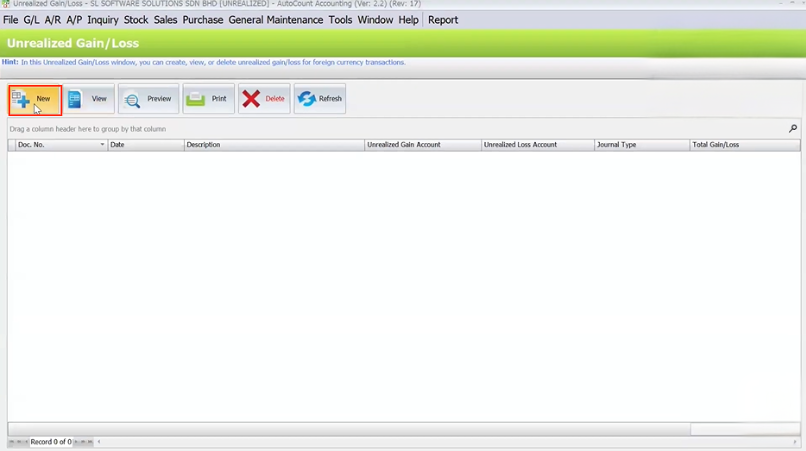
Companies buying or selling in foreign currencies need to understand how exchange-rate movement affects their open balances. Revaluation helps show that movement at a reporting date without treating an unpaid invoice as a completed payment.
For example, an importer may have a supplier invoice issued in US dollars while the business reports in Malaysian ringgit. If the rate changes before payment, the outstanding amount can have a different reporting value. The module provides a dedicated way to review that difference as part of a controlled month-end process. Finance staff can check the dates, rates and related accounting entries alongside their usual reconciliation procedures, rather than relying only on separate spreadsheet calculations.
Compare open balances against the exchange rates used for reporting.
Review revaluation adjustments as part of your normal accounting close.
Use the dedicated AutoCount revaluation workflow instead of tracking each difference separately.
Explore how AutoCount supports foreign-currency revaluation, reviews outstanding balances and helps finance teams evaluate exchange differences. Screenshots are from genuine AutoCount materials.
Open the dedicated Unrealized Gain/Loss function to review relevant foreign-currency records before valuation.
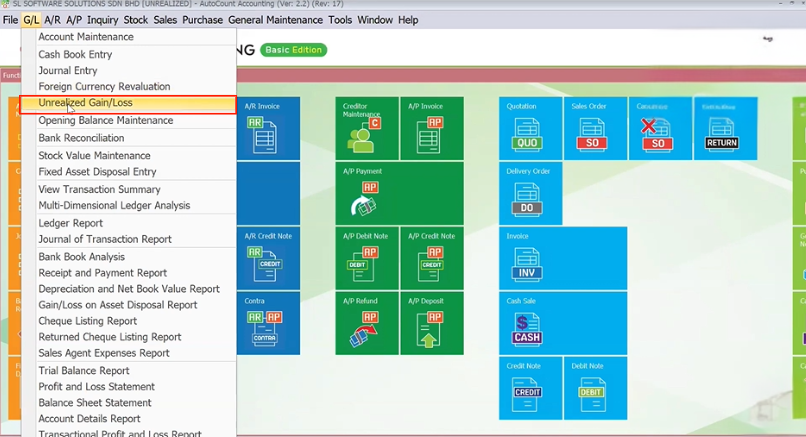
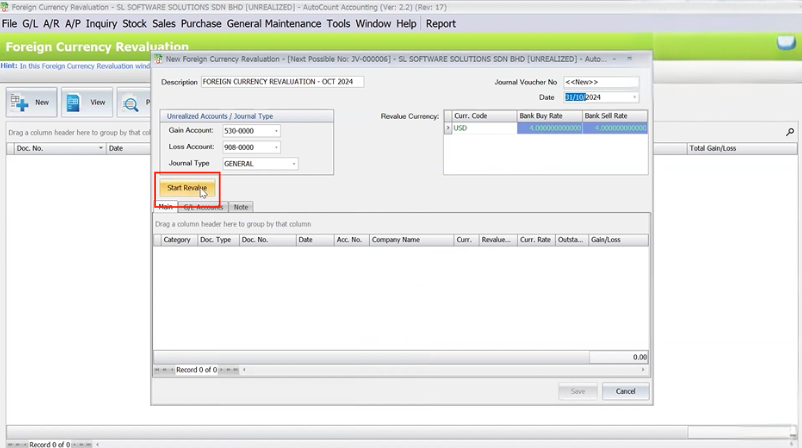
Use the foreign-currency revaluation interface to assess open amounts at the applicable exchange rate and reporting date.
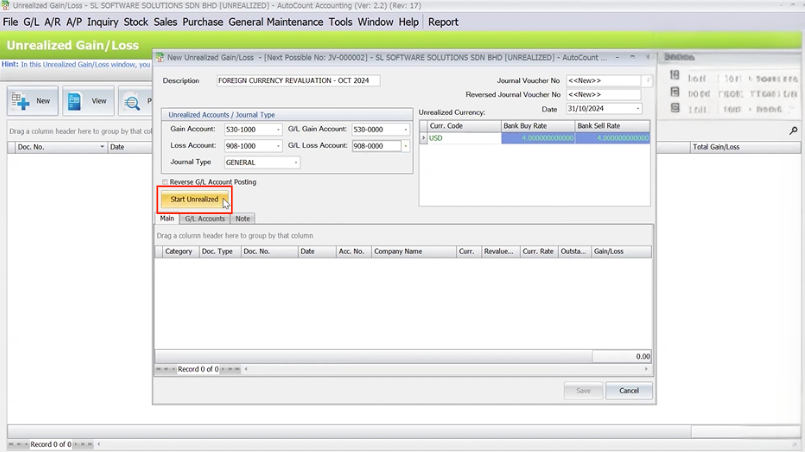
In the documented Unrealized Gain/Loss process, AutoCount calculates exchange differences on outstanding foreign-currency balances and generates reporting-date journal entries. The related reversal is posted on the following day; for some G/L accounts, reversal handling depends on available options and product version.
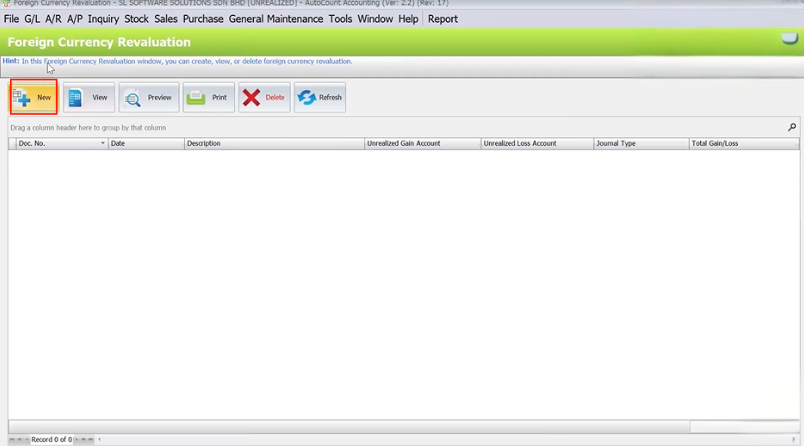
Review the temporary revaluation entry and the corresponding following-day reversal, where applicable, before finalising your reporting. Confirm the treatment of A/R, A/P and other foreign-currency G/L balances for your configuration.
Our team can show how the module fits your current foreign-currency accounting workflow.
Monitor exchange differences on unpaid foreign-currency supplier balances.
Review the reporting-date value of outstanding overseas customer invoices.
Include foreign-currency revaluation checks in period-end accounting procedures.
Watch the original product video, loaded only after you click Play.
It is an exchange difference arising when an outstanding foreign-currency balance is revalued before settlement. A realized exchange difference generally arises upon settlement.
No. Unrealized Gain/Loss is used for reporting-date revaluation of outstanding balances. The documented workflow posts temporary adjustments with reversing journal entries on the following day; customer receipts and supplier payments remain separate.
Availability, licensing and whether reversal applies to particular G/L accounts depend on your AutoCount edition, version and settings. Historical AutoCount help describes Unrealized Gain/Loss within Advanced Multi-Currency, while newer module lists may present it separately. SL Software can verify the functions available in your installation.
Read the AutoCount Unrealized Gain/Loss user guide for the original instructional screenshots and steps.
For carried-forward revaluations, see Advanced Multi-Currency / Foreign Currency Revaluation. Already using AutoCount? Open the complete Unrealized Gain/Loss User Guide.
Ask SL Software Solutions to demonstrate the AutoCount Unrealized Gain/Loss Module and discuss the right setup for your business.
