
Our specialized AutoCount Plugin options are custom extensions designed to integrate your accounting system with external platforms, automate data entry, and provide industry-specific tools. Stop manual work and start connecting.
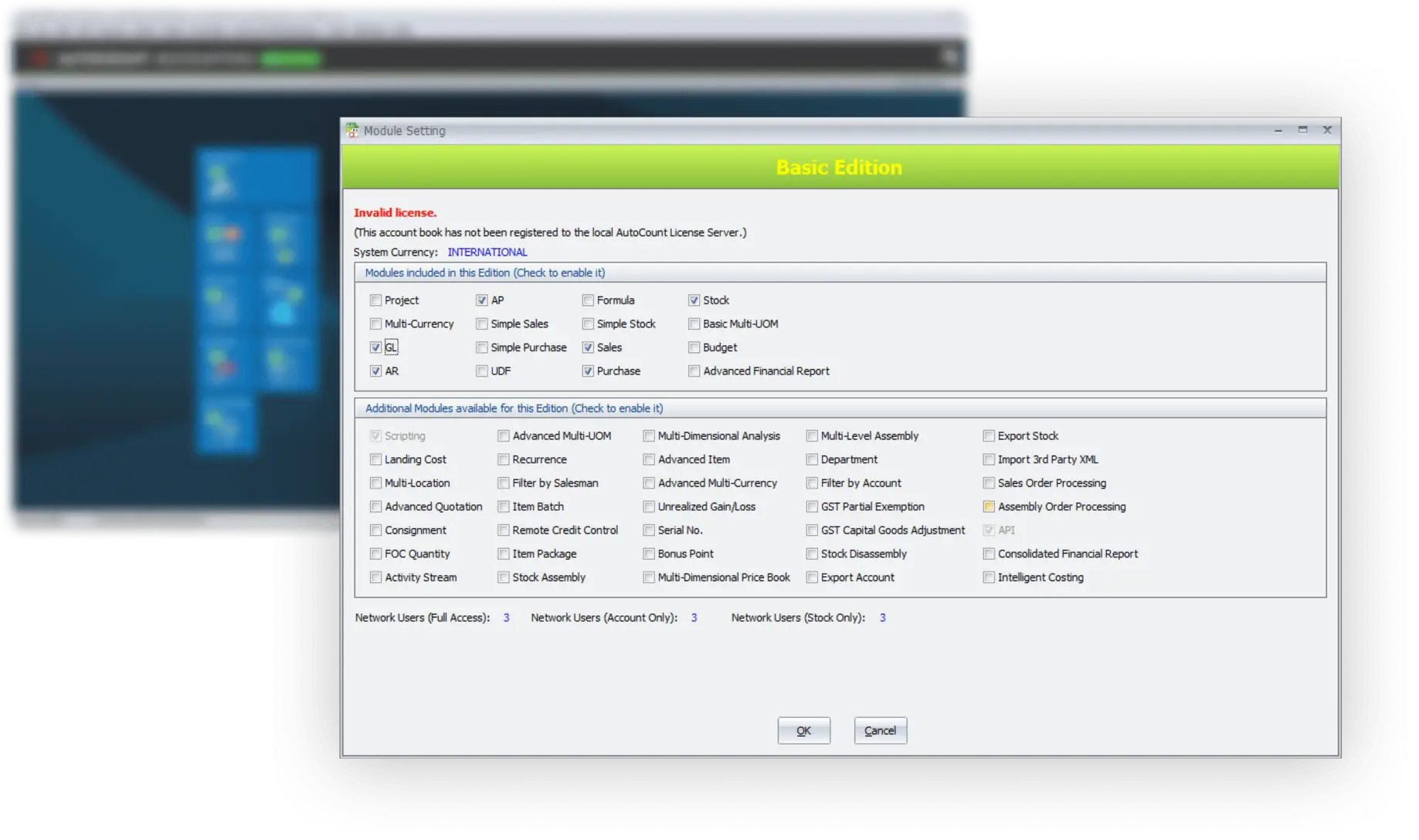
AutoCount plugins are specialized add-ons that extend the functionality of the AutoCount Accounting Software. Designed specifically for Malaysian SMEs, these plugins cater to various industries, from retail and manufacturing to e-commerce and service-based businesses.
They integrate seamlessly with AutoCount, allowing you to automate and streamline your operations without compromising on performance or security.
Customizable for your business
With a wide range of plugins, you can tailor AutoCount to meet your business needs.
Seamless integration
Easily integrate with third-party systems, e-commerce platforms, and payment gateways.
Saves time and reduces errors
Automate repetitive tasks, from data entry to inventory management.
Affordable for SMEs
AutoCount plugins are priced to fit the budget of small and medium-sized businesses in Malaysia.
AutoCount plugins provide numerous benefits for businesses in Malaysia
Time-Saving Automation
Eliminate manual data entry errors. The right AutoCount Plugin automatically syncs data from your e-commerce stores, POS systems, or bank accounts directly into your ledger.
Real-Time Data Synchronization
Maintain accurate inventory and financial records instantly. Plugins ensure your sales, stock levels, and cash flow data are always up-to-date across all platforms.
Industry-Specific Solutions
Tailor AutoCount to meet unique industry compliance and operational needs (e.g., F&B, manufacturing, or service scheduling) with specialized AutoCount Plugins.
Improved Efficiency
Automate repetitive tasks like invoicing, stock management, and financial tracking.
Better Accuracy
Reduce human errors in accounting and inventory management with automated systems.
Cost-Effective
Affordable plugins designed for SMEs, providing high value for money.
Filter by category (E-Commerce, Payment, Utility) to find the integration or extension that will maximize your AutoCount efficiency. Now featuring 134 specialized solutions!
No plugins match your current search or filter. Try different keywords.
Integration is more than just a convenience; it’s a proven performance booster. See the
measurable impact of adding an AutoCount Plugin to your workflow.
95%
Reduction in Manual Data Entry Errors
Internal audit data from e-commerce plugin users.
3 Days
Saved on Monthly Bank Reconciliation
Achieved by users of the Auto Bank Reconciliation Plugin.
30 Min
Average Time to Sync 1000 E-Commerce Orders
Using the Shopee/Lazada Sync AutoCount Plugin.
Here are some of the most popular AutoCount plugins that can help streamline your business processes
Inventory Management Plugin
The Inventory Management plugin is designed to help businesses manage stock levels, track products, and automate stocktaking. Perfect for businesses in retail or wholesale industries.
✓ Real-time stock updates
✓ Automatic stock level alerts
✓ Support for multiple warehouses
✓ Easy integration with POS systems
E-Commerce Integration Plugins
For online businesses, AutoCount offers several e-commerce plugins that integrate directly with platforms like Shopee, Lazada, and Shopify.
✓ Seamless order syncing between platforms
✓ Real-time inventory updates
✓ Automated invoicing and order processing
✓ Supports popular Malaysian e-commerce platforms
Barcode and Label Printing Plugin
The Barcode and Label Printing plugin makes it easier for businesses to manage inventory and track products. Perfect for retail, manufacturing, or wholesale.
✓ Print barcodes and labels with ease
✓ Support for different label sizes
✓ Easy integration with AutoCount Inventory
✓ Customizable label templates
Choosing the right plugin for your business depends on your industry, business size, and specific needs.
Determine which processes you need to automate or improve. For example, if you’re managing a warehouse, the Inventory Management plugin would be a good fit.
Check whether the plugin integrates with the other systems you’re using, such as e-commerce platforms, payment gateways, or CRM tools.
Choose plugins that can grow with your business. Look for options that offer flexibility as your business expands.
Ensure the plugin provider offers ongoing support and regular updates to keep up with any changes in technology or regulations.
Installing AutoCount plugins is straightforward. Here’s a simple guide
Browse the plugin catalogue and choose the plugin that best suits your needs.
Visit the AutoCount Plugin Centre to download the plugin.
Follow the installation instructions provided in the user manual or on the AutoCount website.
Once installed, activate the plugin and configure it according to your business needs.
An AutoCount Plugin is an external utility or connector focused on data exchange and automation. It links your core AutoCount system to third-party services (like e-commerce platforms or payment gateways) or provides specific, non-core utilities (like advanced labeling or batch emailing).
The Goal: Seamless Connectivity and Automation
Plugins are built to bridge gaps and automate repetitive tasks that involve external data sources, maximizing efficiency without changing the fundamental accounting logic.
An AutoCount Module is a core functional upgrade that unlocks major operational areas directly within the system (e.g., Multi-Location, Budgeting, or Serial Number tracking). These directly impact the system’s database structure and core reporting.
Modules handle fundamental business processes, while plugins focus on data connectivity and peripheral tasks. You need the right modules first, then add the necessary plugins for external automation.
All AutoCount Plugins are installed by our certified partners and integrate directly with your existing AutoCount installation. Maintenance and updates are handled automatically via your standard software service agreement, ensuring compatibility and stability.
Yes. If a dedicated connector doesn’t exist, we often utilize the XML/EDI Data Importer Plugin or the core API Module (purchased separately) to build custom data bridges, allowing seamless exchange with almost any in-house or proprietary system.
The Shopee/Lazada Sync Plugin is highly popular due to the region’s strong marketplace presence. It handles everything from order capture and inventory deduction to automatic invoice generation, making online sales management simple and accurate.
If the off-the-shelf catalog doesn’t fully meet your specific, complex operational needs, let our certified development team help you build a custom plugin or data bridge tailored exactly to your business logic.