Scattered prospect details
Important enquiry information is spread across different staff and files, making it difficult to find the latest details.

Lead management software helps your team organise enquiries, assign sales agents, track opportunities and review pipeline progress in one structured process. Explore how AutoCount Lead Management 2.0 supports Malaysian SMEs.
Ask our team about plugin suitability and version compatibility before purchase.
Illustrative workflow; replace with the actual plugin dashboard screenshot for publication.
Lead management software is a system for recording potential customers, assigning responsibility and tracking opportunities from initial enquiry to an outcome. Without a structured process, enquiries from calls, referrals, websites and sales visits can become scattered across notebooks, messages and spreadsheets.
A structured lead management process helps your sales team understand who is handling each opportunity, its current progress and which prospects need attention. The AutoCount Lead Management Plugin provides tools to organise that information inside the AutoCount environment.
These are common workflow problems the plugin can help businesses address.
Important enquiry information is spread across different staff and files, making it difficult to find the latest details.
Without clear agent assignments, managers struggle to identify who is handling each opportunity.
It is difficult to compare opportunities by stage, source and assigned salesperson.
Explore the capabilities that help sales and management teams coordinate their lead pipeline.
Record prospect details and keep sales opportunities organised in one place. Salespeople and managers have a clearer reference point instead of relying on scattered spreadsheets or messages.
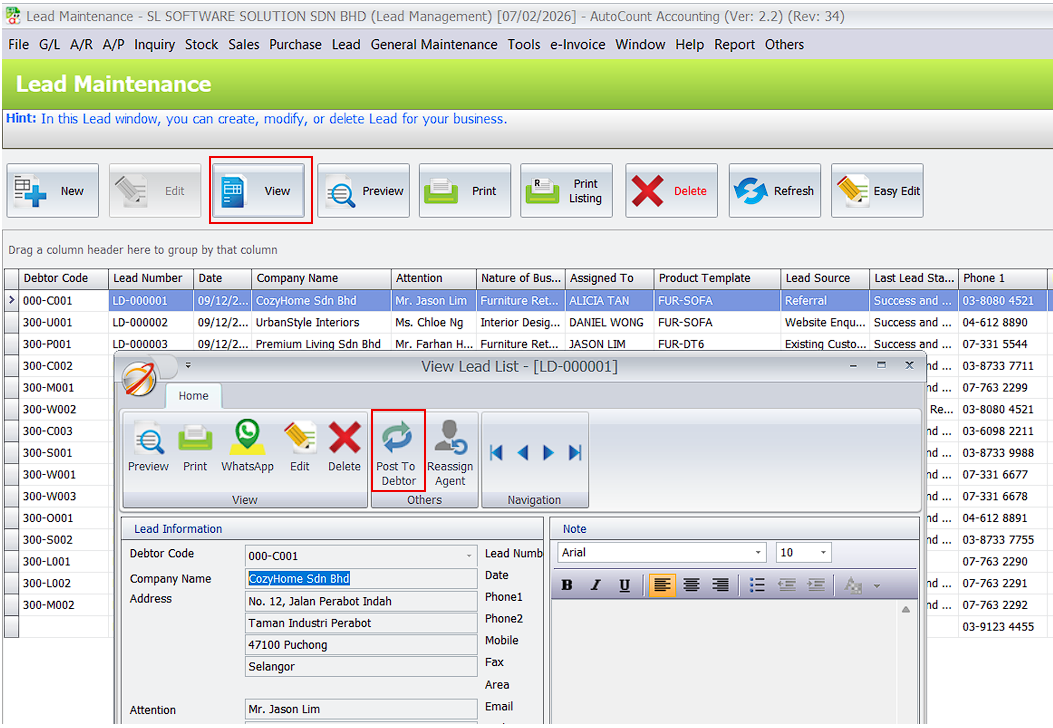
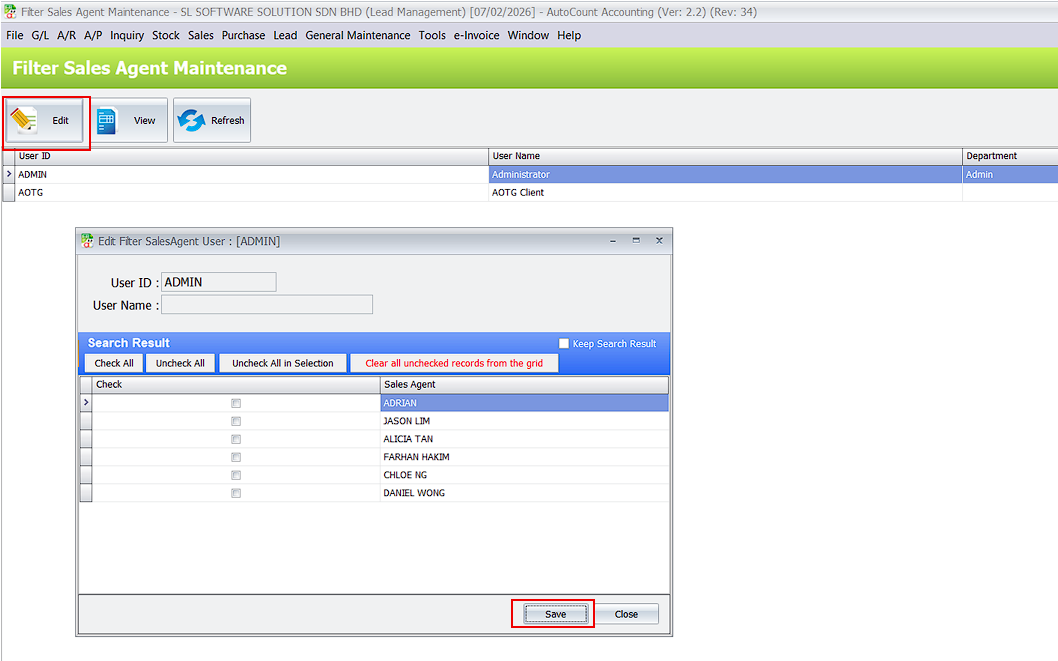
Associate opportunities with the appropriate agent and reassign them where necessary. Agent filtering and access rights can limit which lead records users see.
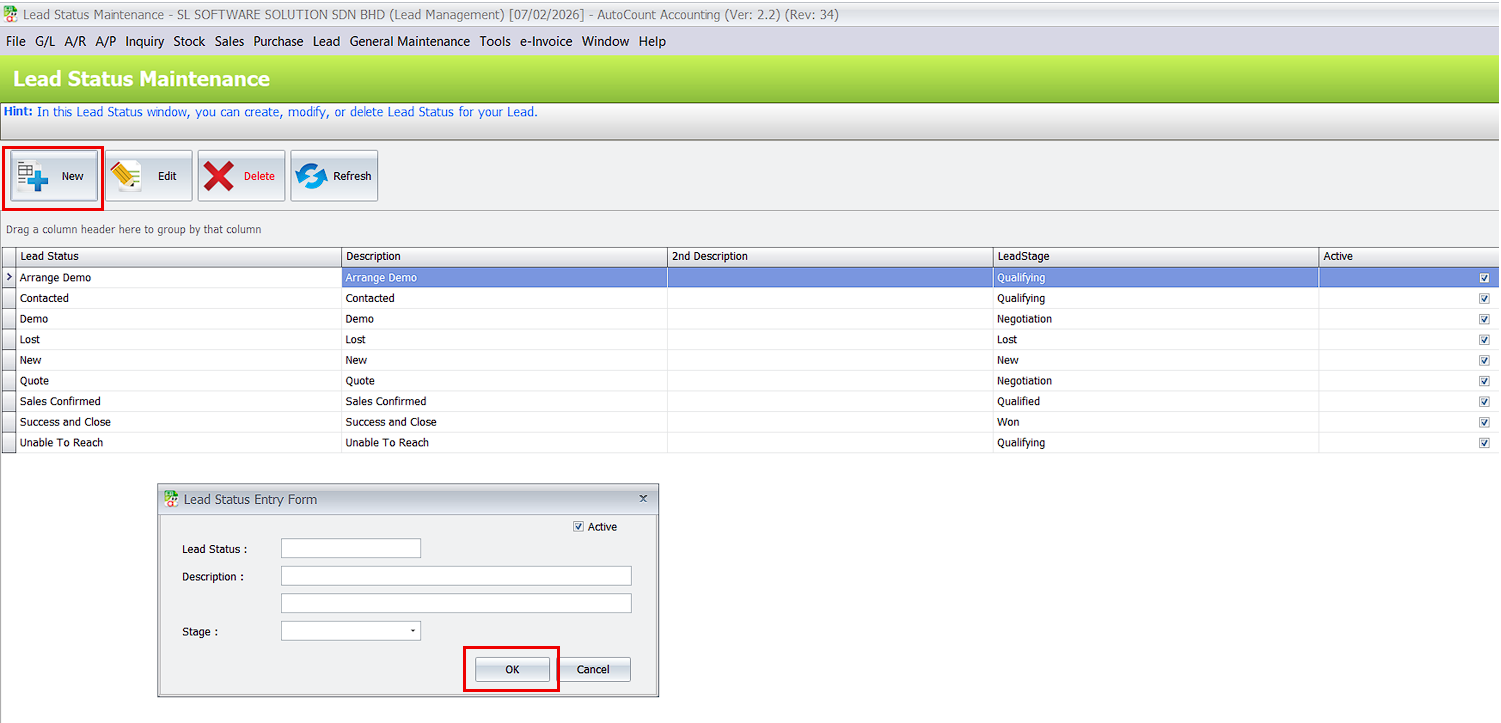
Define lead statuses, stages and sources to distinguish new enquiries from opportunities already under discussion, and understand where prospects originated.
When appropriate, confirmed lead information can be posted into an AutoCount debtor account as part of the sales-to-accounting process.
The plugin includes a commission payment function associated with lead management, allowing teams to manage commission-related actions in the documented workflow.

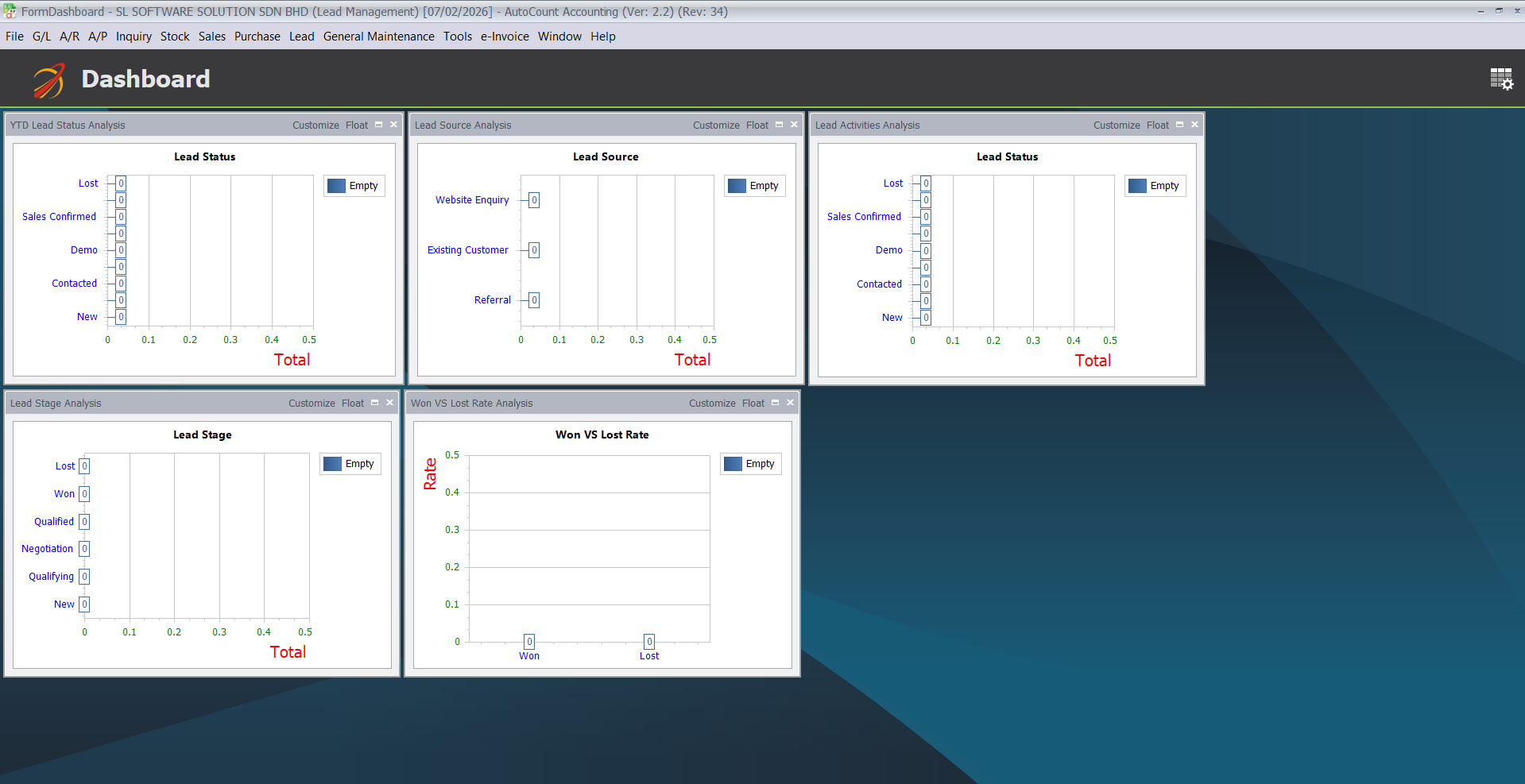
Use the Lead Dashboard and Multi-Dimensional Lead Analysis to view lead information by factors such as agent, source and status.
Tell us how your team handles leads and we can discuss suitable AutoCount options.
An illustrative journey for a Malaysian wholesale or service business. Stages can be adapted to the statuses configured for the team.
A new opportunity is recorded with the prospect’s details and origin.
The lead is associated with a salesperson for ongoing management.
The team records how the opportunity is progressing through its chosen pipeline stages.
Lead analysis helps the business review opportunities by sources, statuses and agents.
Coordinate enquiries from dealers, repeat buyers and new business prospects.
Keep consultation, quotation and service-related opportunities more organised.
Make agent assignments and pipeline progress clearer as teams expand.
It is an AutoCount add-on for recording and managing sales opportunities, assigning agents, configuring lead sources and pipeline stages, and reviewing leads through dashboards and analysis tools.
Yes. Lead records can be associated with sales agents, and the documented functions include reassignment and agent-based access filtering.
Yes. Lead Source Maintenance provides a way to classify the origin of leads so your team can review and compare source information.
The documented Post to Debtor function supports converting an appropriate lead record into a debtor account. Confirm your intended workflow and plugin version with SL Software.
The available Lead Management 2.0 documentation does not establish built-in automated scoring or email nurturing. Ask SL Software if your process requires these capabilities or additional integrations.
They should not be treated as identical products. This page covers the documented AutoCount Lead Management 2.0 Plugin; our team can explain how it compares with other CRM options.
Pricing and suitability depend on the proposed setup and licensing. Contact SL Software for a current quotation and compatibility assessment.
Already using this plugin? Read the AutoCount Lead Management 2.0 Setup & User Guide for operating instructions.
Compare the plugin with broader CRM requirements, browse the AutoCount add-on catalogue or consult the technical user guide.
Discuss your current sales workflow with SL Software Solutions and find out whether AutoCount Lead Management 2.0 meets your requirements.
Product functions and compatibility should be checked against your deployed AutoCount version.