Stock differences
Warehouse quantities and online availability need careful coordination.

AutoCount Unicart+ × SiteGiant ERP
Unicart SiteGiant Plugin connects online orders, inventory and accounting in one workflow. Map products, synchronize stock, and simplify marketplace invoice posting and settlement checking.
Functions depend on the installed licence and required AutoCount modules.
Business challenges
E-commerce teams often spend extra time comparing stock, entering orders and checking marketplace payouts.
Warehouse quantities and online availability need careful coordination.
Orders from different channels can create unnecessary manual tasks.
Discounts, fees and refunds make marketplace settlement review harder.
Plugin overview
Unicart+ connects the right SiteGiant store to an AutoCount company. Product, UOM, warehouse and sales channel mapping determine how stock and transaction data are processed.
Begin with manual verification, then enable supported automation where appropriate for your business workflow. For details about the platform itself, visit the official SiteGiant ERP website.
UNICART+ FEATURES
Explore eight integrated workflows, from product mapping and inventory to marketplace settlements, purchasing and loyalty.
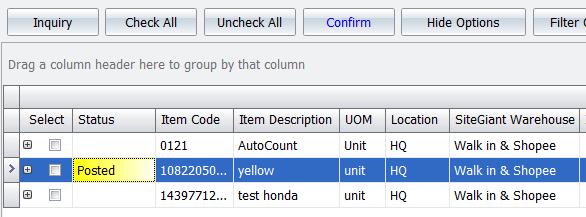
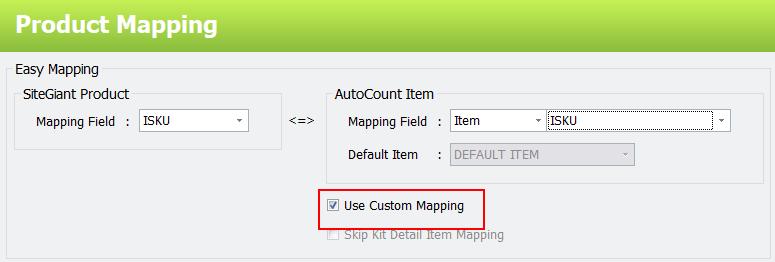
Connect SiteGiant iSKU to AutoCount Item Codes and UOMs, including multi-UOM, KIT items and duplicate mapping checks.
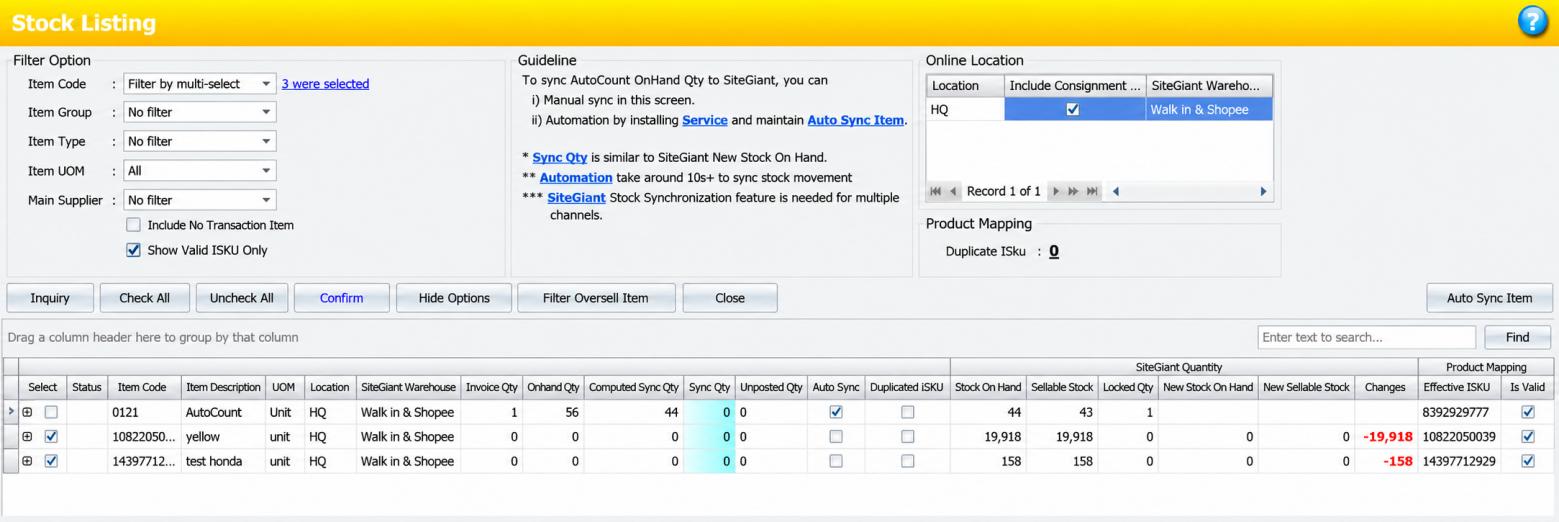
Sync AutoCount stock to SiteGiant manually or automatically using location mappings and computed quantity settings.
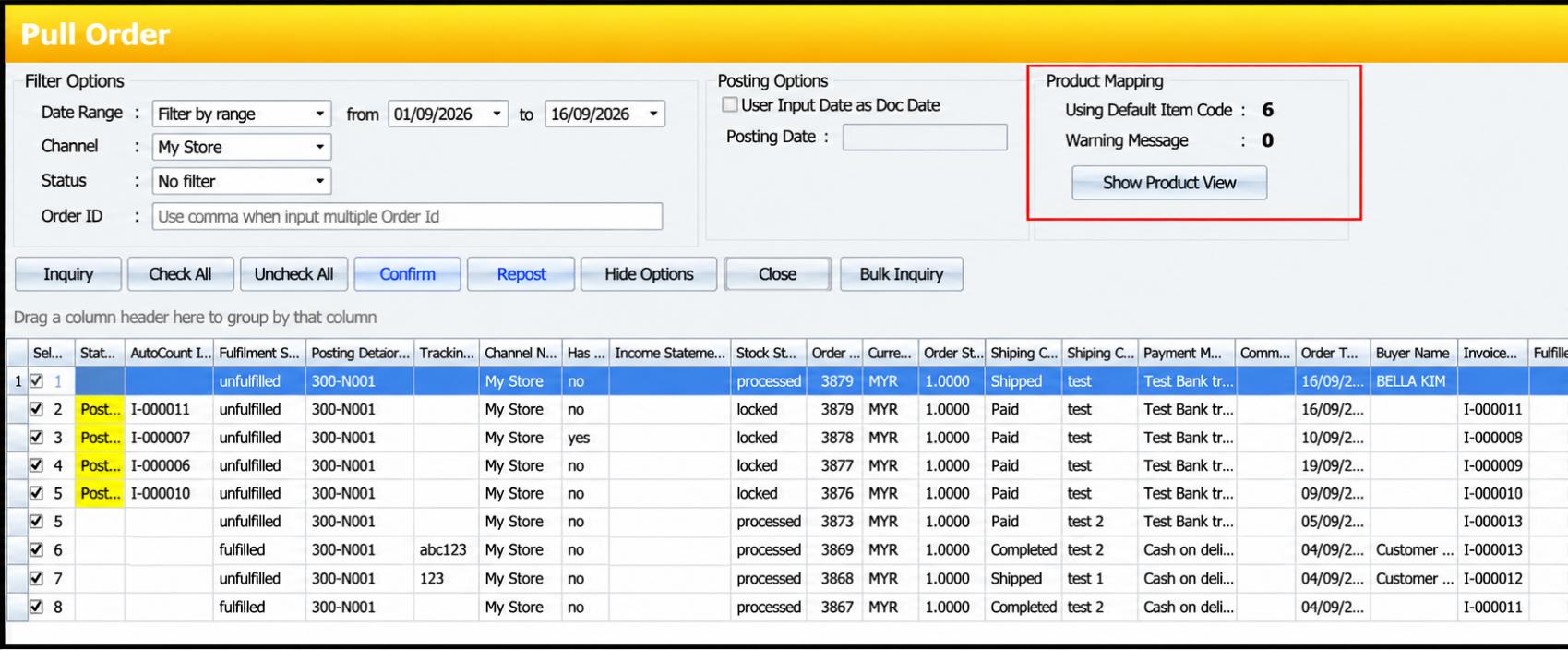
Pull orders from SiteGiant sales channels into AutoCount invoices with configurable debtor, location and posting rules.
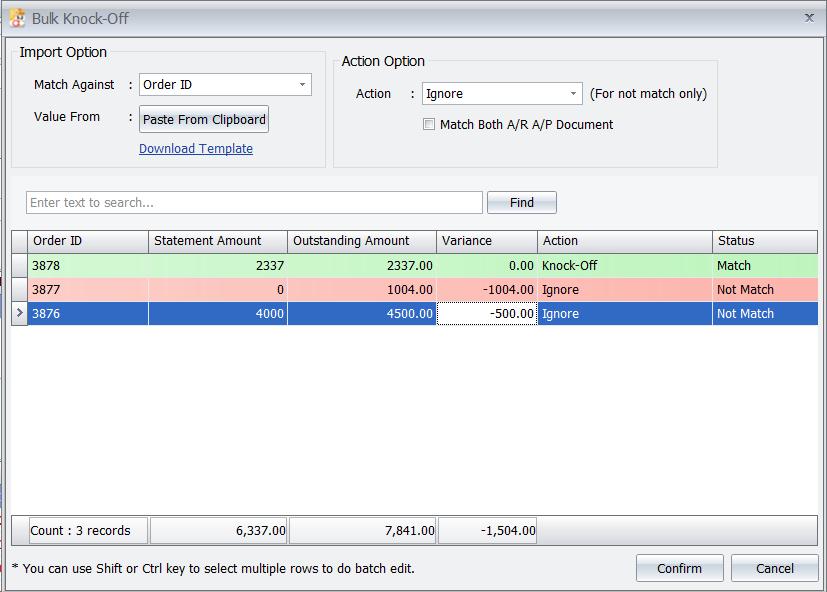
Map shipping, vouchers, discounts and marketplace charges, and use Bulk Knock Off for settlement reconciliation.
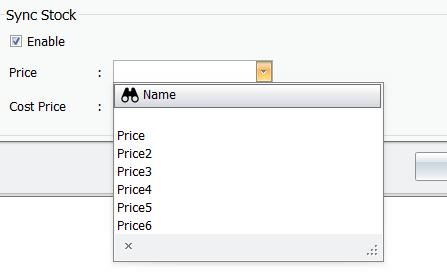
Update SiteGiant Inventory Price and Cost Price from selected AutoCount price and cost fields.
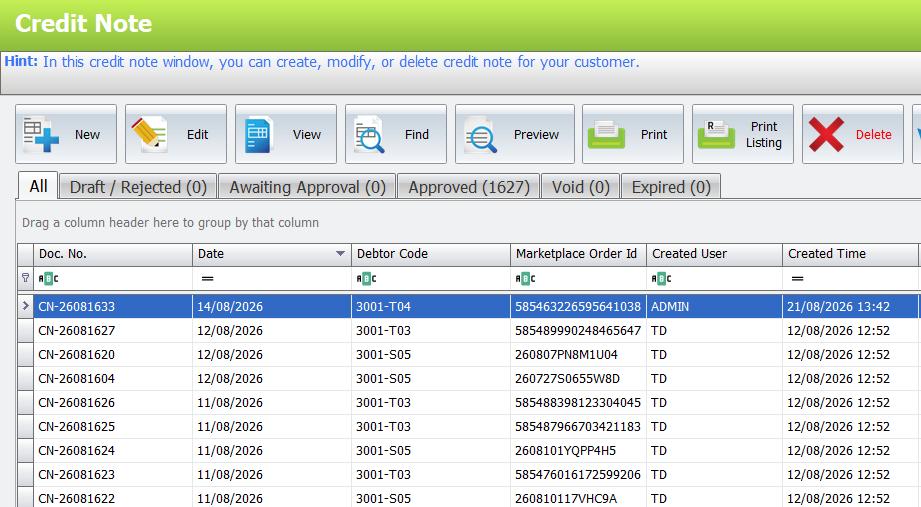
Process supported return and cancelled statuses through manual or configured automatic Credit Note workflows.
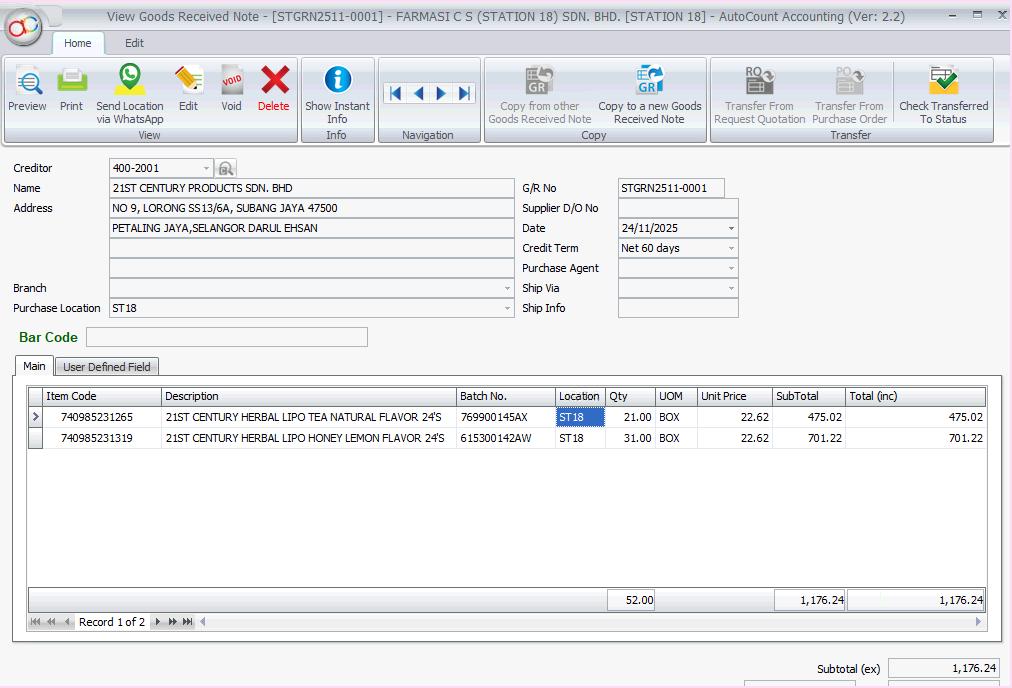
Send AutoCount Purchase Orders to SiteGiant and create GRNs after goods receiving in SiteGiant.
Map SiteGiant members to AutoCount POS and synchronize supported earned and redeemed points.
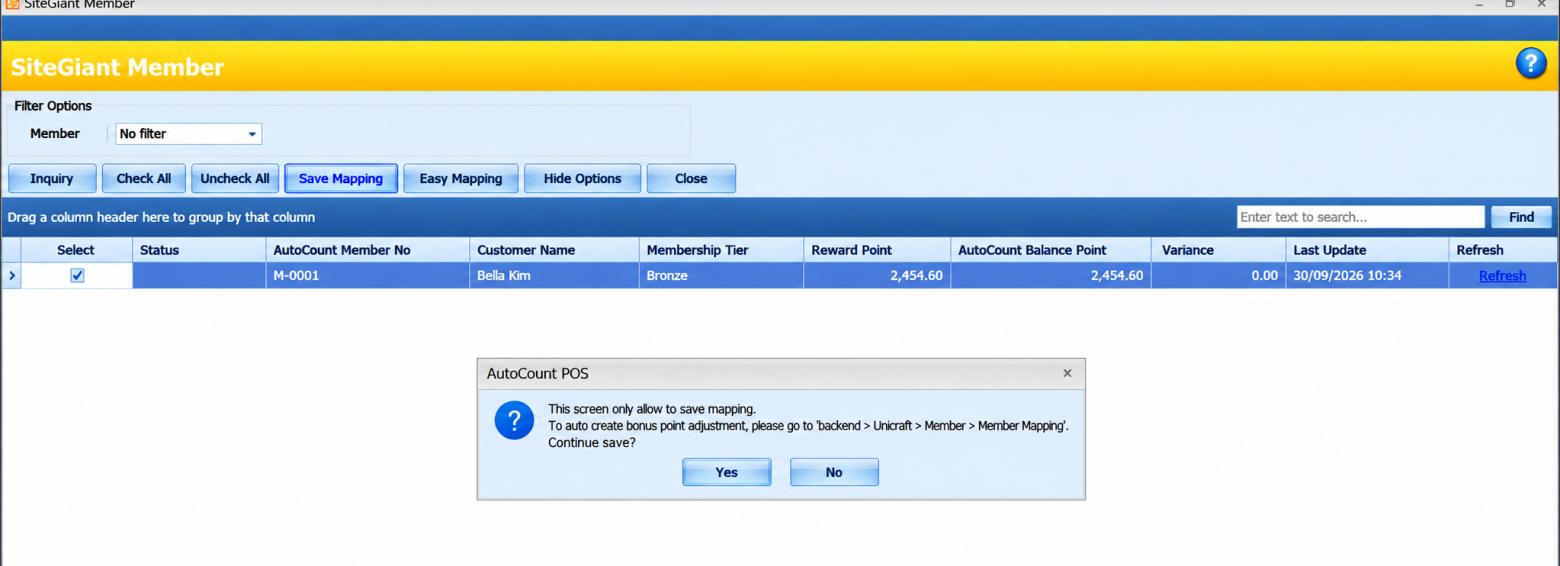
Stock sync runs from AutoCount to SiteGiant. Price sync updates SiteGiant inventory values, not marketplace listing prices directly. Some automatic posting, marketplace charge and loyalty functions require additional modules or specific licence editions.
How it works
Connect the correct SiteGiant store and AutoCount company.
Configure products, UOMs, locations and channel posting.
Verify manual stock and order flows, then enable automation if required.
Check marketplace statements against invoice balances.
Product video
Watch the existing demonstration video for an introduction to Unicart+ and its connected workflows.
Business benefits
Bring supported online orders into AutoCount rather than keying them again.
Use mapped stock locations and calculated quantities for online availability.
Compare platform statements and invoice balances to find differences.
Frequently asked questions
It supports manual or automatic AutoCount-to-SiteGiant stock synchronization. Verify a successful manual sync before enabling the service.
Yes, where supported and configured. Automatic AutoCount invoice posting requires the AutoCount API Module.
No. The documented sync updates SiteGiant Inventory Price, not marketplace listing prices directly.
Manual or configured automatic Credit Note handling depends on the original invoice and supported SiteGiant order statuses.
Yes, with the applicable AutoCount POS and integration modules and correct member mapping.
Talk to SL Software
Enquire about product mapping, supported channels, required modules and the right setup for your business.