
AutoCount vs Million Accounting: Which Fits Your Business?
This AutoCount vs Million Accounting guide compares accounting, inventory, pricing considerations, integrations and everyday usability—without assuming the same edition or setup works for every Malaysian SME.

Two accounting systems. Different requirements.
AutoCount Accounting and Million Accounting both support business accounting workflows. In any AutoCount vs Million Accounting decision, the better choice depends on your transactions, inventory complexity, reports, users, integration needs and the edition you are evaluating.
Assess advanced operational needs
Review AutoCount modules and available tools for businesses with detailed stock, reporting, multi-currency or connected workflows. Confirm module availability and version before making a decision.
Assess a straightforward accounting workflow
Evaluate the Million Accounting edition against your ledger, sales, purchasing, stock and reporting requirements, including the training and support your staff need.
AutoCount vs Million Accounting: What to compare
The table lists decision points rather than unsupported winners. Features, availability and licensing may differ by edition, optional modules and product version.
| Area | AutoCount Accounting | Million Accounting |
|---|---|---|
| Accounting records | Evaluate GL, AR/AP, sales and purchase workflows | Evaluate GL, AR/AP, sales and purchase workflows |
| Inventory | Review stock and optional advanced inventory modules for your workflow | Review stock functions and suitability for your inventory requirements |
| Multi-currency | Test foreign currency transactions and revaluation reports needed | Test the foreign currency workflows available in the chosen edition |
| Tax and e-Invoice | Verify supported Malaysian tax and e-Invoice workflows for your setup | Verify supported Malaysian tax and e-Invoice workflows for your setup |
| Reports | Compare financial, stock and management reports with sample data | Compare financial, stock and management reports with sample data |
| Customization / integration | Confirm compatible modules, customization and connected apps | Confirm supported integration methods and customization scope |
| Licensing / cost | Request current quote for edition, modules, users and support | Request current quote for edition, users and support |
| Training / support | Compare local implementation, training and response arrangements | Compare local implementation, training and response arrangements |
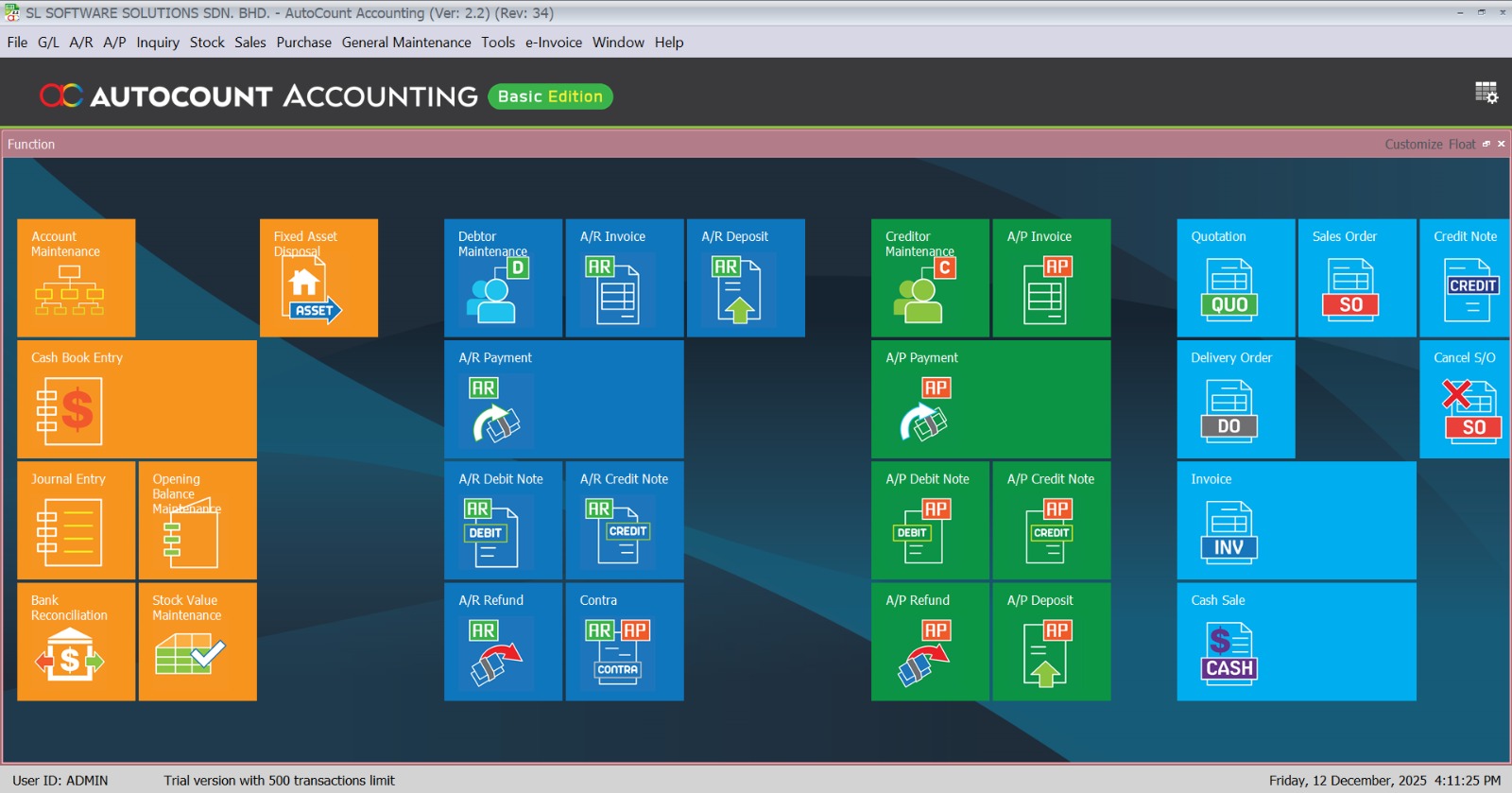
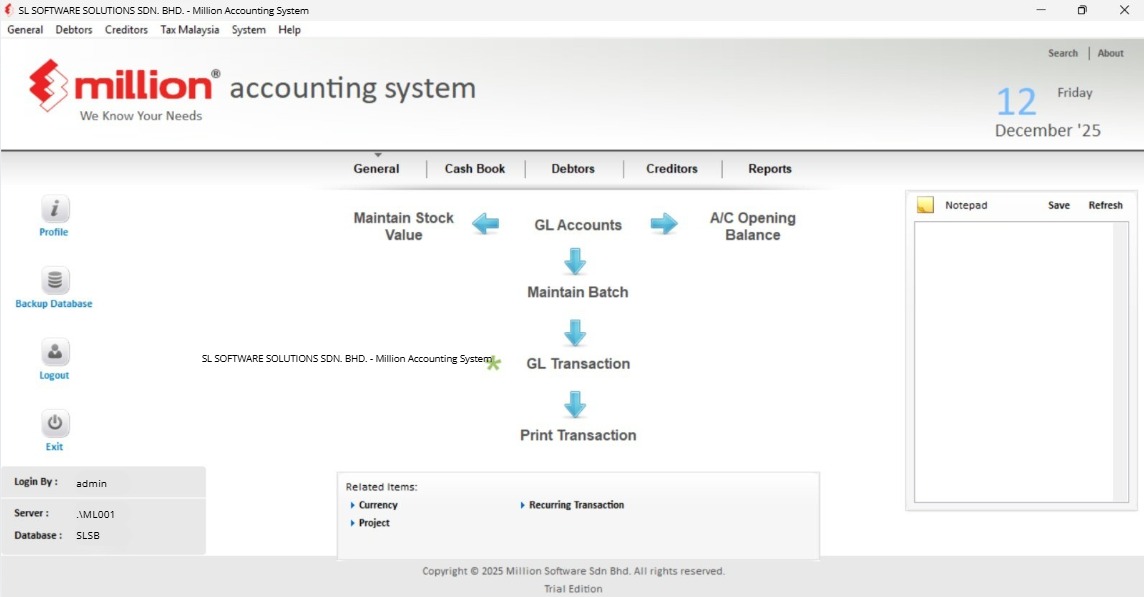
AutoCount vs Million Accounting: see both interfaces
The screenshots below are existing product images from this website. Compare navigation and workflow clarity with your own tasks rather than choosing purely on appearance.
What should Malaysian SMEs check before buying?
Retail and wholesale: Test purchasing, sales, stock movement and inventory reports.
Services: Review invoicing, customer balances, expense tracking and management reporting.
Growing businesses: Verify user permissions, multi-company needs, integrations and data migration.
Finance teams: Compare month-end closing, audit records and foreign currency handling where relevant.
Three steps to make a fair comparison
Use these steps to run a fair AutoCount vs Million Accounting evaluation with your own data.
List your real transactions
Prepare examples of documents, reports, stock items, user roles and integrations you need.
Test both systems
Ask each product to show the same workflows using comparable sample data.
Compare full ownership cost
Include implementation, training, licenses, optional modules, migration and ongoing support.
AutoCount vs Million Accounting FAQs
Which accounting software is better for a small Malaysian business?
It depends on the business’s transaction volume, inventory needs, reporting requirements, user experience and budget. Test both editions against your real workflow.
Is AutoCount always more advanced than Million Accounting?
A general ranking is not reliable across every edition and module. Compare the actual capabilities you need, supported configurations and version-specific documentation.
Does either software support e-Invoice requirements?
Review the current e-Invoice functionality available in the edition you are considering and confirm its supported workflows against the current LHDN e-Invoice requirements.
Can my existing accounting data be migrated?
Migration feasibility depends on data quality, source formats and the target system’s supported import methods. Request an assessment before committing to migration.
Compare with your actual business workflow
After your AutoCount vs Million Accounting review, learn more about AutoCount Accounting, and ask SL Software about suitable implementation and training arrangements for your company.
Before choosing
Request the current edition details, module scope and a sample-data demonstration. Confirm the quote covers all users, training and support.