
Run your retail shop with better control over checkout, daily sales and stock. AutoCount POS is a point of sale system for Malaysian retailers, with inventory, purchasing and multi-outlet functionality available in suitable editions and modules.
SL Software Solutions helps retailers choose the right POS package, plan implementation and arrange training and support.

AutoCount POS retail main transaction screen · Click to enlarge
Fast checkout. Organised stock. Clearer sales reporting. Whether you run a boutique, minimarket or growing chain, your POS should help you make better decisions—not create more manual work.
Manual price searches and cashier processes create queues. Barcode-driven transactions help teams serve customers more consistently.
Disconnected sheets make stock checks and replenishment difficult. An inventory-enabled POS records stock movements alongside retail activities.
Consolidating cash, card and daily transactions by hand takes time. POS cashier and sales reports make review easier.
Multiple outlets and unchecked discounts complicate supervision. Appropriate outlet arrangements and permissions improve operational visibility.
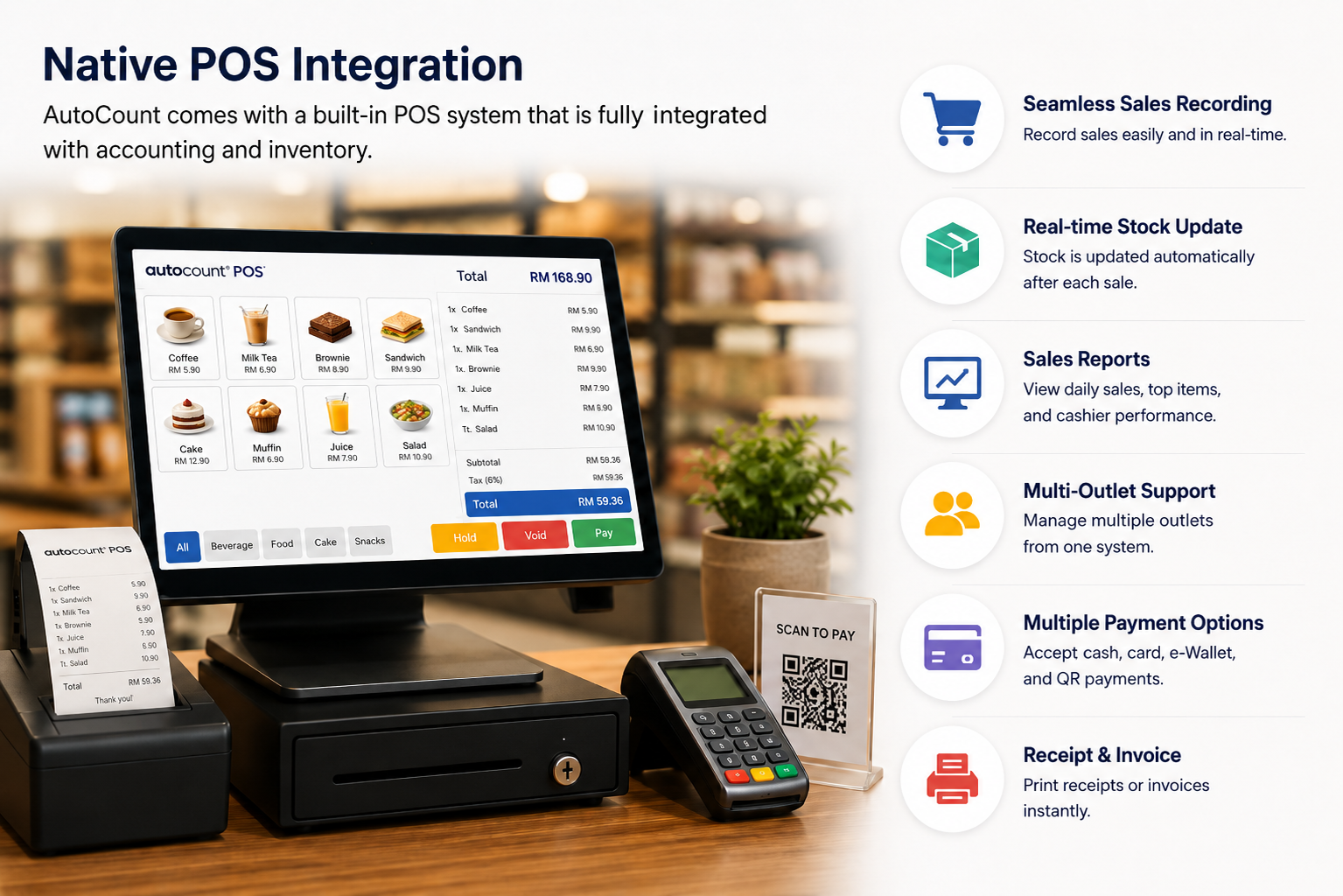
AutoCount POS supports barcode scanning, item search, payment recording, bill hold/recall and cashier reporting. Set up supported payment methods to match your actual checkout operations.
Business benefit: Give cashiers a consistent sales workflow while retaining structured transaction records.
With a suitable edition such as POS Standard, manage product records, inventory movements and purchasing activities. Track the information your staff need when planning replenishment and checking available stock.
Specialised requirements such as serial numbers, batches and multi-outlet operations may need additional modules or configuration.

Review daily transactions, cashier activity and recorded payment breakdowns in a more structured way.
Evaluate supported branch synchronization, additional cashier terminals and headquarters options for growing retailers.
Use compatible promotional pricing, discounts and member functions where supported by the package.
Discuss supported posting and synchronization with AutoCount Accounting to reduce repetitive accounting administration.
Configure supported staff permissions and transaction tracking for better accountability.
Suitable configurations support local POS checkout operations, although online integrations and synchronization still need connectivity.
Review recorded cash collections and counter variances with AutoCount POS reporting tools. The screenshot below illustrates a genuine Close Counter interface. Available reports and functions depend on your POS edition and configuration.

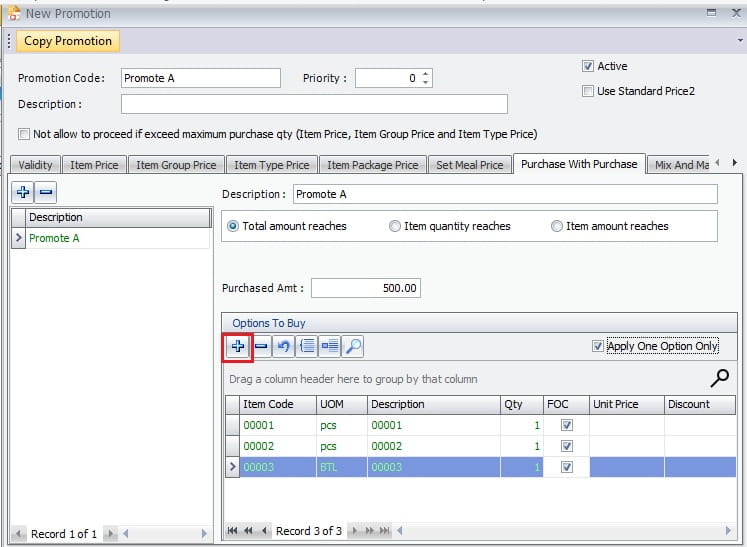
View an authentic promotion configuration screen. Supported promotions and membership functions depend on the chosen edition and setup.
Explore how retail sales, stock and accounting fit together. This is a workflow illustration, not a software-interface screenshot; exact integration options depend on your setup.
Minimarkets & grocery stores: Barcode checkout, everyday sales and stock replenishment.
Fashion boutiques: Product variants, promotions and stock visibility.
Hardware & electrical retailers: Large item lists, pricing and purchasing.
Beauty & specialty shops: Retail product sales, offers and selected memberships.
Multi-branch retailers: Additional terminals and relevant multi-outlet options.
For restaurants requiring table ordering or kitchen workflows, consider AutoCount F&B separately.
A starting point for retailers primarily needing cashier and checkout operations.
For businesses requiring broader inventory and purchasing functions alongside checkout.
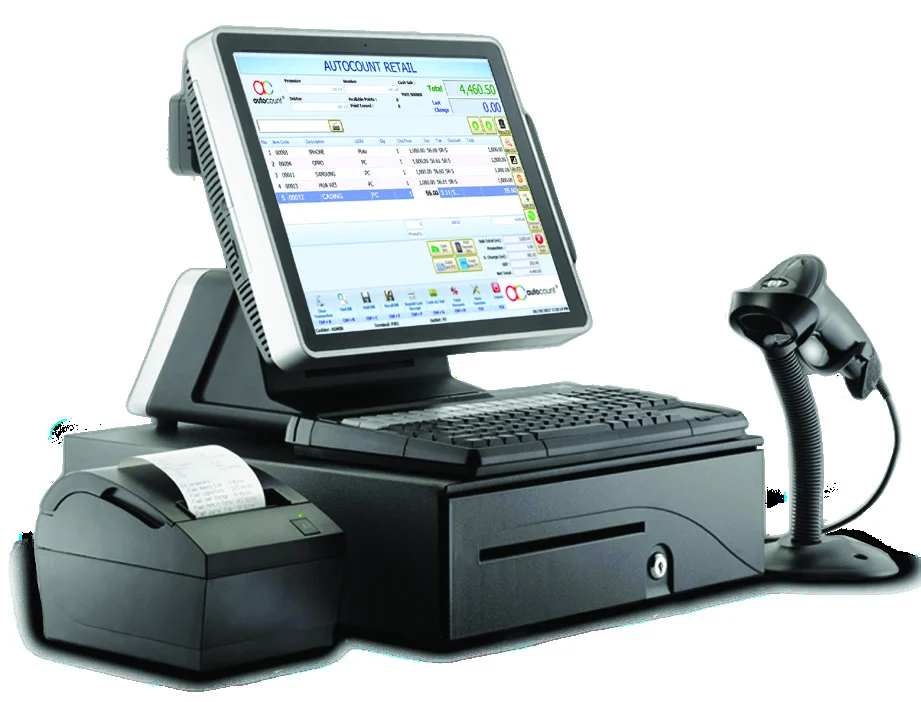
Illustrative checkout hardware. Hardware, peripherals and licensing are quoted according to your requirements.
Additional options: Cashier terminals, remote HQ, batch/serial tracking and other requirements are assessed separately. Exact licensing and compatibility should be confirmed before purchase.
Your total investment depends on the edition, number of counters, hardware, modules, training and implementation scope. Ask for an itemised end-user quotation.
AutoCount POS can work with compatible AutoCount Accounting posting and back-end processes. Retailers also need to evaluate their LHDN e-Invoice obligations, including individual and applicable consolidated e-Invoice workflows. The supported submission and customer-request features depend on the licensed product version, integration and configuration.
SL Software can review your existing accounting workflow and clarify the POS and e-Invoice capabilities relevant to your business.
Before selecting POS software Malaysia, ask: Do you need cashier-only operations or stock and purchasing? How many counters and outlets will you operate? Does your accounts team use AutoCount? Which payment methods must work? What happens when connectivity fails? What implementation and support services are included?
Start with how your shop operates today, then select a system you can manage as the business grows.
SL Software Solutions Sdn Bhd is an AutoCount authorised dealer. We help Malaysian SMEs evaluate POS requirements, compare available software editions, discuss integration or customisation needs, and plan implementation, user training and technical support according to the agreed scope.
Customer Success is Our Success.
Explore editions, stock control, connectivity, integration and support before choosing your POS package.
Yes. POS Basic focuses on cashier operations, while POS Standard adds inventory and purchasing capabilities. Suitability depends on your workflow.
Yes, in suitable editions such as POS Standard. Specialised stock functions may need optional modules.
Suitable local configurations can process checkout transactions without constant internet, but remote synchronization, connected payments and cloud-dependent services need connectivity.
Yes, with compatible multi-outlet and headquarters arrangements. Requirements and licensing should be assessed for each business.
Supported POS-to-accounting integration is available through compatible back-end and posting arrangements.
AutoCount offers e-Invoice-related capabilities, but availability and compliance depend on version, modules, configuration and applicable LHDN requirements.
Compatible provider integrations and configurable payment methods are available; confirm the specific provider and POS version.
The final price depends on edition, terminals, additional modules, hardware and services. Request an itemised quotation.
Yes. Installation, implementation, training and technical support can be arranged according to the agreed service scope.
Tell us your business type, number of outlets and cashier counters, inventory requirements and existing accounting setup. SL Software can recommend a suitable AutoCount POS package and discuss the next steps for a demonstration or quotation.