Make pricing easier and better with AutoCount’s Multi-Dimensional Price Book module. This powerful tool helps businesses, especially those using AutoCount Accounting 2.0, to simplify how they handle prices, make sure prices are right when they sell things, and run special deals for specific customers.
Firstly, the Multi-Dimensional Price Book module makes managing prices easier. It gives businesses a complete system to create and control price books with different aspects. As a result, they can set pricing rules based on different factors. Thus, making sure they price things right and efficiently for their products and services.

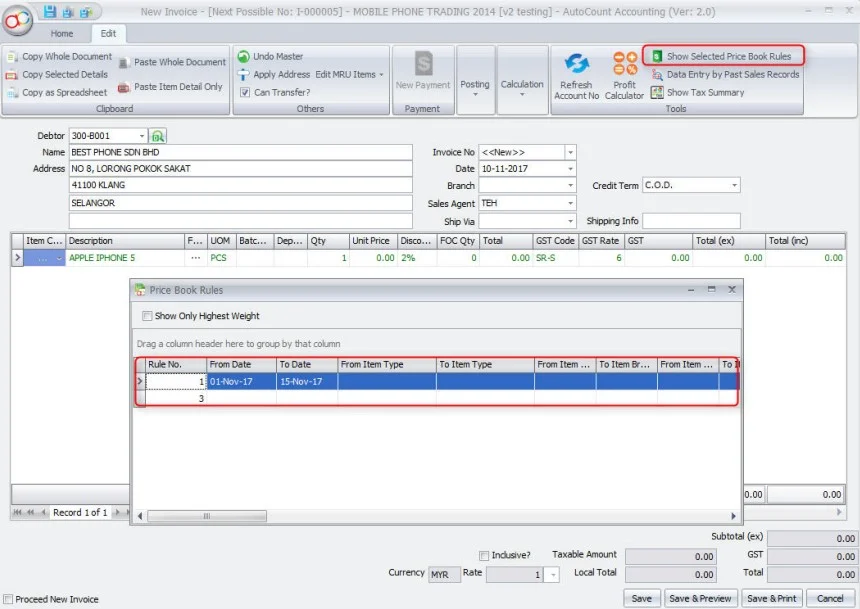
Secondly, it helps in making sure prices are correct and can change as needed when you're making sales. To clarify, this module looks at things like dates, the type of item, where you're selling, who's doing the selling, and who the customers are. In other words, it uses all this information to calculate the right price for each situation and need.

Thirdly, it helps in making special offers that work for your business. Using the Multi-Dimensional Price Book module, you can decide how prices should change based on your own special rules. In addition, you can choose things like the smallest amount people need to buy, how much each thing costs, how much they get off, and even how many they can get for free to create attractive promotions.

In addition, it helps to give importance and order to your special offers so they work well. This makes sure that when there are rules that overlap, the most important ones get applied first. As a result, the ones with higher importance and order come first. Thus, making sure prices are always right and the same.

Finally, you can bring in promotions easily from Excel. This module lets businesses add promotion prices and information quickly, making it a simple and effective way to handle lots of promotions.

With over 50 modules and 100 plugins to choose from, AutoCount System offers a wide range of options for small and medium-sized enterprises (SMEs). It helps businesses accelerate their growth and ensures that you can’t go wrong with its diverse selection. Choose AutoCount to take your business to new heights with its tailored solutions for accounting, inventory management, sales, and more. Trust in AutoCount’s extensive offerings to meet your specific business needs effectively.
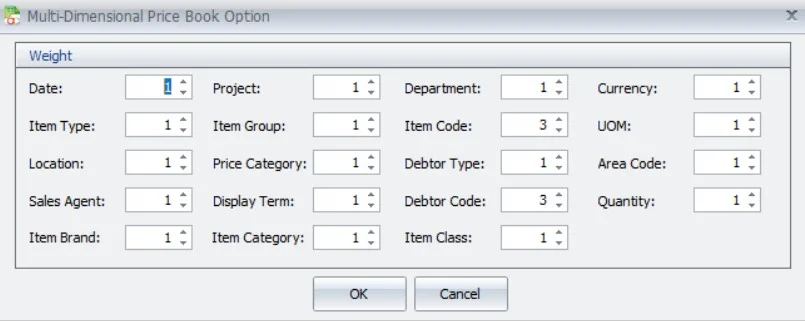
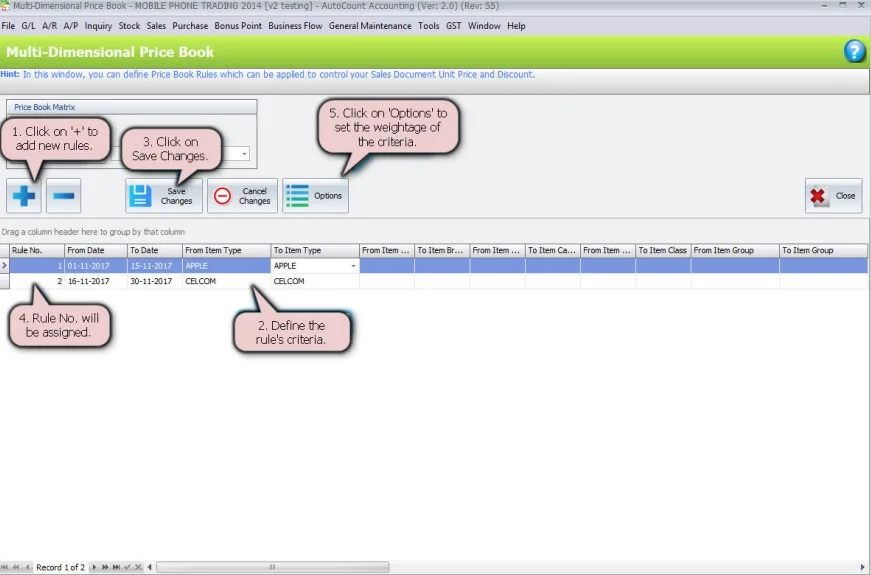
Go to Sales > Multi-Dimensional Price Book to create pricing rules. Tell the system things like when the pricing applies, what kind of item it is, where you’re selling it, who’s doing the selling, the brand of the item, the project, and other details. Then, set the smallest amount people need to buy, how much each thing costs, and how much they get off as numbers or percentages for each rule.
Keep track of how much things cost for stock items in various ways. This includes using the Multi-Dimensional Price Book, setting prices based on who’s buying or what category it falls into, and having a standard price in the stock item details. The system starts with the rules in the Multi-Dimensional Price Book and then checks the other levels if needed.
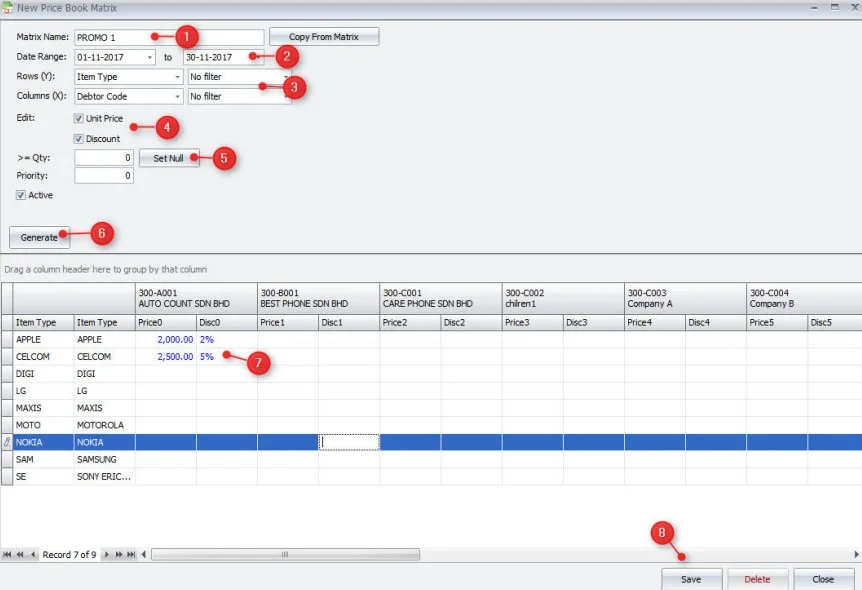
Make a price list grid by setting up the horizontal (X) and vertical (Y) lines and their choices to narrow things down. Then, put in the prices for each box in the grid, like how much things cost, how much people save, and the smallest amount they need to buy. Finally, make the price list grid, add the prices, and save the rules you made.
The AutoCount Multi-Dimensional Price Book module works great for retail and distribution businesses that use AutoCount Accounting 2.0. Retailers can use it to manage promotions by offering discounts and changing prices for specific times. Distributors with different kinds of promotions can also use it to make their promotional plans simple to put into action.
Make your pricing plans better and increase your earnings with the AutoCount Multi-Dimensional Price Book module. It makes pricing easier, helps you create special offers, and makes sure prices are right when you sell things. This module is great for retail and distribution businesses using AutoCount Accounting 2.0. It helps you make more money, offer the right prices to customers, and stay competitive. Use this module to make your work smoother, earn more profit, and grow your business with the AutoCount Multi-Dimensional Price Book module.