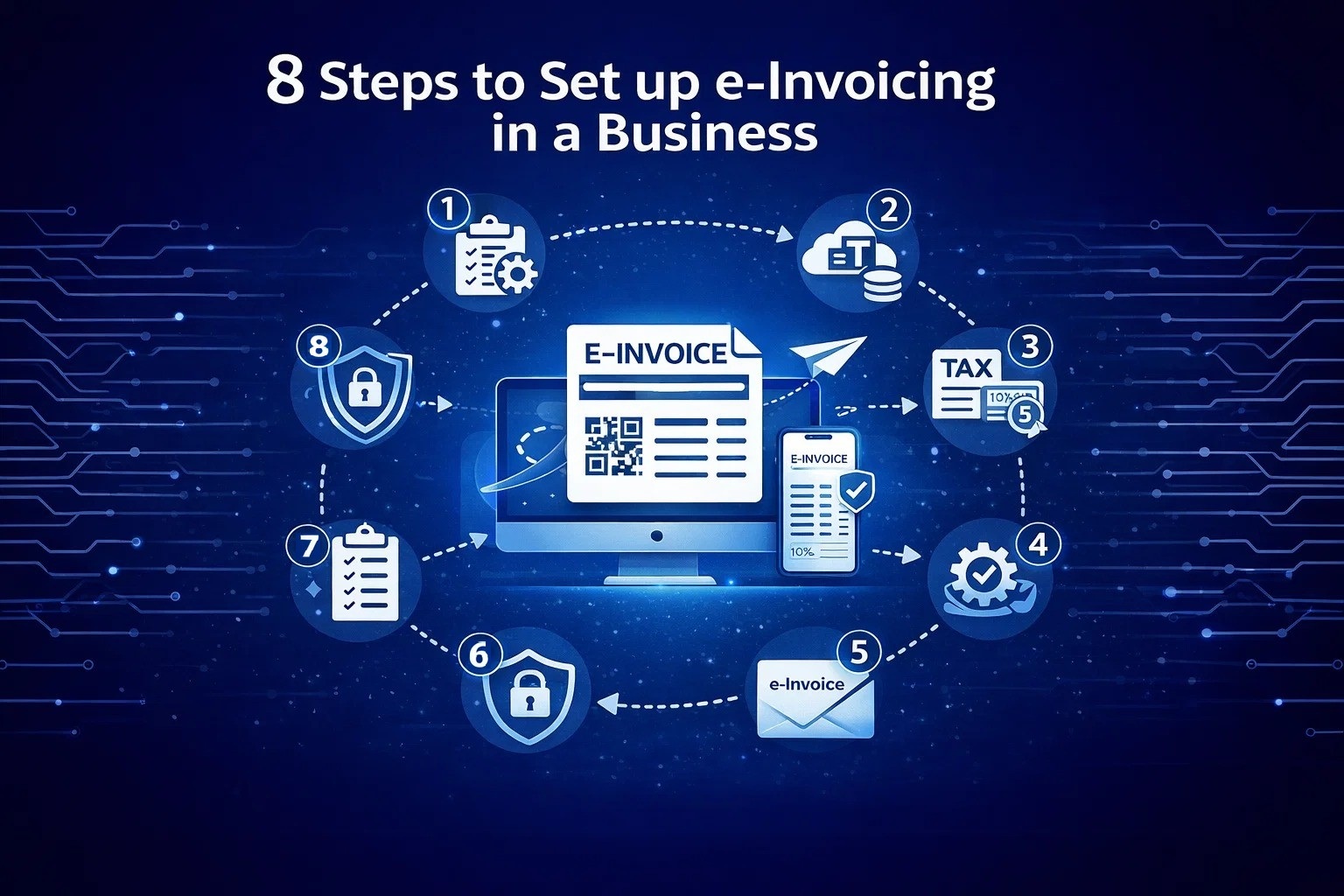
8 Steps to Set up e-invoicing in a business
Get started with e-Invoicing the easy way. Learn the step-by-step process to set up e-Invoicing for your business, improve efficiency, reduce errors, and stay compliant with Malaysia’s regulations.
Why Switch to E-Invoicing?
Setting up e-invoicing for your business is a smart move that can make managing invoices easier and more efficient. E-invoicing, or electronic invoicing, is a way of sending and receiving invoices digitally instead of using paper. It helps businesses save time, reduce errors, and stay organized.
It helps businesses save time, reduce errors, and stay organized. From choosing a reliable e-invoicing provider to distributing invoices digitally, each step is designed to make your invoicing process smoother. Let’s explore these steps together so you can enjoy the benefits of a more streamlined and cost-effective invoicing system.
8 Steps to Implementation
A roadmap to modernizing your financial operations.
1. Choose a Provider
Start by selecting a trustworthy e-invoicing provider. This service will convert your invoices into the required formats accepted by different customers and tax authorities.
2. Determine Addresses
Ensure that all parties involved in e-invoicing have their e-invoicing addresses. These addresses may vary depending on the country and the service provider you choose.
3. Set Up Formats
In Malaysia, choose formats that fit LHDN regulations. Ensure invoices align with portal standards and local rules. Common formats like XML work well here.
4. Integrate Software
Connect your e-invoicing system with your existing ERP (Enterprise Resource Planning) and accounting software. This integration streamlines workflows and automates processes for better efficiency.
5. Create Invoices
Utilize an ERP system, your chosen e-invoicing provider, or an online form to create electronic invoices, reducing manual efforts and ensuring accuracy.
6. Distribute
Distribute via the recipient’s preferred channel, such as their ERP system, government portal, or email. Flexibility in distribution is key.
7. Automate Validation
Opt for e-invoicing solutions that provide automatic validation against rules and compliance requirements. This helps ensure accuracy and adherence to regulations.
8. Monitor & Maintain
Regularly monitor your system to stay up-to-date with the latest regulations and best practices. Ongoing effort ensures efficiency and compliance.
Learn E-Invoicing with Our Expert-Led Classes
Ready to master e-invoicing and streamline your business? Join our comprehensive class and get hands-on guidance!