
Probably—once you hit group-level complexity (multi-entity, strict controls, complex supply chain). Use AutoCount to build clean processes and data first, then upgrade smoothly.
A calm, owner-friendly guide to choosing the right business software for Malaysian SMEs.
ERP (Enterprise Resource Planning) is business software that connects finance, purchasing, inventory, production, sales, and HR on one platform with shared data and controlled workflows.
Think of it as a single operating system for your company: one set of facts, approvals that actually stick, and real-time visibility so leadership can make decisions without chasing spreadsheets.

If you see three or more of these red flags, an ERP system is probably worth the investment:
3+ entities or plants; frequent intercompany transactions; need fast group numbers.
Detailed BOMs/routings, MRP/production planning, capacity scheduling, batch/serial tracking.
> 10k SKUs, frequent price changes, promotions/rebates, warranties/returns.
Segregation of duties (SoD), formal approvals, clean audit trails.
Leadership wants dashboards across sales, production, inventory, and cash—daily.
Cross-border selling/buying, FX revaluations, varying tax regimes.
You’ll integrate e-Invoice and connect WMS, e-commerce, POS, HR, etc.
A memorable analogy to understand the architecture:
One company = one database (account book). To work on another, you “step out and step in.” Consolidation requires dedicated effort to pull data from multiple “houses” before combining.
Many companies/entities live under one system—cross-company processes and consolidation are native. No logging in and out, ensuring seamless group-level reporting.
ERP is like hiring a private chef.
AutoCount is like a popular, trusted restaurant.
Bottom line: If you’re Malaysia-centric, AutoCount’s mass-market model usually keeps compliance updates predictable and affordable.
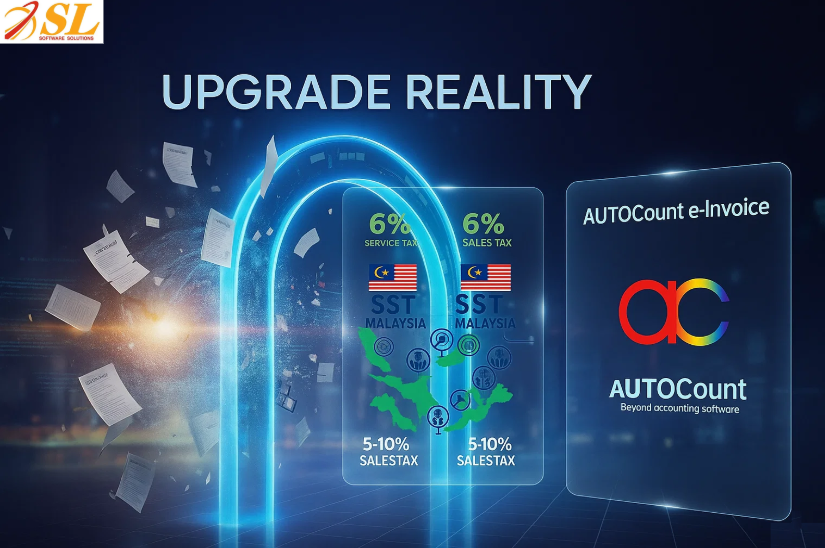
When rules change (e.g., e-Invoice or SST), you want fast, predictable updates. For e-Invoice, confirm phases on LHDN’s e-Invoice Implementation Timeline, then follow our How to Set Up e-Invoice in AutoCount for complete setup guide. Also see how AutoCount handles e-Invoicing in our E-Invoicing in Malaysia: Complete Guide (2025 Update).
| Dimension | AutoCount (Practical for SMEs) | ERP (Built for Large Enterprises) |
|---|---|---|
| Long-term Cost | Lower: e-Invoice/SST updates go to everyone; costs spread out. | Higher: Every change becomes a project (scope, testing, consultants). |
| Speed to Value | Fast (Weeks): Turn on modules/plugins and start working quickly. | Slow (Months+): Blueprints, meetings, and change requests delay benefits. |
| Ease for Finance | Easy to Use: Designed around accounting & inventory. Faster month-end closing, less training. | Process-heavy: Good for strict workflows, but can feel complicated. |
| Flexibility | Practical Options: 50+ modules and 100+ plugins you can add as you grow. | Rigid: Hard to change after setup; changes cost time and money. |
| Best For | SMEs & Manufacturers who need strong finance, stock, costing, payroll—without enterprise complexity. | Very Large Enterprises: With multi-entity, multi-country processes. |
Choose ERP when three or more are true (as per the list below):
If you tick ≥3, ERP’s benefits usually pay back over 12–36 months.
| Dimension | ERP Systems | AutoCount (With Add-Ons/Integrations) |
|---|---|---|
| Best For | Complex, multi-layer manufacturing environments | Light manufacturing, assemble-to-order, workshops |
| Production Features | Full MRP, advanced scheduling, work centers, routings | Basic production needs with optional integrations |
| BOM Requirements | Detailed, multi-level BOMs with routing steps | Simpler BOMs (materials + basic steps) |
| Quality Control | Built-in quality workflows and checkpoints | Add-on or manual QC depending on needs |
| Traceability | Deep lot/serial tracking fully linked to finance & sales | Practical lot tracking; suitable for SME-level compliance |
| Multi-Plant Support | Strong multi-plant planning & coordination | Suitable for single-site or simpler multi-location setups |
| Cost & Complexity | Higher cost, long implementation, process-heavy | Lower cost, quick setup, easier to manage |
| Document Flow | Custom workflows, approvals, enterprise processes | Clear and simple: Quotation → DO → Invoice Payment |
| e-Invoice Setup | Requires configuration and testing | Easy setup with guided steps |
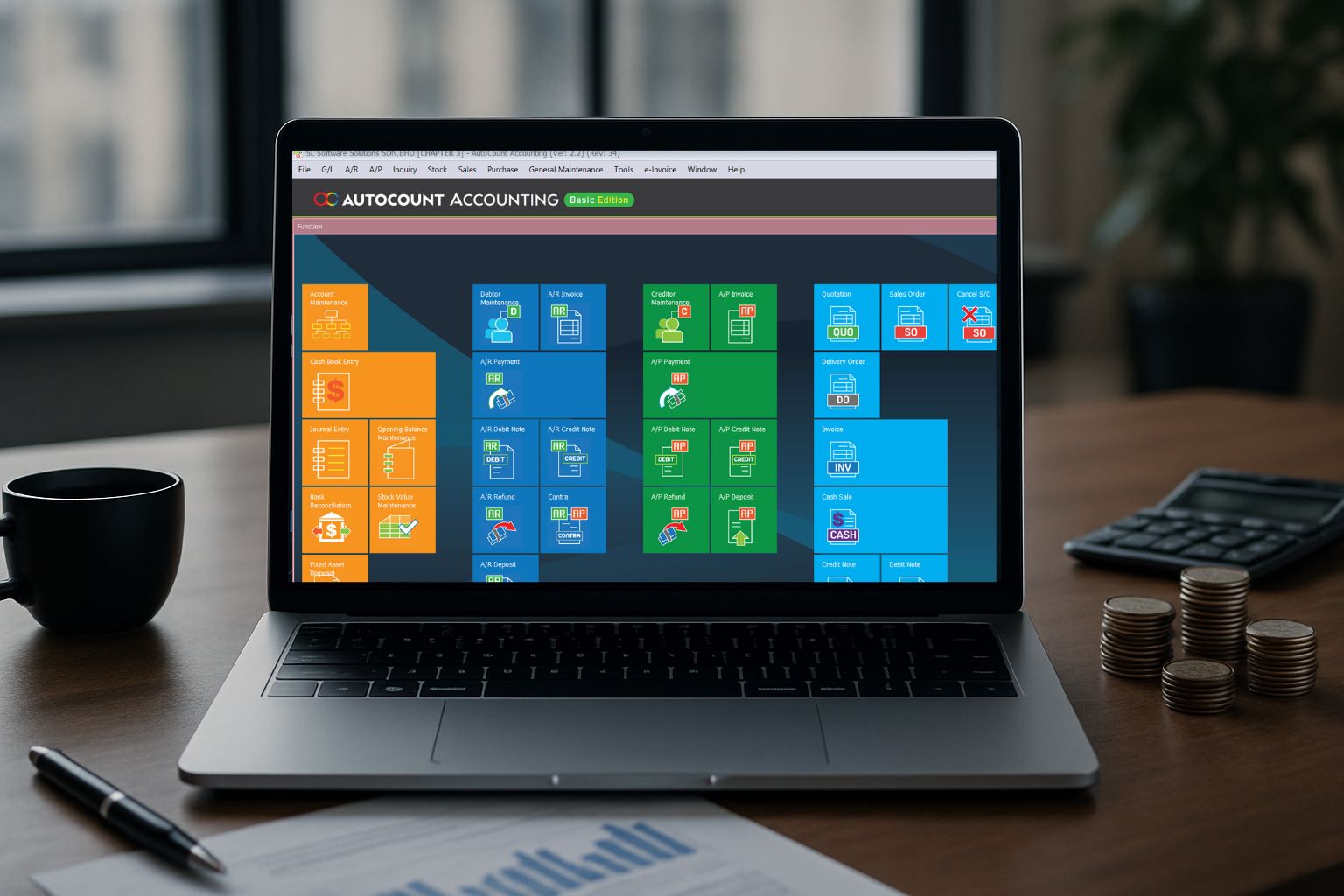
If you want fast setup with clear document flows, start with AutoCount Accounting, which lets you trace quotes → delivery orders (DOs) → invoices → payments and enable e-Invoice using the step-by-step guide.
For companies that already rely on specialized ERP or production management systems, there is a practical alternative beyond adopting a full, end-to-end ERP suite. Instead, businesses can consider a hybrid setup: using their existing ERP/MES system for production operations, while handling all finance-related processes with AutoCount.
AutoCount provides ready-to-use APIs across its product lines, making system integration straightforward and efficient. With these APIs, data from the production system—such as material usage, work orders, job completion, inventory movement, and costing—can be synchronized automatically with AutoCount’s financial modules.
This approach offers several advantages:
Production systems remain specialized, focusing on manufacturing workflow, scheduling, quality control, and shop-floor operations.
Finance stays flexible and modern, powered by AutoCount’s strong accounting features, real-time reporting, and continuous updates.
Seamless API integration eliminates manual data entry, reduces errors, and accelerates closing processes as production data flows directly into financial records.
This hybrid model is an excellent choice for businesses that want to retain their existing production ERP while upgrading their financial system to something more efficient, scalable, and integration-ready.
Curious whether your business needs AutoCount or a full‑blown ERP system? Watch this short video to discover how to choose the right fit, boost efficiency and keep your cost‑benefit in check.
No. Regulators expect accurate, auditable records and compliant reports. ERP isn’t mandatory; it just makes governance easier at group scale.
With ERP, changes often become custom projects (scope/testing/consulting). With AutoCount, updates are mass-released to all users—typically faster and cheaper.
Yes. Because each company is its own database, you usually use ETL/BI to aggregate and then consolidate for management reporting. For most SMEs, that’s enough.
Probably—once you hit group-level complexity (multi-entity, strict controls, complex supply chain). Use AutoCount to build clean processes and data first, then upgrade smoothly.
Book a 30-minute fit check. We’ll run through 10 practical questions to confirm whether AutoCount covers 100% of your needs today and if not, outline a phased ERP plan.