Malaysia’s Tax Identification Number (TIN): The Essential Guide for e-Invoicing
AutoCount connects directly to LHDN’s MyInvois Portal to automatically retrieve and validate TINs, so every invoice you send is accurate, compliant, and audit-ready.
What is a Tax Identification Number (TIN) in Malaysia?
A Tax Identification Number (TIN) is a unique alphanumeric identifier issued by the Inland Revenue Board of Malaysia (LHDN) to all registered taxpayers. It is the primary reference number LHDN uses to track your tax filings and obligations.
For Individuals/Sole Proprietors: Your TIN is typically your NRIC number.
For Business Entities: Your TIN is a separate 12-digit number (starting with a letter) issued upon registration with LHDN.
In Malaysia, individuals and entities registered as taxpayers with the IRBM are assigned a TIN. This number is crucial for tax compliance and financial transactions within the country. For Malaysian citizens, the TIN is typically issued once they reach the age of 18 years old.
Key Takeaways
Mandatory Field: A valid TIN for both the supplier and customer is required for every e-Invoice submitted to LHDN.
Two Main Formats: For individuals, the TIN is the NRIC number. For businesses, it's a unique 12-character code issued by LHDN.
Avoid Penalties: Incorrect or missing TINs will lead to invoice rejection, compliance issues, and potential penalties.
Automate with AutoCount: AutoCount's direct API integration with the MyInvois Portal automatically retrieves and validates TINs, saving time and ensuring 100% accuracy.
TIN Format and Structure: A Clear Breakdown
The format differs between individuals and businesses. Use the table below as a quick reference to identify different TIN types.
No
Tax File No
File Type
1
IG
Individual Including Sole-Proprietor
2
D
Partnership
3
C
Company
4
H
Hindu Joint Family
5
F
Association
6
TA
Deceased Person's Estate
7
TP
Real Estate Investment Trust / Property Trust Fund
8
TC
Unit Trust / Property Trust
9
CS
Co-operative Society
10
TR
Real Estate Investment Trust / Property Trust Fund
11
PT
Limited Liability Partnership
12
TN
Business Trust
13
LE
Labuan Entity
Why is TIN Crucial for e-Invoicing Compliance?
Under LHDN’s e-Invoicing mandate, the TIN is a mandatory field for validation. Its importance cannot be overstated:
How AutoCount Simplifies TIN Management for e-Invoicing
Manually looking up and entering TINs for every customer is time-consuming and prone to error. AutoCount’s e-Invoicing system solves this problem with seamless integration.
Our software connects directly to the official MyInvois Portal API, automating the entire process. Here’s how it works:
The correct TIN is automatically fetched and populated into the invoice field. Zero manual entry required.
This seamless integration is the most effective way to ensure every e-Invoice you generate is compliant from the start.
Benefits of Automating TINs with AutoCount e-Invoicing
Eliminate Errors
Say goodbye to typos and incorrect TIN formats. The API ensures 100% data accuracy.
Gain Peace of Mind
Focus on growing your business, not on tedious administrative checks.
Save Significant Time
Automate TIN retrieval for hundreds of customers with batch processing.
Ensure Uninterrupted Compliance
Build a bulletproof e-invoicing process that meets all LHDN requirements.
Frequently Asked Questions
What if my supplier or customer doesn't have a TIN yet?
They must register with LHDN immediately. You cannot generate a valid e-Invoice without the recipient’s TIN. For foreign individuals without an NRIC, a passport-based TIN can be used.
I'm a sole proprietor. Do I use my NRIC or a business TIN?
You will use your NRIC number. The system will recognize it as your TIN (formatted as IG[NRIC Number]).
What's the difference between a Business Registration Number (BRN) and a TIN?
The BRN is issued by SSM when you incorporate a business. The TIN is issued by LHDN for tax purposes. They are often different. AutoCount uses the BRN to look up the correct TIN automatically.
Can I validate a TIN for free?
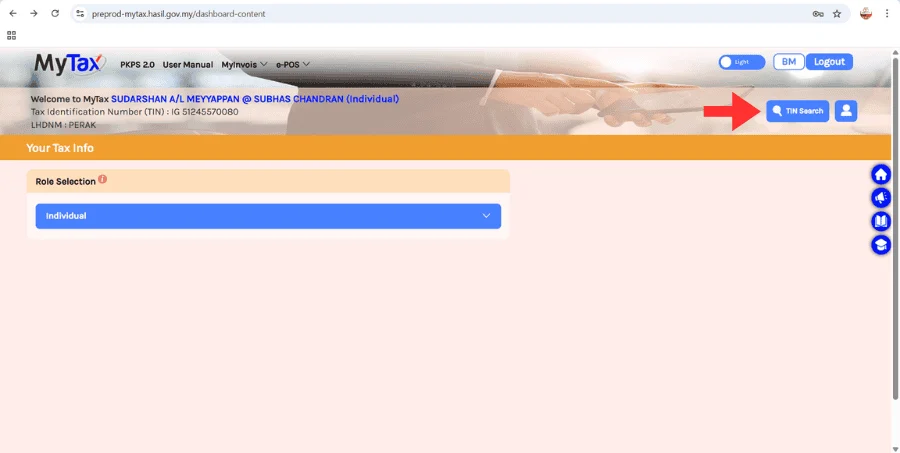
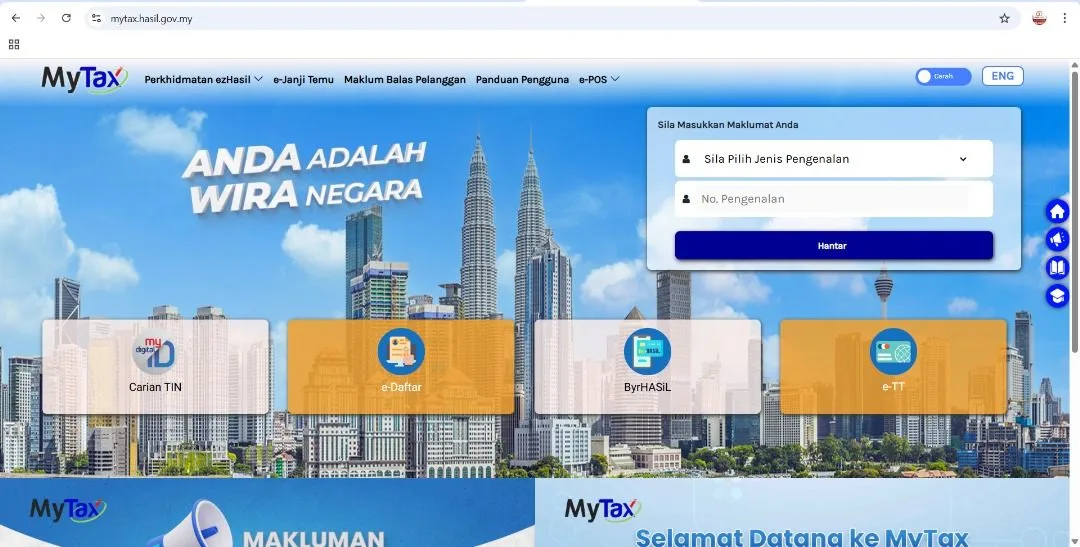
Yes, through the MyTax portal. However, AutoCount builds this validation directly into your invoicing process, saving you the extra step.
Learn E-Invoicing with Our Expert-Led Classes
Ready to master e-invoicing and streamline your business? Join our comprehensive class and get hands-on guidance!