
AI-powered, cloud-based payroll solution designed specifically for Malaysian SMEs. Automate calculations, ensure compliance, and save valuable time.
AutoCount Payroll is a comprehensive, cloud-based solution that centralizes and automates critical HR and payroll functions. Designed specifically for the Malaysian market, it ensures compliance with local regulatory requirements such as LHDN, KWSP (EPF), SOCSO, and EIS.
Watch our product introduction
AutoCount Payroll simplifies the entire payroll process with intuitive features and automation. Our system handles everything from PCB calculations to statutory submissions.
Managing payroll for your business can be time-consuming and complex, especially with the
ever-changing regulations in Malaysia.

Save time and reduce human error by automating key payroll tasks, including PCB calculation and employee salary distribution.
Automatically updates to reflect the latest LHDN, EPF, SOCSO, and EIS regulations, reducing compliance risks.
Access your payroll data from anywhere, anytime, with cloud-based payroll software, making it easier for business owners and HR staff to stay on top of payroll tasks.
Empower employees with access to their payslips and other payroll-related documents, increasing transparency and reducing administrative work.
Our payroll software integrates smoothly with other AutoCount software solutions like accounting and inventory management, giving you a complete business solution.
Automate calculations and use batch processing for reports to save hours of manual work each month.
Minimize human error in complex salary, tax, and statutory deduction calculations for accurate, on-time pay.
Flexible plans grow with your business, from 5 to 500 employees, adding modules as you need them.
AutoCount offers flexible pricing plans to suit different business needs and sizes. Plus, a Free Plan is available for companies with up to 3 employees!
Popular
Up to 3 employees
Best For
Startup company or company which only have 3 employees or only want to use e-claim, e-Leave and e-Attendance which less than 10 employees.
Everything in PREMIUM
* Free mode supports payroll process up to 3 employee headcounts.
Start From 30 Employee (Unlimited Company)
Best For
Company which only needs the Payroll process without eLeave, eClaim, and eAttendance.
Start From 5 Employee (Unlimited Company)
Best For
Company who wants a complete HR solution, including Payroll, e-Leave, e-Claim, and e-Attendance
Everything in ACCOUNTANT
Start From 300 Employee (Unlimited Company)
Best For
Accounting Firms or Payroll outsourcing companies who need Payroll process without eLeave, eClaim, eAttendance
Everything in EXPRESS
| Key Features | Express | Premium | Accountant |
|---|---|---|---|
| Payment Frequency Type | Yearly | Monthly / Yearly | Yearly |
| Included Free Payroll Users | 1 | Unlimited (if purchase for 12 months) | 2 |
| eLeave & eClaim | — | ✓ | — |
| eAttendance | — | ✓ | — |
| e-Approval Setting | — | Multiple | — |
| Department Setting | ✓ Exclude sub-dept |
✓ Include sub-dept |
✓ Include sub-dept |
| Bank Account Setting | Single | Multiple | Multiple |
| Calendar Setting | Single | Multiple | Multiple |
* Price displayed excludes SST & implementation. Actual promotion and discounts depend on current offers.
*All plans include Employee Profile Maintenance, all Payroll Process Types, Statutory Types, LHDN Calculator Link, Electronic Payment, Payslip By Email, Report Design, Online Chat Support, and 2-Factor Authentication.*
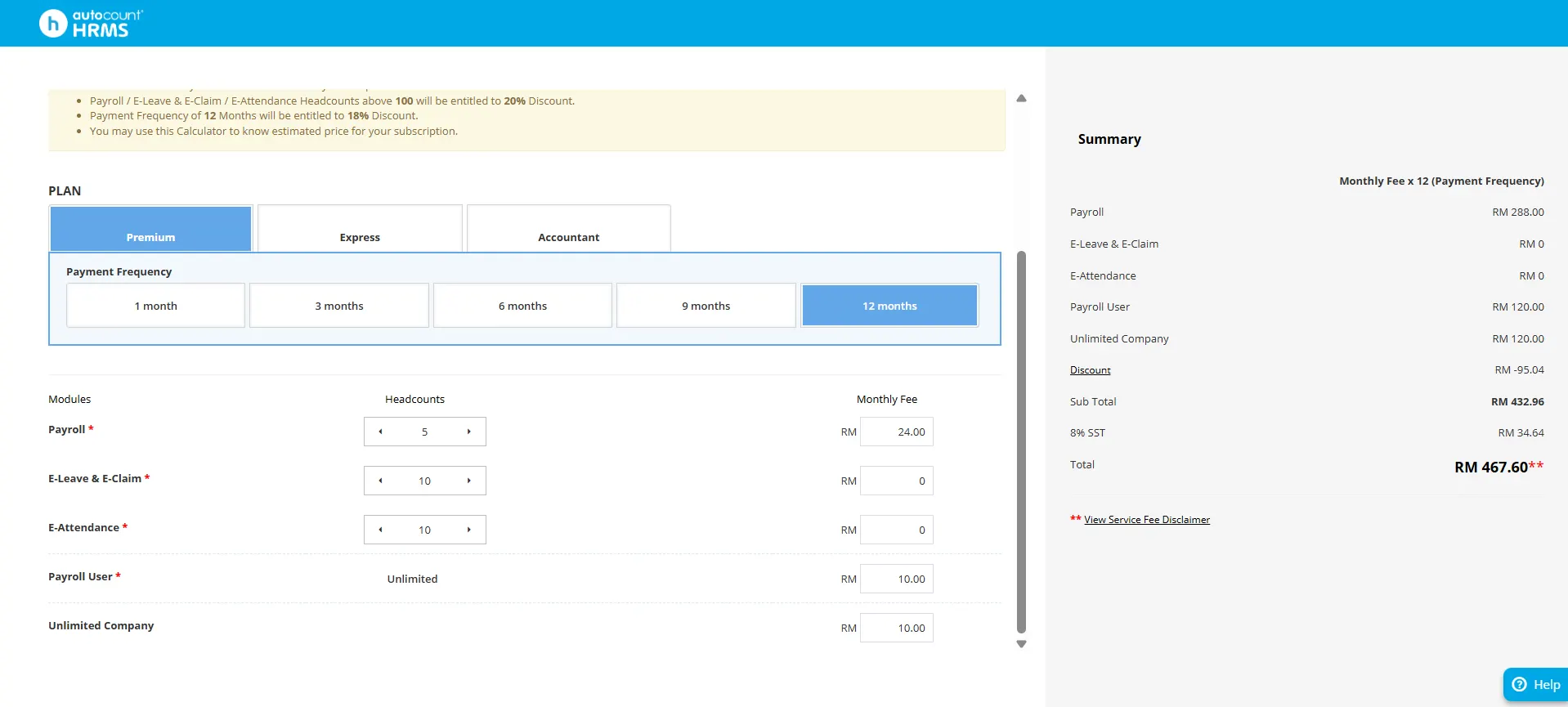
Check your customized subscription price based on your business needs
Use our official Service Fee Calculator to get accurate pricing based on your employee count and required modules.
For precise monthly or yearly subscription pricing tailored to your business, visit the official AutoCount pricing calculator:
The calculator allows you to:
AutoCount Payroll offers transparent pricing with several key benefits:
treamline your HR processes with our comprehensive payroll and employee management solution
Handle the essentials—accurately and automatically.
Salaries, OT, allowances, bonuses, and all statutory deductions.
Automated deduction schedules for easy loan management and tracking.
Make electronic bulk payments directly to major Malaysian banks, saving you time and effort.
Employees can view pay slips on the app, web, or receive secure email delivery of their payslips.
Supports multiple payroll processes, including claims, commissions, and other custom payroll needs.
Generate customizable government and management payroll reports for easy compliance and analysis.
Save time, reduce errors and free up your team from repetitive payroll tasks—letting you focus on growing the business.
Empower employees to manage their own information, reducing admin burden:
Employees can view and download their payslips and EA forms online, anytime.
Employees can easily apply for leave and check their entitlement balances in real-time.
Employees can submit claims along with digital receipts, streamlining the approval process.
Stay updated by accessing company announcements and important documents directly.
Employees can access shared company folders, ensuring they have all the necessary documents at hand.
Cuts down administrative burden and improves transparency—staff engage with HR processes themselves, freeing your HR/finance team.
Digital application and approval via Web, App, and Email for seamless leave management.
Configurable items and limits with digital receipt attachments for simplified expense management..
Visualize team availability and avoid scheduling conflicts with an easy-to-read calendar view.
Flexible setup for different leave and claim groups, with customizable entitlements.
Makes leave and expense management quick, auditable and structured—avoiding surprises and manual bookkeeping.
Ready to see how AutoCount can automate your entire employee time-off flow?
Ready to see how AutoCount can automate your entire expense reimbursement flow?
Capture hours, shifts and link straight to payroll.
Employees can clock-in using the mobile app with GPS tracking or biometric/face-recognition devices.
Setup for fixed-hour employees or flexible schedules; the system adapts to your workforce's needs.
Attendance data is automatically fed into payroll, ensuring accurate overtime and wage calculations—no manual transfer required.
Accurate attendance tracking means fewer payroll disputes, better compliance, and smoother operations.
Ready to see how AutoCount can automate your entire workforce management flow?
Host on platforms like Microsoft Azure, eliminating the need for costly servers and maintenance
Automatic encryption, backups, and two-factor authentication (2FA) for secure access control.
Automatic software updates to keep you compliant and secure without additional work.
Enterprise‑grade protection without heavy IT overhead—secure, scalable, flexible.
Boost operational efficiency with AI automation
Let the system learn from your payroll data and detect anomalies like mis‑classified hours, duplicate entries or missing deductions—before they become a problem.
With local Malaysian statutory requirements ever‑changing (EPF, SOCSO, EIS, LHDN), AI ensures you’re aligned from the start — reducing risk and freeing you to focus on growing the business.
AI bridges data from time‑attendance systems, HR and accounting software—meaning fewer manual imports, fewer errors, and a unified view of your payroll landscape.
With intelligent processing that prevents errors, businesses can ensure accuracy and save time on corrections. Automation of compliance tasks ensures alignment with Malaysian statutory requirements, reducing risks and freeing up resources to focus on growth.
Simplify HR operations by allowing employees to manage their own information:
Visualize team structures with easy-to-update charts, clarifying roles and reporting relationships.
Pre-designed, customizable templates for various HR communications (e.g., appointment, promotion, resignation letters) to ensure consistency and save time.
Track and record all system changes for security, accountability, and compliance, ensuring transparency in payroll and HR operations.
Customizable notifications for important tasks like payroll processing, benefits renewals, and tax filings to avoid missed deadlines.
Customize the system to capture specific employee information unique to your organization, providing flexibility and tailored reports.
These features help improve efficiency, ensure compliance, and provide greater flexibility in managing payroll and HR tasks.
Take attendance tracking to the next level with powerful biometric devices that sync directly with AutoCount Cloud Payroll.
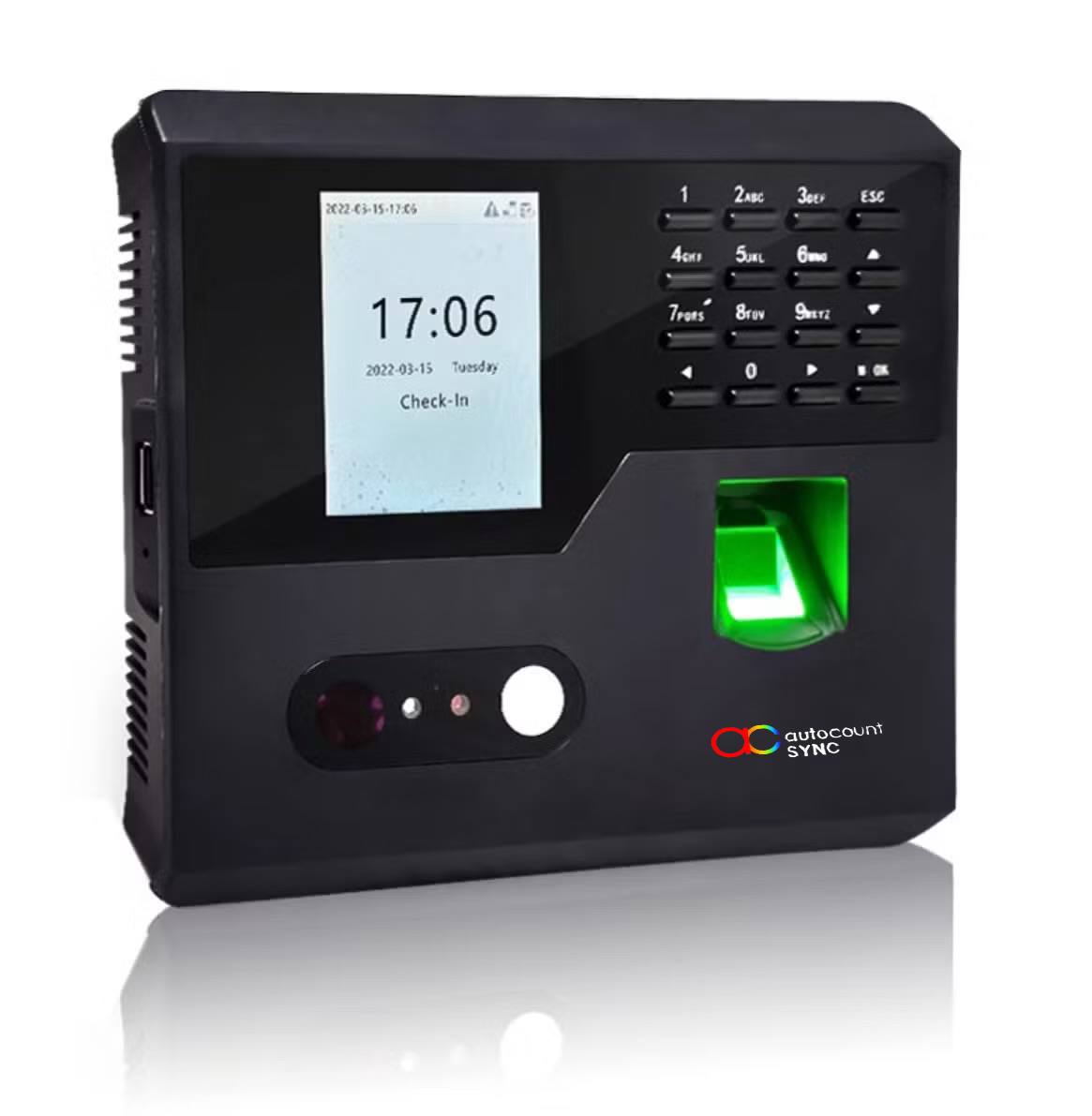
iFace Duo System
Combines facial recognition and fingerprint scanning for maximum security. The dual authentication ensures only authorized personnel can clock in.
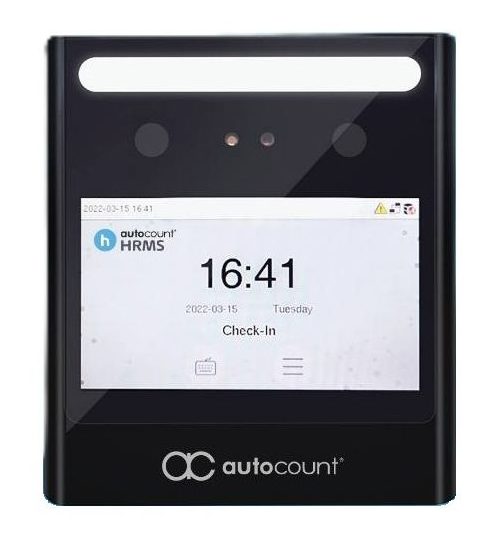
iFace Biometric Device
Advanced facial recognition for quick, contactless clock-in. Designed for hygiene and speed, ideal for modern, fast-paced business environments.
AutoCount Payroll introduces Siora, Malaysia’s First Payroll AI System, designed to save time, reduce errors, and provide instant insights. This innovative AI assistant transforms how businesses manage their payroll operations.
Get 24/7 answers to payroll questions without searching manuals through AI Live Chat.
Instantly generate professional HR documents and emails, such as announcements or policies.
Get accurate, customized payroll formulas for salary or allowances by describing your needs to the AI.
Siora highlights key trends, anomalies, and patterns in data, helping identify issues.
Siora AI simplifies onboarding by automatically recognizing, mapping, and uploading records from spreadsheets.
The AutoCount Payroll Login process is straightforward and secure, providing access to your payroll system through multiple channels.
Access via any modern browser (Chrome, Firefox)
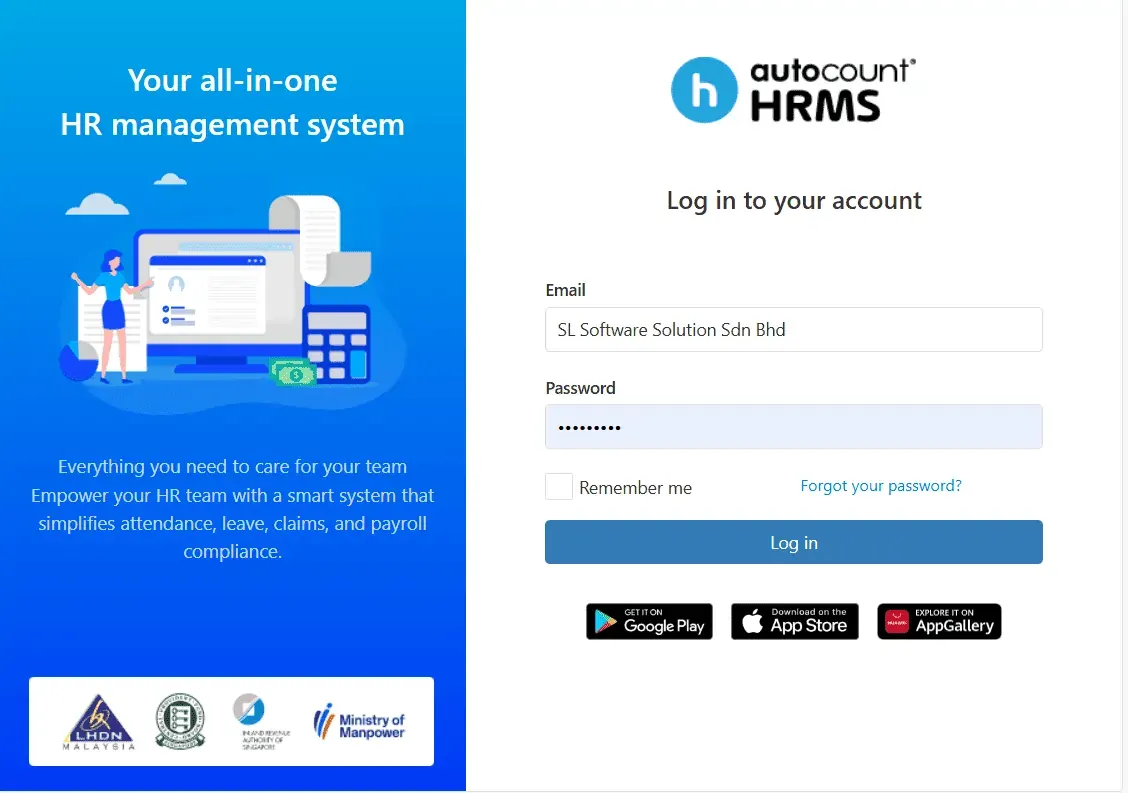
Stay connected and access essential features on your smartphone. Use the free "AC Payroll" mobile app available on Google Play, Apple App Store, and Huawei App Gallery.
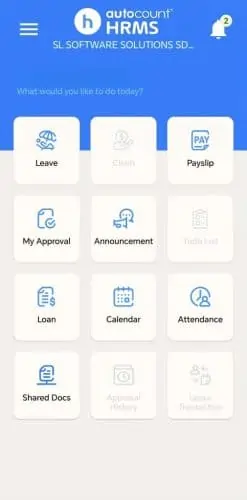
AutoCount Cloud Payroll is designed to be intuitive and easy to use
1
Enter employee details, salary structure, and other relevant data to set up your payroll system.
2
Let the system handle the heavy lifting by automatically calculating salary, taxes, and deductions based on the latest regulations.
3
AutoCount Cloud Payroll generates payslips and necessary statutory forms with just a few clicks.
4
Employees can log in to the self-service portal to view their payslips and manage personal information.
5
The software automatically ensures compliance with Malaysian laws, reducing the risk of errors.


Many Malaysian businesses are moving to cloud-based solutions for their ease of
use, scalability, and flexibility.
Manage payroll from any device with internet access. No need to be tied to a specific computer or location.
Cloud payroll is hosted securely with regular backups to protect your sensitive business and employee data.
Always be up-to-date with the latest tax rules, EPF rates, and SOCSO contributions, without the hassle of manual updates.
Before setup, ensure you have the following information ready:
Company Details: Registration number, address, contact, and LHDN, EPF, & SOCSO registration numbers.
Employee Data: Full name, IC number, tax number, start date, salary details, and bank account info.
Register an Account: Sign up on the AutoCount website; no installation needed.
Input Company and Employee Data: Enter the info gathered during preparation.
Utilize Available Resources: Use the free trial, video tutorials, and step-by-step guides.
Go Live: Once setup is complete and tested, run your first payroll with confidence.
Get the most out of AutoCount Payroll with our comprehensive learning materials and support channels
Access our comprehensive online courses to master AutoCount Payroll at your own pace.
Features:
Find detailed guides, FAQs, and troubleshooting resources in our comprehensive help center.
Resources:
Watch short, focused video tutorials covering all aspects of AutoCount Payroll.
Content:
See why AutoCount Payroll stands out from traditional payroll solutions.
| Feature | AutoCount Payroll | SQL Payroll | UBS Payroll |
|---|---|---|---|
| Cloud Access | Yes | Limited | No |
| Automated PCB Calculation | Yes | Manual | Manual |
| API Integration | Yes | No | No |
| AI Features | Yes | No | No |
| Self-Service Portal | Yes | Limited | Limited |
| Batch Processing | Yes | No | No |
| Direct Statutory Integration | Yes | Manual | Manual |
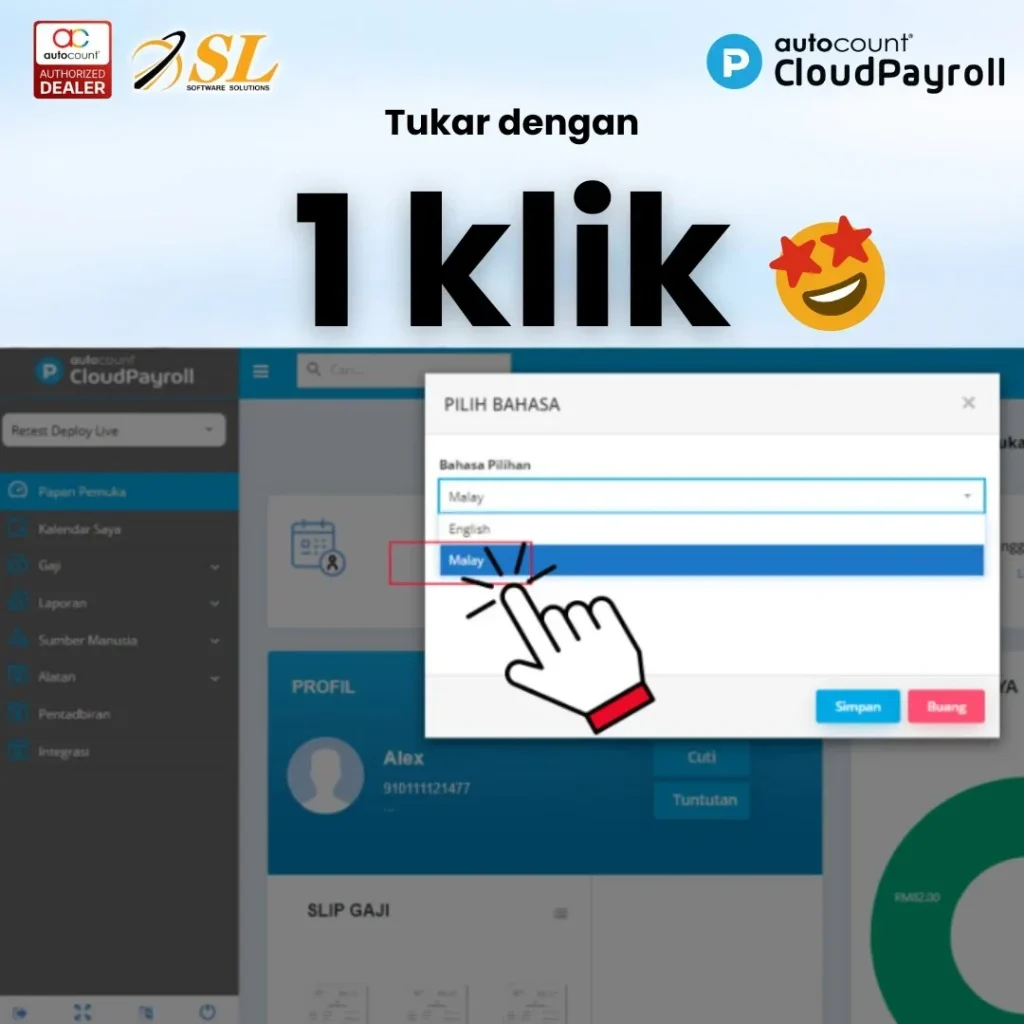

AutoCount Cloud Payroll also improve and streamline the attendance process. Thus, making it much easier and smoother. Moreover, try out our e-attendance iface device.

AutoCount Payroll will integrate AI to enhance user experience and improve compliance. Firstly, AI will analyze payroll data to detect potential compliance risks. As a result, it will notify users of any risks of non-compliance. Moreover, this proactive approach helps businesses address issues before they lead to penalties. Therefore, companies can maintain compliance more efficiently while reducing financial risks. This will allow company to boost their reputation and integrity. Thus, allow them to boost their reputation faster.

AI will assist HR teams by automating HR letter generation and improving efficiency. It will also help in reducing errors, and streamlining operations. This will free HR professionals to focus on important and strategic tasks. This allows them to work in enhancing workforce management and productivity.
At AutoCount, we understand that transitioning to a new system can be
challenging.
24/7 access to tutorials and guides
Online and in-person workshop
Local Malaysian support team
Unlock all AutoCount Cloud Payroll features for free and then think carefully which plan is best with your business needs.
We offer integrated solutions that make your business run smoothly, including:
Streamline your accounting and financial reporting processes with ease.
Efficient point of sale solutions integrated with your accounting for F&B.
Mobile POS solutions for all businesses, integrated with your accounting.
Streamline your accounting and financial reporting online everywhere.