Autocount Bank Reconciliation
AutoCount Bank Reconciliation is an efficient tool designed to streamline your financial management by automatically comparing AutoCount transactions with your bank statement. It helps identify discrepancies, ensuring your financial records are accurate and up-to-date. Whether you’re a small business or a large corporation, AutoCount makes bank reconciliation faster, more reliable, and error-free, saving you time and improving your bottom line.
Introduction Of Autocount Bank Reconciliation
Autocount Bank Reconciliation is a fantastic tool for any business that is looking to streamline its financial management process. It is specifically designed to compare Autocount bank transactions with the actual bank statement, allowing businesses to quickly and easily identify any discrepancies between the two. With this tool, you can ensure that your financial records are always up-to-date and accurate, helping you to make informed decisions about how to manage your finances more effectively. Whether you are a small business owner or a large corporation, also can help you to save time, reduce errors, and ultimately improve your bottom line.
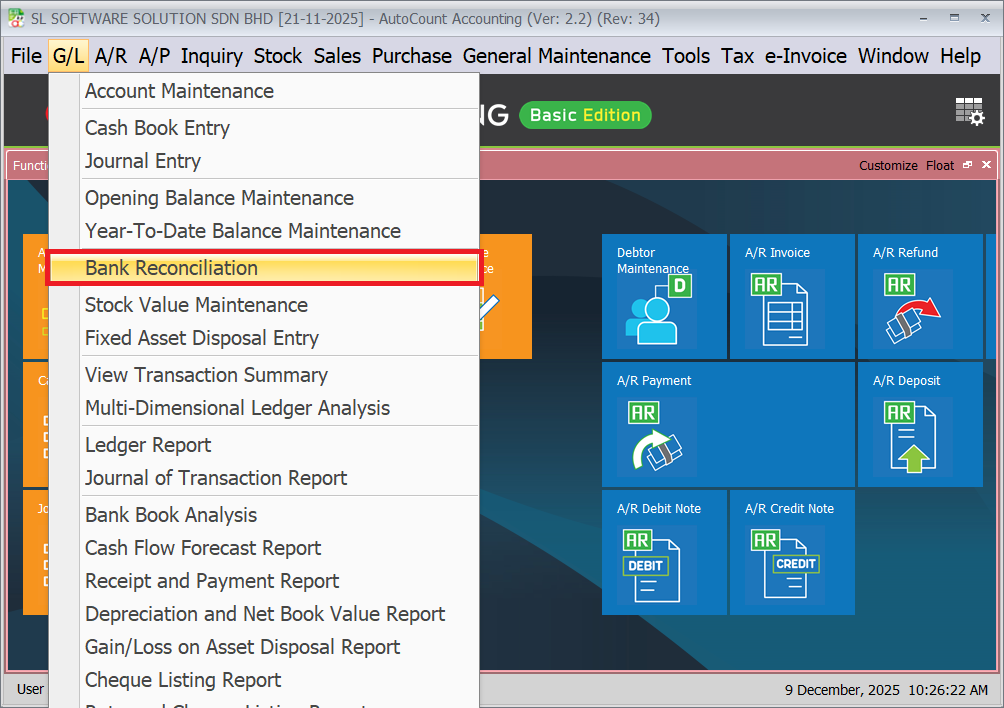
How to do bank reconciliation in autocount
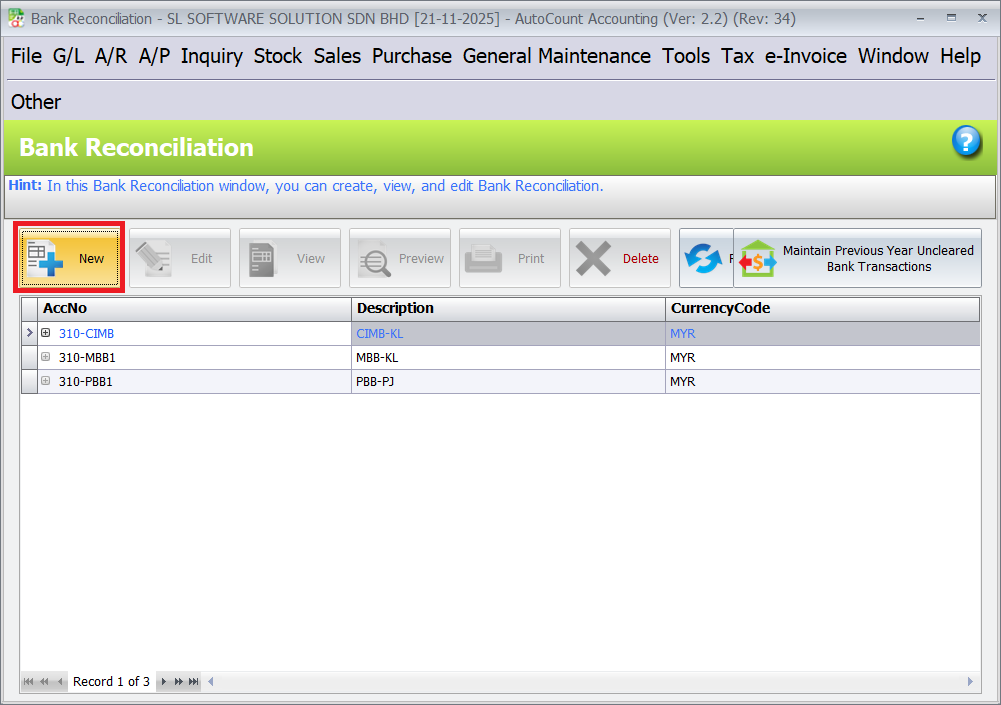
1. Go to G/L > Bank reconciliation
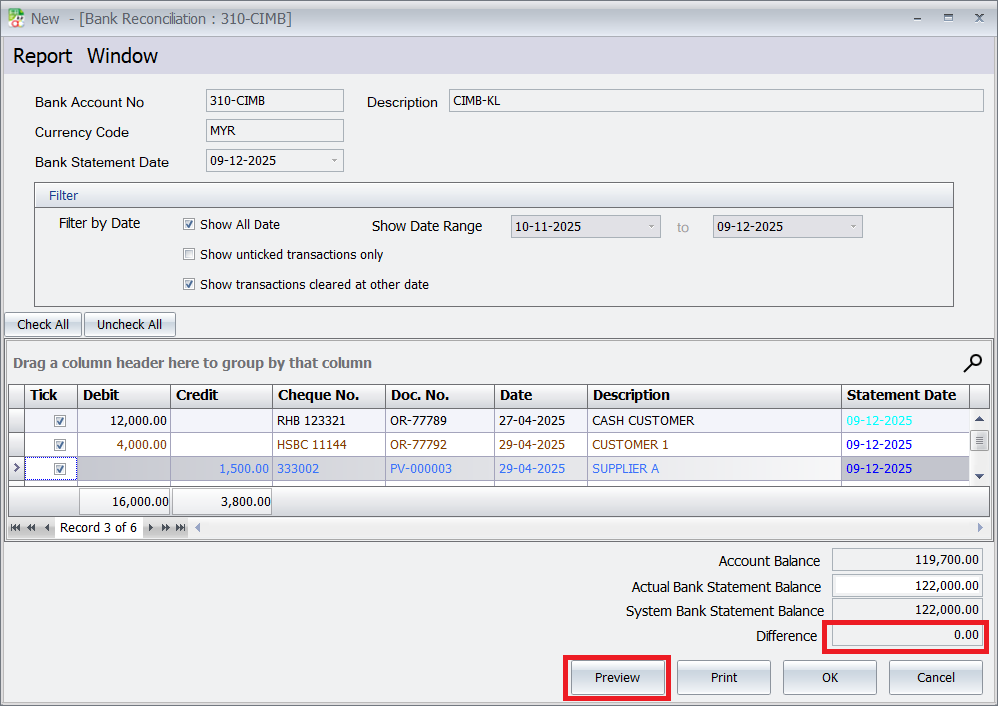
2. Click on "New" to create new bank reconciliation.
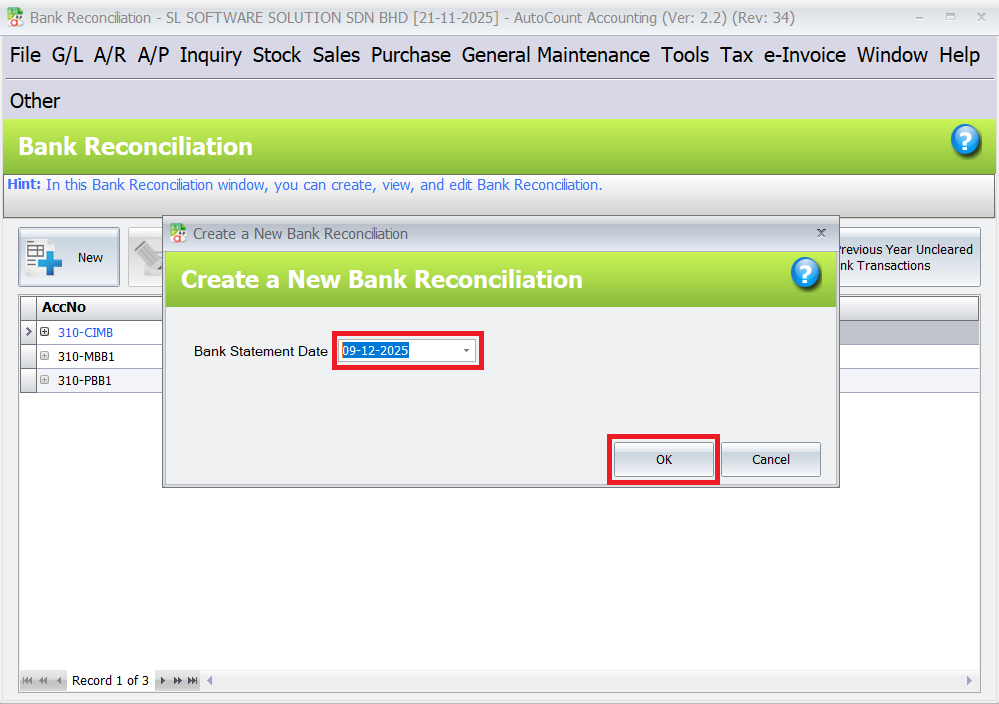
3. Ensure bank reconciliation date is correct. And click on “Ok” button.
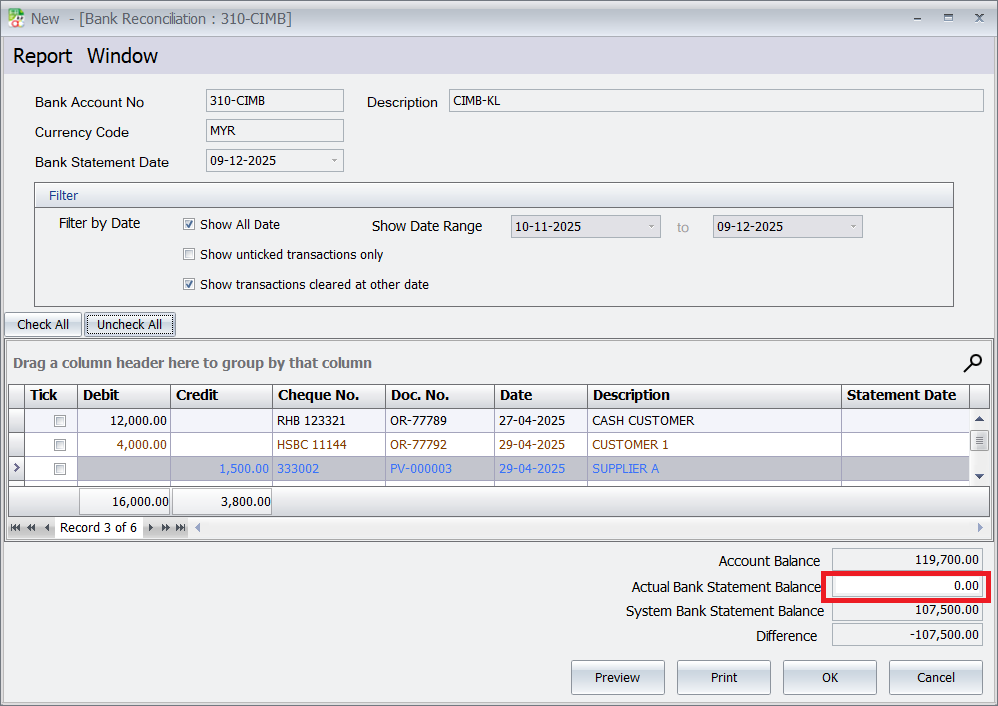
4. Key in the balance in the end of the month of the bank statement to the actual bank statement balance columns.
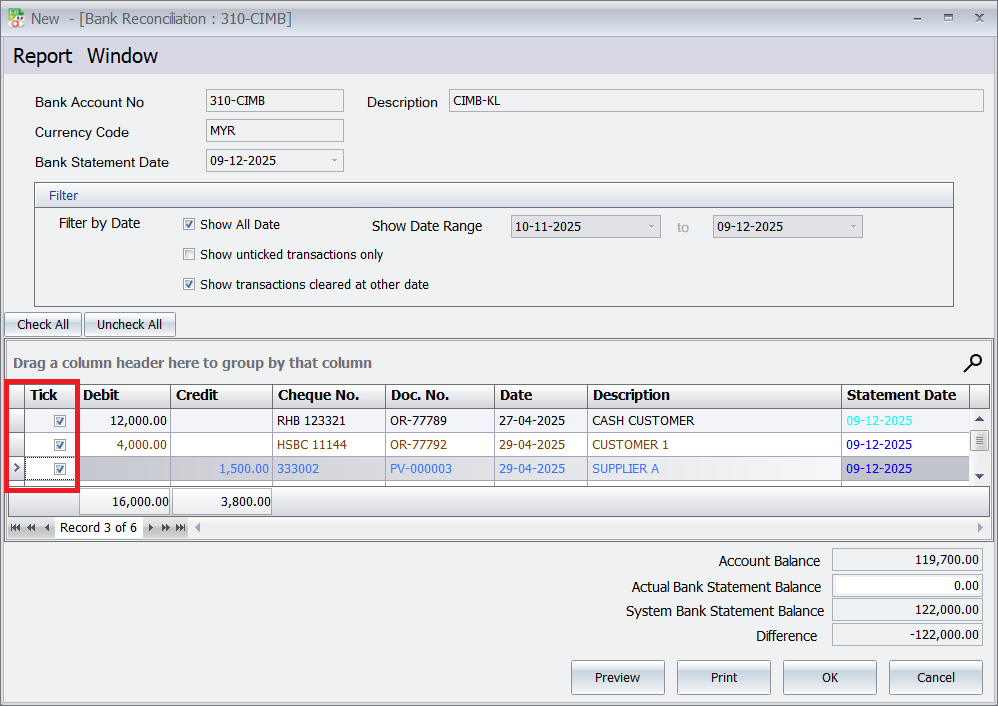
5. Tick off each transaction on the bank statement that matches the corresponding transaction in autocount.
6. Ensure the difference between the AutoCount balance and the bank statement balances to zero. And click the “Preview” button to review the reconciliation.
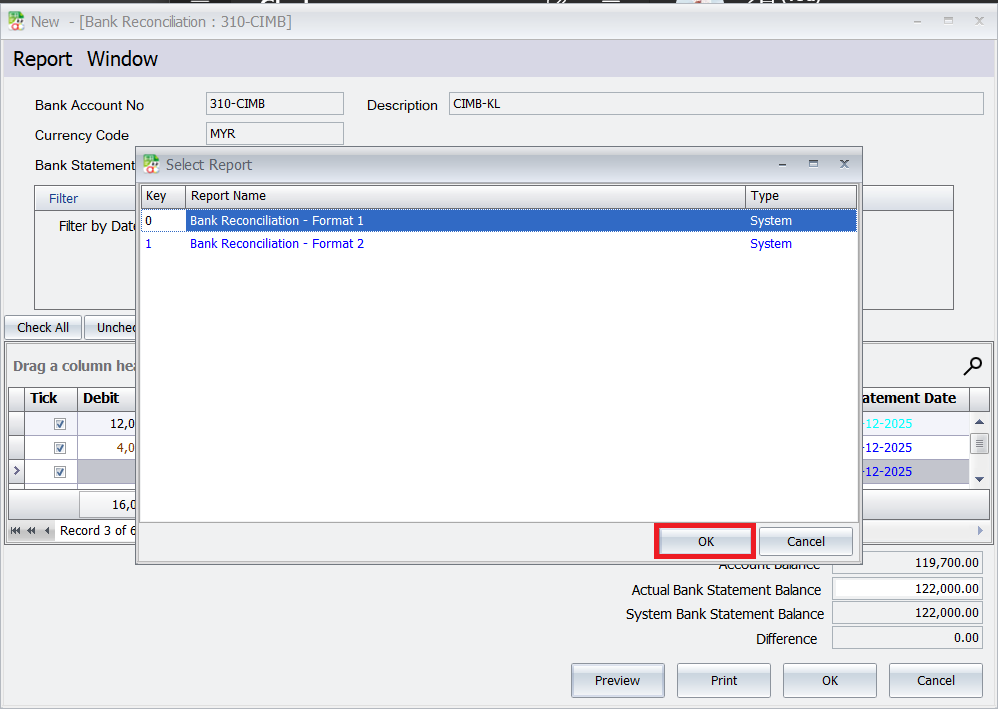
7. Click on “Bank Reconciliation Report” button.
8.Click on “Ok” button.
Report Format
Autocount Bank Reconciliation Format 1: Starts with Balance as per Bank Statement and ends with Balance as per Bank Account.
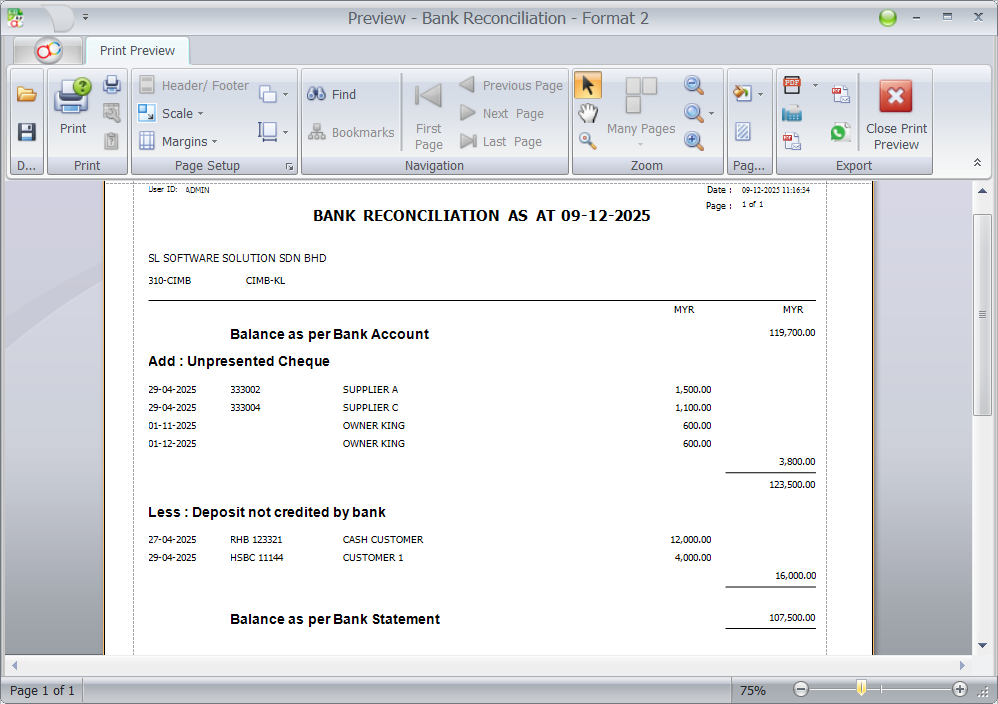
Autocount Bank Reconciliation Format 2: Starts with Balance as per Bank Account and ends with Balance as per Bank Statement.
When the difference in autocount bank reconciliation not equal to zero
When the difference in your bank reconciliation is not equal to zero it means you have missed out one or more items, please check your bank statement until it is all reconciled.
- Human Issues
- Data Entry Errors: Incorrect amounts or dates cause discrepancies, affecting financial assessments.
- Selection Errors: Choosing the wrong bank account leads to mismatched records and disrupts reconciliation.
- Duplicate Entries: Double entries inflate counts, causing imbalances and complicating audits.
- Omitted Transactions: Missing transactions disrupt reconciliation and affect balance accuracy.
- Technological Issues
- Bank Processing Delays: Delays in transaction processing cause temporary discrepancies.
- Bank Processing Errors: Bank mistakes, like incorrect charges or missing deposits, affect financial accuracy.
- Data Import Errors: Improperly formatted or inconsistent external data undermines reconciliation reliability.
Streamline Your Financial Management with AutoCount Accounting
Automate bank reconciliation, enhance accuracy, and save time with AutoCount Accounting. Keep your financial records up-to-date effortlessly.