AutoCount Import Data
In today’s fast-paced business world, managing data efficiently is key. AutoCount simplifies the data import process, ensuring seamless integration, compliance with e-invoicing standards, and effortless management of your accounting data. Whether importing from CSV, Excel, or XML, AutoCount provides a user-friendly solution for smooth data handling.
Introduction to autocount import data
In today’s fast-moving business landscape, managing data efficiently is critical. AutoCount simplifies data importation, allowing businesses to manage their accounting seamlessly and remain compliant with new standards like e-invoicing. This comprehensive guide covers the various methods to import data into AutoCount, explaining the tools, benefits, and solutions for common challenges.

How to Import Data into AutoCount?
AutoCount allows users to easily import data from widely used file formats, ensuring smooth integration with existing systems.
- Prepare the Data
Before importing, ensure your data is well-organized in the correct format (CSV, Excel, or TXT).
- Open the Import Tool
Navigate to the respective module (Sales, Purchases, Inventory) and select the “Import” option.
- Field Mapping
Ensure that each column in your file is correctly mapped to AutoCount fields, such as invoice numbers, dates, and amounts.
- Import and Review
Once the data is mapped, initiate the import process. Check for any errors or warnings and verify that all data is correctly transferred.
For detailed step‑by‑step instructions on using Excel import, check out our Import Data to AutoCount Accounting Using Excel
Importing via CSV, Excel, and TXT Files
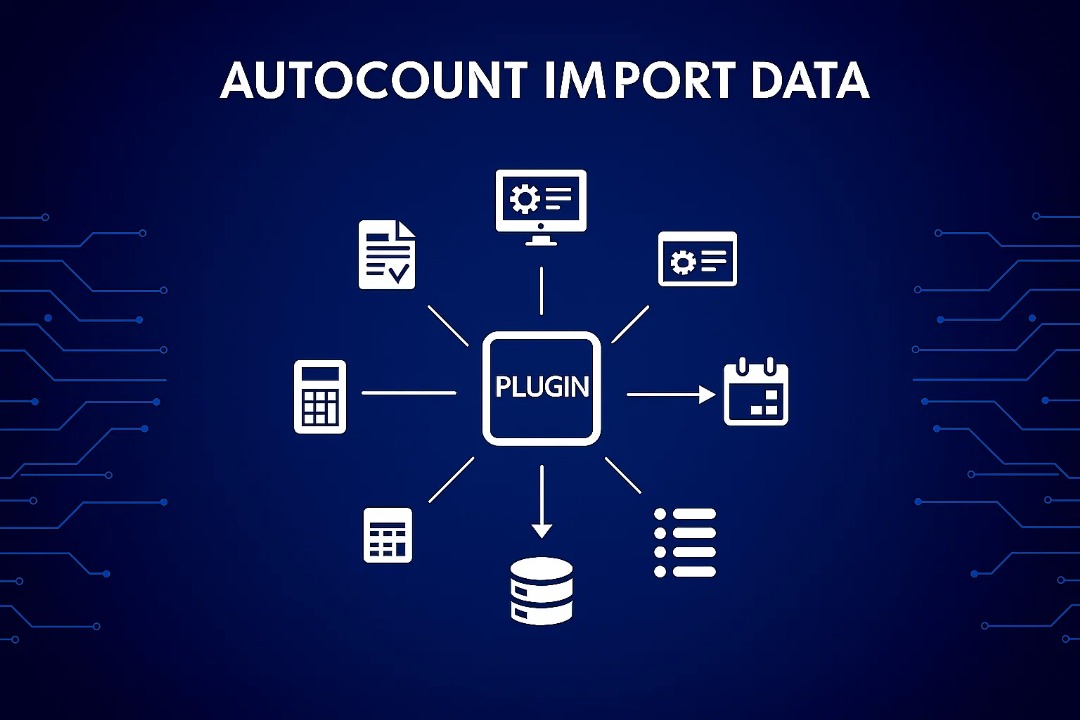
AutoCount provides three core plugins to streamline importing from common file formats like CSV, Excel, and TXT.
Universal Import Plugin
The Universal Import Plugin offers flexible and user-friendly data importing options:


- Customizable import templates
Allows businesses to save specific import configurations, making future imports faster.

AutoCount Import Plugin
This plugin is perfect for businesses dealing with multiple suppliers or customers who use different invoice formats. The AutoCount Import Plugin:

Note: This is the import plugin screen.
AutoCount Integrator Plugin
The AutoCount Integrator Plugin automates data importation by scheduling imports, removing the need for manual uploads:
- Ideal for frequent imports
Perfect for businesses needing continuous updates from multiple data sources.


Importing via Third-Party XML Module
AutoCount also supports importing structured data via the Third-Party XML Module, particularly useful for businesses that rely on systems exporting data in XML format. The key benefits of this module include:


Importing Via API
For businesses looking to integrate data in real-time, AutoCount offers API capabilities. The API integration provides:
Real-time data synchronization
Connect AutoCount with other business systems for instant data flow.
Customization and flexibility
Businesses can tailor API settings to meet their specific needs.
Automation
Reduces manual data entry and speeds up the workflow, ensuring compliance with e-invoicing regulations.
AutoCount as Middleware in the E-Invoicing Era
With Malaysia’s transition to mandatory e-invoicing, many ERP systems need updates to stay compliant. AutoCount acts as an efficient middleware solution, allowing businesses to integrate data from legacy systems into AutoCount for smooth e-invoicing operations. AutoCount’s middleware approach:
Avoids expensive ERP upgrades
Businesses can continue using their current systems.
Processes e-invoices
Ensures data is properly formatted and compliant with new regulations.
Reduces operational downtime
Allows businesses to transition without interrupting workflows.
Benefits of AutoCount for E-Invoicing
Using AutoCount for e-invoicing provides multiple advantages, including:
- Cost Efficiency
Avoid costly updates to existing ERP systems by integrating AutoCount for compliance.
- Regulatory Compliance
AutoCount ensures adherence to Malaysia’s e-invoicing regulations.
- Data Flexibility
Supports multiple data formats, making it easy to integrate data from diverse sources.
- Automation
Reduces manual input and minimizes errors, ensuring efficient data processing.
Conclusion
AutoCount offers a flexible, user-friendly solution for importing data across multiple formats, automating processes, and ensuring compliance with new e-invoicing regulations. Whether you’re importing from CSV, XML, or integrating via API, AutoCount provides the tools you need to manage your accounting data efficiently and cost-effectively.
Frequently Asked Questions
What types of files can I import into AutoCount?
You can import data from widely used file formats such as CSV, Excel, and TXT. AutoCount also supports XML imports and real-time data through API integration.
How does the field mapping process work in AutoCount?
Field mapping ensures that the columns in your data file correspond to the correct fields in AutoCount. You can map fields like invoice numbers, dates, amounts, and more before completing the import.
Can I schedule data imports with AutoCount?
Yes, with the AutoCount Integrator Plugin, you can schedule automatic imports from local directories or FTP folders, reducing manual effort and the chance of errors.
How does AutoCount help with e-invoicing compliance?
AutoCount standardizes imported data to meet e-invoicing requirements, ensuring that businesses comply with Malaysia’s e-invoicing regulations, avoiding penalties or compliance issues.
What if I encounter errors during the import process?
If errors occur, AutoCount provides error logs to help you identify problems such as incorrect file formatting or field mapping. Correct the issues in your source data, re-map fields, and retry the import.
Can I use AutoCount to integrate with other systems?
Yes, AutoCount’s API integration allows real-time data transfers between AutoCount and other business systems, facilitating seamless automation and data flow.
Data Importing with AutoCount Plugins
Ready to streamline your data import process? Join our expert-led class to learn how to efficiently integrate and manage your data with AutoCount plugins!