
AutoCount Accounting Software for Malaysian SMEs
AutoCount Accounting Software brings accounting, inventory, Retail POS, F&B POS, mobile and eCommerce workflows together through compatible solutions, with supported Malaysia e-Invoice integration.
Modules, editions and integrations may require separate licences and configuration.

How AutoCount Accounting Software supports one connected workflow—not another disconnected spreadsheet
Managing separate accounting, inventory, cashier, eCommerce and reporting systems can cause repeated data entry and inconsistent records. AutoCount provides Malaysian SMEs with accounting and compatible business modules that can be configured around their actual operations.
The right setup may include core accounting and inventory first, followed by Retail POS, F&B POS, mobile, online sales or e-Invoicing as required.
Introduction to AutoCount · Existing product video retained
Keep finance and operations working together
A compatible suite can make information easier to access across departments, while helping teams reduce manual duplication and improve visibility.
Fewer duplicate entries
Connect supported sales, inventory and accounting records instead of maintaining separate transaction lists.
Better stock visibility
Track items, warehouses or outlets through the relevant configured inventory functions.
Malaysia-specific workflows
Assess SST and LHDN MyInvois processing based on current rules and enabled modules.
Retail and F&B options
Choose the appropriate POS workflow for a shop, multi-outlet retailer, restaurant or café.
Management information
Review financial, sales and stock reports supported by your products and data setup.
Room to expand
Add compatible modules, external connectors and selected mobile workflows as business needs change.
Explore the complete business workflow
These are seven capability groups from the original article. Open the sections below to see the original product features and genuine software screenshots.
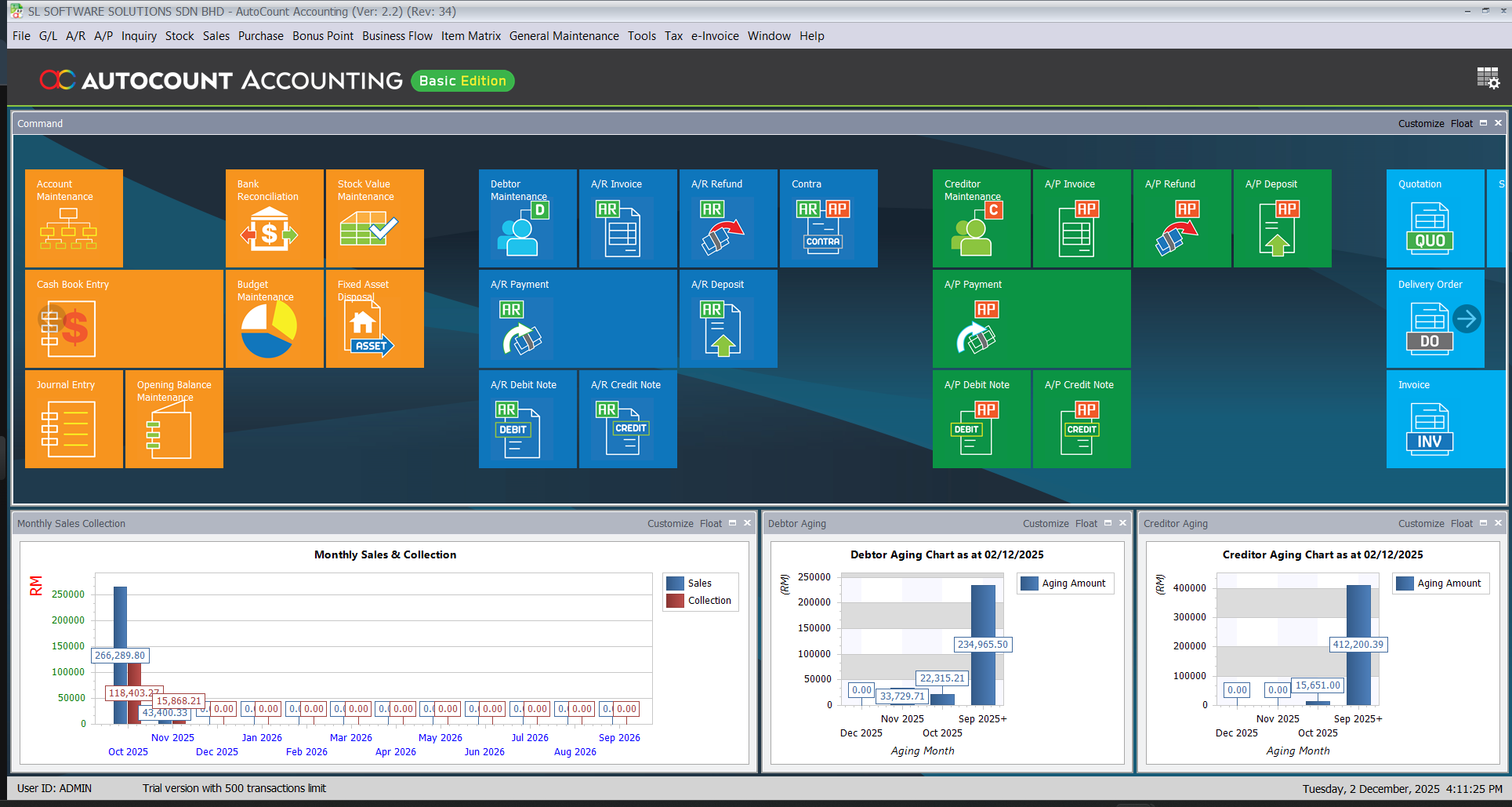
Accounting Management
The finance foundation for a Malaysian SME, including general ledger, receivables, payables and financial reporting.
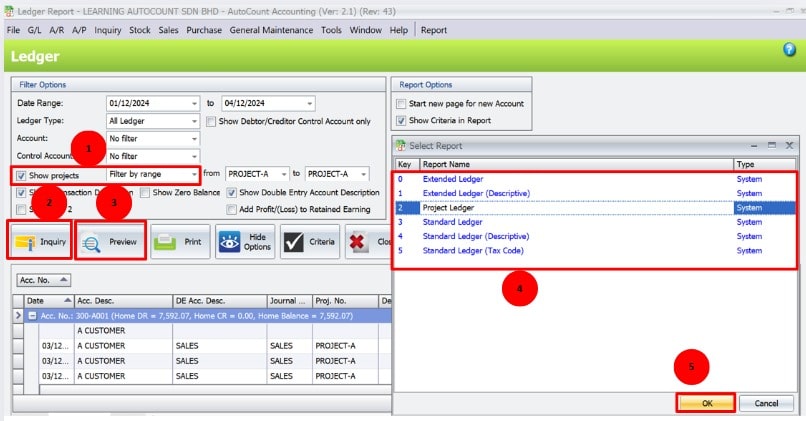
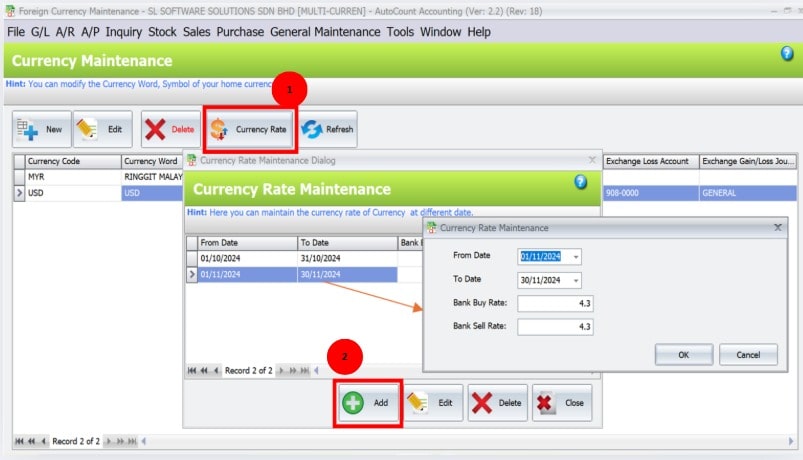
- Support for general ledger, accounts receivable and payable, financial statements, budgeting and applicable multicurrency settings.
- Use ledger and reporting tools to review business performance and transactions.
- Advanced Quotation provides additional quotation versioning, pricing or approval features where licensed.
Inventory Control
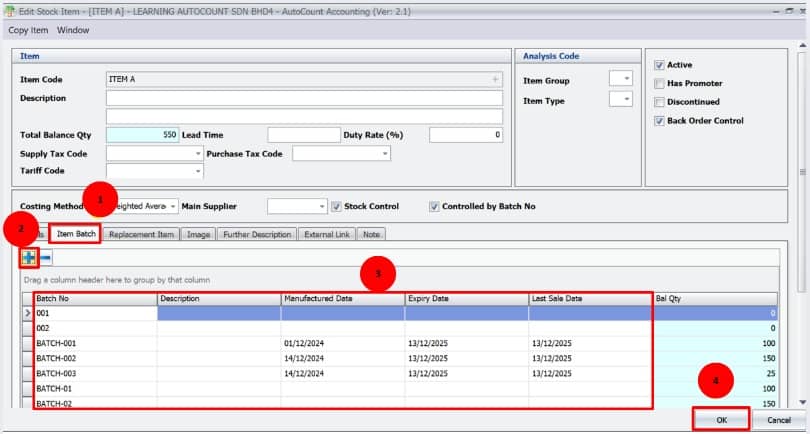
Manage products, stock movements and selected location or batch information through the appropriate inventory modules.
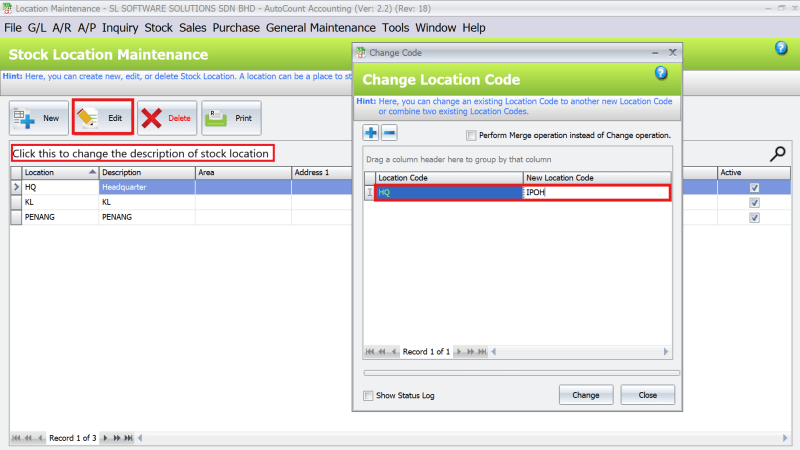
- Track item quantities, values and movement across configured locations. Learn more in our inventory management guide.
- Batch, serial-number and multi-unit-of-measure controls may require supported modules.
- Use stock records to help plan purchasing and manage available inventory.
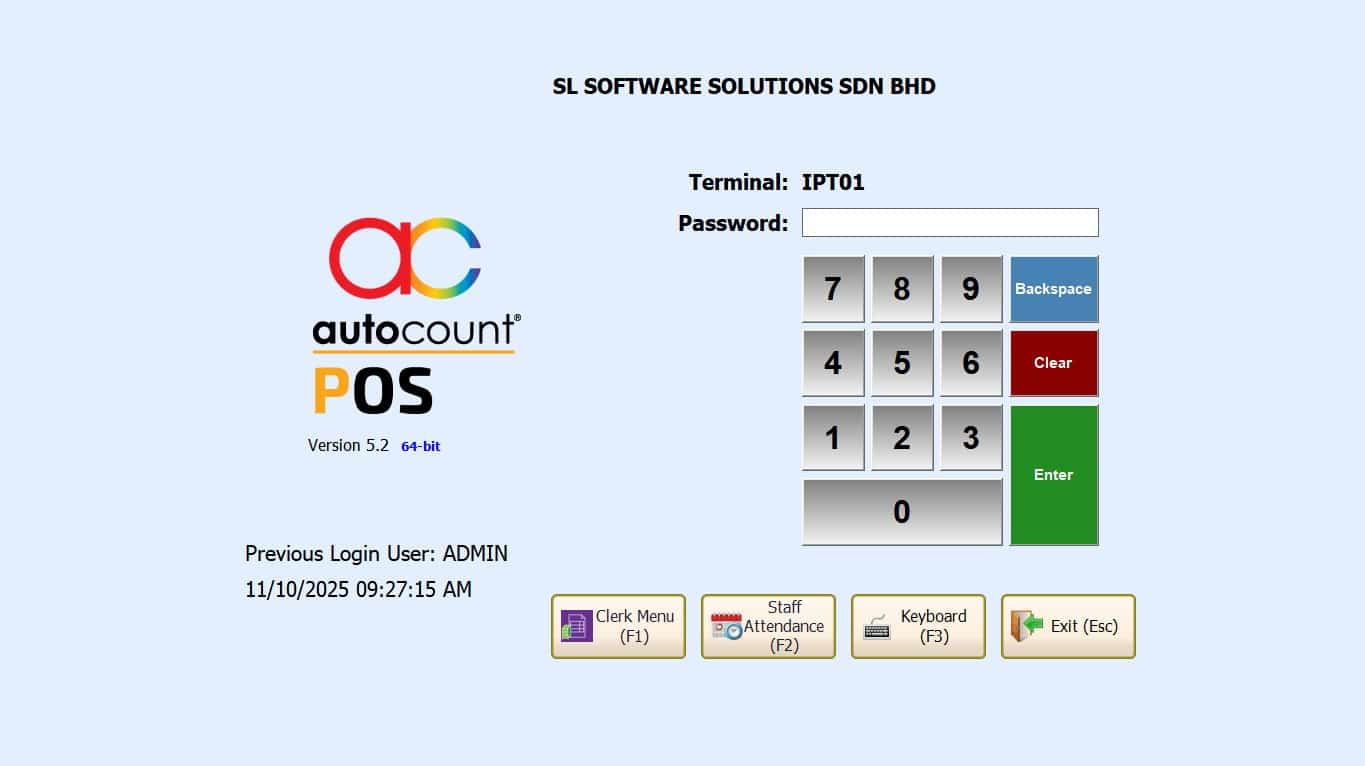
Retail POS Module
Retail cashier and outlet operations for shops, convenience stores and other point-of-sale businesses.
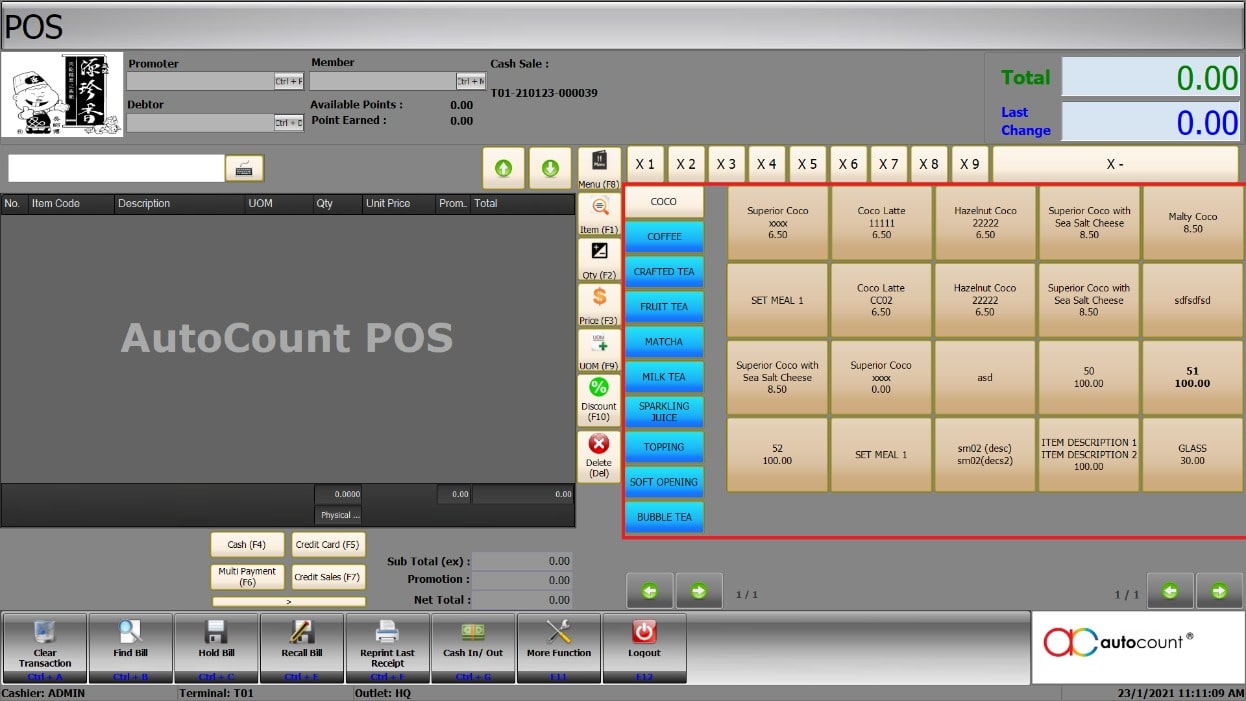
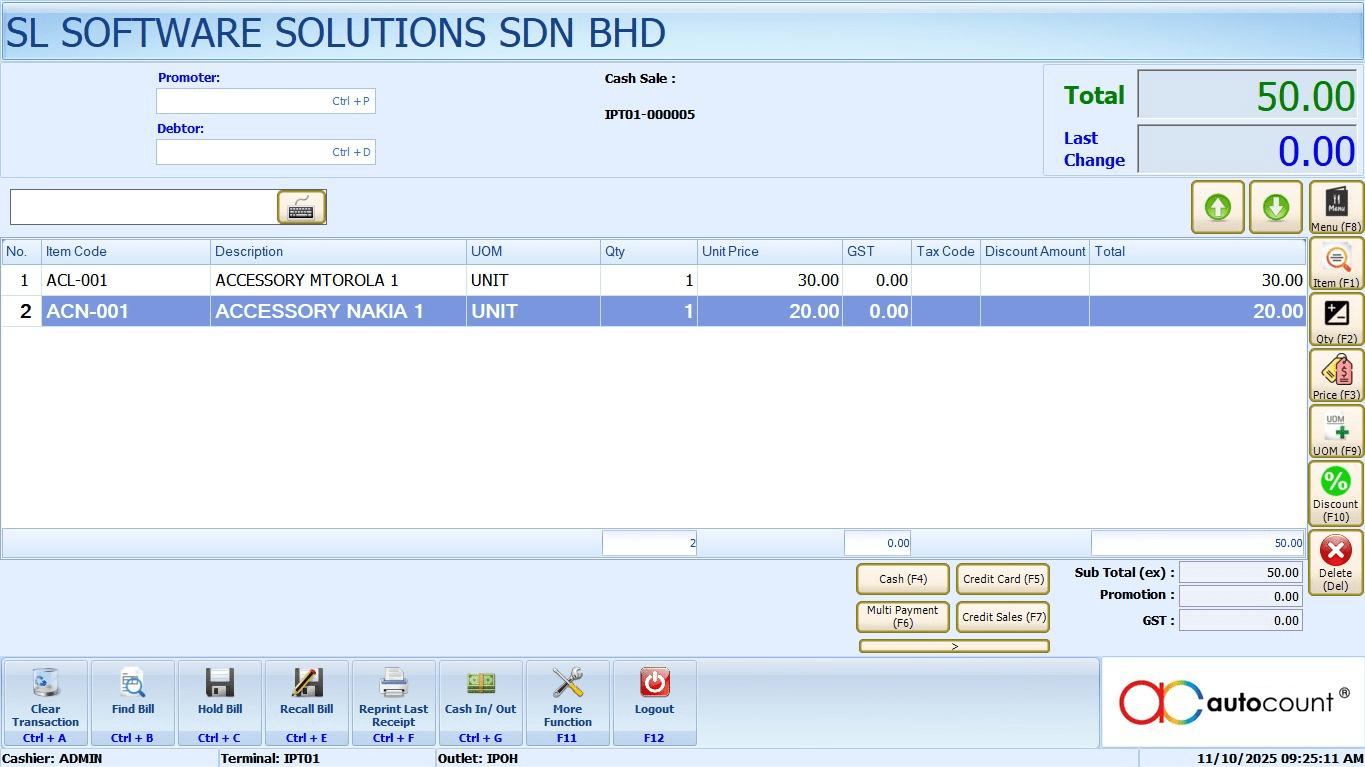
- Barcode or item selection, checkout, discounts, promotions and membership-related functions vary by edition.
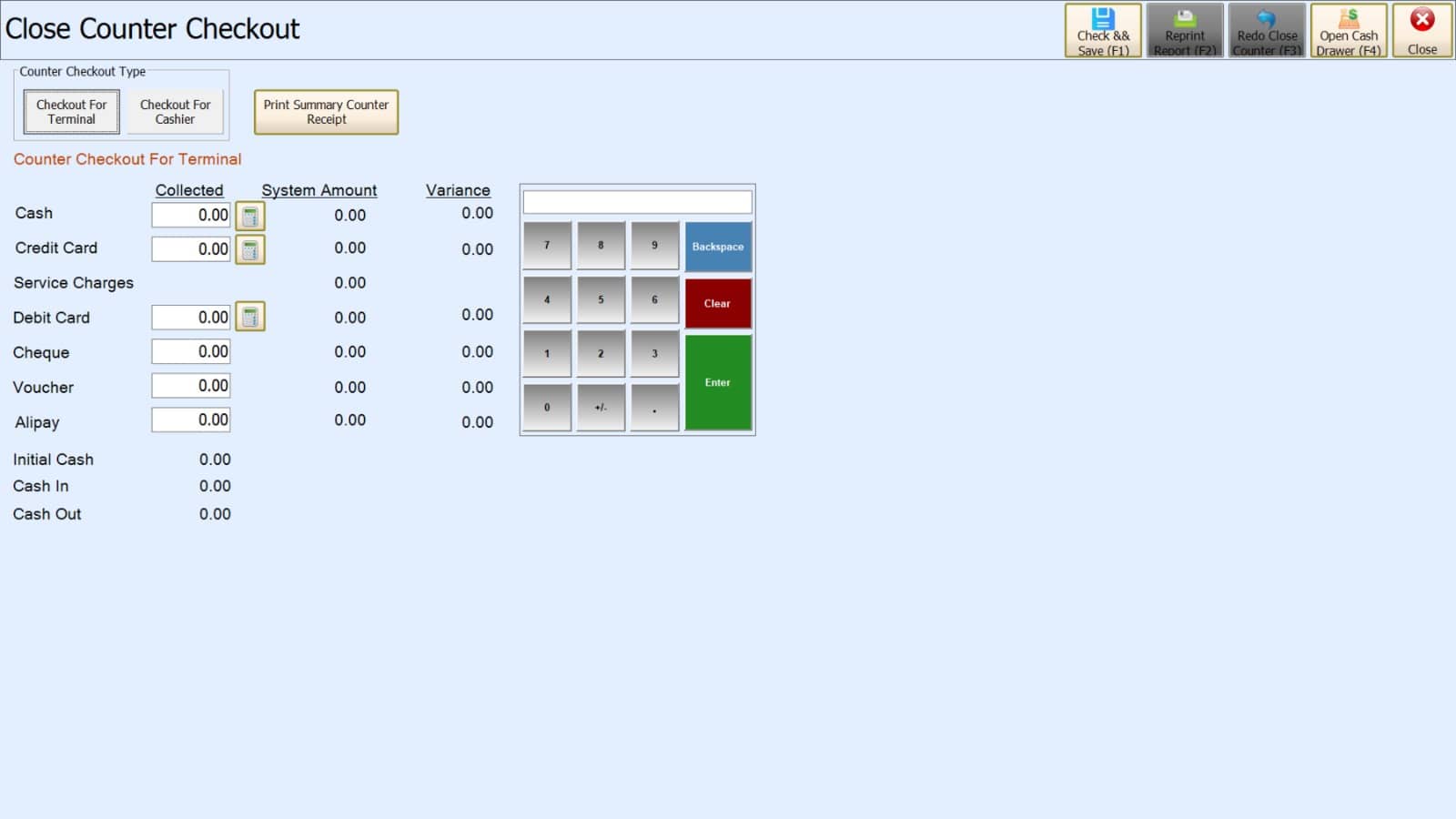
- Configure cashier close-counter procedures and suitable branch reporting.
- Offline operation and later synchronisation depend on deployment architecture and supported modules.
F&B POS Module
Restaurant and café workflows with front-of-house and kitchen-related features.
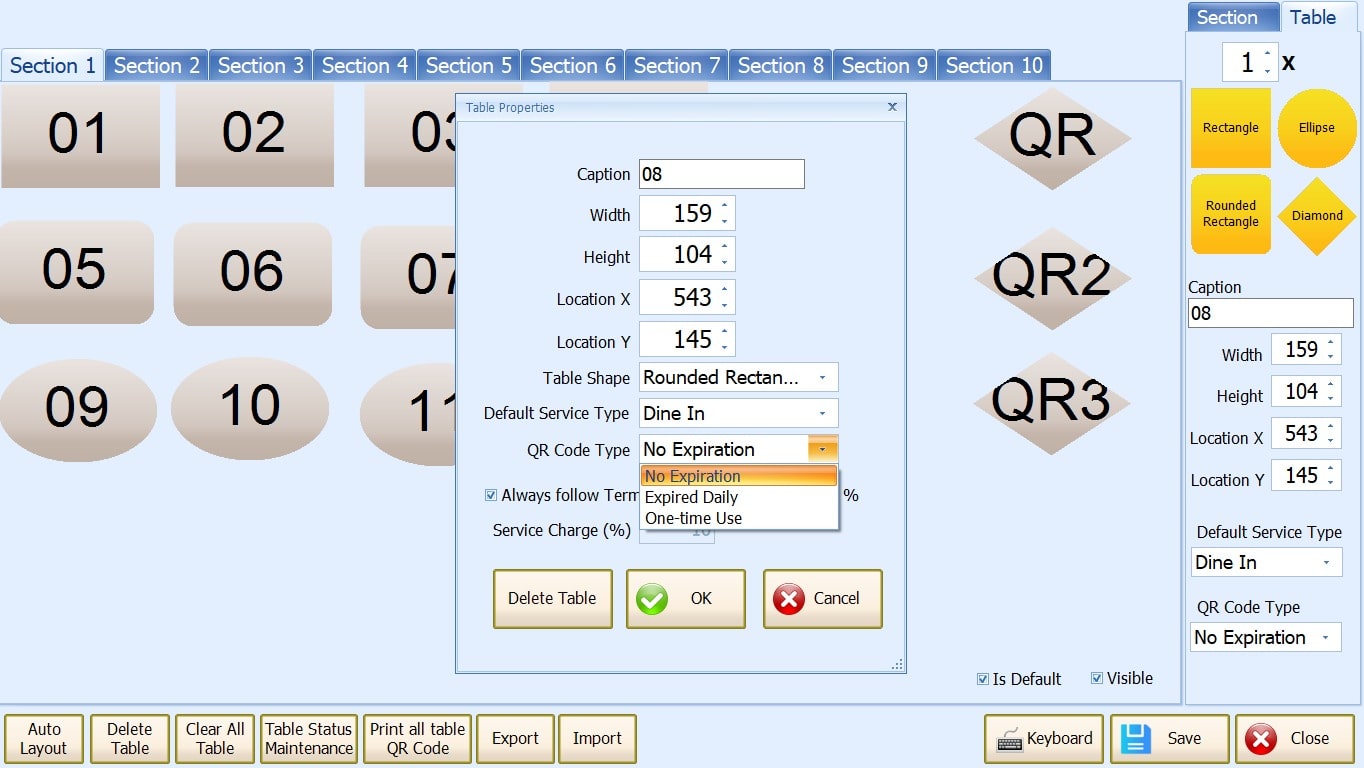
- Assess table or floor-plan management, QR self-ordering, eWaiter and kitchen printer routing.
- Supported set meals, promotions, bill splitting and ingredient-related functions depend on selected modules.
- Configure F&B transaction workflows and any inventory linkage for the business.
Mobile & eCommerce Solutions
Extend supported workflows beyond the desktop, connecting selected mobile and online sales channels.
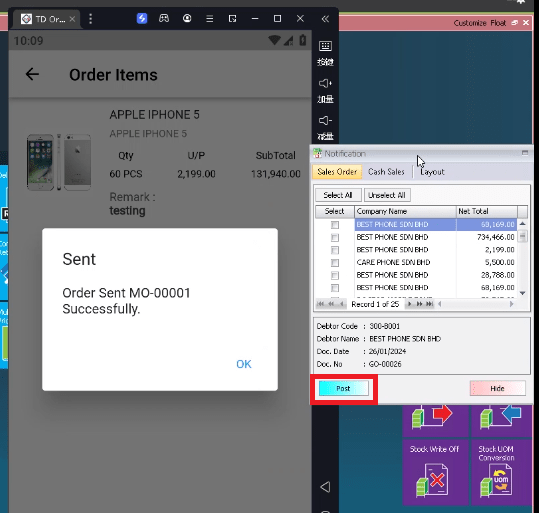
- Use compatible mobile sales tools, order capture or available business dashboards.
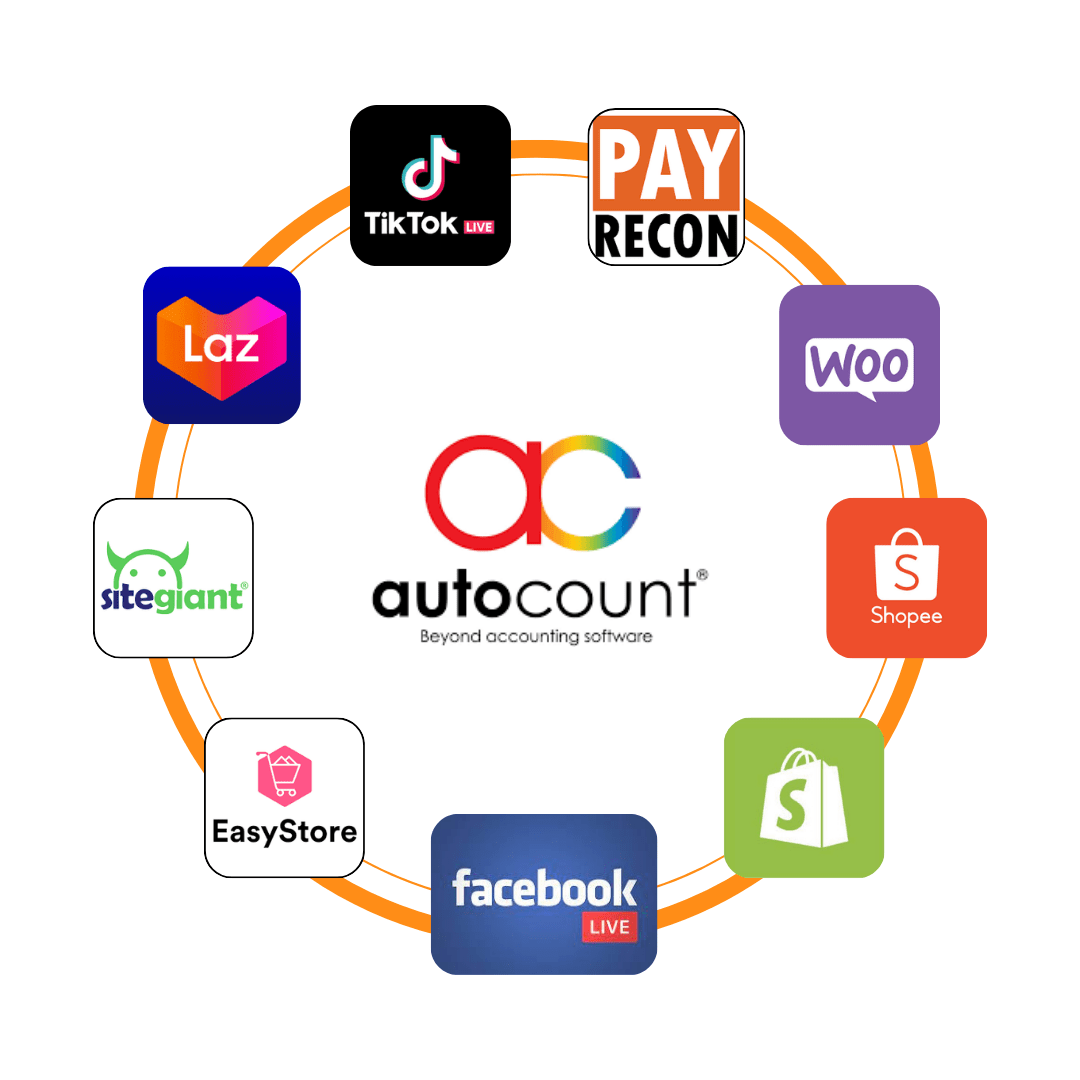
- Available eCommerce integration solutions may connect order and stock information with AutoCount.
- Check the specific connector, sync schedule and supported channels rather than assuming every marketplace is included.
Malaysia e-Invoice Module
Use supported AutoCount e-Invoice Platform (AIP) workflows to prepare and manage MyInvois submissions.
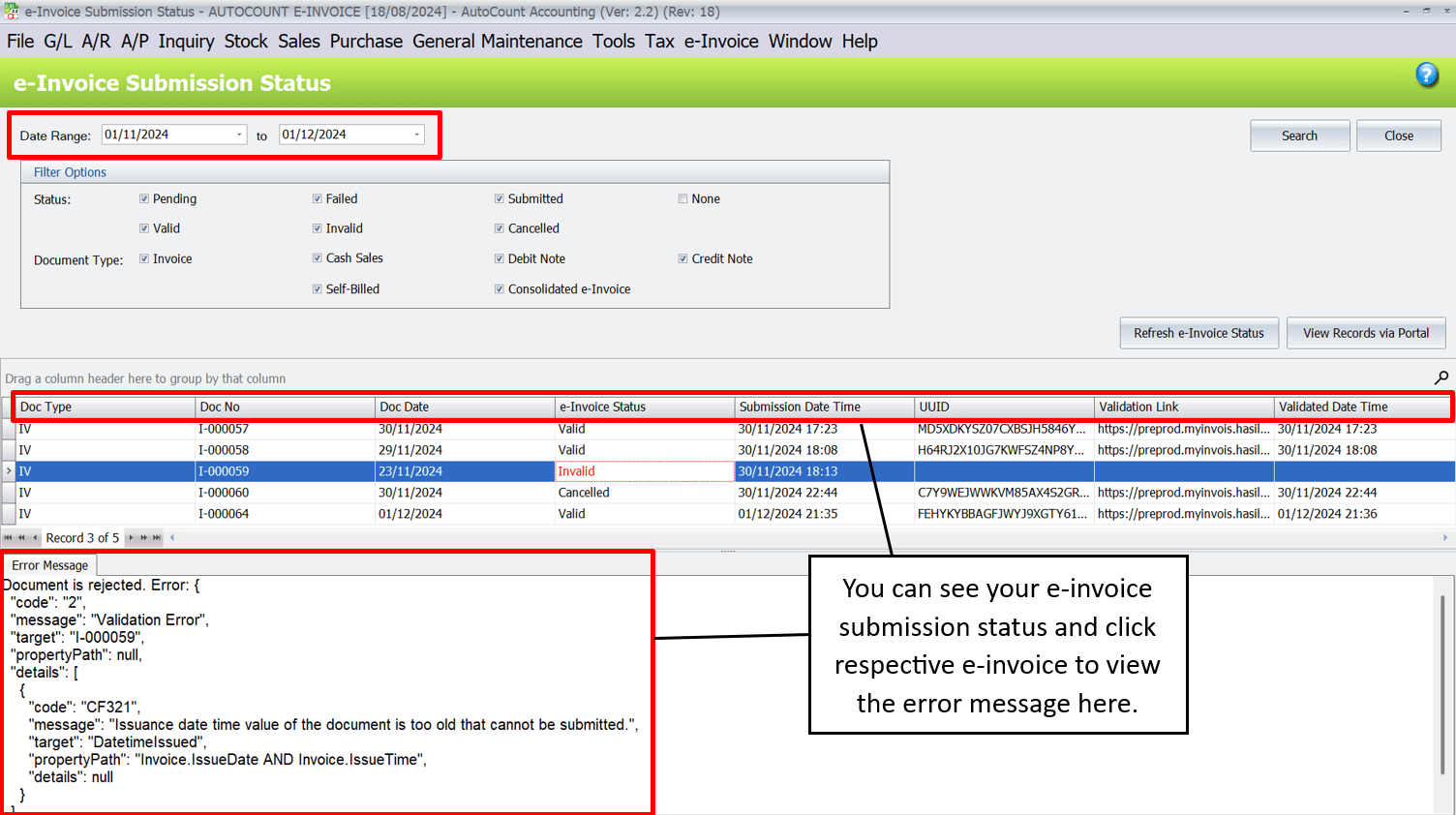
- Check the supported generation, submission and tracking of e-Invoices, including available XML/JSON transactions.
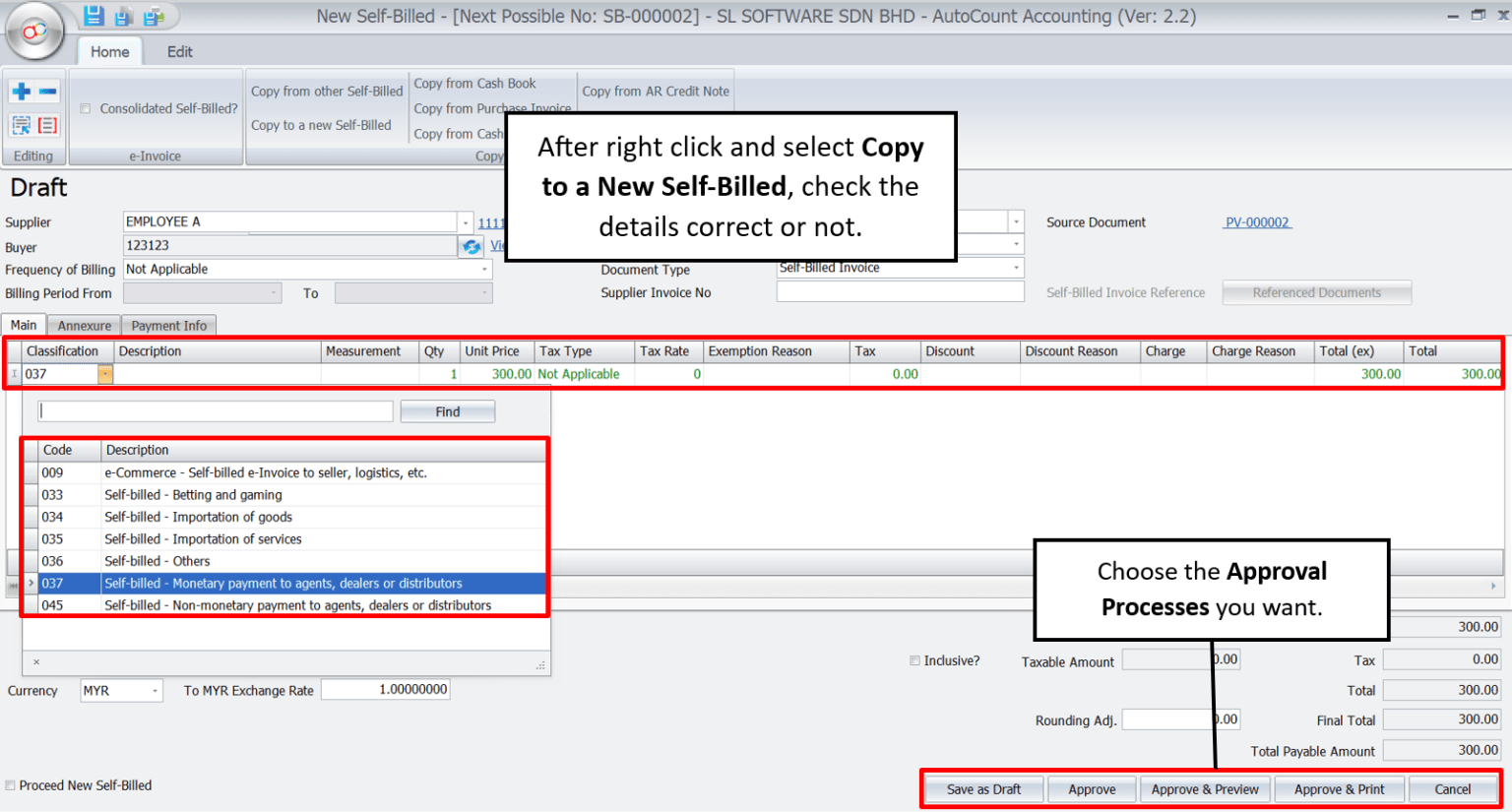
- Consolidated and self-billed e-Invoices may be supported under the applicable setup and HASiL rules.
- Review submission status, errors, validation and any recovery process through the correct software configuration.
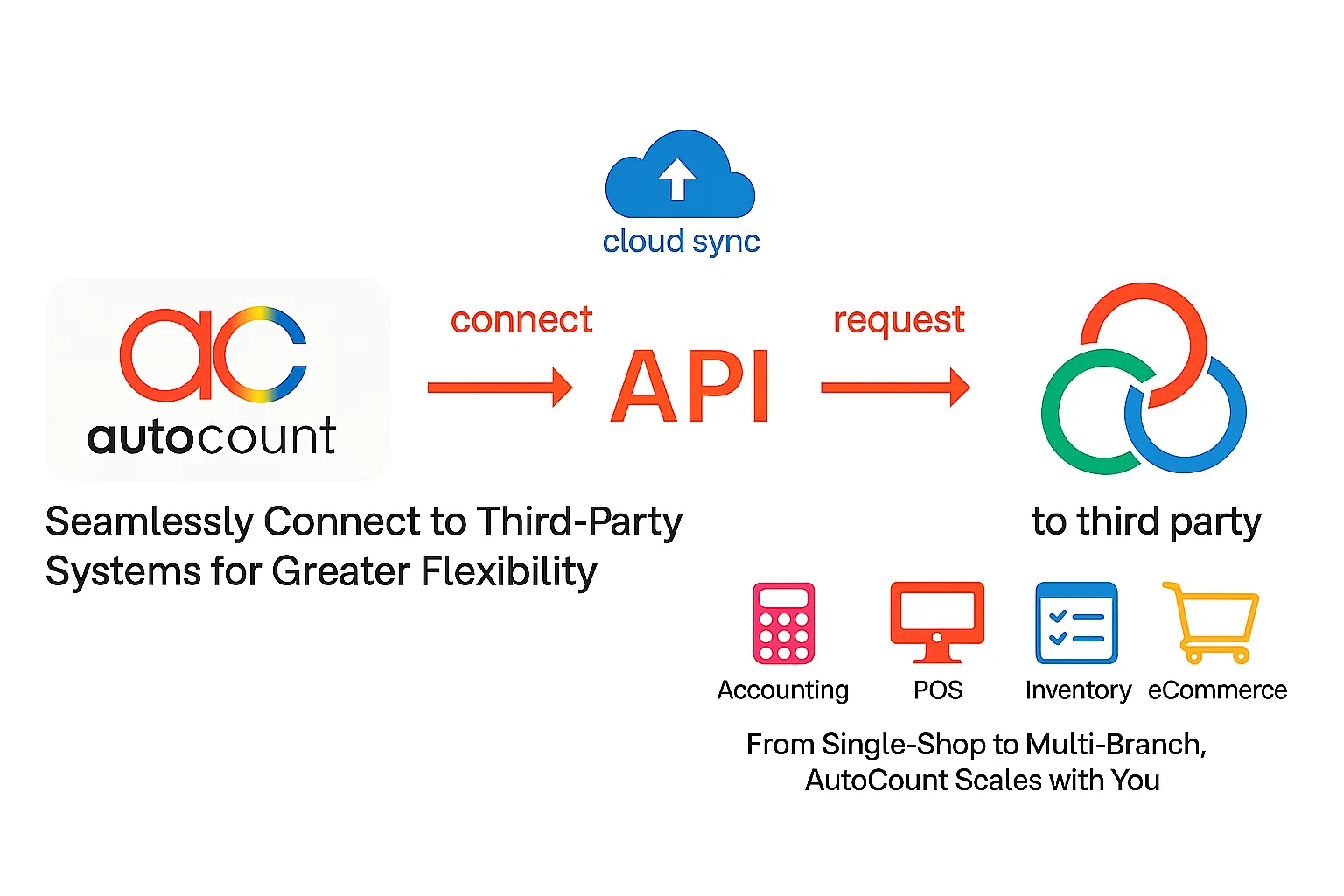
API & Integration Module
Link AutoCount with external business systems when a supported API or integration solution is available.
- Evaluate connectors for existing CRM, ERP, payment, eCommerce or operational applications.
- Confirm data ownership, API endpoints, security, licence and custom development requirements before committing.
- Use a staged integration test to verify mappings and transaction handling.
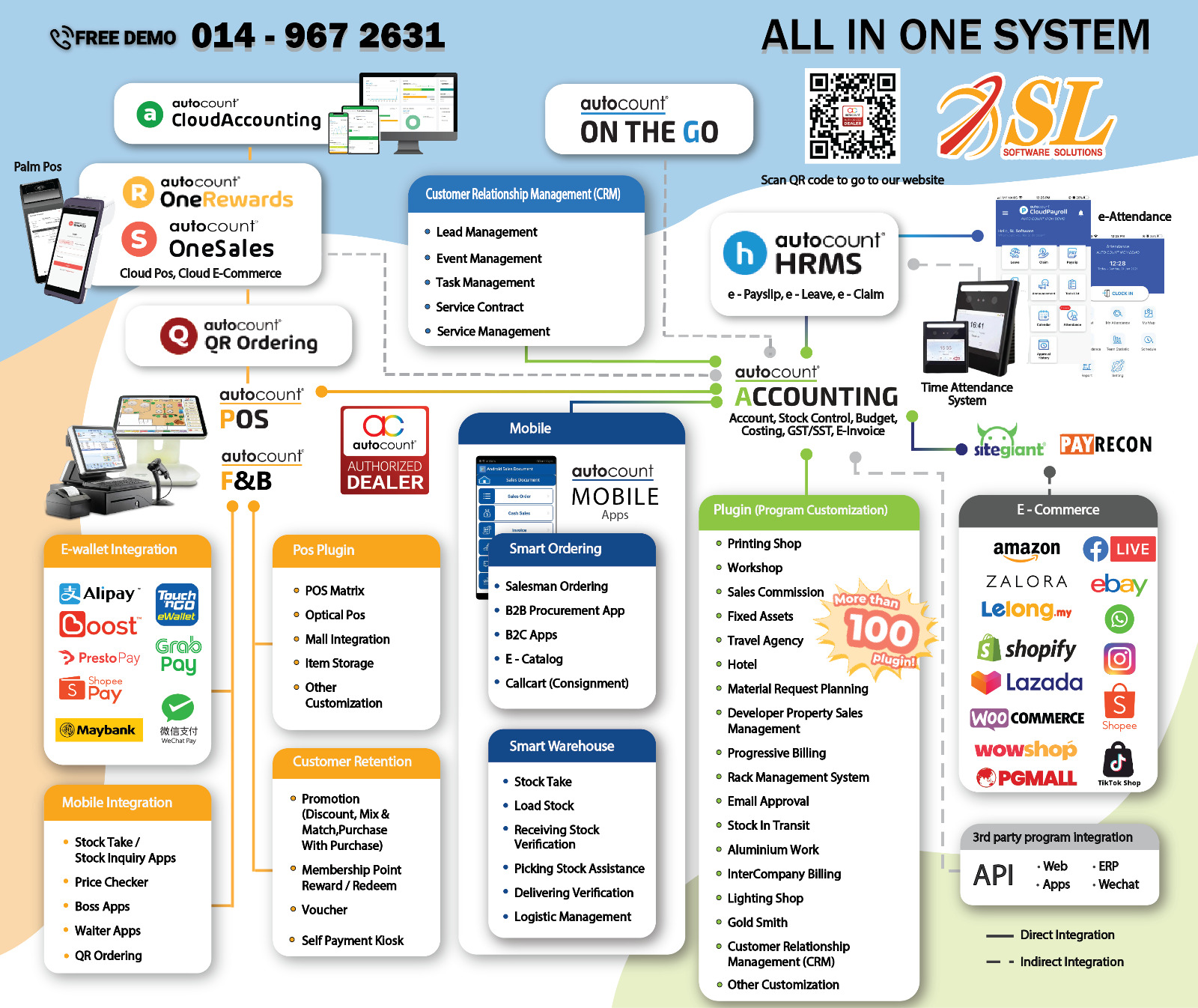
See how the systems connect
The original AutoCount system flow diagram and product interface images are preserved for reference. Each business should confirm its selected modules and data flows during implementation.
Core Accounting remains the financial system, while compatible Retail POS, F&B, inventory, mobile and other modules support operations and connected reporting.
What a properly implemented setup can improve
Streamline operations
Reduce repetitive entry through supported integrated workflows.
Better customer experience
Use the right POS and F&B features for more consistent transactions.
Data-informed decisions
Use timely sales, accounting and stock information from configured reports.
Prepare for compliance
Plan statutory settings, e-Invoice processes and staff responsibilities.
Scale by modules
Review additional outlets, online channels and reporting needs as you grow.
Focus on growth
Free staff from some repetitive administration with appropriate automation.
Six steps for a smoother rollout
Clean accounting ledgers, item lists, outlet records and any F&B menus before migration. For data preparation, see our AutoCount data import guide.
Plan Accounting and Inventory first, followed by required Retail or F&B POS modules.
Prepare cashiers, waiters, accountants and managers for their role-specific workflows.
Review backups, user access rights, security responsibilities and data recovery.
Include suppliers, outlets, e-Invoice and API stakeholders where they affect the rollout.
Discuss implementation, testing, training and ongoing assistance with SL Software Solutions.
Common questions about AutoCount
Can AutoCount work for a small single-outlet café?
Yes. AutoCount F&B POS can be evaluated for a café needing table layouts, QR ordering, kitchen printing and accounting integration, subject to the selected modules and configuration.
Does AutoCount submit e-Invoices to LHDN?
Supported AutoCount e-Invoice configurations can submit to MyInvois through the AutoCount e-Invoice Platform. Check your actual obligations, AIP setup and supported transaction workflows.
Can AutoCount integrate with my existing CRM or ERP?
Integration may be possible through suitable API or connector options. The data fields, supported endpoints and customisation scope must be assessed.
Can I sell through both online and physical stores?
AutoCount offers retail POS, mobile and eCommerce integration options. Actual online order and inventory synchronisation depends on the specific products and connectors in use.
All-in-one. No more juggling systems.
Tell us what you need to connect—accounting, inventory, Retail or F&B POS, mobile, eCommerce and e-Invoicing—and we'll help you review an appropriate AutoCount configuration.