AutoCount Basic vs. Advanced Multi-UOM: What’s the difference?
AutoCount’s Multi-UOM modules allow businesses to manage inventory in multiple units of measure. The Basic Multi-UOM module is perfect for simpler needs, while the Advanced Multi-UOM module offers more detailed reporting for complex inventory systems. This comparison helps you choose the right solution for your business.
In the world of modern inventory management and accounting, the Multi-UOM (Multi-Unit of Measure) concept has emerged as a critical tool for businesses seeking greater accuracy and efficiency in handling their stock movements. Let’s delve deeper into the nuances of AutoCount’s Basic Multi-UOM and AutoCount Advanced Multi-UOM modules, understand their distinct benefits, and determine the best fit for your business needs.
What is Multi-UOM?
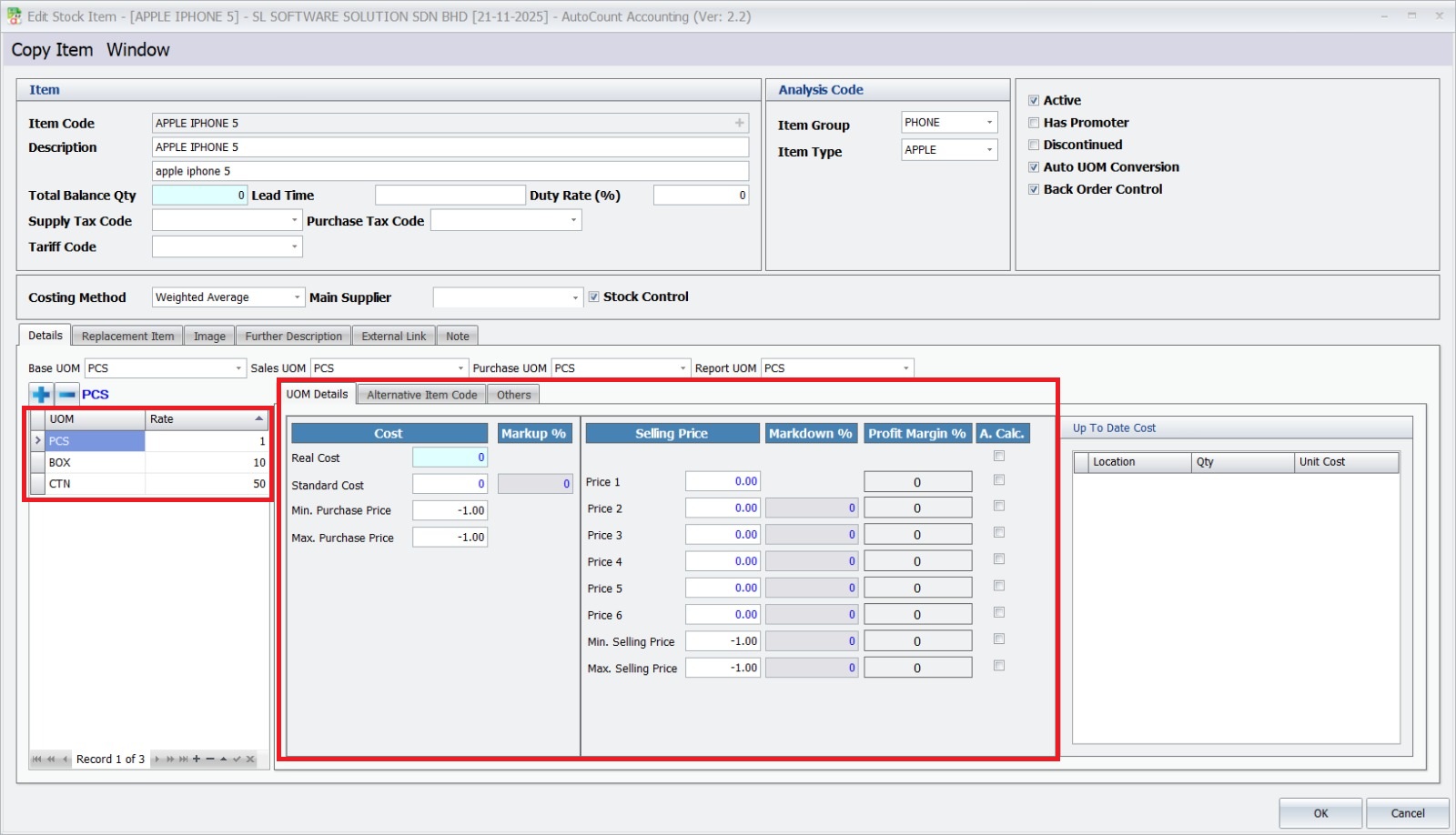
Multi-UOM, or Multi-Unit of Measure, is like a magical tool that helps businesses manage their inventory in different units. Think of it as a way to handle products that can be bought, sold, or stored in various quantities, like an APPLE IPHONE 5 in individual units or a box of APPLE IPHONE 5.
The Benefits of Multi-UOM in AutoCount
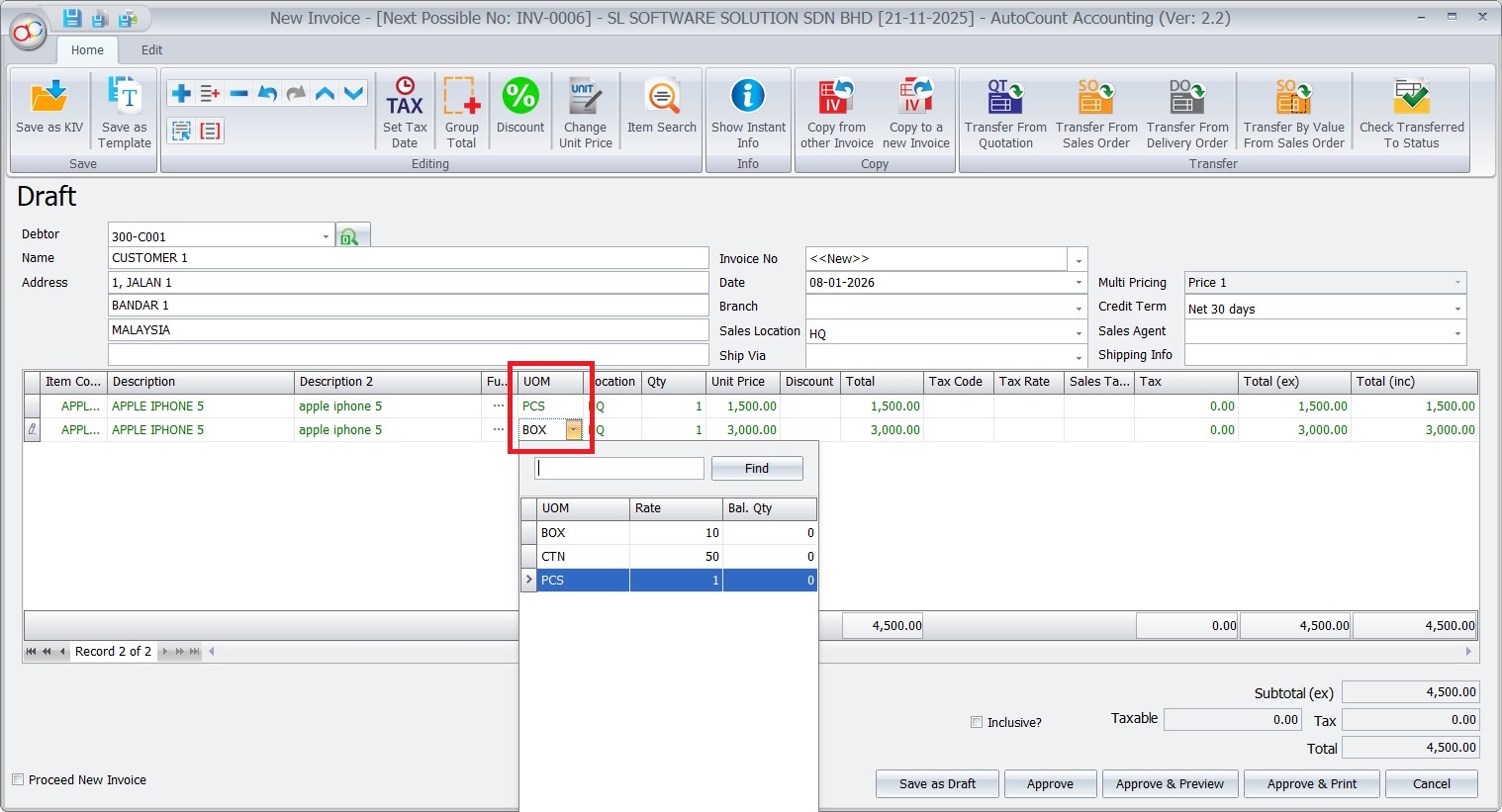
Imagine you’re a store owner. You sell items in different packaging – an APPLE IPHONE 5 individually or in boxes. Multi-UOM makes this easy. It lets you keep track of stock, no matter the unit. This leads to more accurate inventory records and a clearer view of what’s in stock.
For instance, when you sell a box of APPLE IPHONE 5 , Multi-UOM will automatically adjust the inventory for each individual phone sold. It simplifies your record-keeping and helps you avoid manual adjustments.
Who Benefits from Multi-UOM
Businesses that deal with various packaging and unit sizes benefit the most. This includes electronics stores, wholesalers, manufacturers, and distributors.
Basic Multi-UOM vs. Advanced Multi-UOM: What Sets Them Apart
Basic Multi-UOM focuses on providing stock reports in the smallest unit. It’s great for simpler businesses. On the other hand, Advanced Multi-UOM takes it up a notch. It generates stock reports in multiple units, allowing you to see a more detailed picture of your inventory.
Consider a store selling electronics. With Basic Multi-UOM, you’d only see the total number of boxes (eg. 13.4 boxes). With Advanced Multi-UOM, you’d get the total boxes and individual phones (eg. 13 boxes of phones and 6 phones). This level of detail can be a game-changer for businesses with complex inventory needs.
Upgrading from Basic to Advanced Multi-UOM
Yes, you can upgrade, but here’s the deal: when you upgrade, your old data might not fit perfectly into the new system. You might need to make some adjustments to align everything correctly.
The good news is, you can re-do your past sales and purchases. This way, your inventory will align with the new Advanced Multi-UOM setup.
Repost Sales/Purchase/Stock Transactions
Compared to Basic Multi-UOM (which produces stock reports only in smallest UOM), Advanced-Multi UOM produces stock reports in multiple UOM.
If you have been using Basic Multi UOM before purchasing Advanced Multi UOM module, your stock balance (transacted earlier) is reported in smallest UOM. To re-categorise these 'old' stock according to their UOM respectively (as provided by Advanced Multi UOM module), you need to run a Repost.
After Upgrading: What to Expect
Once you’ve upgraded, take a look at your historical data. Adjust any transactions that need it. This will ensure that your inventory records are accurate in the new Advanced Multi-UOM module.
Stock Card Report After Repost
The report will show each of UOM separately (BOX, PCS…) and their transaction respectively.
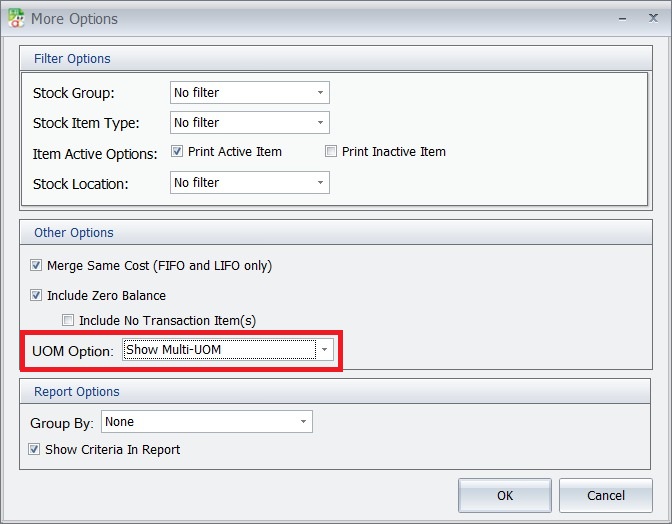
Click onMore Optionsand You may choose from 3 UOM options.
Show Multi UOM (by default this is selected)
Show Default Report UOM
Show Smallest UOM
Tutorial About Advanced Item Module
Conclusion
In conclusion, Multi-UOM is a game-changer for businesses dealing with different units of measurement. Whether you choose Basic or Advanced, AutoCount’s Multi-UOM modules streamline your inventory management, improve accuracy, and give you better control over your stock.
Optimize Your Business with AutoCount Modules
Ready to take your inventory management to the next level? Explore the power of AutoCount’s specialized modules, designed to tailor your system to your business needs. From multi-location tracking to advanced item management, our modules help streamline operations, enhance control, and boost efficiency.