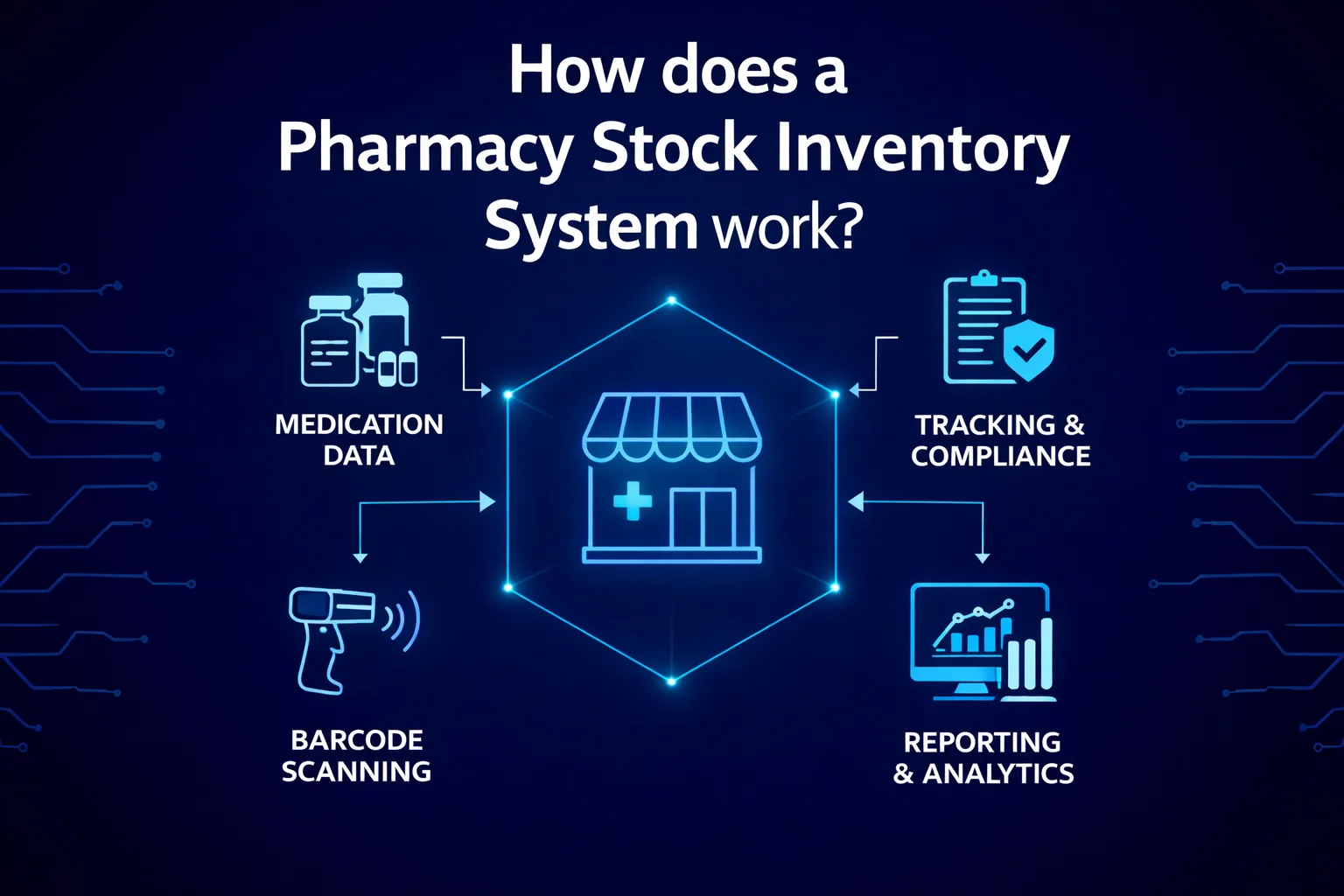
How does a Pharmacy Stock Inventory System work?
A sophisticated and all-encompassing solution transforming pharmacy operations through seamless integration of inventory management, POS software, accounting systems, mobile ordering, membership rewards, and e-commerce solutions.
Complete Pharmacy Management Solution
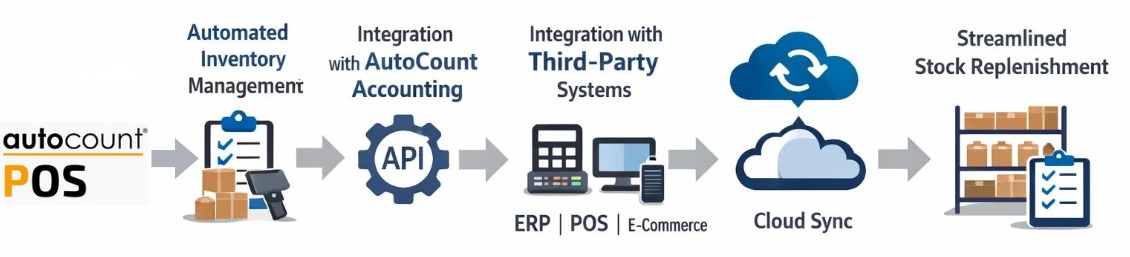
The Pharmacy Stock Inventory System with AutoCount POS stands as a sophisticated and all-encompassing solution, transforming pharmacy operations through the seamless integration of inventory management, Point-of-Sale (POS) software, Accounting systems, Mobile Ordering, Membership Rewards, and E-Commerce Solutions. This advanced system not only streamlines day-to-day tasks but also significantly enhances patient care by providing a centralized platform for managing various facets of pharmacy operations.
Key Features of AutoCount POS for Pharmacies
Inventory Management
AutoCount POS, serving as the cornerstone of a robust pharmacy stock inventory system, offers precise control over stocks. With automated reorder processes, it empowers pharmacies to optimize stock levels efficiently, making informed decisions to streamline the supply chain and minimize risks associated with overstocking and understocking.
Integration with AutoCount Accounting Software
AutoCount POS seamlessly integrates with AutoCount Accounting, creating a powerful system between the POS and financial management aspects. This integration ensures a smooth flow of financial data, automating the transfer of information from the storefront to the accounting and reporting processes.
Expiry Control
AutoCount POS takes a proactive approach to medication safety through robust expiration control features. It tracks expiration dates, preventing the use of expired products and enhancing patient safety. The system's capabilities include maintaining separate registers or folders for expired medicines, contributing to regulatory compliance.
E-Wallet Integration
AutoCount POS goes beyond traditional payment methods with various E-Wallet integration options. This feature allows pharmacies to receive payments from multiple sources, providing enhanced services to customers. Integration with AutoCount Accounting ensures seamless recording and management of financial transactions.
Real-Time Multi-Store Synchronization
AutoCount POS addresses the needs of pharmacies with multiple storefronts or locations through real-time synchronization. This functionality ensures data and stock management synchronization across all sales points. Electronic transmission and data exchange facilitate comprehensive, up-to-date reporting accessible from a centralized database.
Reporting, Analytics & Decision-Making
AutoCount POS empowers pharmacies with valuable insights through reporting and analytics. The software offers a detailed analysis of business performance, aiding pharmacies in making informed decisions and formulating effective business strategies.
How AutoCount POS Tracks Medication Expiration Dates
AutoCount POS helps pharmacies track medication expiration dates by providing a feature that informs the user about drugs that are expiring in the next 30 days.
This functionality allows pharmacies to stay informed about upcoming expirations, enabling them to take proactive measures such as sorting, selling, or safely disposing of the expiring medications.
By integrating this feature with inventory management, AutoCount POS assists pharmacies in effectively managing stock flow and ensuring that they are aware of the status of their inventory in real-time.
This proactive approach can help pharmacies reduce the risk of dispensing expired medications and improve overall performance in managing medication inventory.
Additional Advanced Features
Customer Loyalty
AutoCount POS facilitates effective customer loyalty and sales management by providing a centralized platform for managing customer-related data and purchase history. This feature enhances the overall customer experience, fosters customer loyalty, and streamlines sales management processes.
AutoCount Module
The AutoCount Module highlights the adaptability and flexibility of AutoCount software. This module enhances the system's functionalities, offering tailored features specifically designed for the unique needs of pharmacies. It allows pharmacies to customize their software according to specific requirements.
AutoCount Plugin
The AutoCount Accounting Plug-in is a set of additional features and functionalities that can be installed and activated within the AutoCount Accounting software. These plug-ins help streamline tasks, enhance efficiency, and boost productivity.
Benefits of Pharmacy Inventory Management System
A robust stock inventory management system is indispensable for the evolving landscape of the pharmacy business, particularly as it undergoes a shift towards online sales and e-commerce. This system plays a pivotal role in enabling pharmacies to efficiently handle their inventory, ensuring optimal stock levels without the burden of excess holdings.
Mitigation of Medication Error
Automation and real-time tracking capabilities significantly reduce the likelihood of errors in prescription coding, billing, and drug dispensing. This is critical for patient safety and operational accuracy.
Inventory Management Excellence
The system serves as a sophisticated tool for effective stock management, meticulously addressing concerns of overstocking, understocking, and dead stocking. This precise control over inventory levels optimizes resources and reduces financial waste.
Comprehensive Reporting for Informed Decision-Making
The reporting capabilities of the inventory management system provide in-depth insights into business performance, allowing pharmacies to identify trends, optimize stock levels, and adapt their approach to align with market demands.
Expiry Control Precision
A pivotal feature of the system involves the identification and reduction of expired items. Pharmacies can efficiently manage their inventory, sorting and selling drugs by expiration date. Proactive alerts for soon-to-expire medications enable timely action.
Seamless Integration with Pharmacy Software Ecosystem
Many systems seamlessly integrate with various pharmacy software components, such as point-of-sale (POS) software, accounting systems, mobile ordering, membership rewards, and e-commerce solutions.
Trends in Malaysia's Pharmaceutical Industry
- Shift from Wholesale to Retail and Online Business
The significant transformation from wholesale distribution to a focus on retail and online business models is a crucial trend reshaping the industry.
- Increased Competition from Franchise Outlets
The surge in the number of franchise outlet stores introduces heightened competition within the market.
- Supply Chain Practices and Inventory Management
The adoption of digitalization to enhance the pharmaceutical supply chain and the impact of lean inventory management practices on addressing drug shortages are pivotal focal points.
- Changes in Statutory Regulations
The pharmaceutical industry in Malaysia is contending with notable changes in statutory regulations, including the implementation of e-invoicing and adjustments in the goods and services tax (SST) framework.
For efficient inventory management, consider integrating AutoCount’s POS Barcode Scanning system to enhance real-time tracking and streamline stock control.
Security Features of Pharmacy Inventory Management System
- Data Security
The system ensures the security of sensitive patient and inventory data, often through encryption and user access controls.
- Backup and Recovery
Regular backups are performed to protect against data loss and the system has robust recovery procedures in place.
- User Access Controls
The system allows for different levels of access for various users, ensuring that only authorized personnel can view or modify sensitive information.
- Audit Trails
The system maintains detailed logs of all transactions and interactions, providing a complete history of changes made to the inventory or patient records.
- Physical Security Integration
Some systems integrate with physical security measures such as surveillance cameras and alarm systems to provide a comprehensive security solution.
These features help pharmacies comply with regulations, protect sensitive data, and prevent theft or unauthorized access to medications and patient information.
AutoCount POS Modules
Explore specialized modules that extend the functionality of AutoCount POS for pharmacies:
Multi-Location Module
Real-time synchronization across multiple stores
Bonus Point Module
Customer loyalty and rewards management
Item Batch Module
Advanced expiration date tracking
E-Commerce Solutions
Online pharmacy integration
Basic & Advanced Multi-UOM Module
Unit of measurement conversion
Easy Barcode Plugin
Barcode & QR code scanning
Stock Replenish Plugin
Automated stock replenishment
InterCompany Billing Plugin
Streamlined inter-outlet invoicing
InterCompany Master Sync Plugin
Synchronized master data across outlets
Key Capabilities
Sync Data for Online/Offline Operations
AutoConversion between different UOM
Barcode & QR Code Scanning
Stock Replenish based on Reorder Level
To ensure seamless integration with accounting systems, check out how AutoCount POS and Accounting work for smooth financial and inventory management.
Streamline Your Pharmacy Inventory Management!
Gain better control over your stock with our integrated system. Effortlessly track, manage, and automate your inventory processes.