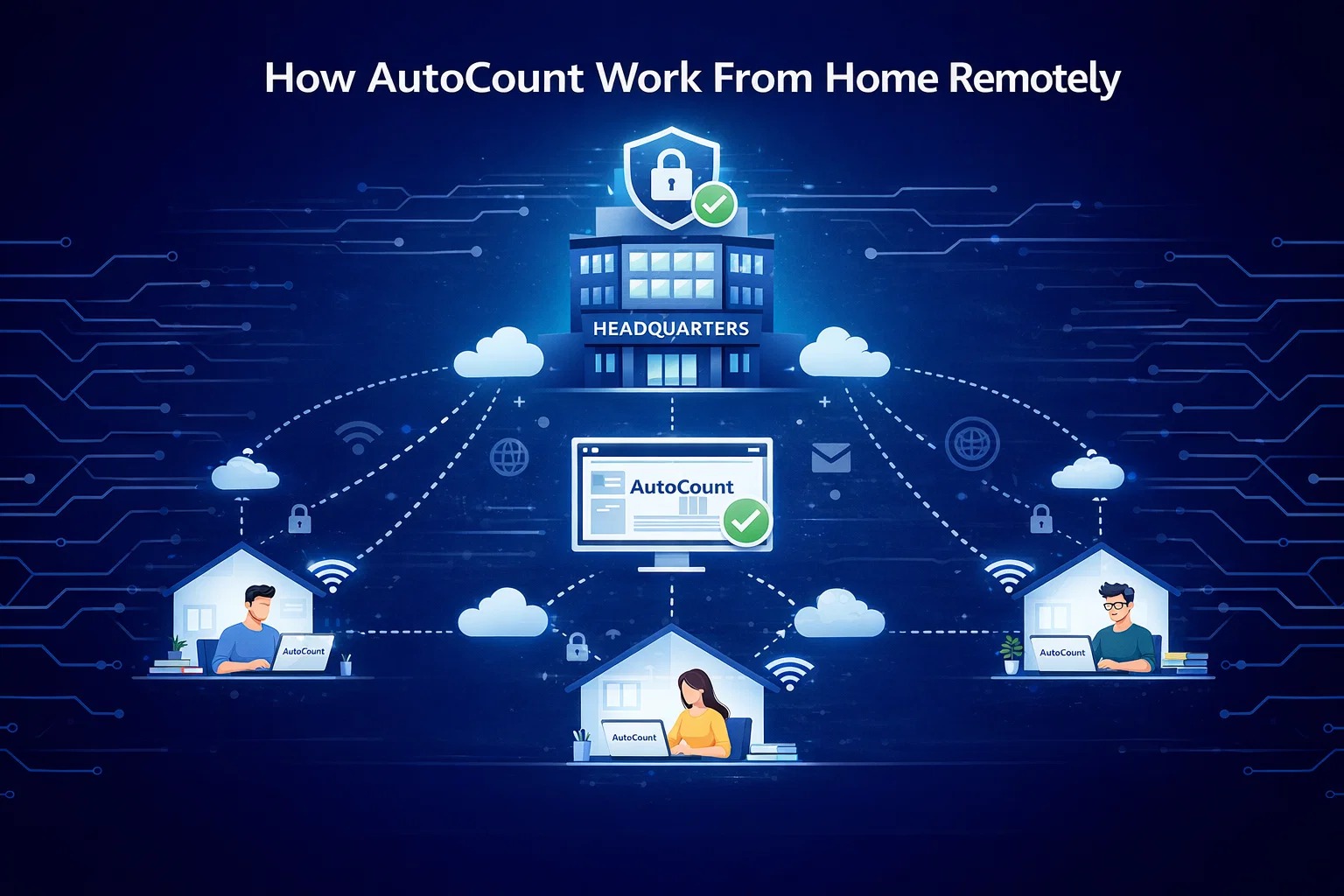
Need to centralize accounting and stock information across multiple locations without the complexity of VPNs or private hosting? With AutoCount’s AOTG solution, your headquarters can host AutoCount, while staff at remote branches access real-time data through a secure, easy-to-use website. No additional software or complicated configurations required. Enjoy seamless, secure access without exposing your system to unnecessary risks.
For businesses with multiple branches or remote staff, keeping financial records synchronized is a struggle. Traditional solutions like setting up VPNs (Virtual Private Networks) or renting Private Hosting are often:
Too Complicated: Requires technical IT maintenance.
Expensive: High setup and hardware costs.
Slow: Data syncing delays affect decision-making.
The Solution: AutoCount AOTG
AutoCount AOTG allows your Headquarters (HQ) to host the main server while remote branches access data directly via a web browser.
No VPN Required
Forget about static IPs, DDNS, or complex firewall setups. Simply access your AutoCount system securely through a web browser.
Real-Time Synchronization
Data entered at any branch is instantly updated in the HQ server. No more waiting for end-of-day syncing.
Secure & Cost-Effective
Reduce IT infrastructure costs while maintaining high-level security for your financial data.
How AOTG Architecture Works
As illustrated below, the HQ server hosts the AutoCount database. Remote staff simply log in via http://www.aotg.cloud to access the system, creating a direct and secure link to the office.
Streamline Your Financial Management with AutoCount Accounting
Automate bank reconciliation, enhance accuracy, and save time with AutoCount Accounting. Keep your financial records up-to-date effortlessly.