Streamline Your Delivery Process with AutoCount Delivery Order
AutoCount Delivery Order makes delivery logistics simple and efficient — it lets you generate professional delivery-orders (DOs), auto-update inventory when goods are dispatched, track which DOs remain unbilled, and convert deliveries into invoices in bulk helping businesses manage shipments, stock and billing with clarity and speed.
Introduction
If you’re running a distribution or manufacturing business, you know that a single delivery mistake can disrupt your schedule, inventory, and cash flow. That’s why it’s time to simplify the process with AutoCount Accounting – Your All in One Solution for Smarter Accounting.

At SL Software, we specialize in helping Malaysian SMEs digitize and grow — Taking SMEs to the Next Level of Business Excellence — and the Delivery Order feature in AutoCount is a game changer for any business that handles logistics and invoicing daily.
What Is a Delivery Order (DO)?
- A Delivery Order is a document given to your lorry driver or delivery team that lists the goods to be delivered, along with the customer's details and address.
- Once delivery is completed, the customer's storekeeper or purchasing officer signs the DO as proof of receipt. This signed copy is then passed to your billing or accounts department, who will generate the invoice — usually at the end of the month or during the billing period.
- With AutoCount, this traditional paper-based process becomes digital, accurate, and fully customizable.
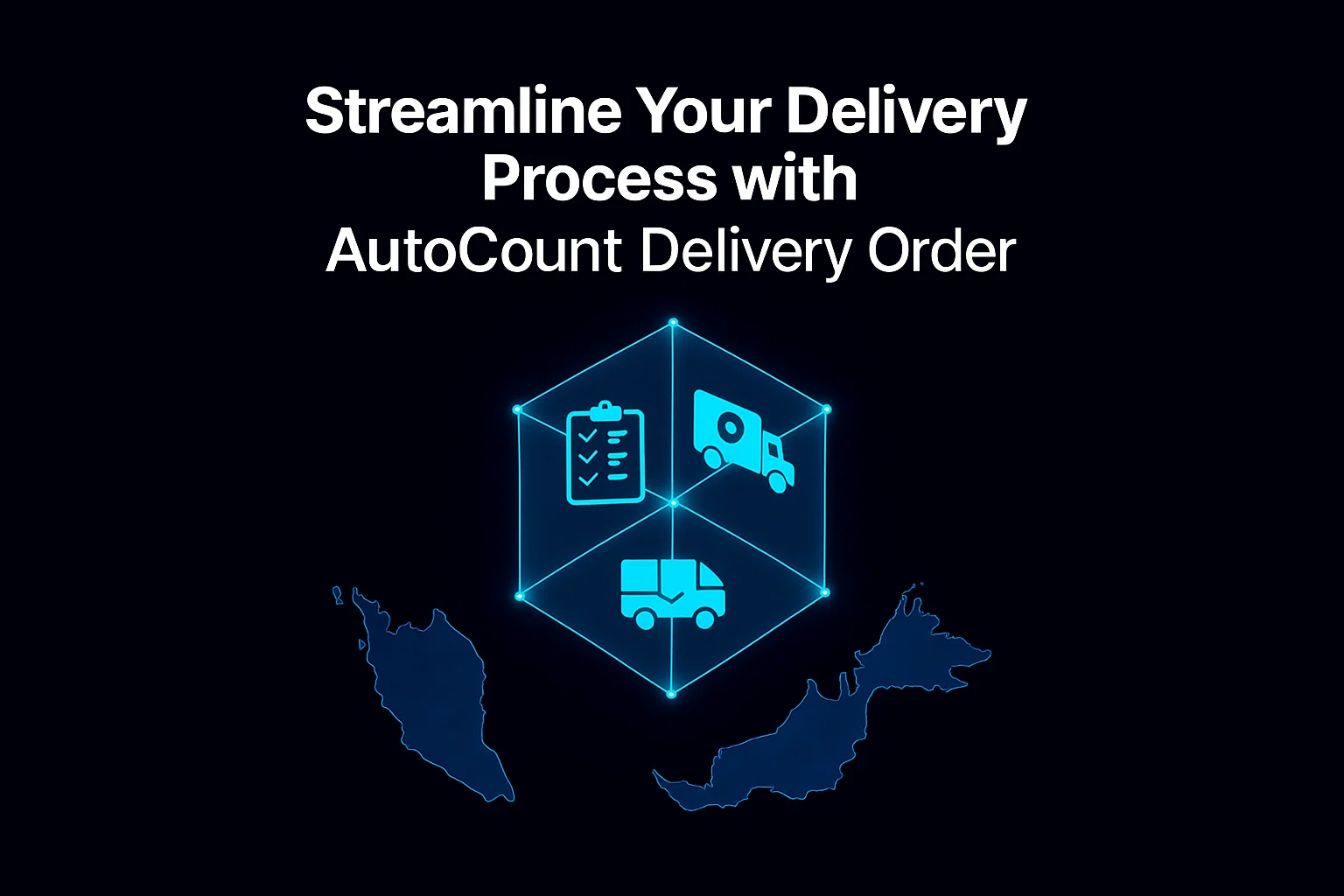
Integrating the AutoCount Delivery Order system with the Inventory Management System ensures real-time tracking and accurate stock updates.
Multipule Delivery Order Format for Your Business
Key Benefits of Proper Delivery Order Formats
- Clear Hand-off & Authorization
A proper delivery order officially authorises goods release to the right consignee. No confusion. No unwanted surprises.
- Traceable Record-Keeping
Every shipment gets logged with who, when, what, and where. Perfect for audits, inventory tracking, or tracking down lost items.
- Reduced Disputes & Liability
With signed delivery orders or proof-of-delivery (POD), you have hard evidence items were delivered correctly — invaluable if disputes or returns arise.
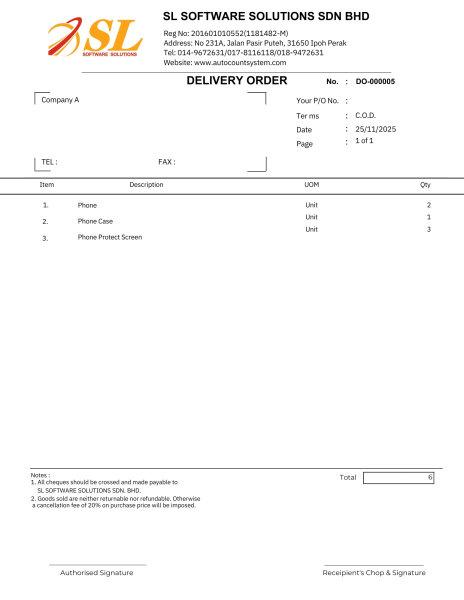
AutoCount offers a wide range of delivery order formats to suit different business needs, helping you standardise your documents and streamline your daily workflow. You can browse the available formats, customise the layout or according your wish to match your branding, and refer to our delivery order format guide.
Why need to customize Delivery Order Format?
- Brand Consistency
Every business has its own needs — and AutoCount delivers flexibility. You can customize your delivery order templates with your company logo, delivery terms, and detailed item listings.
- Professional Appearance
Whether you’re sending goods to a retail chain, wholesaler, or individual client, your DOs will always look professional and consistent with your brand. Multiple print formats are available to suit your operation.
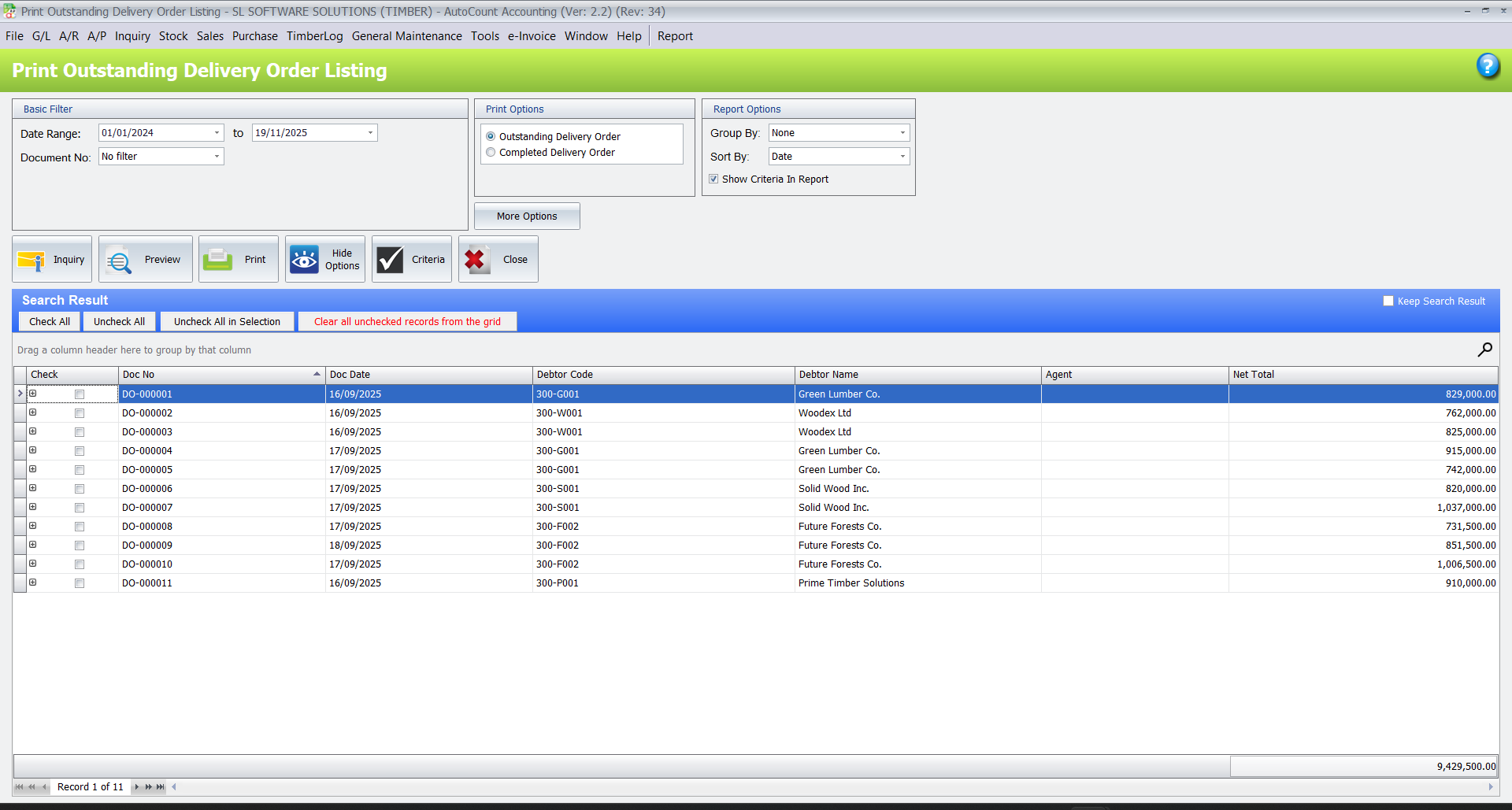
Stay in Control with "Outstanding Delivery Order Listing"
Ever wondered which deliveries have been sent out but not yet billed? The Outstanding Delivery Order Listing in AutoCount keeps you on top of things.
This feature allows you to:
- Instantly see which DOs are still unbilled
- Track delivery completion status by customer or salesperson
- Avoid missed invoices and revenue leakages It's the smart way to manage your delivery-to-invoice workflow — no more guesswork or manual checking.
Supercharge Your Efficiency with AutoCount Add-ons
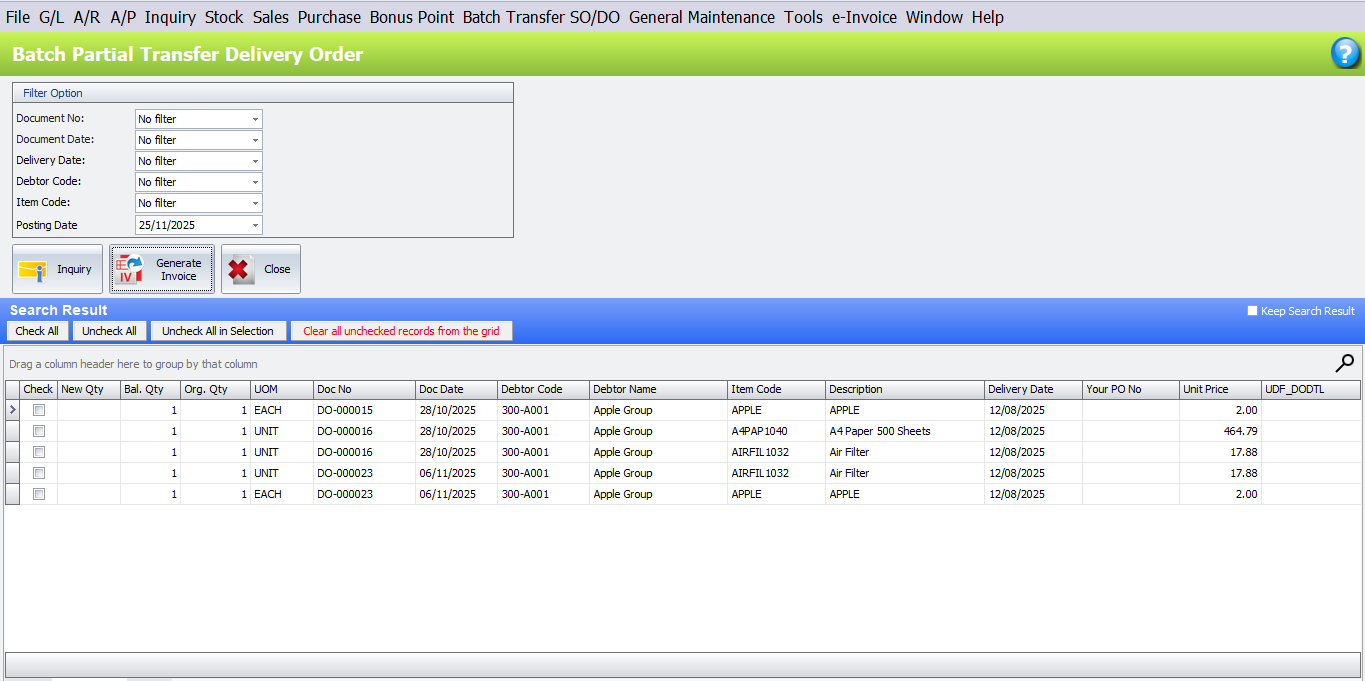
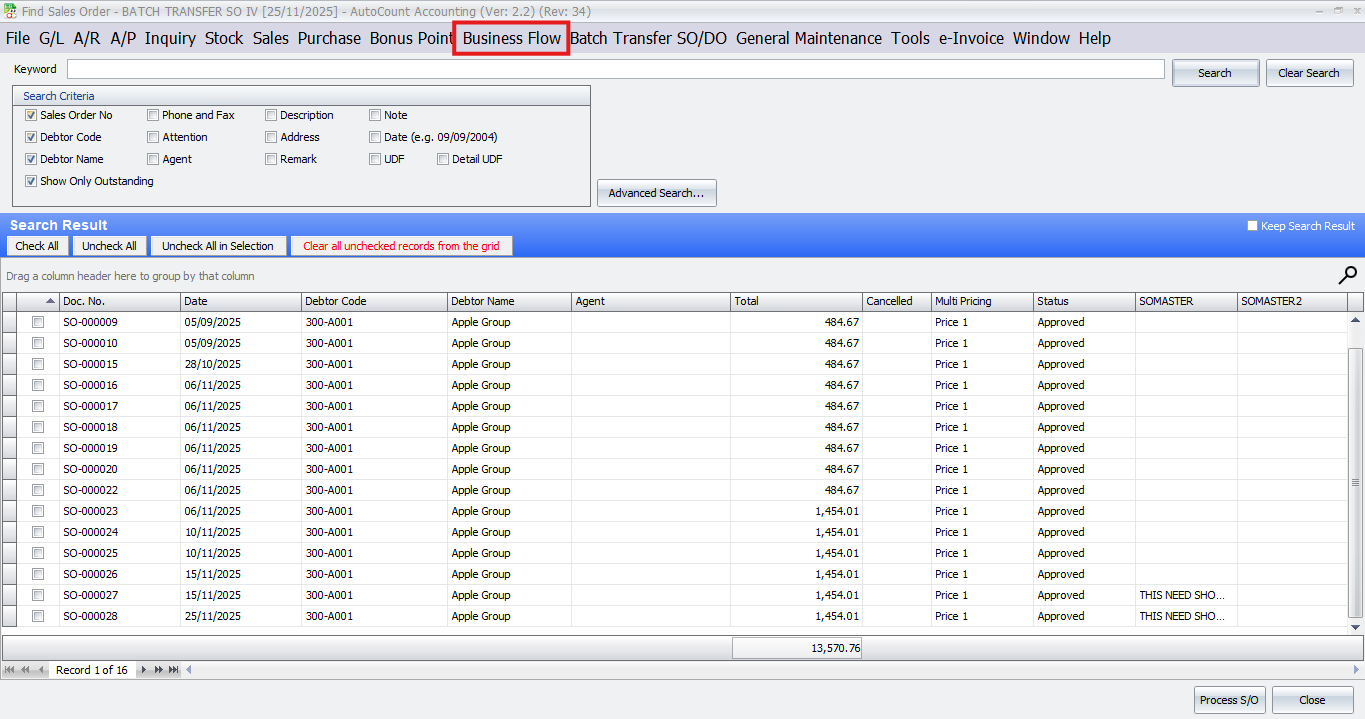
- Batch Transfer Plugin
Tired of converting each DO into an invoice one by one? With the Batch Transfer Plugin, you can batch convert multiple delivery orders into invoices in just a few clicks. This feature saves time, reduces errors, and ensures that no delivery gets left unbilled.
- Sales Order Processing Module
For businesses that handle stock movement daily, the Sales Order Processing Module is your secret weapon. It comes with a smart feature called Delivery Request Processing, which helps you manage ready stock efficiently. You can quickly generate delivery orders based on stock availability and customer demand — perfect for distributors and manufacturers who value accuracy and speed.
Why AutoCount Delivery Order Matters for SMEs?
For many SMEs in Malaysia, delivery management is often handled manually — leading to missing DOs, unbilled deliveries, and lost profits.
- Track Everything in One Place
Track every delivery order and invoice in one centralized system.
- Improve Communication
Enhance coordination between sales, warehouse, and accounts departments.
- Eliminate Manual Errors
Reduce errors and eliminate duplicated work with automated processes.
- Real-time Visibility
Get instant visibility of pending deliveries and billing status.
In short, AutoCount helps you deliver smarter, bill faster, and grow stronger.
Ready to take your delivery process to the next level?
Say goodbye to delivery errors and billing delays with AutoCount’s Delivery Order feature. Simplify your logistics, reduce manual work, and enhance accuracy with customizable templates and automated tracking.