“Is this order ready?”
Improve order visibility
Keep sales order information more organised for easier follow-up.

Keep customer orders moving from initial request to fulfilment. The AutoCount Sales Order Processing Module supports sales teams in reviewing stock requirements, coordinating purchase requests and planning deliveries through a clearer order workflow.
For trading, distribution and order-driven businesses. Available functions depend on your AutoCount edition and configuration.
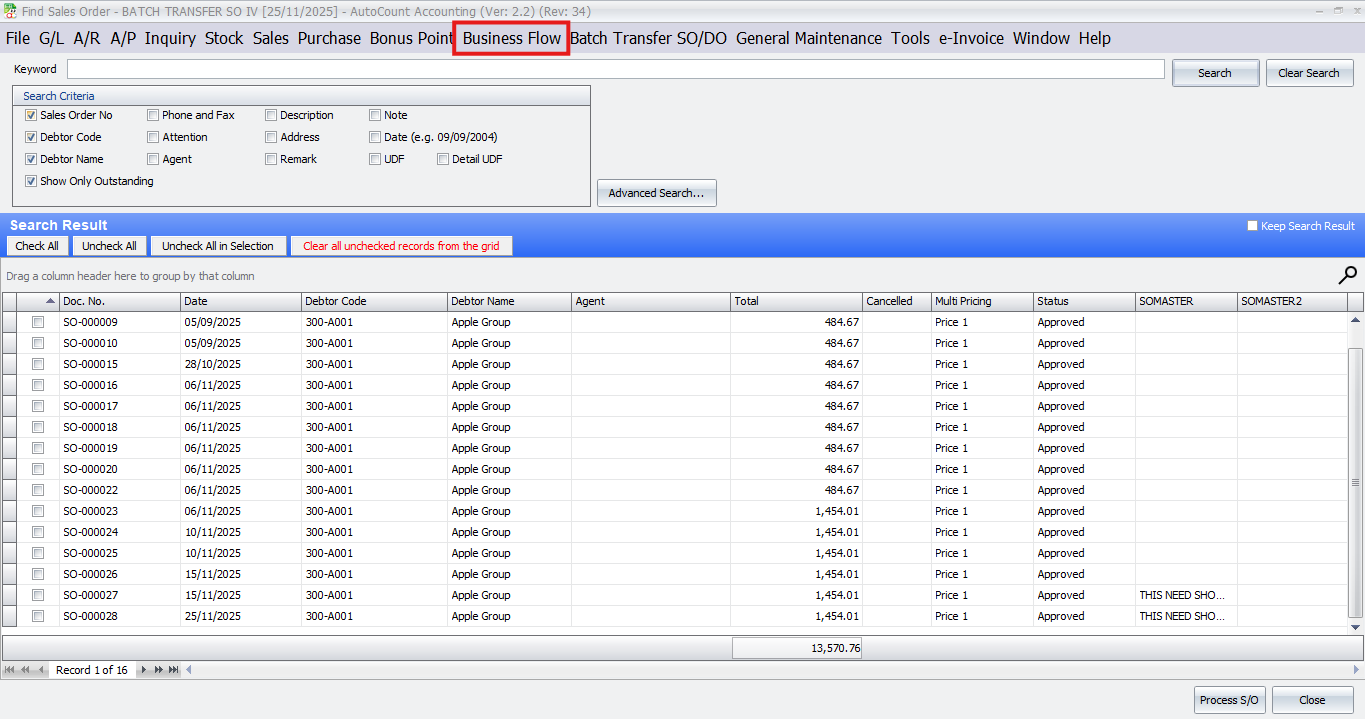
When sales, purchasing and delivery teams manage requests through separate messages and spreadsheets, it becomes harder to tell what is ready, what needs purchasing and which orders still need attention.
Keep sales order information more organised for easier follow-up.
Understand stock needs before planning the next order step.
Coordinate purchasing and delivery requests more consistently.
Bring order information and related fulfilment activities into a clearer process, from incoming requests to follow-up.
Record order details in a structured workflow and keep the requested items and quantities together.
Check the stock position when assessing an order and identify requirements that may need follow-up.

Use purchase request processes to communicate requirements when stock needs to be sourced.

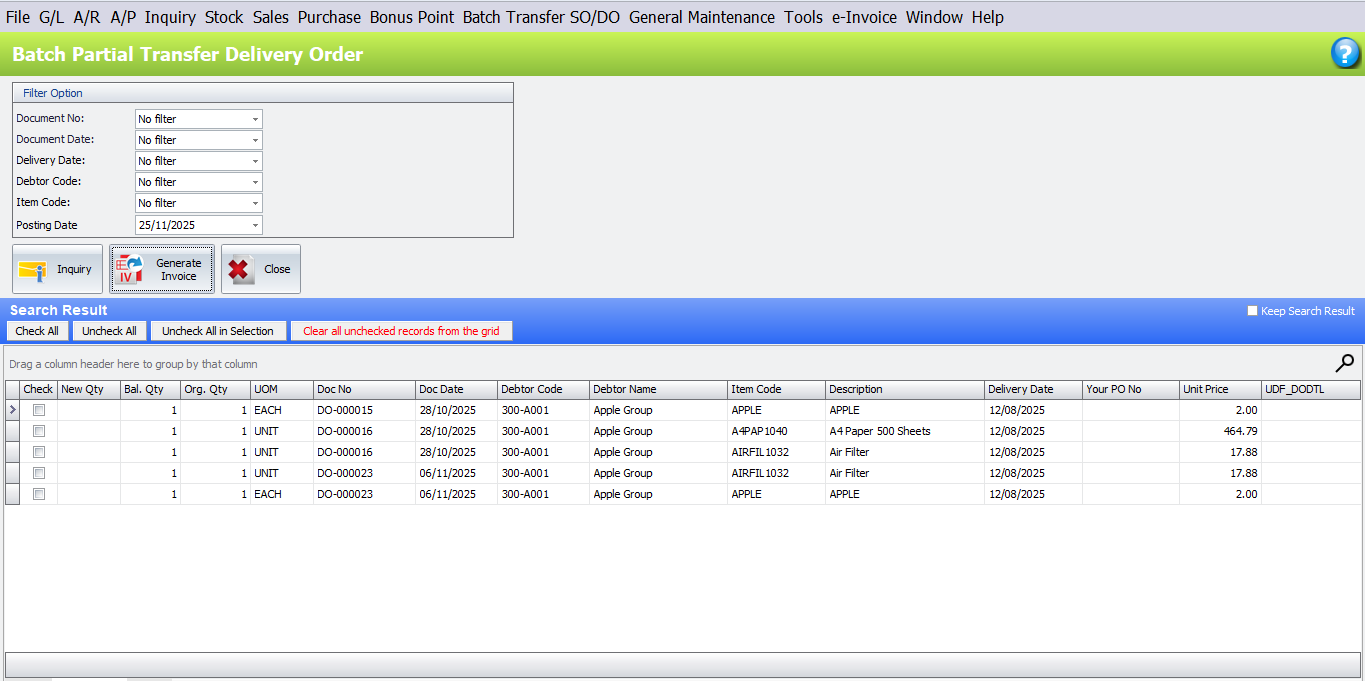
Coordinate delivery requirements from customer orders, so relevant teams can plan the next step.
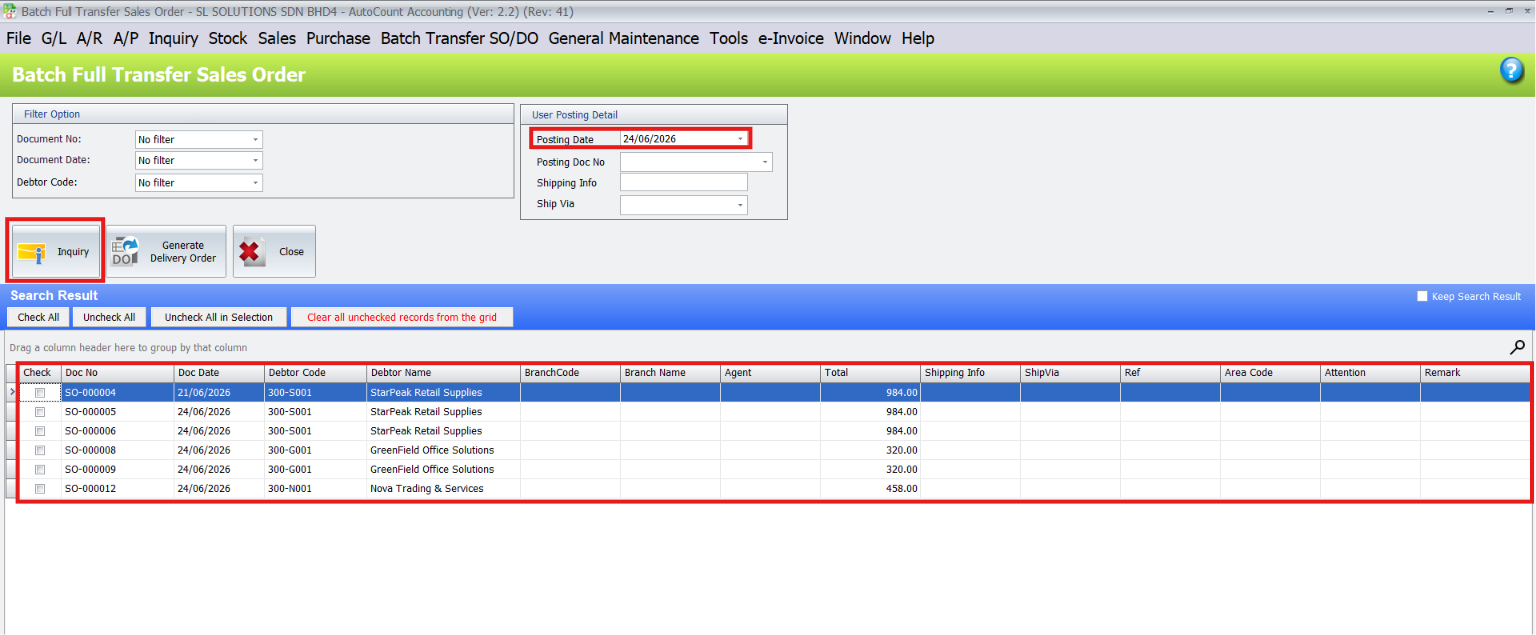
Review the status of outstanding sales orders and follow up on work still in progress.

Bring related order-processing activities into a more consistent workflow rather than relying on disconnected notes.
Tell SL Software how your sales, purchasing and delivery teams work today. We can review a suitable AutoCount module setup with you.
Keep customer orders and purchasing requirements organised when dealing with multiple products.
Coordinate sales order information with delivery and stock planning.
Follow up on outstanding customer requirements with a more structured process.
No tutorial video is currently available on this page. Contact SL Software for a demonstration based on your order-processing requirements.
Arrange a DemonstrationFor a detailed explanation of how purchase and delivery requests are processed from Sales Orders, read the official AutoCount Sales Order Processing guide. The guide illustrates the original workflow; available screens can differ by software version.
It supports the handling and coordination of sales orders, including related stock, purchase request and delivery workflows.
It may suit wholesale, distribution and trading companies that process customer orders and coordinate fulfilment across teams.
Stock review is part of the intended workflow. The exact screens and available checks depend on your AutoCount version and configuration.
Contact SL Software Solutions to discuss your needs and arrange a product demonstration.
Contact SL Software Solutions for a module consultation, availability check or demonstration.
Contact SL Software Solutions