
AI HRMS Malaysia · AutoCount Siora AI
Spend less time drafting letters, preparing spreadsheets and reading through reports. AutoCount Siora AI helps your HR and payroll team turn everyday questions and data into a useful first draft, formula or summary—inside AutoCount HRMS.
Built into AutoCount HRMS · Multilingual AI assistance · Local implementation and support
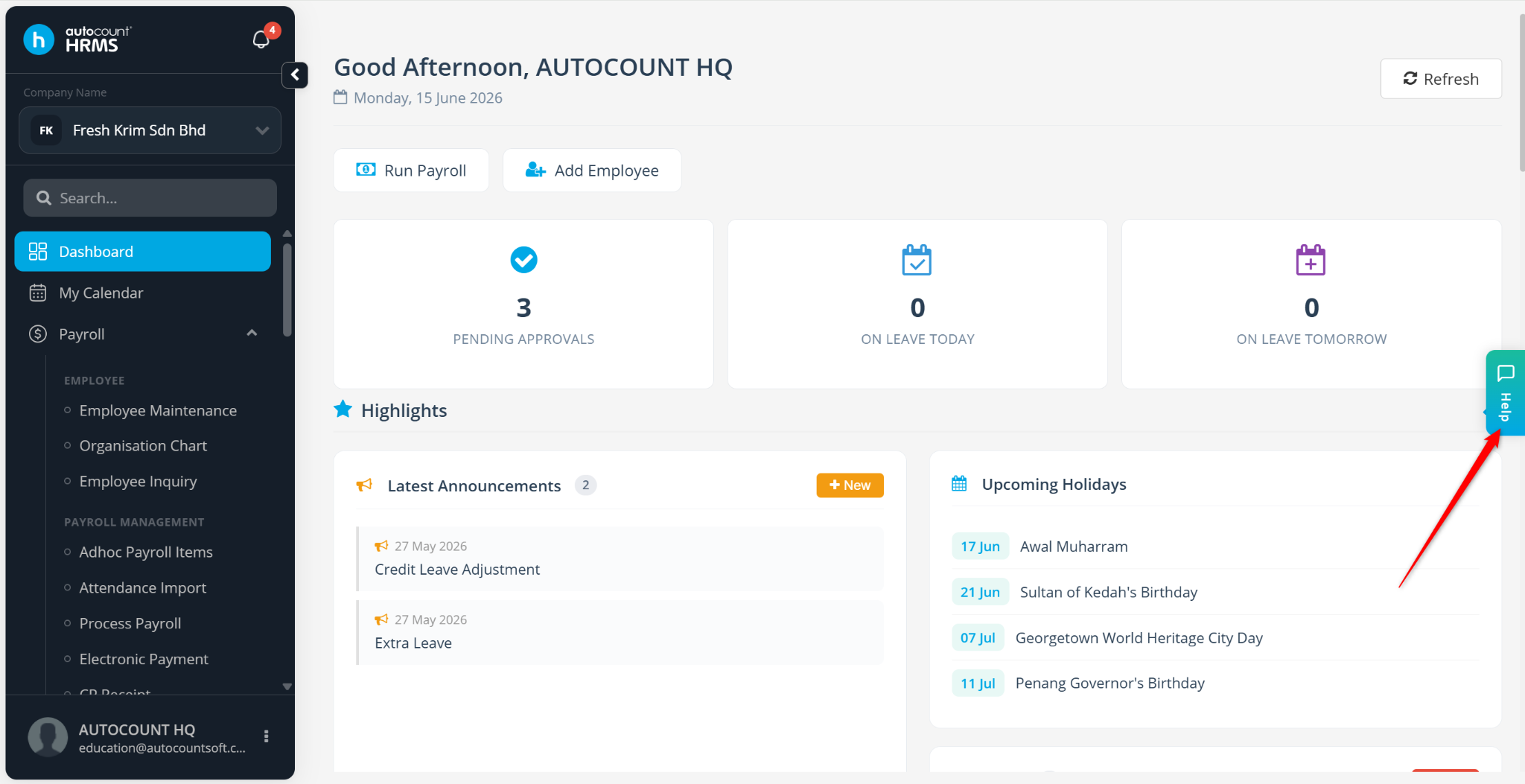
Make room for your people
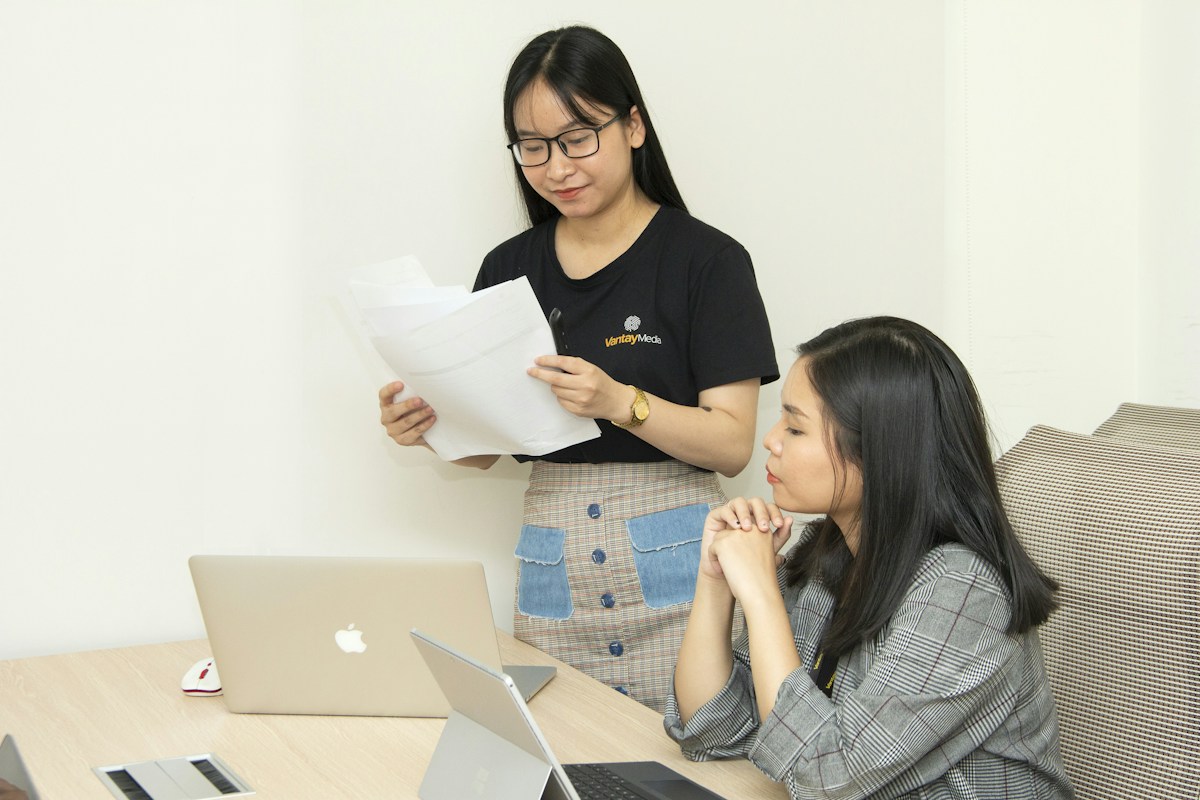
Repeatedly drafting employee communications takes time away from onboarding and supporting your people.
Attendance files from external devices can mean repeated data categorisation before they are ready to import.
Payroll, leave and attendance data are useful only when your team can understand the key findings.
One assistant. Practical everyday help.
Siora is the AI assistant built into AutoCount HRMS and Cloud Payroll. These six documented functions help users with routine questions, documents, calculation logic and data review.
Ask HRMS questions in everyday language. Multilingual AI assistance is available 24/7 for common system enquiries.
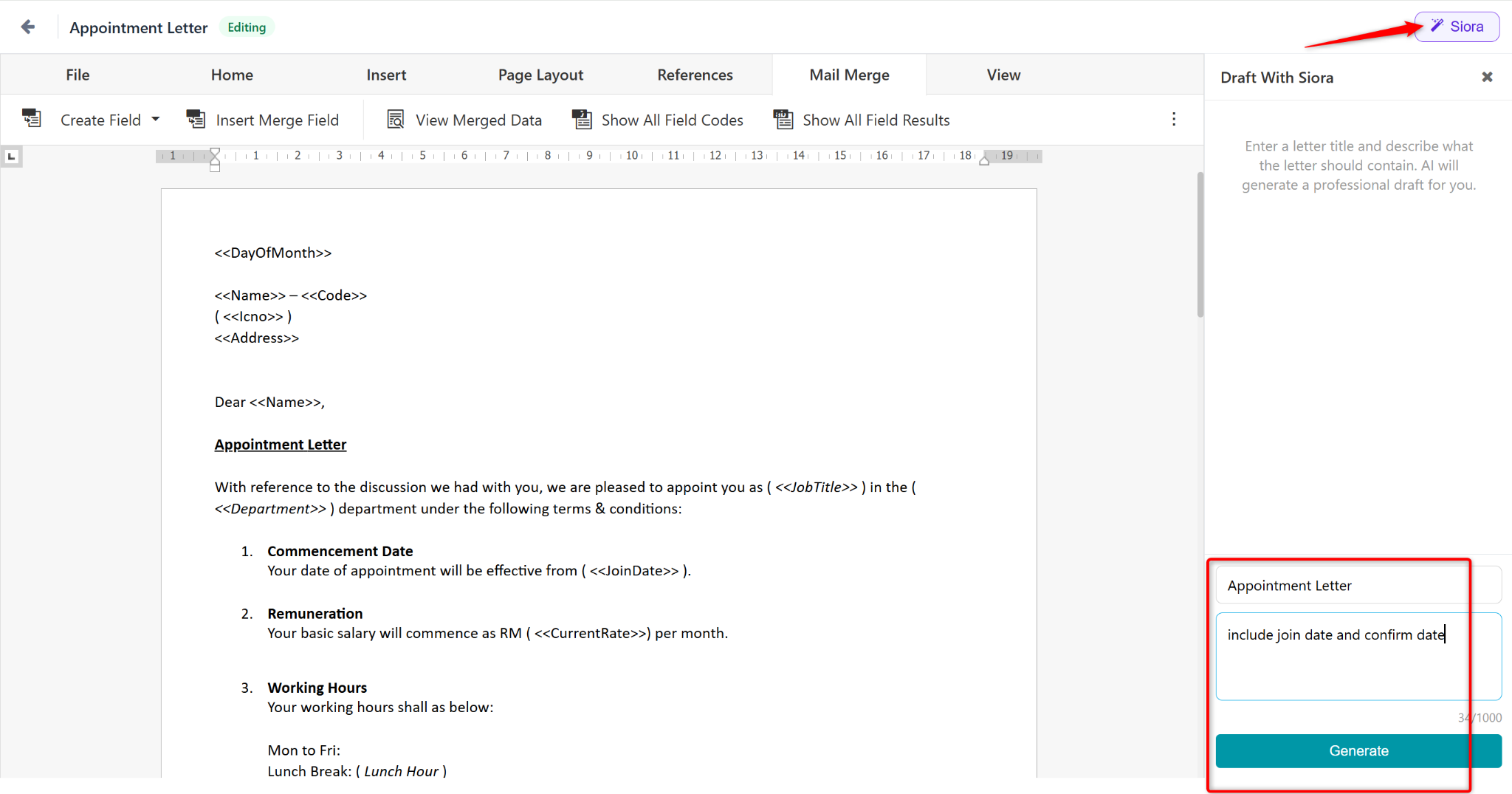
Generate a draft using predefined templates, then customise the wording for your employee and company requirements.
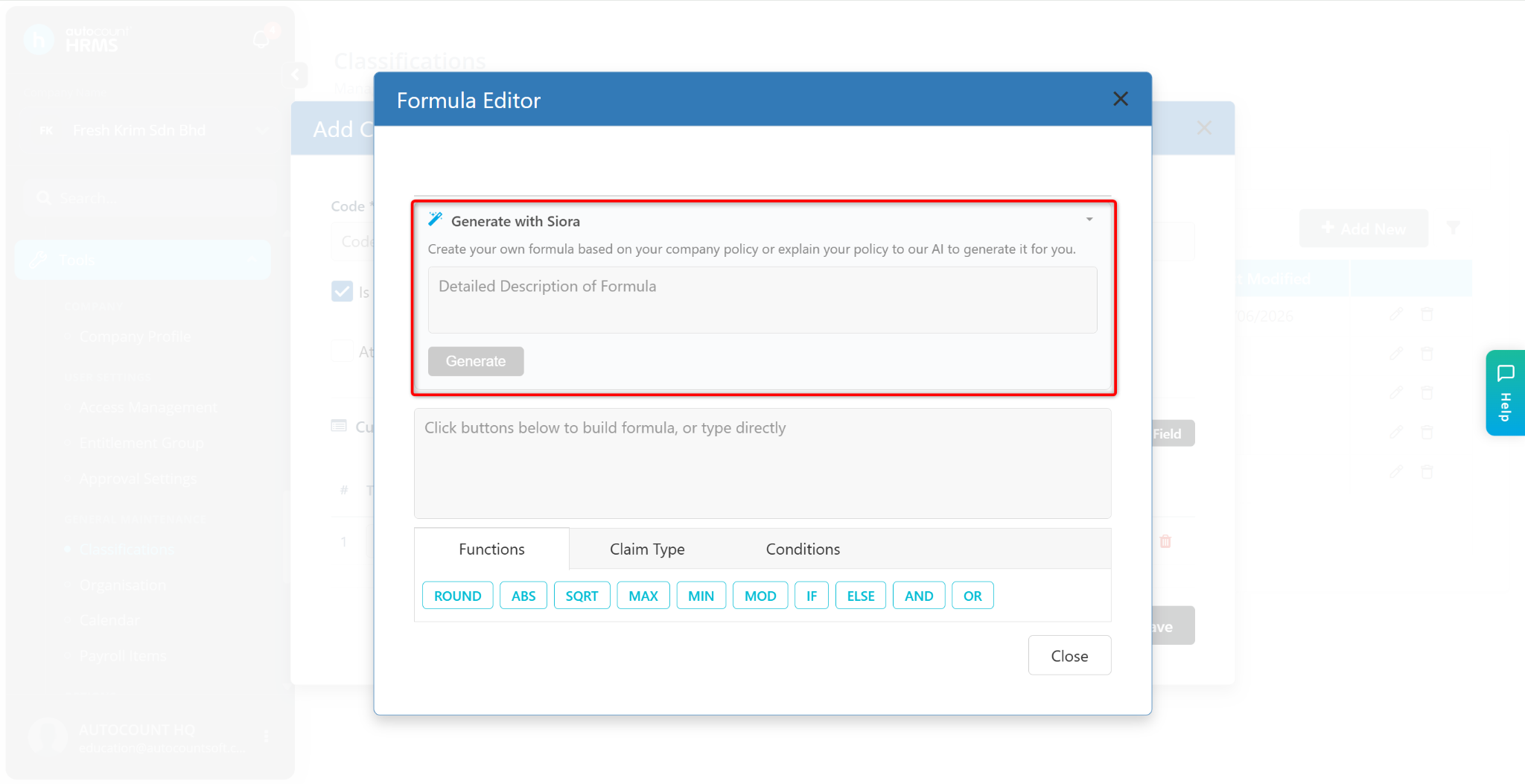
Describe the calculation logic you need and get an AI-generated formula to review and test.
Help identify and categorise spreadsheet data, including attendance records from external devices.
Turn report information into concise summaries so your team can identify key findings and trends.
Summarise information in supported employee, payroll, leave and attendance grids for a quicker overview.
Write with a useful starting point
Start with an AI-generated draft based on a predefined template, then tailor the content to the situation. HR remains in control of the final wording and approval.
For your team: a more consistent starting point for routine employee communications, with less time spent facing a blank document.
Review employee details, company policies and applicable requirements before issuing any letter.
Explain the rule in everyday language
Describe the calculation logic for a salary, allowance or deduction rule. Siora helps generate the formula, giving payroll users a starting point for configuration.
For your team: less time working out formula syntax and more time checking that the result matches your intended payroll rule.
Test the output with representative employee cases before using it in payroll processing.
Understand the findings sooner
Siora can analyse reports and produce concise summaries of the information. This helps HR teams and managers focus on relevant findings rather than reading every row from the beginning.
For your team: a quicker starting point for reviewing workforce information and deciding what deserves further attention.
Use the original records and report filters to verify any finding before acting on it.
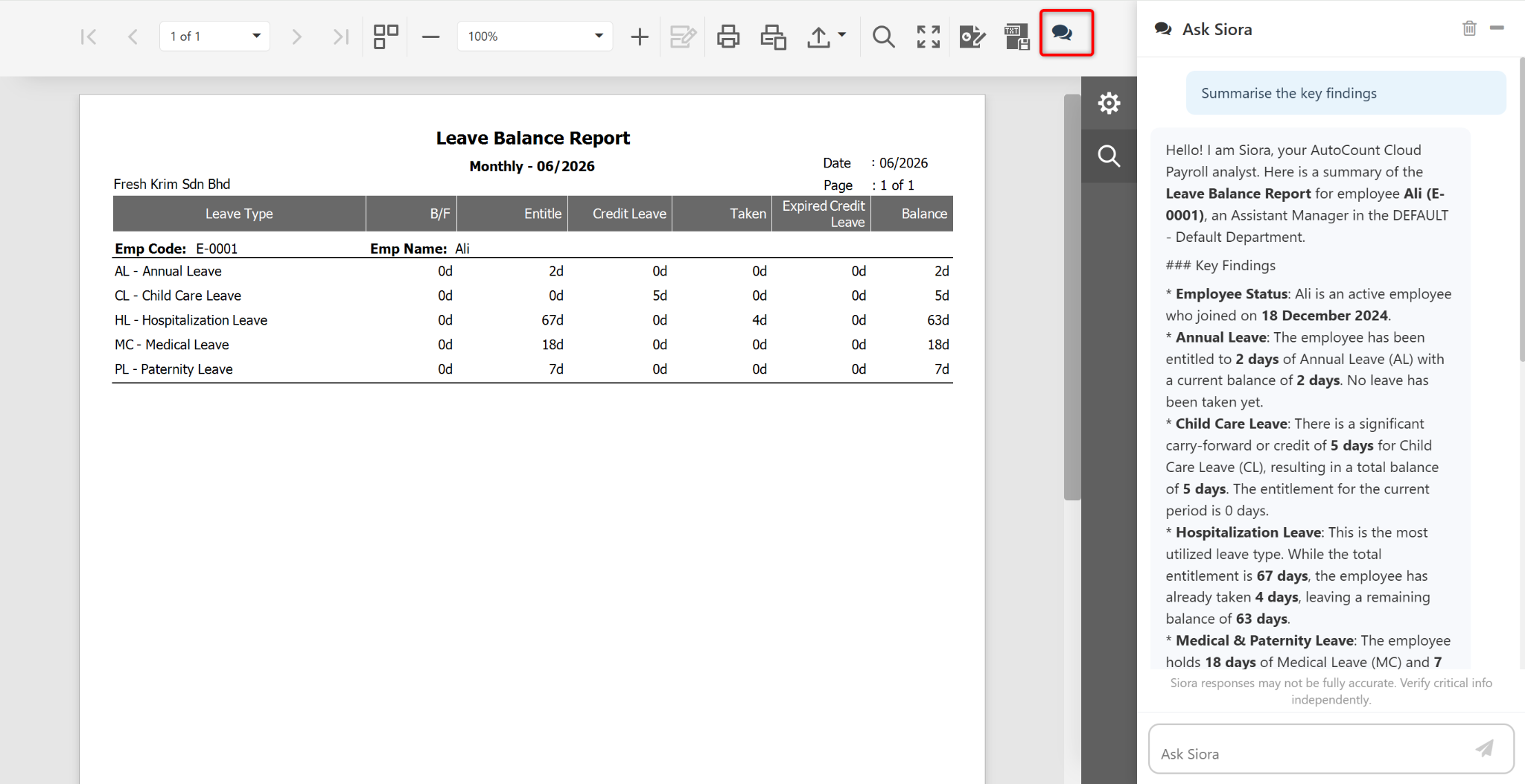
Prepare data. Review the big picture.
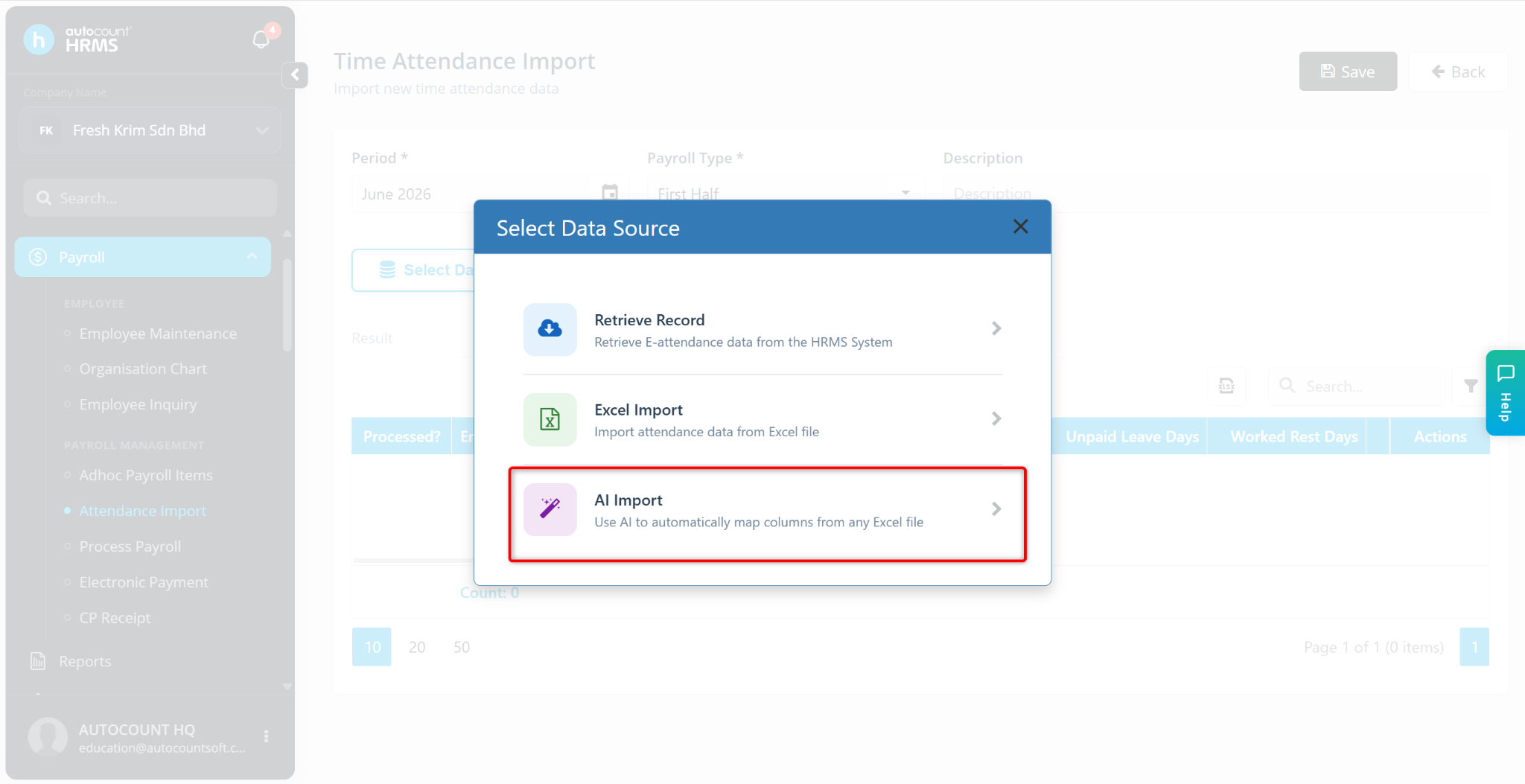
AI import helps identify and categorise data from an uploaded Excel file, including external attendance records. Review the recognised fields and import results before relying on the records.
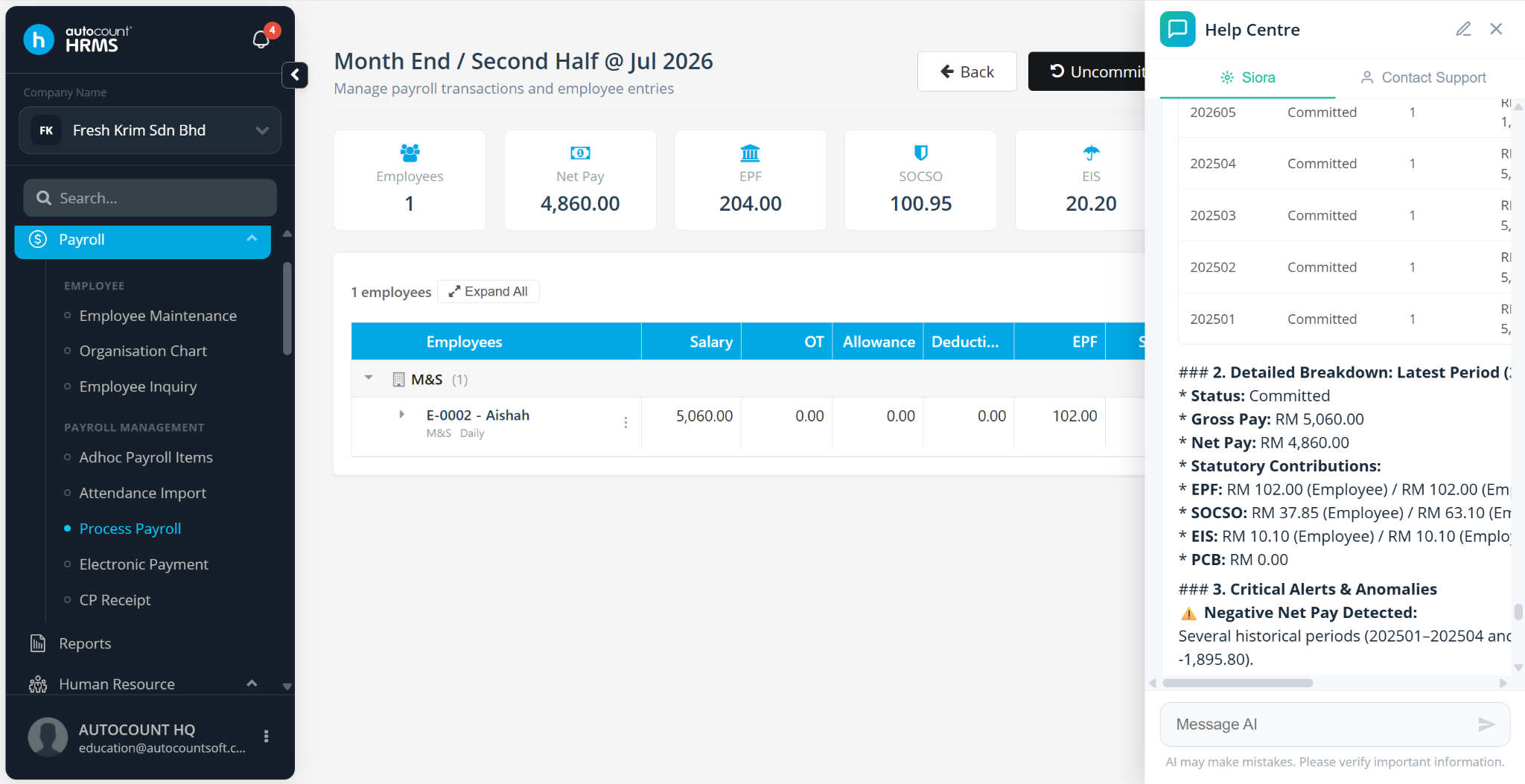
Dynamic Grid Summary condenses information into key points. The official guide shows examples for employee maintenance, payroll processing, leave transactions, leave balances and attendance transactions.
More ways to work with Siora
AutoCount’s current product page describes creating employee profiles and setting up departments, projects and branches through conversational requests.
Ask questions to help analyse audit trails and trace user activities, reducing the need to manually search through logs.
Ask SL Software to confirm which functions are available in your subscription and current HRMS release, along with any applicable limits or charges.
From product demo to daily use
Show SL Software the tasks that take up your team’s time. We can help you assess AutoCount HRMS, plan implementation and training, and understand which Siora functions fit your requirements.
Explore AutoCount Payroll for the wider solution, or view payroll plans and pricing before discussing your requirements.

Your questions, answered
Siora is AutoCount HRMS’s built-in AI assistant. It helps with HRMS questions, letter drafts, payroll formulas, Excel data categorisation, report analysis and supported grid summaries.
Siora works within AutoCount HRMS. It supports HR and payroll tasks alongside the system’s other functions. Ask for a demo to see how it fits your workflow.
Yes. Describe the calculation logic in plain language to generate a formula. Review and test the result against your intended payroll rules before using it.
The official guide describes 24/7 availability for the AI chatbot. Human live chat and SL Software support follow their applicable service hours and arrangements.
The official guide describes AI categorisation of uploaded Excel data, including attendance records from external devices. Confirm compatibility with a sample of your file and review the import results.
Availability, usage limits and charges should be confirmed for your selected subscription and current release. Contact SL Software before subscribing; this page does not promise that every AI function is free or included in every plan.
Yes. Check employee details, wording, company requirements and source records. Test formulas and review summaries before issuing documents, processing payroll or making decisions.
See the functions that matter to your business with a guided product demo. Bring your HR questions and examples of the work you want to simplify.
Feature reference: official Siora user guide and AutoCount HRMS product information. Screenshots are from AutoCount’s guide; your interface may vary by release.