
AutoCount E-Invoice is an essential tool for businesses looking to streamline their invoicing process and ensure compliance with tax regulations.
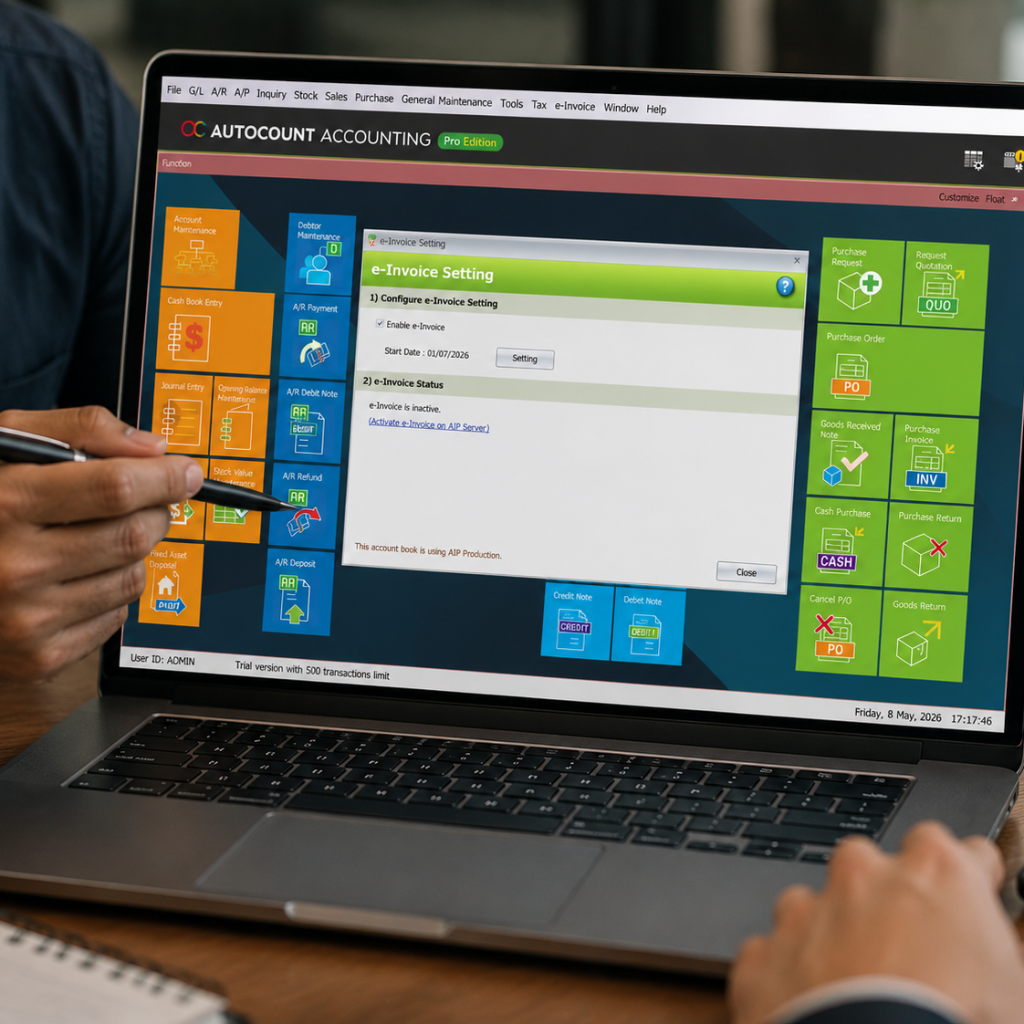
we will walk you through the steps to set up AutoCount E-Invoice, ensuring that your business is ready to send electronic invoices efficiently and correctly.
AutoCount E-Invoice is an essential tool for businesses looking to streamline their invoicing process and ensure compliance with tax regulations. Setting up AutoCount E-Invoice can help businesses automate their invoicing system, reduce errors, and ensure timely submissions to the tax authorities.
AutoCount E-Invoice is a digital invoicing solution designed to integrate seamlessly with your existing AutoCount system. It allows businesses to generate and submit invoices electronically, which is not only convenient but also helps to meet the regulatory requirements for e-invoicing in Malaysia.
In this guide, we will walk you through the steps to set up AutoCount E-Invoice, ensuring that your business is ready to send electronic invoices efficiently and correctly.
Time-saving
Automate your invoicing process to save time and eliminate manual data entry.
Compliance
Ensure compliance with government regulations for e-invoicing.
Accuracy
Reduce human errors associated with manual invoice creation.
Cost-effective
Eliminate paper-based invoicing costs and streamline your accounting process.
Before you begin the setup process, ensure that you have the following:
Active AutoCount Subscription
You must have a valid AutoCount subscription to use the E-Invoice module.
Digital Signature
For security purposes, you will need a digital certificate for signing your e-invoices.
Internet Connection
A stable internet connection is required for syncing with the tax authority's system.
GST or Tax Registration Number
Your business must be registered for tax purposes in Malaysia.
Once the module is installed, go to the E-Invoice Settings section. Here, you will need to input some essential information for the system to work correctly:
In this step, you will link AutoCount to the e-invoice submission system:
After submitting an invoice, it’s essential to check the status of your submission:
AutoCount E-Invoice integrates directly into your existing accounting and invoicing processes.
The system automatically updates your tax submissions, ensuring accurate and timely reporting.
Automating the invoicing process saves time and reduces administrative workload.
With digital signatures and secure data handling, your business is protected from fraud and errors.
Setting up AutoCount E-Invoice is a simple and efficient way to automate your invoicing process while ensuring tax compliance. By following the steps outlined in this guide, you can be sure that your business is ready to send electronic invoices seamlessly and accurately. If you encounter any issues, don’t hesitate to reach out to AutoCount’s customer support team for assistance.
Yes, it’s suitable for businesses of all sizes, especially those needing to submit electronic invoices to tax authorities like SST in Malaysia.
Yes, you can manually review and adjust invoices before submission.
Use the E-Invoice Status section to check if invoices are successfully submitted or if there are any issues
Yes, as long as you are using a compatible version of AutoCount.
Streamline your invoicing process, ensure tax compliance, and improve efficiency with AutoCount E-Invoice. Set it up now and experience hassle-free invoicing. Contact us for a demo or assistance with your setup!