Wrong items
Similar-looking products can be difficult to distinguish without verification.

TD Pick & Pack App helps Malaysian warehouse teams prepare sales orders, scan items and verify packing quantities through a digital workflow. Improve order accuracy and reduce manual paperwork before dispatch.
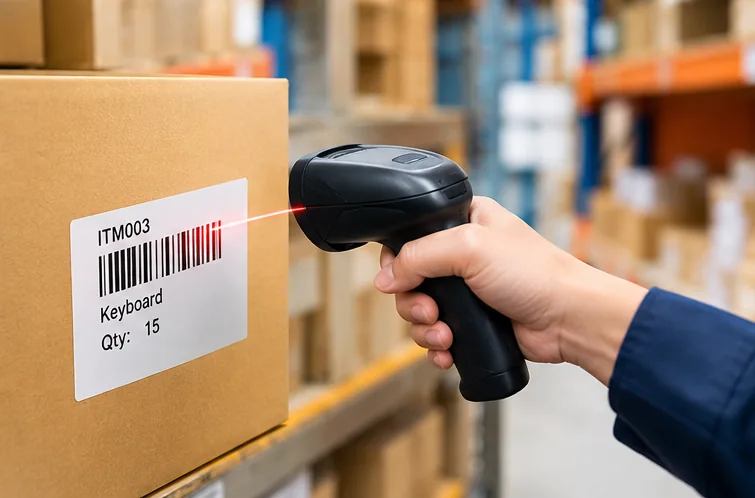
The app helps warehouse staff pick products from sales orders, verify items and pack goods before delivery. Digital picking lists and barcode scanning reduce dependence on printed documents and repeated manual checking.
It is designed for wholesalers, distributors, retailers, ecommerce sellers, hardware suppliers and warehouses that handle regular order preparation and dispatch.

Similar-looking products can be difficult to distinguish without verification.
Manual counting can result in incomplete or excessive packing.
Incomplete order preparation may lead to additional deliveries.
Separate paper records can make preparation status difficult to monitor.
Repeated manual checks can delay warehouse fulfilment.
Incorrect deliveries may require returns, replacements or credit notes.
Verify the products and quantities required before dispatch.
Use digital picking information instead of relying on printed lists.
Reduce repeated manual checks and improve coordination.
Review recorded order preparation and stock information.
Explore the video guide directly on this page.
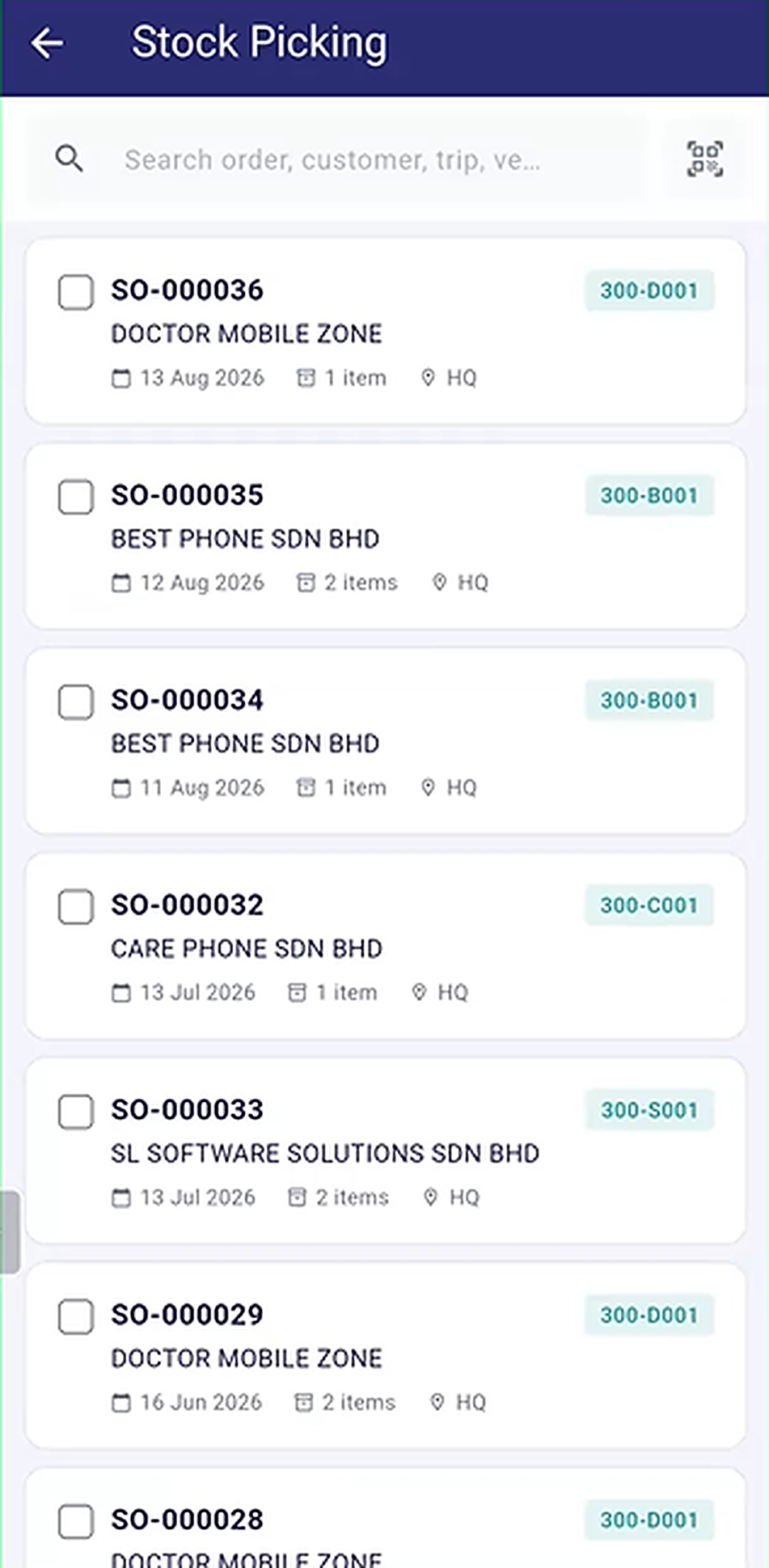
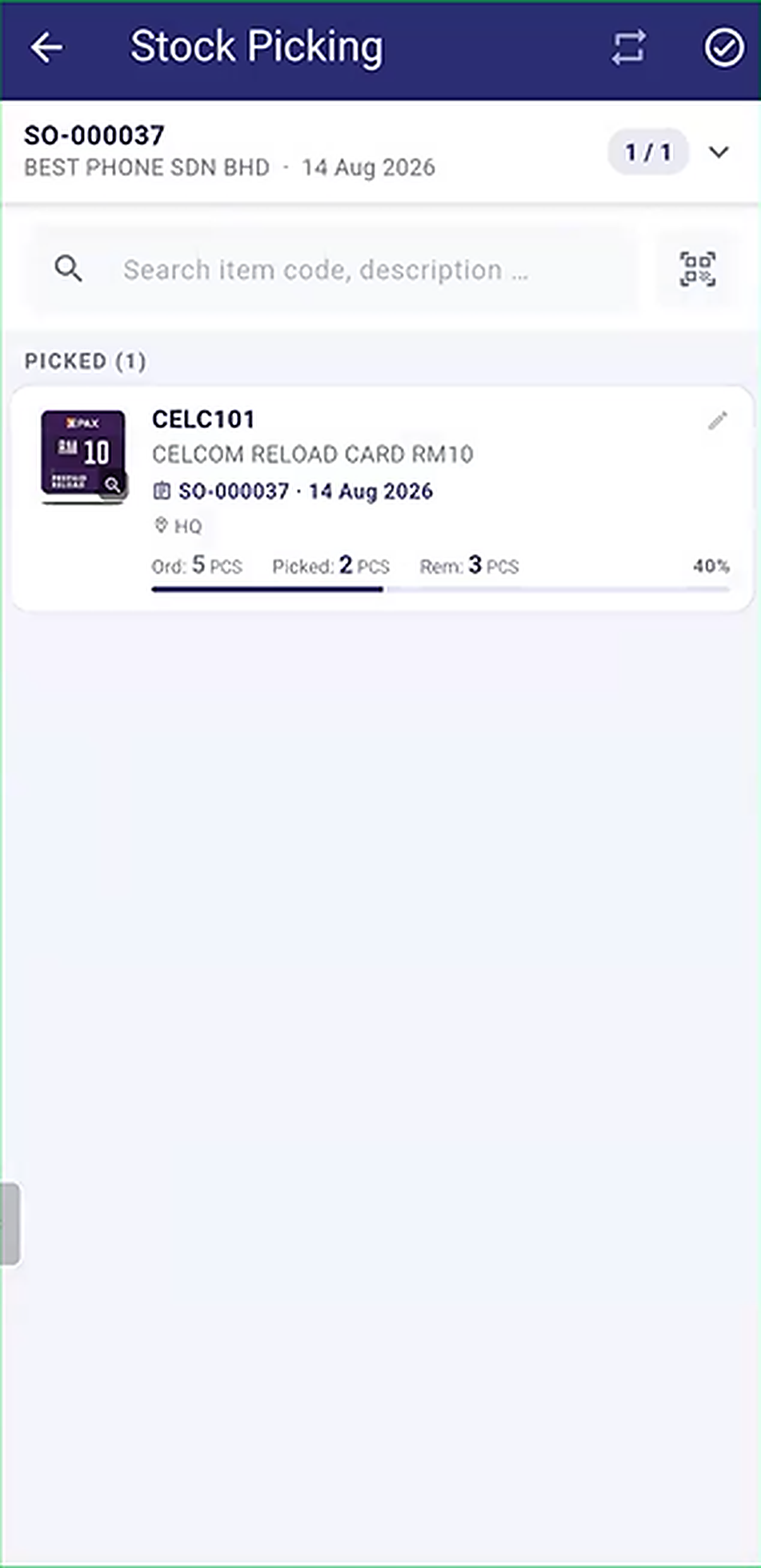
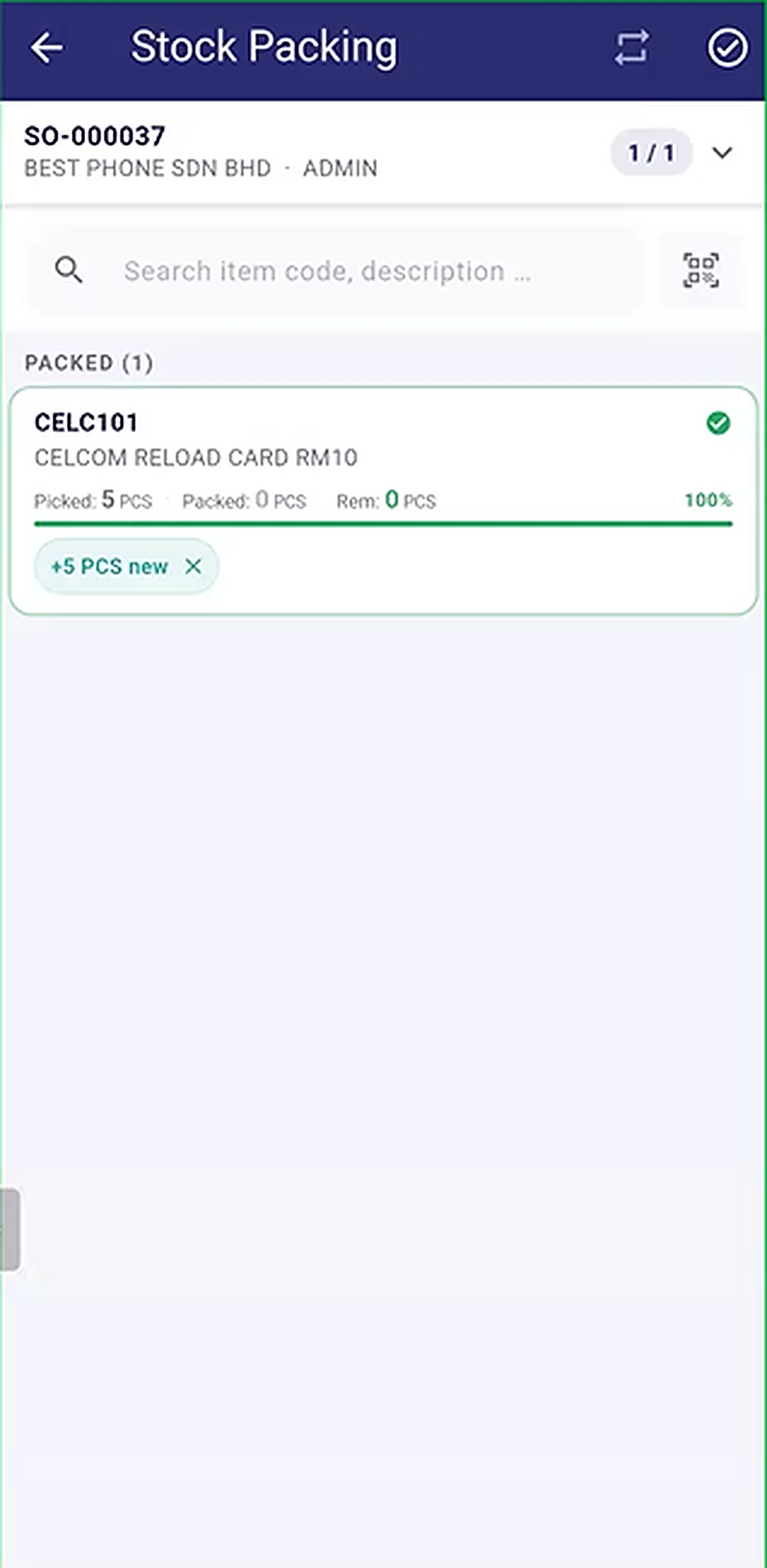
Explore four sample app screens, from sales order selection to successful packing submission.
Review the digital order list and select the sales orders to prepare.
Review picked and remaining quantities. This sample shows 2 of 5 PCS picked (40%).
Check item quantities in the packing screen and review the completion indicator.
Review the successful packing submission confirmation in the order list.
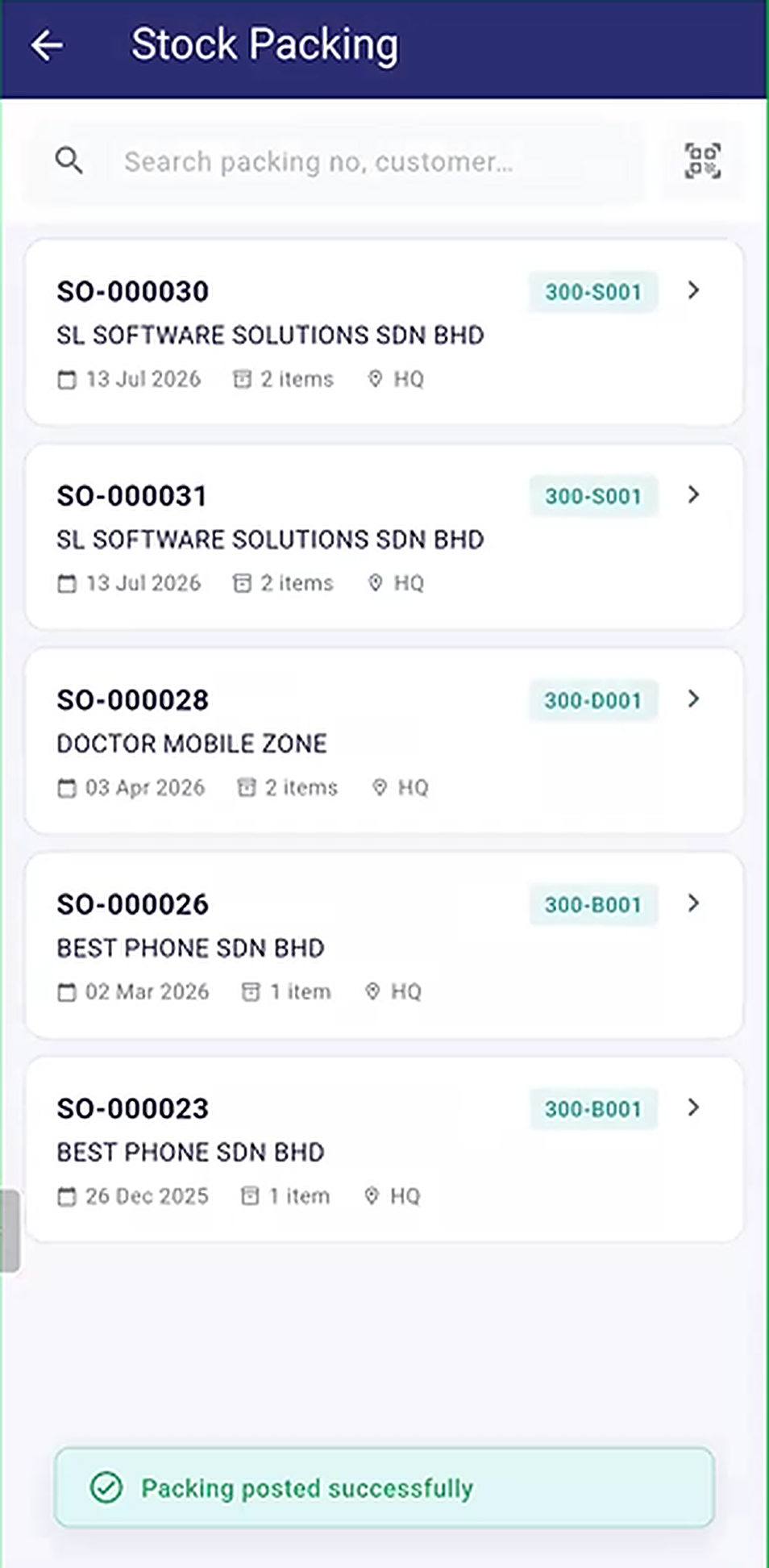
Sample product screens. Screenshots enhanced for clarity.
Access the items required for sales orders through a digital picking list. Staff can follow the list instead of relying on printed sheets, helping them organise order preparation.
Scan items during picking and packing to verify product identity. This helps staff distinguish similar-looking products and reduces repeated manual item-code entry.
Check the required items and quantities before completing the packing process. A consistent verification workflow helps reduce wrong deliveries and unnecessary replacement arrangements.
Reduce repeated checking and paperwork so staff can focus on preparing orders. Review the actual workflow during a demonstration to determine how the app fits your dispatch process.
Track order preparation status and improve communication between the office and warehouse. A digital workflow helps teams identify work that still needs to be completed before dispatch.
Use item verification and recorded quantities to improve visibility into stock movements. Staff should follow the company's inventory posting and reconciliation procedures to maintain accurate records.
Before choosing a solution, consider how sales orders reach the warehouse, how staff identify products and how packing quantities are checked. Incorrect orders can lead to return deliveries, replacement stock, credit notes and additional customer support. A demonstration using a typical order can help you evaluate the app against your business requirements.
For wider warehouse operations, explore the TD Stock App and TD Receiving & Issuing App. For related software learning resources, visit SL Software's YouTube channel.
Digital picking lists, barcode scanning and quantity verification help reduce manual errors when preparing orders.
Wholesalers, distributors, retailers, ecommerce sellers and warehouse teams that regularly prepare orders for delivery can evaluate the app.
Recorded stock and order information helps teams review inventory movements. Confirm the stock update behaviour for your configuration.
The original product information describes real-time order preparation updates. Confirm which picking, packing and shipping stages are available during a demonstration.
Contact SL Software Solutions to discuss your picking, packing and order verification requirements. Request a demonstration for your team.