AutoCount Software

AutoCount: Master Your Mobile Ordering System

Seamlessly integrate your sales team with AutoCount Accounting using the TD Ordering plugin. Increase efficiency, reduce errors, and close deals faster.

What is TD Ordering?

TD Ordering is a mobile sales and order management solution developed by TechDevs Sdn Bhd. It consists of an Android mobile application and a dedicated AutoCount plugin. The system is designed to allow sales agents to manage customer information, check stock levels, and issue sales documents directly from their mobile devices, with all data synchronized to the AutoCount accounting backend.

Key Features

Live Dashboard

Track daily, weekly, and monthly sales. Monitor outstanding collections and view agent ranking charts in real-time.

Customer Insights

Access full customer profiles, verify outstanding balances, and generate Statement or Outstanding reports instantly.

Mobile Ordering

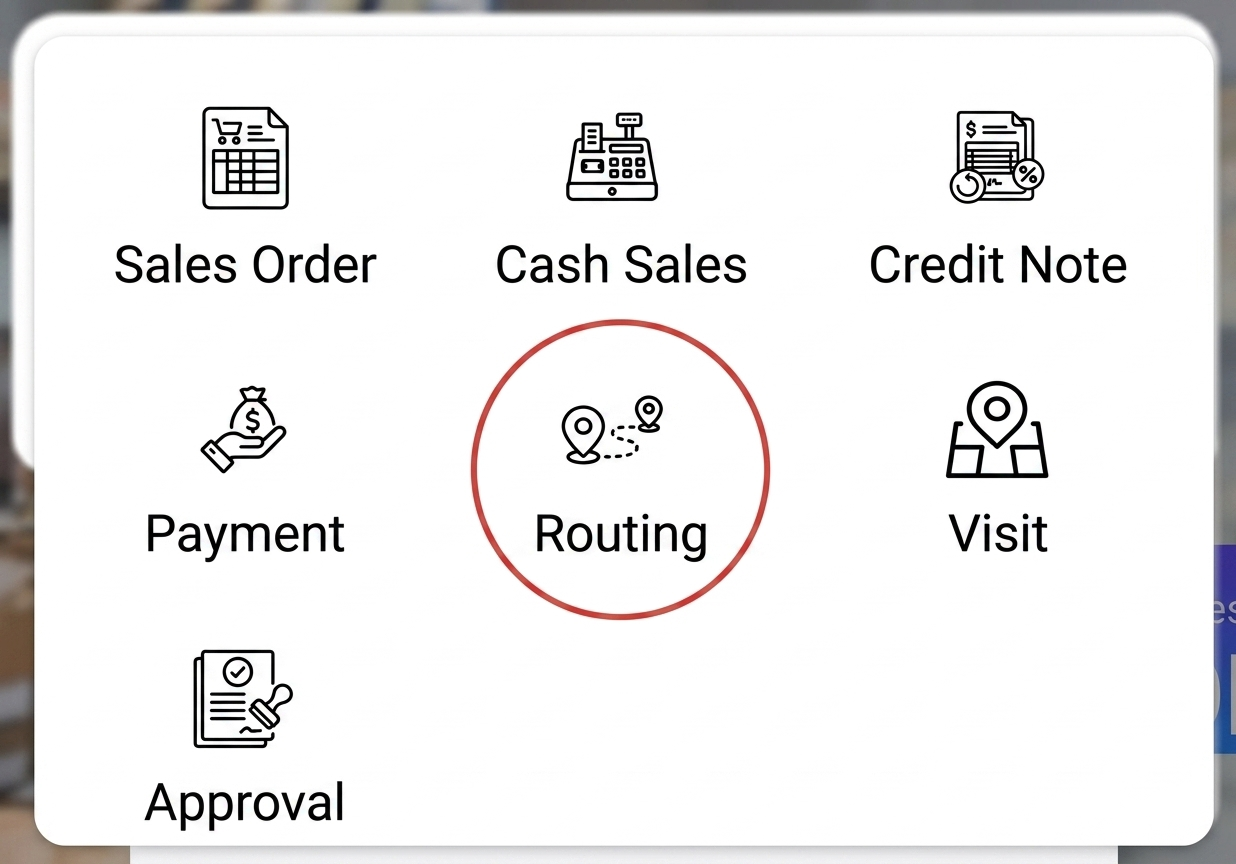
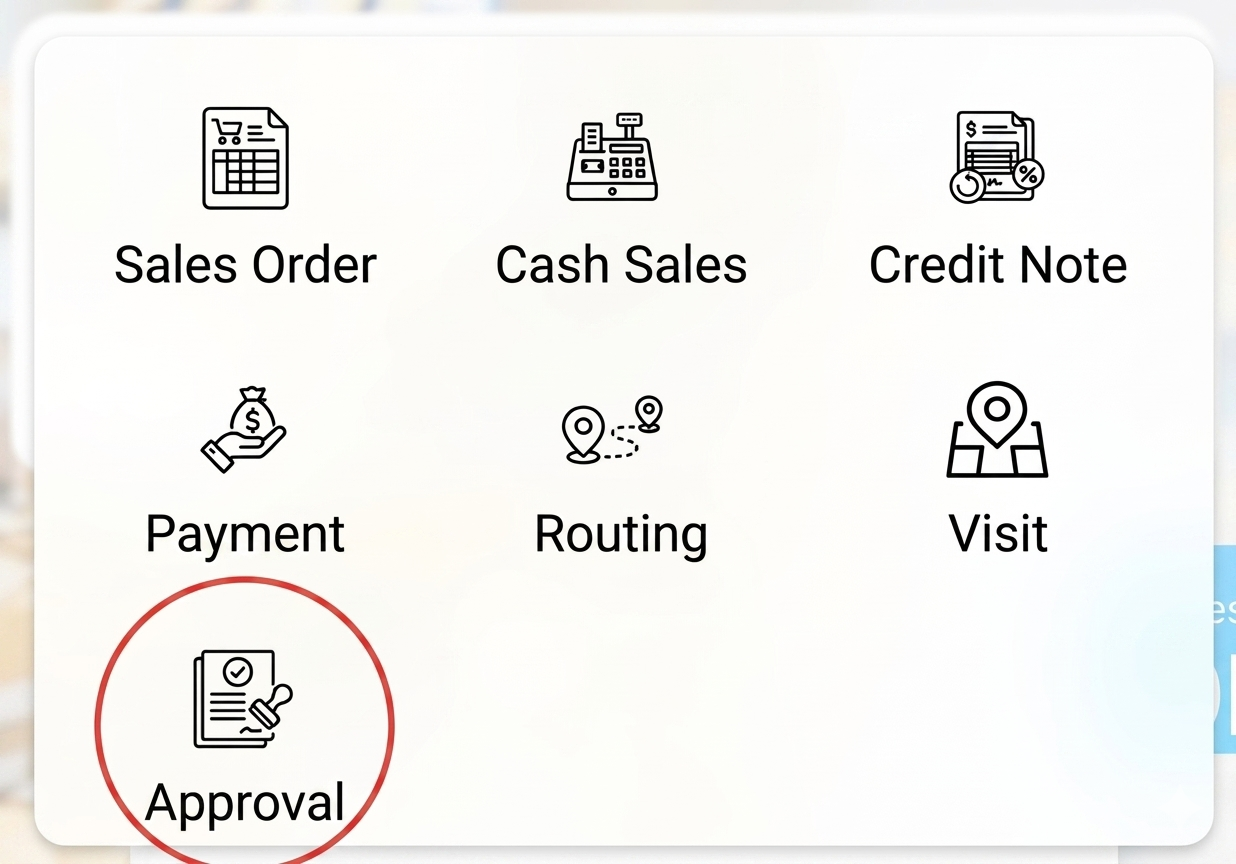
Create Sales Orders and Cash Sales offline or online. Sync back to AutoCount and print receipts via Bluetooth.

Payment Collection

Receive payments on the spot via Cash, Cheque, or Card. Knock off outstanding invoices directly from the app.

AutoCount TD Ordering App Video

AutoCount TD Ordering App

Increase efficiency and reduce errors

AutoCount TD 订购应用程序

提高效率,减少错误

Dashboard Overview

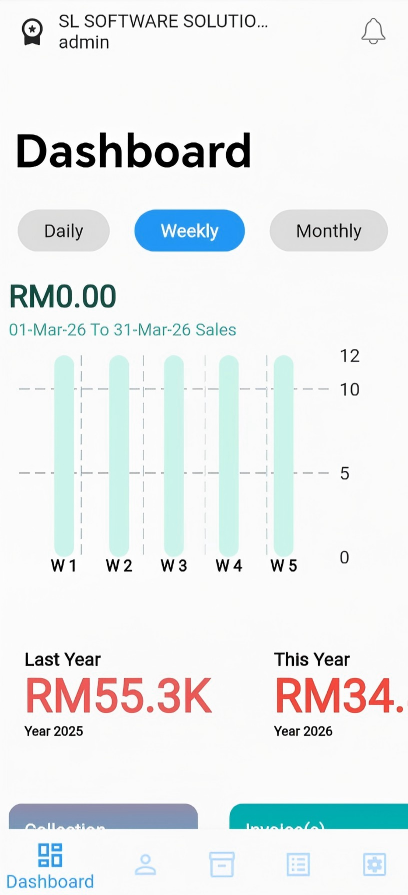
The Dashboard gives you a bird’s-eye view of your company’s sales performance the moment you log in.

Time Filters

Toggle between Daily, Weekly, and Monthly views to update the sales graph instantly.

Year-over-Year Comparison

Quickly compare "Last Year" vs "This Year" totals at the bottom of the graph.

Collection & Outstanding

View Total received amount (Collection), Total Invoices generated, and Total Outstanding amounts that haven't been received yet.

Ranking List

Scroll down to view the Ranking List. Sort by Sales Agent to see Gainers (most sales) and Losers (least sales), or sort by Product to see your best-performing items.
Customer Management

The Customer module allows sales agents to view client profiles, contact them, and instantly generate accounting reports.

Customer Info View

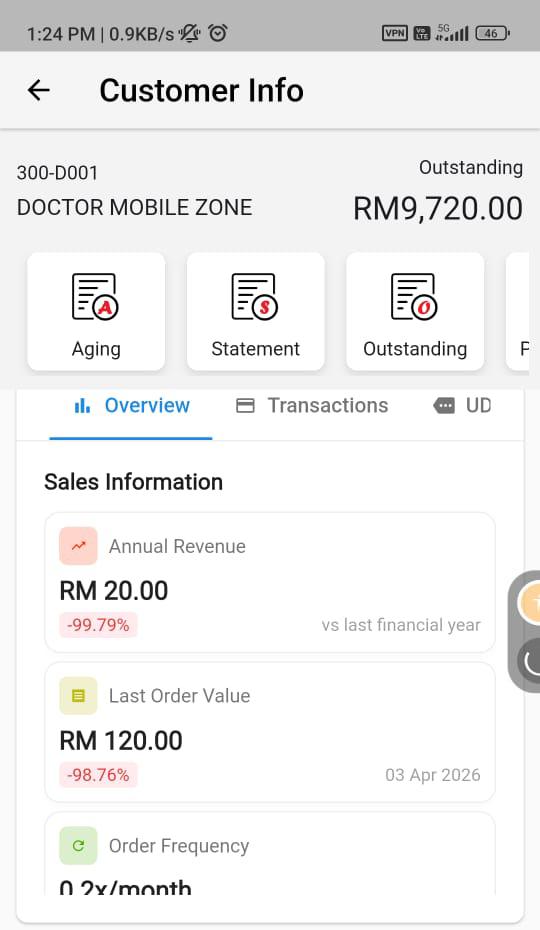
Select a customer from the search list to view their exact Outstanding balance and Contact Details (Phone, Fax, Email, Address).

  • Aging
  • Statement
  • Outstanding
  • Price History

Detail Tab

Shows the exact contact card details for the Debtor
Historical

Displays a Chronological list of past purchase and invoices.Tap any invoice to view its exact line items

Stock Inquiry

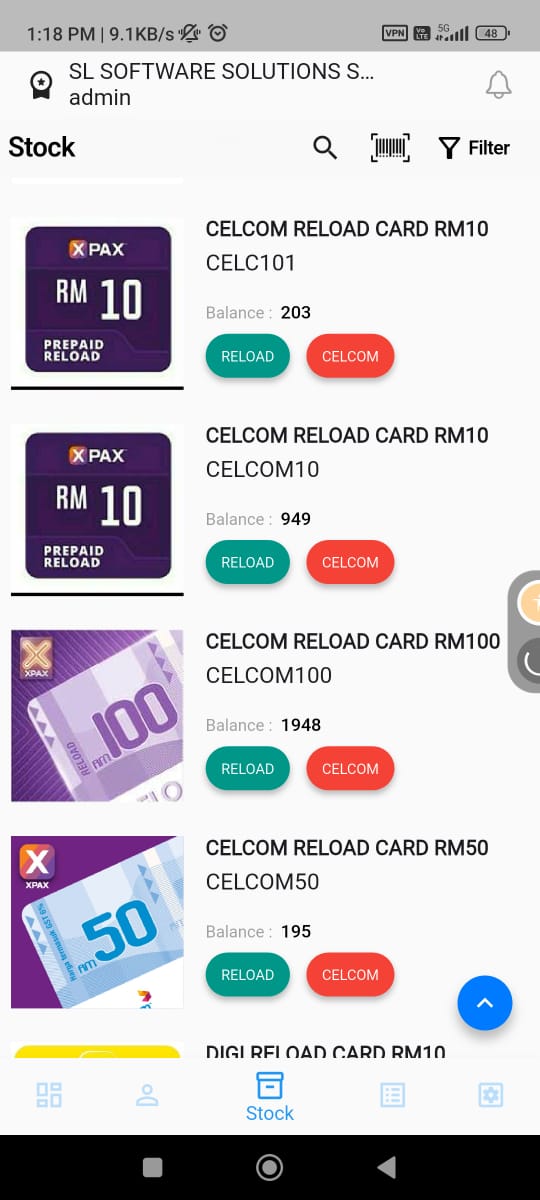
Access real-time inventory levels, pricing, and historical costs to quote customers accurately.

UOM Info

 Shows all Unit of Measurements (e.g., PCS, BOX), conversion rates, and the 6 Price Levels assigned in AutoCount.

Stock Balance

 Breaks down the physical quantity available per warehouse location (e.g., HQ, Branch 1).

Historical

 See which debtors previously purchased this item, the date, quantity, and exact pricing applied.

Up To Date Cost

Shows the specific cost for the UOM and specific warehouse locations.

Sales Order

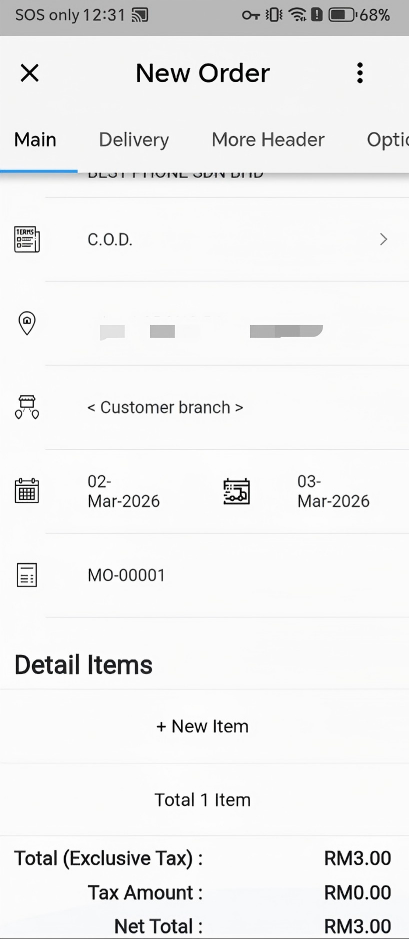
Sales Orders can be created directly from mobile devices.

TD Ordering App (Sales Order)

Key capabilities include:

  • Customer selection
  • Item addition
  • Draft saving
  • Submission to backend for posting

Backend configuration allows posting as:

  • Sales Order
  • Invoice

This provides operational flexibility depending on company workflow.

Viewing & Printing

Tap any existing order in the list to reveal options: View (read-only mode),Preview (generate a PDF report), or Bluetooth Printer (print directly to a thermal printer, provided Bluetooth is enabled).
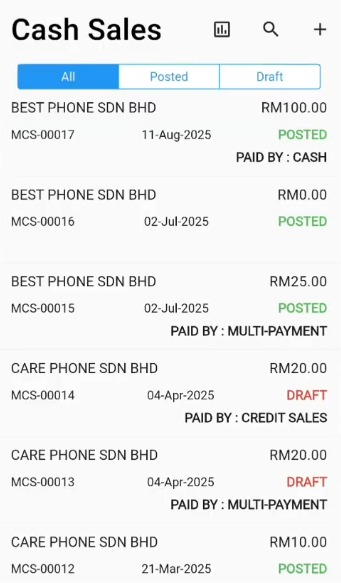
Cash Sales

The Cash Sales module is nearly identical to Sales Orders but assumes immediate payment is being collected at the time of the transaction.

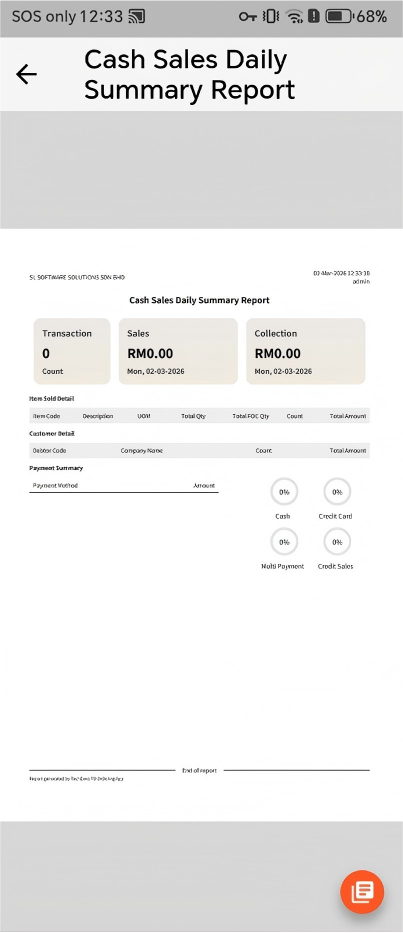
Cash Sales Daily Summary

Payment Collection

The Payment module allows sales representatives to record customer collections directly from mobile devices and synchronize them with the accounting system.
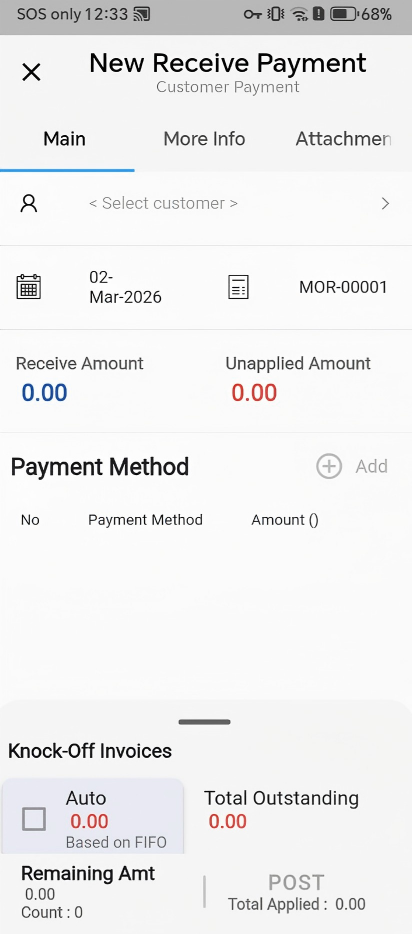
Key functions include:

Once posted, an official AR Payment document is generated in AutoCount Accounting, ensuring accurate receivable updates.

Backend Maintenance

Administrators can configure TD ORDER behavior directly inside the AutoCount desktop software via the TD Ordering menu.

Mobile User Access Rights

Assign Sales Agents to users, restrict Location access (e.g., allow a user to only see HQ stock), and define which app pages (like Dashboard) they are permitted to view.

2.Item Min/Max Price Maintenance

Set strict pricing boundaries per debtor type and item code. You can even Export the list to Excel, edit prices in bulk, and paste them back via Clipboard.

3.Item Profile Maintenance

Create profiles to limit which products a specific Sales Agent can see. E.g., assign “Test Profile” to Agent A so they only see Apple iPhones

Posting Options

Decide whether mobile “Sales Orders” sync to AutoCount strictly as Sales Orders or if they bypass and post directly as AutoCount Invoices.

Transform Your Mobile Sales Today

Empower your sales team with real-time synchronization, instant invoicing, live dashboards, and seamless payment collection — all connected directly to AutoCount Accounting.

news-1701

sabung ayam online

yakinjp

yakinjp

rtp yakinjp

slot thailand

yakinjp

yakinjp

yakin jp

yakinjp id

maujp

maujp

maujp

maujp

sabung ayam online

sabung ayam online

judi bola online

sabung ayam online

judi bola online

slot mahjong ways

slot mahjong

sabung ayam online

judi bola

live casino

sabung ayam online

judi bola

live casino

SGP Pools

slot mahjong

sabung ayam online

slot mahjong

SLOT THAILAND

article 138000631

article 138000632

article 138000633

article 138000634

article 138000635

article 138000636

article 138000637

article 138000638

article 138000639

article 138000640

article 138000641

article 138000642

article 138000643

article 138000644

article 138000645

article 138000646

article 138000647

article 138000648

article 138000649

article 138000650

article 138000651

article 138000652

article 138000653

article 138000654

article 138000655

article 138000656

article 138000657

article 138000658

article 138000659

article 138000660

article 138000661

article 138000662

article 138000663

article 138000664

article 138000665

article 138000666

article 138000667

article 138000668

article 138000669

article 138000670

article 138000671

article 138000672

article 138000673

article 138000674

article 138000675

article 138000676

article 138000677

article 138000678

article 138000679

article 138000680

article 138000681

article 138000682

article 138000683

article 138000684

article 138000685

article 138000686

article 138000687

article 138000688

article 138000689

article 138000690

article 138000691

article 138000692

article 138000693

article 138000694

article 138000695

article 138000696

article 138000697

article 138000698

article 138000699

article 138000700

article 138000701

article 138000702

article 138000703

article 138000704

article 138000705

article 208000456

article 208000457

article 208000458

article 208000459

article 208000460

article 208000461

article 208000462

article 208000463

article 208000464

article 208000465

article 208000466

article 208000467

article 208000468

article 208000469

article 208000470

208000446

208000447

208000448

208000449

208000450

208000451

208000452

208000453

208000454

208000455

article 228000306

article 228000307

article 228000308

article 228000309

article 228000310

article 228000311

article 228000312

article 228000313

article 228000314

article 228000315

article 228000316

article 228000317

article 228000318

article 228000319

article 228000320

article 228000321

article 228000322

article 228000323

article 228000324

article 228000325

article 228000326

article 228000327

article 228000328

article 228000329

article 228000330

article 228000331

article 228000332

article 228000333

article 228000334

article 228000335

article 238000336

article 238000337

article 238000338

article 238000339

article 238000340

article 238000341

article 238000342

article 238000343

article 238000344

article 238000345

article 238000346

article 238000347

article 238000348

article 238000349

article 238000350

article 238000351

article 238000352

article 238000353

article 238000354

article 238000355

article 238000356

article 238000357

article 238000358

article 238000359

article 238000360

article 238000361

article 238000362

article 238000363

article 238000364

article 238000365

article 238000366

article 238000367

article 238000368

article 238000369

article 238000370

article 238000371

article 238000372

article 238000373

article 238000374

article 238000375

article 238000376

article 238000377

article 238000378

article 238000379

article 238000380

article 238000381

article 238000382

article 238000383

article 238000384

article 238000385

article 238000386

article 238000387

article 238000388

article 238000389

article 238000390

article 238000391

article 238000392

article 238000393

article 238000394

article 238000395

article 238000396

article 238000397

article 238000398

article 238000399

article 238000400

article 238000401

article 238000402

article 238000403

article 238000404

article 238000405

article 238000406

article 238000407

article 238000408

article 238000409

article 238000410

sumbar-238000336

sumbar-238000337

sumbar-238000338

sumbar-238000339

sumbar-238000340

sumbar-238000341

sumbar-238000342

sumbar-238000343

sumbar-238000344

sumbar-238000345

sumbar-238000346

sumbar-238000347

sumbar-238000348

sumbar-238000349

sumbar-238000350

sumbar-238000351

sumbar-238000352

sumbar-238000353

sumbar-238000354

sumbar-238000355

sumbar-238000356

sumbar-238000357

sumbar-238000358

sumbar-238000359

sumbar-238000360

sumbar-238000361

sumbar-238000362

sumbar-238000363

sumbar-238000364

sumbar-238000365

sumbar-238000366

sumbar-238000367

sumbar-238000368

sumbar-238000369

sumbar-238000370

sumbar-238000371

sumbar-238000372

sumbar-238000373

sumbar-238000374

sumbar-238000375

sumbar-238000376

sumbar-238000377

sumbar-238000378

sumbar-238000379

sumbar-238000380

sumbar-238000381

sumbar-238000382

sumbar-238000383

sumbar-238000384

sumbar-238000385

sumbar-238000386

sumbar-238000387

sumbar-238000388

sumbar-238000389

sumbar-238000390

sumbar-238000391

sumbar-238000392

sumbar-238000393

sumbar-238000394

sumbar-238000395

sumbar-238000396

sumbar-238000397

sumbar-238000398

sumbar-238000399

sumbar-238000400

news-1701