
Complete Mobile Stock Control for AutoCount
Enhance Your Warehouse & Inventory Operations with TD Stock App
The TD Stock App helps businesses manage stock inquiry, stock picking, stock take, stock transfer, goods receiving, stock issue and delivery order directly from an Android scanner or mobile device. It connects your warehouse operation with AutoCount, helping your team reduce manual work, improve stock accuracy, speed up daily stock movement and manage inventory more efficiently.
TD Stock App is a mobile inventory and warehouse management solution designed for AutoCount users. It helps businesses check stock information, pick items from sales orders, perform stock take, transfer stock between locations, receive goods, issue stock, and create delivery orders directly from an Android device or barcode scanner.
Instead of relying heavily on manual stock records, paper documents, or repeated office checking, warehouse staff can use the app to scan items, update stock movement, and post records back to AutoCount more efficiently.
This helps businesses improve stock accuracy, reduce manual entry errors, speed up warehouse operations, and create a more organised inventory workflow from receiving to delivery.
TechDEVS.TD_STOCK
1.0.0.5
2.2.0.40 / 2.2.1.28
TECHDEVS SDN BHD
Simplify warehouse operations with mobile stock management, barcode scanning, and real-time AutoCount integration.
Scan and verify items accurately to ensure the correct products and quantities are processed every time.
Speed up picking and warehouse operations to deliver orders faster and improve customer satisfaction.
Maintain accurate inventory records with real-time stock updates and transaction tracking.
Perform stock counts directly from a mobile device, reducing manual work and counting time.
Move inventory between locations efficiently while maintaining complete stock visibility.
Receive stock and create GRNs instantly using mobile scanning, eliminating paperwork and delays.
Welcome to the TD STOCK user guide. This application is designed to work as an extension of the AutoCount Accounting system, providing mobile scanning capabilities for warehouse personnel.
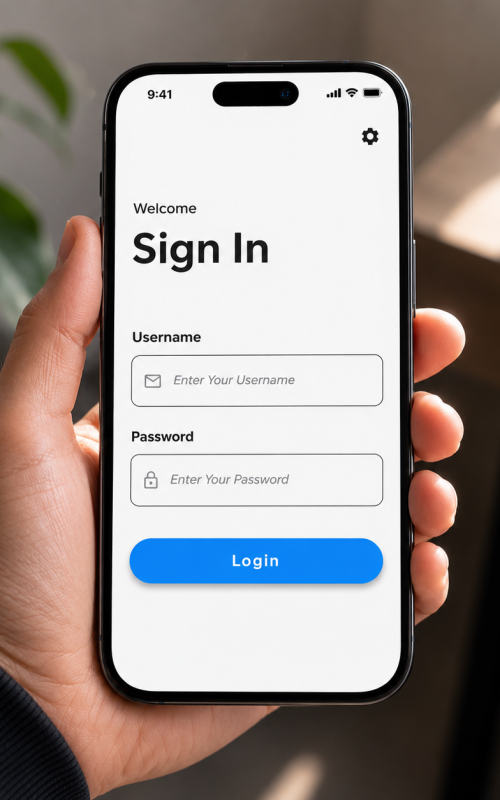
Before you can use the app, you must configure the communication path to your server.
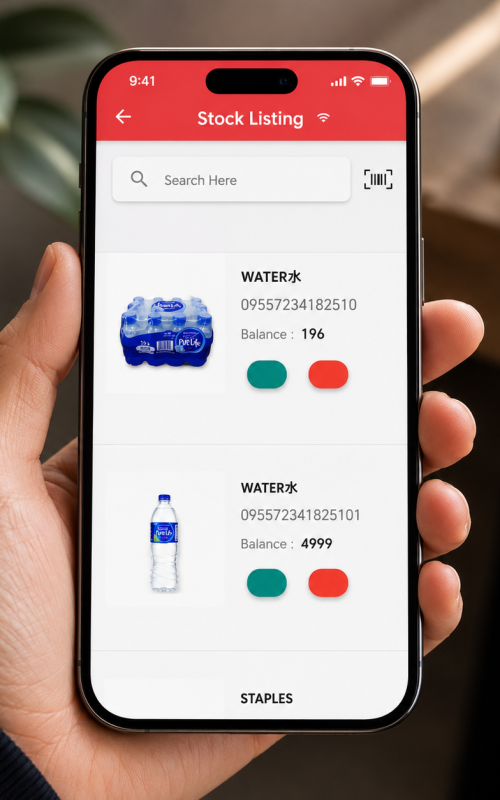
The Stock Inquiry module provides real-time visibility into inventory levels directly from the warehouse floor.
Users can query the database by scanning a Barcode, typing an Item Code, or typing partial Item Descriptions.
Selecting an item will display a comprehensivedata card including:
This module manages the outbound fulfillment process. It allows warehouse staff to pick physical items accurately based on existing Sales Orders.
Upon completing a pick list, users determine how the data flows back into AutoCount:
Save as Draft
Data is saved but not committed, allowing further edits in AutoCount
Standard Post
Document is pushed to AutoCount as a standard uncommitted transaction.
Commit (Final)
Document is finalized, locked, and stock is immediately deducted.
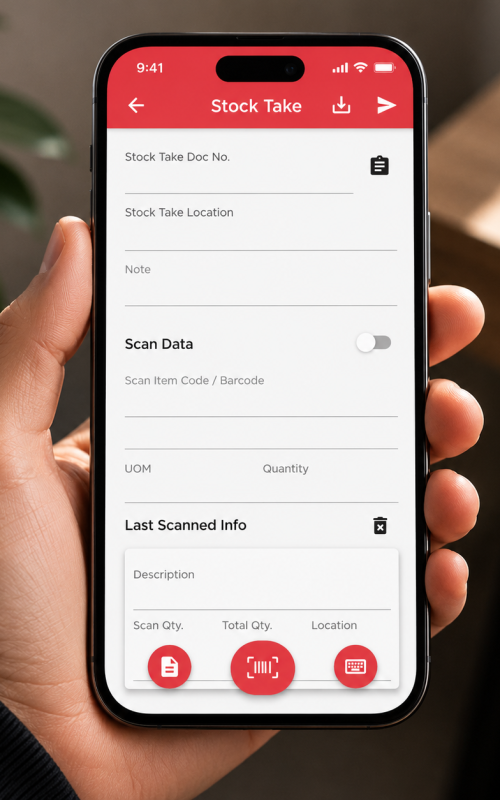
Perform digital physical inventory counts directly from your mobile device. This eliminates manual paper sheets and immediate data entry bottlenecks.
Always double-check that you have selected the correct “Location” (Warehouse) in the top dropdown before initiating any scans. Scanning items into the wrong logical location will corrupt your variance reporting.
Tap ‘New Count’ and select your target warehouse location.”
Scan barcodes continuously. The app groups identical items. Input manual quantities for bulk boxes if needed.
Hit “Sync”. The data instantly populates the Stock Take module in the desktop system, ready for the manager to calculate variances and post adjustments.
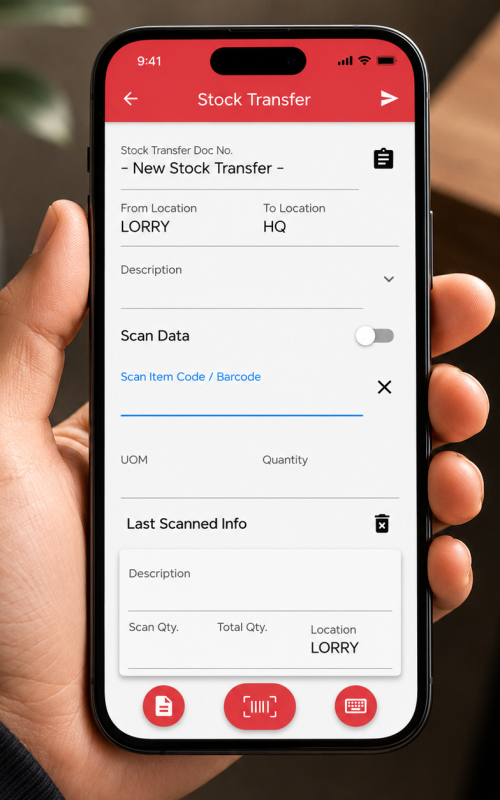
Execute inter-branch or inter-warehouse transfers seamlessly. Move stock from HQ to retail branches or vice-versa while physical loading occurs.
Carefully select the From Location (where stock is currently) and the To Location (destination)
Scan the items being loaded onto the transfer vehicle and specify the exact quantities.
Posting the document generates a formal “Stock Transfer” record in AutoCount instantly, maintaining an accurate audit trail.
The Stock Issue module is utilized to record inventory that is removed from the warehouse for non-sales purposes. Examples include internal usage, R&D consumption, marketing samples, or write-offs
Because this action decreases inventory asset value without generating revenue, precise accounting categorization is required by AutoCount.
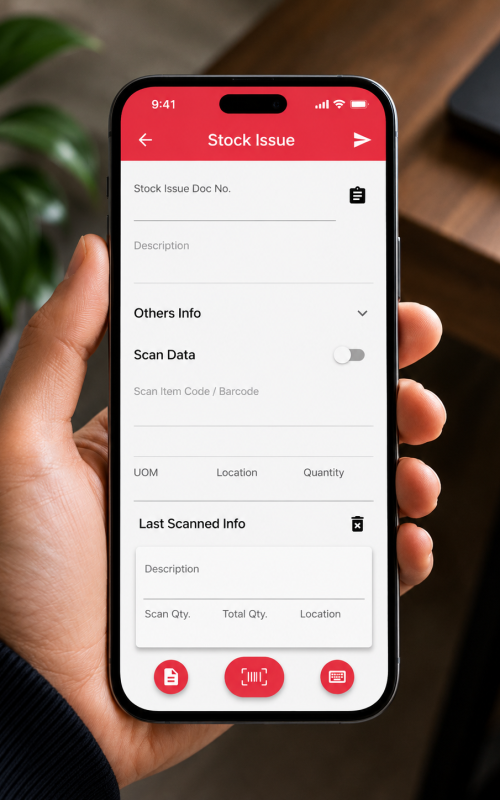
Efficiently process inbound shipments. TD STOCK offers two distinct workflows for receiving inventory to match your operational style.
Because this action decreases inventory asset value without generating revenue, precise accounting categorization is required by AutoCount.
Standard manual receipt. Use this when stock arrives without a prior PO in the system. Select the Supplier/Vendor, scan the incoming items, define quantities, and post.
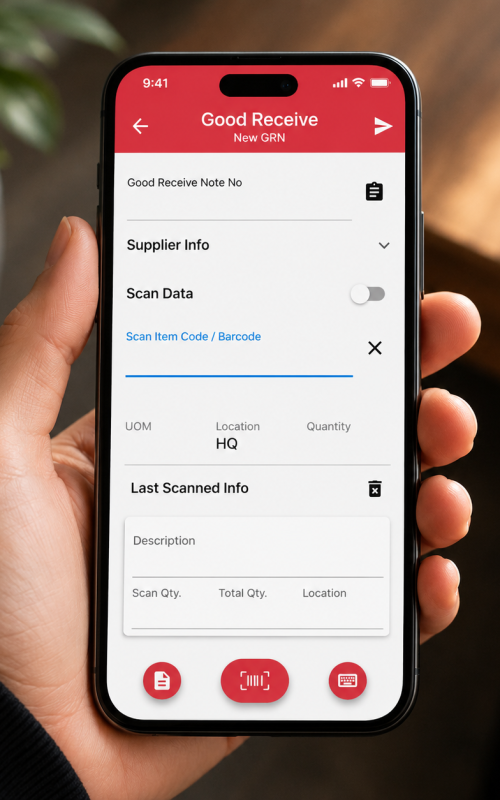
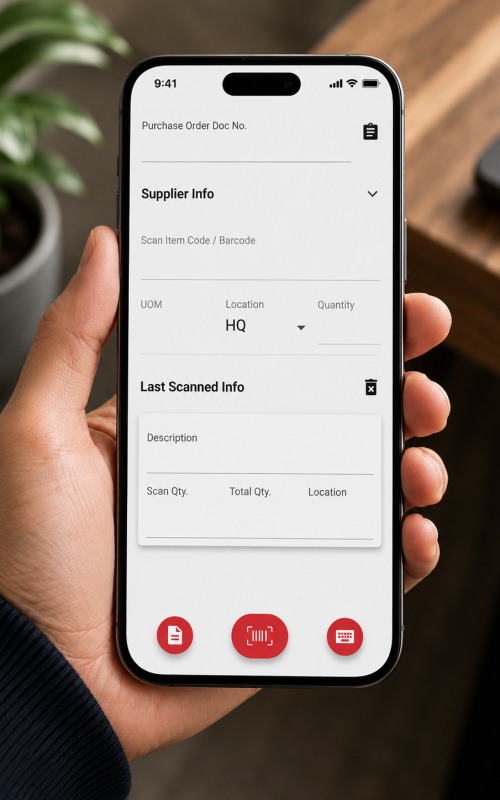
This is the most efficient and accurate method. It ensures you only receive what was actually ordered.
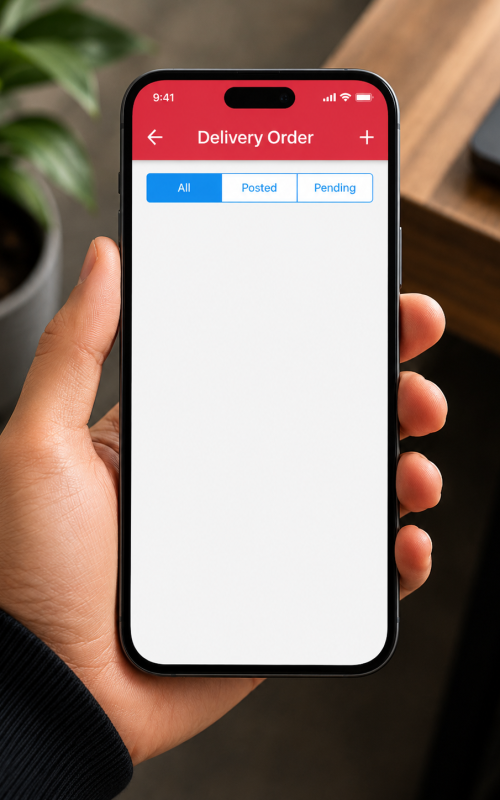
Generate official Delivery Orders dynamically from the scanning device. Ideal for environments where picking and shipping happen simultaneously, or for delivery fleets directly loading trucks.
The Order Form module empowers Sales Representatives, whether on the warehouse floor with a customer or traveling in the field. It functions as a mobile Sales Order entry point. Reps can pull up customer details, see real-time inventory levels (via Inquiry), and add items to a cart.
Once the order is scanned and quantities are confirmed, clicking “Post” instantly pushes a draft or committed Sales Order into AutoCount. The billing department can immediately process it for fulfillment.
AutoCount POS is more than just a cashier system. It’s a complete retail management powerhouse, meticulously designed for the Malaysian market.
Stock accuracy directly affects warehouse efficiency, order fulfilment, and customer satisfaction. When stock records are incorrect, businesses may face wrong deliveries, missing items, delayed orders, or unnecessary stock adjustments.
With the TD Stock App, businesses can scan, check, transfer, receive, and update stock more accurately through AutoCount, helping reduce mistakes, improve visibility, and keep warehouse operations under better control.
The TD Stock App is a powerful mobile warehouse management solution designed to streamline inventory operations and improve overall efficiency. With features such as Stock Inquiry, Stock Picking, Stock Take, Stock Transfer, Goods Receive, and Delivery Order management, users can perform critical stock transactions directly from Android devices or barcode scanners, reducing manual work and increasing accuracy.
By integrating seamlessly with AutoCount Accounting, the TD Stock App provides real-time stock updates, faster warehouse operations, and improved inventory visibility. From stock movements and stock takes to goods receiving and delivery processing, it helps businesses increase efficiency, reduce stock discrepancies, and maintain better warehouse control.
TD Stock App is a mobile stock management app that works with AutoCount Accounting. It helps users manage stock inquiry, picking, stock take, stock transfer, stock issue, goods receiving, and delivery orders using Android devices or barcode scanners.
Yes. The Stock Inquiry feature allows users to check item details, stock level, pricing, and stock balance quantity.
Yes. Users can scan items directly using an Android device or barcode scanner to speed up stock operations and reduce manual entry mistakes.
Yes. The Stock Picking feature allows users to pick items from sales orders and post the picked quantity to the AutoCount backend.
Start using TD Stock App today and manage stock faster, smarter, and more accurately with AutoCount.