“Which branch has this item?”
Make stock easier to locate
Review quantity information by location instead of trying to reconstruct availability from different teams.

The AutoCount Multi-Location Module helps Malaysian businesses manage stock across warehouses, outlets and branches in one inventory workflow. View location-based balances, move inventory between branches and keep stock records organised.
For warehouses, multi-branch retailers and trading businesses. Module availability and permissions depend on your AutoCount setup.
As your company grows across outlets and warehouses, inventory accuracy becomes harder to maintain when teams rely on phone calls, separate spreadsheets and manual updates. AutoCount Multi-Location brings location-level visibility into your existing inventory records.
Review quantity information by location instead of trying to reconstruct availability from different teams.
Record stock transfers between source and destination locations so teams can investigate movements.
Combine location-level balances and reorder advice when assessing stock needs.
See how the AutoCount Multi-Location Module supports stock visibility, inter-branch transfers, purchase and sales records, location controls and reorder planning. Every featured screenshot comes from genuine AutoCount materials.
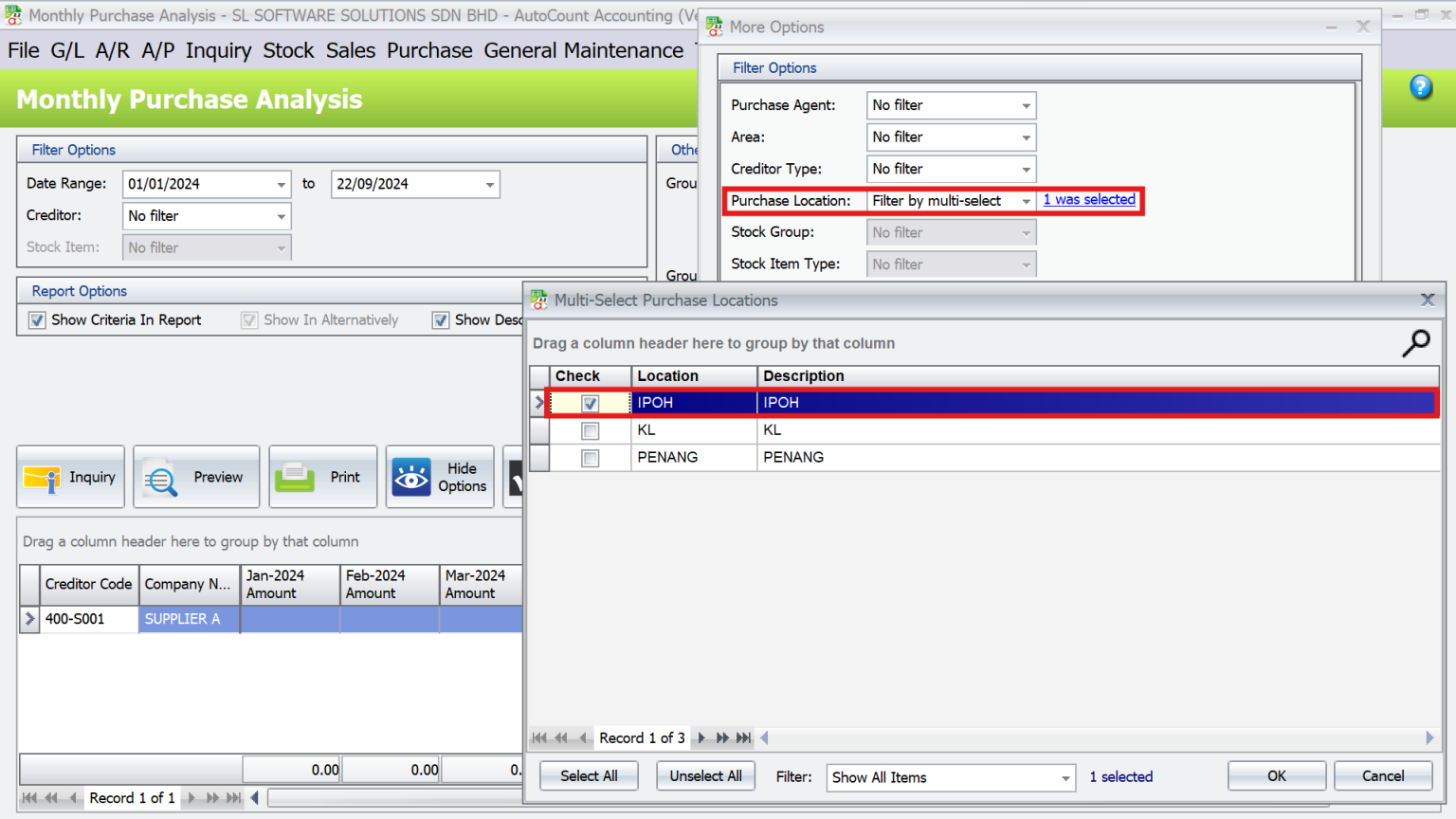
Instead of checking separate location records, review the stock held in individual warehouses or outlets. Location-based reports help purchasing and sales teams make more informed decisions.
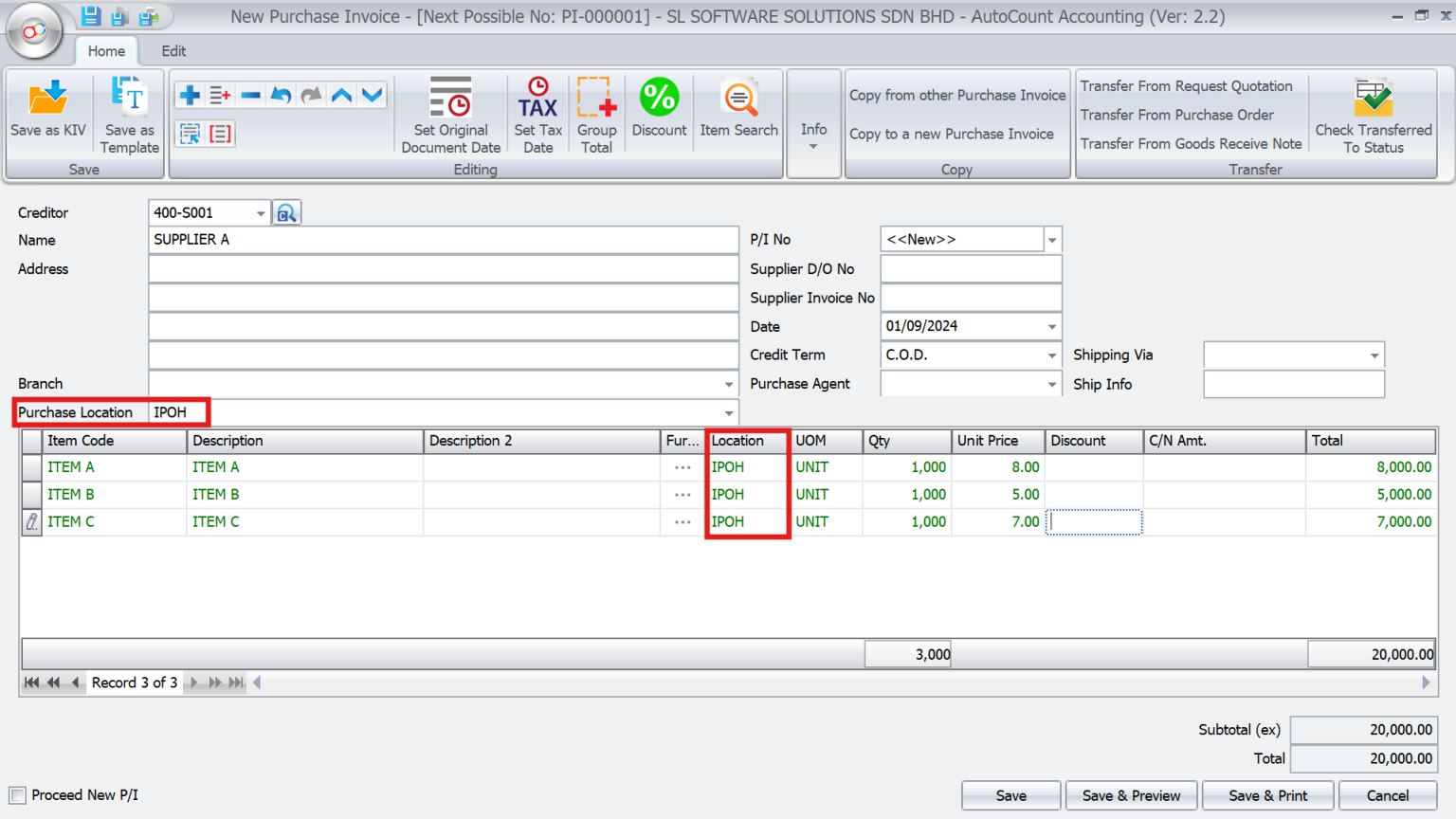
Identify the relevant stock location on purchasing and sales documents so day-to-day inventory records reflect the branch involved.
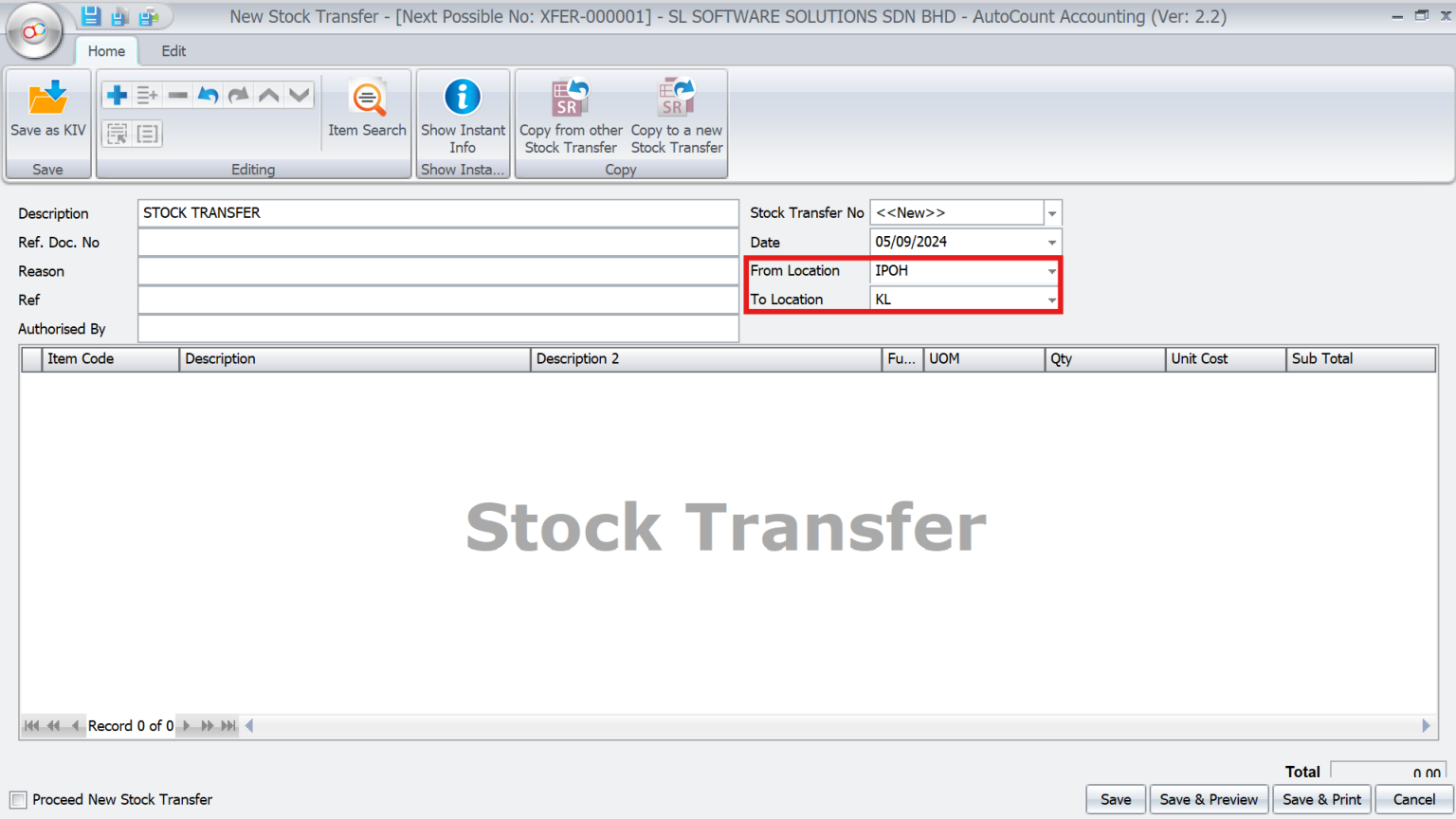
Move products from a warehouse to a branch, or between branches, using documented stock transfers with source and destination locations.
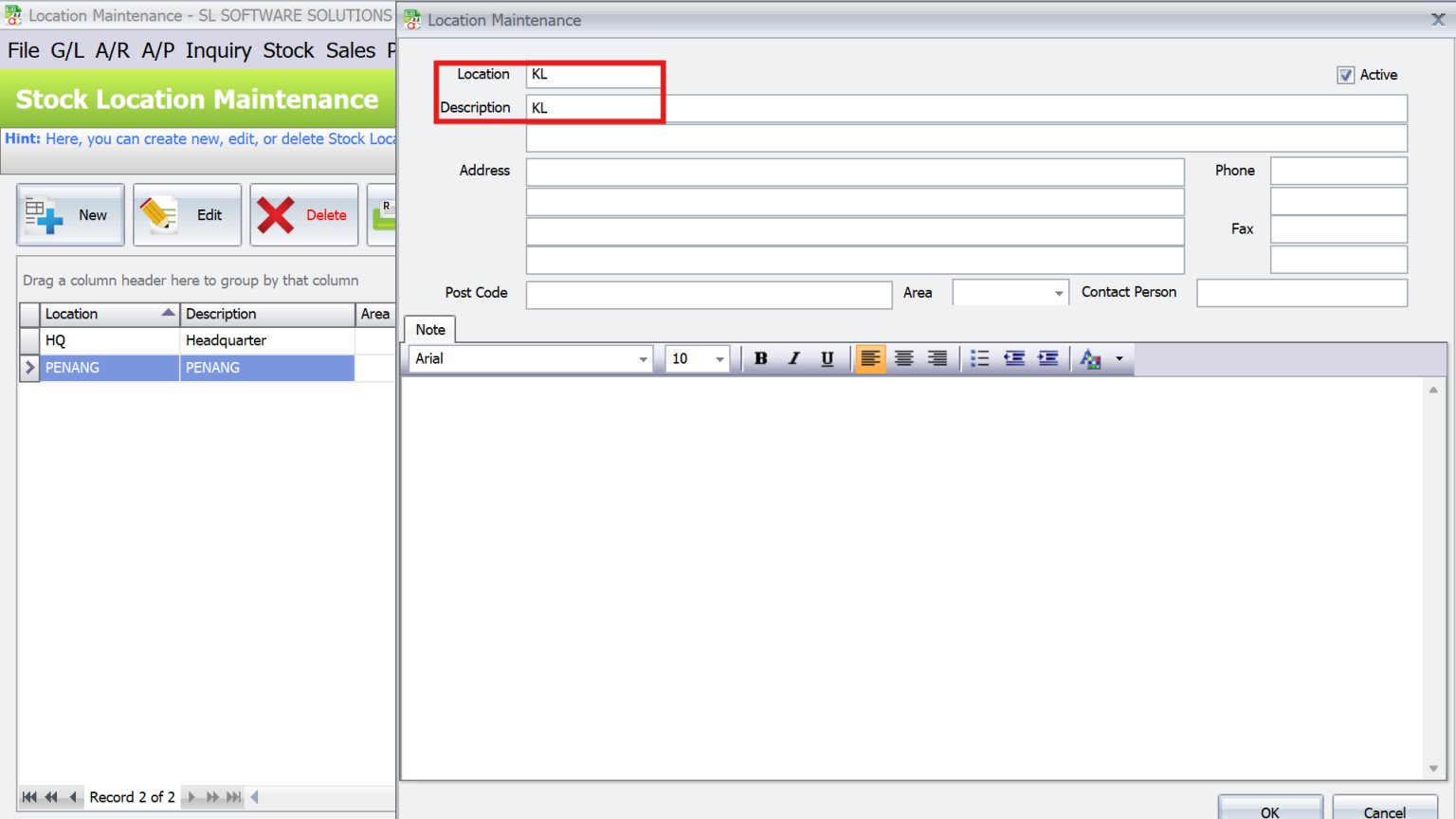
Maintain stock locations and opening balances by location as part of implementation, so reports can start from a properly reviewed inventory position.
Assign user default locations and review location filtering and access permissions, depending on your version and setup.
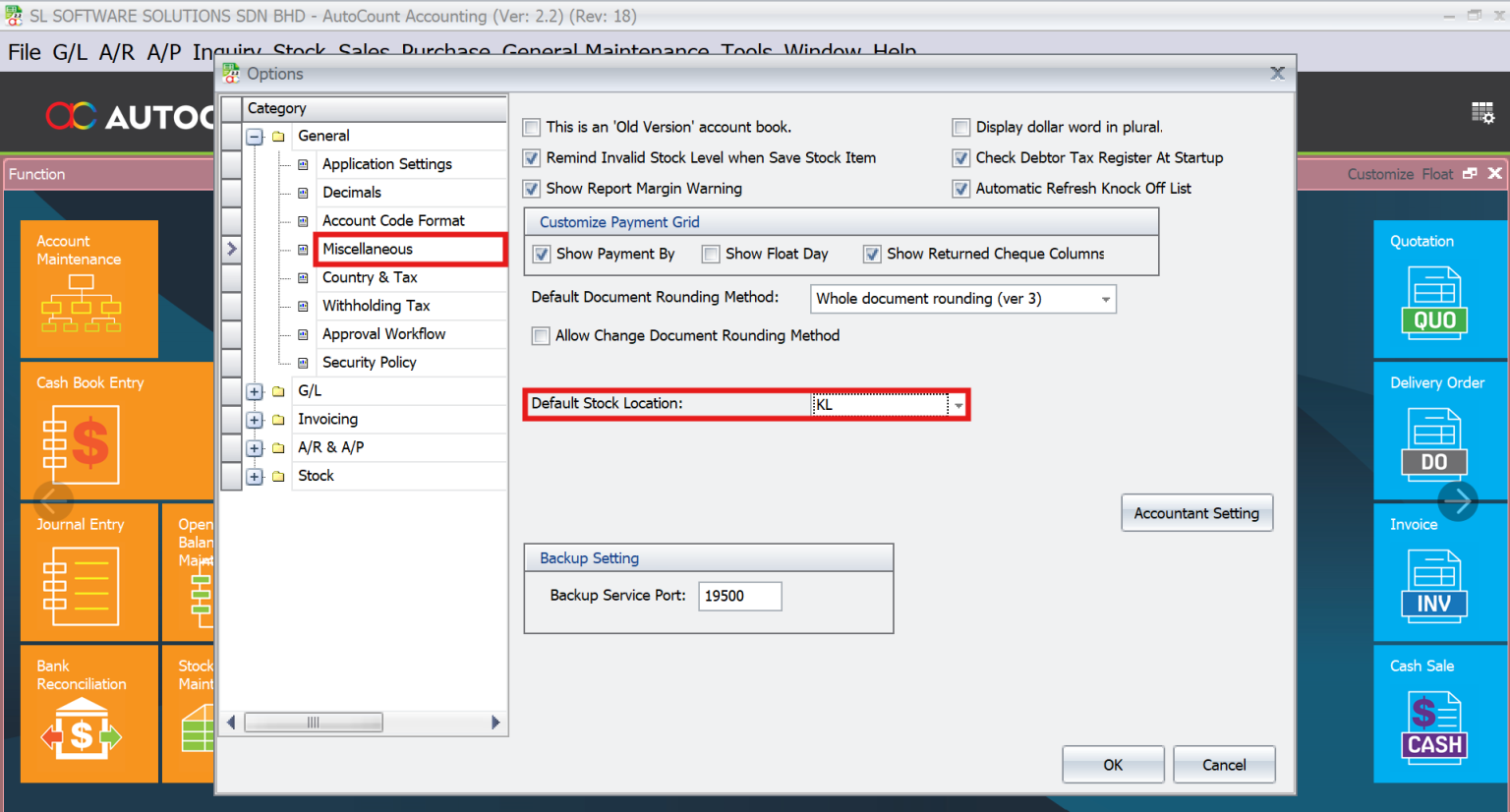
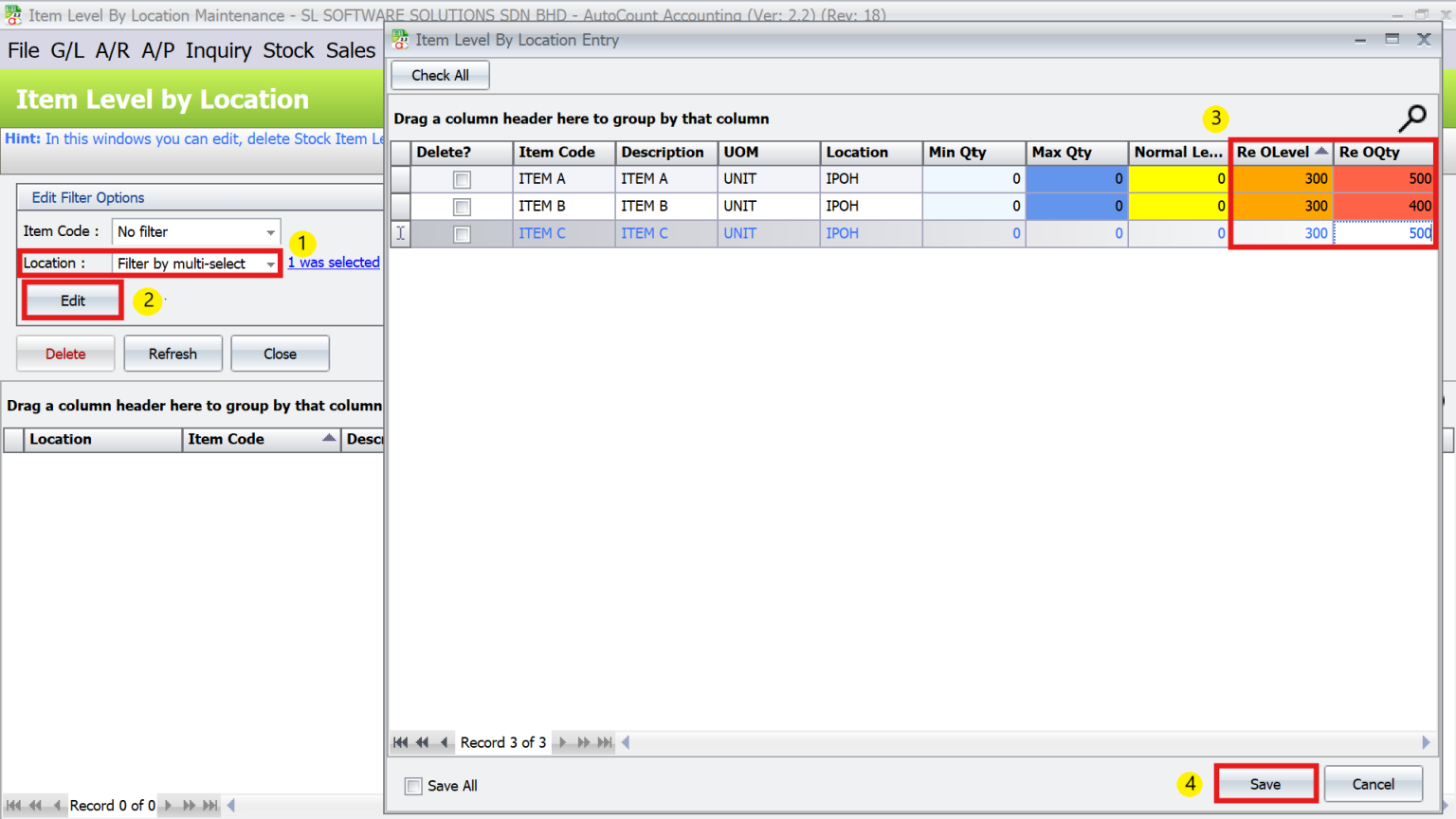
Review reorder levels and advice by location to identify items requiring replenishment, rather than treating every branch as a single stock pool.
Tell SL Software about your branches, warehouses and reporting needs. We can discuss the AutoCount setup that fits your operation.
Review stock held across warehouses and sales locations while managing replenishment requirements.
Understand branch-level inventory and document transfers between stores or central storage.
Keep location-specific transactions and reporting clearer across operational sites.
Explore the original English and Chinese video tutorials for AutoCount 1.0 and 2.0. Videos are retained as product demonstrations and supporting resources.
 Play tutorial
 Play tutorial
 Play tutorial
 Play tutorial
The AutoCount Multi-Location Module is worth evaluating if your company needs to track inventory separately across warehouses or branches. SL Software can review your workflow and confirm suitable licensing and setup.
Yes. AutoCount documentation shows location-based stock balance reporting and stock visibility functions.
Yes. The documented stock transfer workflow records a source location, destination location, items and quantities.
The source documentation covers default-location assignment and location-based access controls. Specific permissions depend on your setup.
The existing materials include tutorial videos for both versions. Confirm the supported module and your licence with SL Software before purchasing or enabling it.
Licensing and implementation requirements depend on your existing AutoCount setup. Contact SL Software for current options and a quotation.
Looking for technical instructions? Read the complete AutoCount Multi-Location user guide or view the original PDF. For official product information, visit AutoCount's optional modules overview.
Explore your branch stock challenges with our team, review available module functions and request a relevant AutoCount demonstration.

