Sales Order demand drives material needs
Production teams need a calculated view of materials required for selected orders.

Review Sales Order-driven material requirements and procurement shortages, then prepare Purchase Requests, BOM Assembly Orders and eligible Purchase Orders through documented MRPOrder workflows.
Ask SL Software to confirm product suitability, licensing and AutoCount version compatibility.
Review Sales Order-driven material requirements and procurement shortages, then prepare Purchase Requests, BOM Assembly Orders and eligible Purchase Orders through documented MRPOrder workflows.
The functions shown here come from the accompanying plugin user guide. Our team can confirm how they fit your workflows and account book configuration.
Operational issues the documented features may help you address.
Production teams need a calculated view of materials required for selected orders.
Purchasing staff must review suggested requirements and suppliers.
Manufacturers may need Assembly Orders for suitable BOM items.
Internal procurement lead time should be considered during material planning.
Documented plugin functions and their business uses.
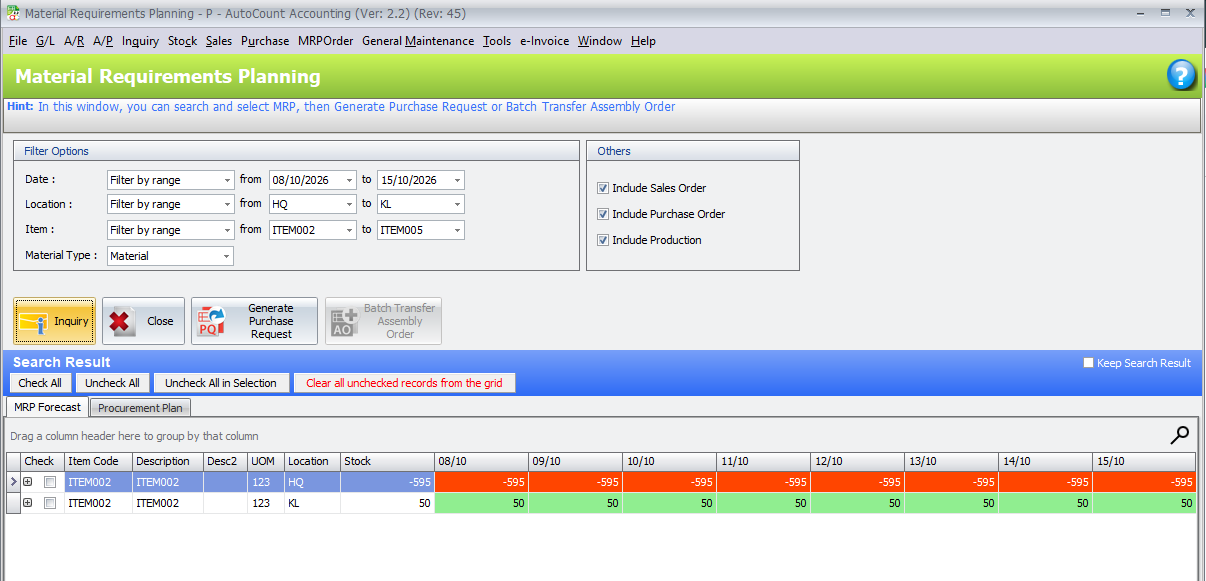
The MRP inquiry considers selected Sales Orders, items and locations and displays MRP Forecast and Procurement Plan results.
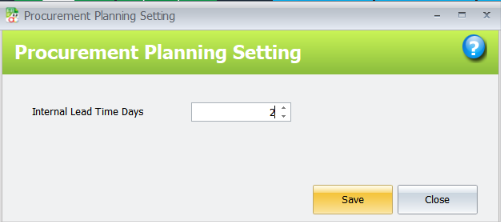
Procurement Planning Setting provides Internal Lead Time Days for the documented planning calculation.
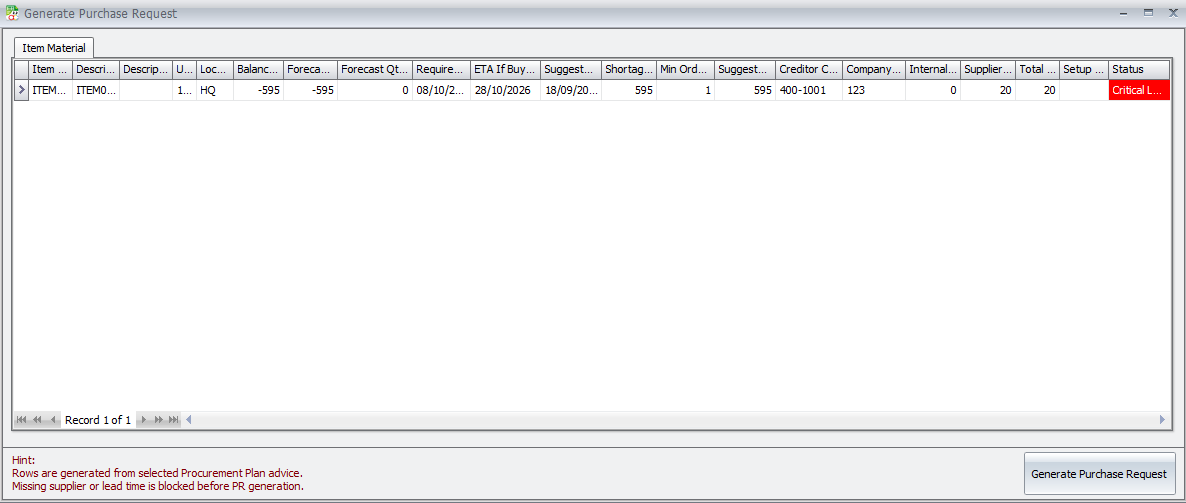
After reviewing shortage results, users can select eligible Procurement Plan lines and generate a Purchase Request.
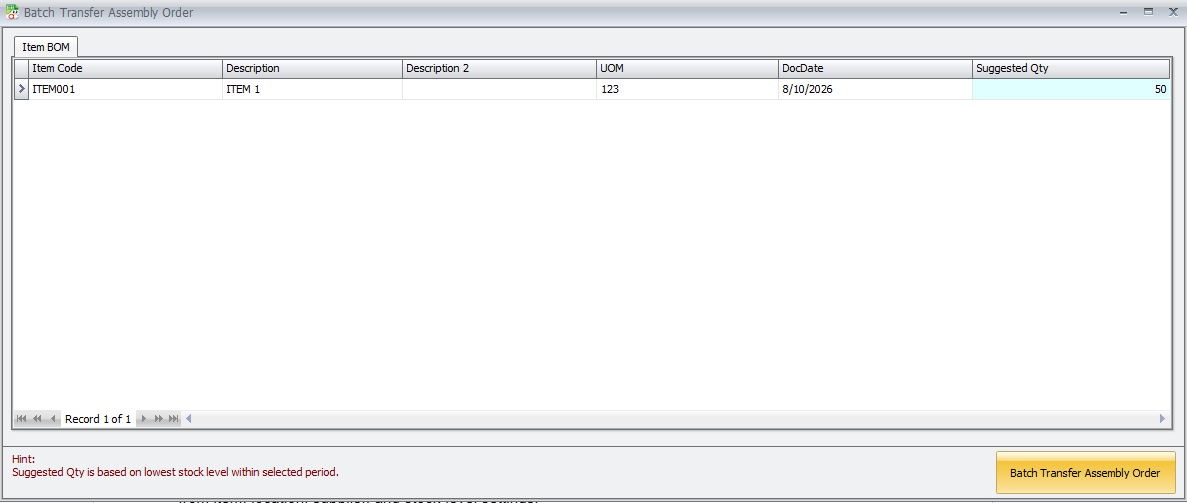
The plugin supports batch transfer of selected BOM requirements to Assembly Orders and a material-to-PO function for eligible Sales Orders or Quotations.
Discuss your workflow, licensing and supported functions with SL Software.
Illustrative business sequence, not setup instructions.
Review assembly requirements arising from selected demand.
Review material shortages before Purchase Request creation.
Check MRP Forecast and Procurement Plan outcomes.
The documented MRP inquiry can select Sales Order demand, items and locations.
Yes. Eligible selected shortage lines can be transferred to Purchase Requests.
Yes. The guide documents Batch Transfer Assembly Order for selected BOM results.
Yes. Internal Lead Time Days is a documented planning setting.
The documented Transfer Item Material to PO function supports eligible Sales Order and Quotation sources.
No. The source lists Easy Reorder in a contents page without verified operating instructions, so it is not claimed here.
Already using the plugin? Read the AutoCount MRP Order User Guide for detailed instructions.
Ask about available functions, compatibility, licensing and implementation options.