
AutoCount Stock Quantity Definition: 5 Key Stock Figures
Available, on hand, reserved, forecast and consignment quantity sound similar. Learn what each AutoCount stock quantity means so your team can make better stock decisions.

AutoCount Stock Quantity: One Item, Five Views

A warehouse can physically hold stock while part of that stock is already committed to customers. AutoCount uses different quantity measures to help businesses separate physical balance, commitments and expected movements.
Reading the right AutoCount stock quantity helps prevent overselling, missed delivery dates and unnecessary purchase orders. Sales staff who quote from quantity on hand alone may promise units already reserved for another customer, while buyers who ignore forecast quantity may reorder items that are already on the way. Product details are on the official AutoCount website.
What Each AutoCount Stock Quantity Means
Available Quantity
Stock currently available to promise or allocate to new demand, taking relevant commitments into account.
Quantity on Hand
The recorded physical stock balance at a particular point in time, before interpreting which units are committed.
Reserved Quantity
Quantity committed to outstanding orders or other allocations, so it should not be treated as freely available.
Forecast Quantity
A forward-looking stock figure informed by relevant expected receipts and commitments. It is not the same as stock physically present today.
Outstanding Consignment Quantity
Quantity involved in outstanding consignment transactions that still needs to be accounted for or settled.
Check the context
Review the warehouse, document status and quantity settings before comparing figures across reports.
Make decisions using the right number
Sales: Review available quantity before promising delivery dates.
Warehouse: Check on-hand balances and investigate discrepancies before dispatch.
Purchasing: Consider forecast and incoming commitments when planning replenishment.
These views work together; none tells the whole inventory story alone.

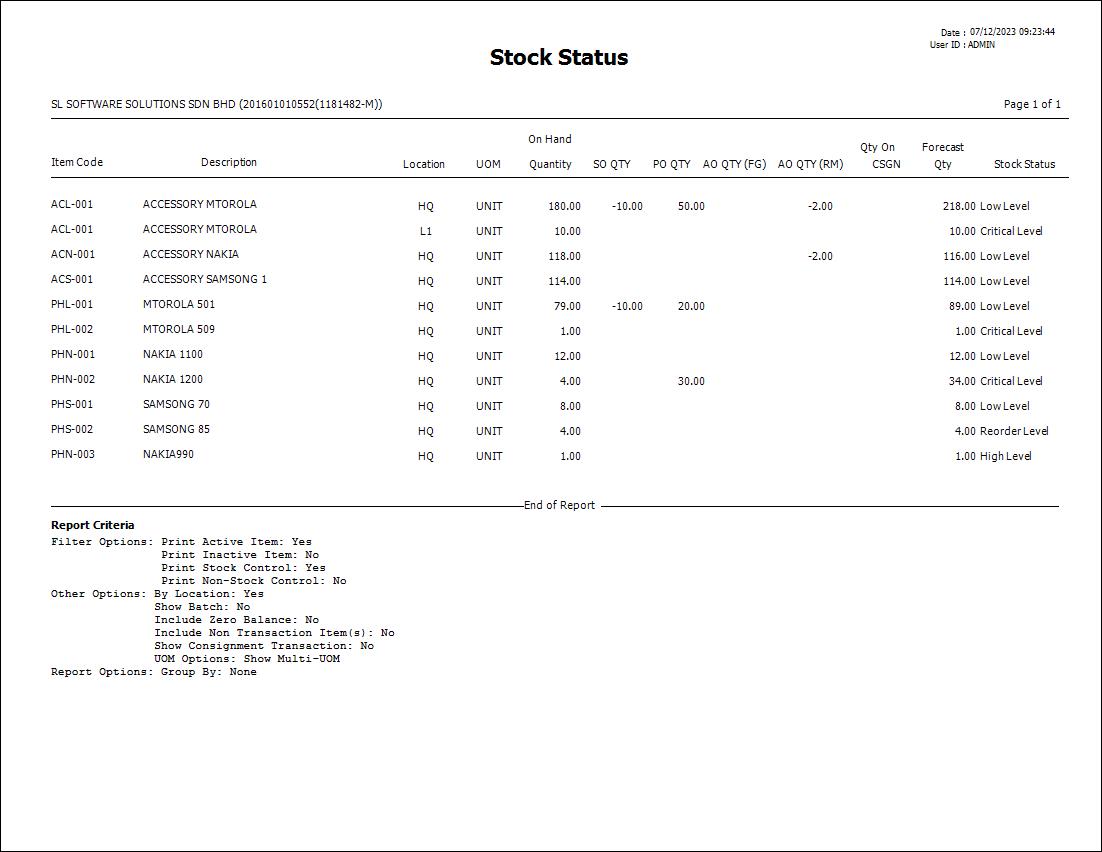
Use stock status reports to investigate quantities
Check an item’s relevant AutoCount stock quantity columns and compare them with outstanding documents and the physical count when figures do not match.
Three checks before acting on a stock figure
Select the right view
Decide whether you need physical stock, available stock, reserved demand or future stock.
Review documents
Check open sales, purchase and consignment documents that may influence the relevant quantity.
Confirm discrepancies
Reconcile the reported figures with actual warehouse stock before making adjustments.
AutoCount Stock Quantity FAQs
Why is available quantity lower than quantity on hand?
Stock may be physically present but reserved for pending demand. Check the allocation and relevant outstanding documents.
Does forecast quantity mean stock is ready to ship?
No. Forecast figures consider future movements and should not be read as current physical stock.
What should I check when physical stock differs from AutoCount?
Confirm the correct item, location, unit of measurement and document status. Then investigate any unposted movements or counting differences.
Keep stock decisions clear across your team
For more practical inventory workflows, explore AutoCount Accounting and related stock-management articles.
Remember
On hand tells you what is recorded in stock. Available helps you understand what can still be committed. Forecast supports future planning. Match each AutoCount stock quantity to the decision you are making.