
Best CRM Software Malaysia: 5 Options for SMEs
Compare AutoCount CRM, Zoho CRM, HubSpot, Salesforce and monday CRM. Focus on how your team tracks leads, follows up with customers and connects sales to business operations.

Quick answer: There is no one best CRM for every Malaysian SME. Start with your sales process, users, existing accounting software, available integrations and support needs.
Choose a CRM that fits your daily work
Lead tracking
Keep enquiries, customer details and deal stages in one place.
Follow-up reminders
Give salespeople clear next actions and responsibilities.
Reporting
Check pipeline progress and sales activities without chasing spreadsheets.
Integrations
Check compatibility with accounting, email, mobile apps and current systems.
Ease of adoption
Consider setup effort, staff training and ongoing administration.
Malaysia support
Review local assistance, data requirements and total ownership cost.
Best CRM Software Malaysia: 5 options compared
These are suitability profiles, not independently tested rankings. Features and pricing may change by plan, implementation and region.
AutoCount CRM
Consider for: Businesses evaluating CRM alongside AutoCount workflows.
Check first: Check lead tracking, appointments and connections to your installed AutoCount setup.
Explore AutoCount CRMZoho CRM
Consider for: Teams that want configurable sales pipelines and a wider app ecosystem.
Check first: Review workflow automation, Malaysia support, integrations and plan limits.
Visit Zoho CRMHubSpot CRM
Consider for: Teams starting with lead management and marketing-led sales.
Check first: Compare free versus paid functionality and long-term pricing.
Visit HubSpot CRMSalesforce
Consider for: Organizations with complex processes and specialist implementation resources.
Check first: Assess setup effort, administration needs and total cost.
Visit Salesforcemonday CRM
Consider for: Teams that prefer visual sales workflows and collaborative boards.
Check first: Verify reporting, automation, integration requirements and plan limits.
Visit monday CRMConnect customer follow-up with your business workflow
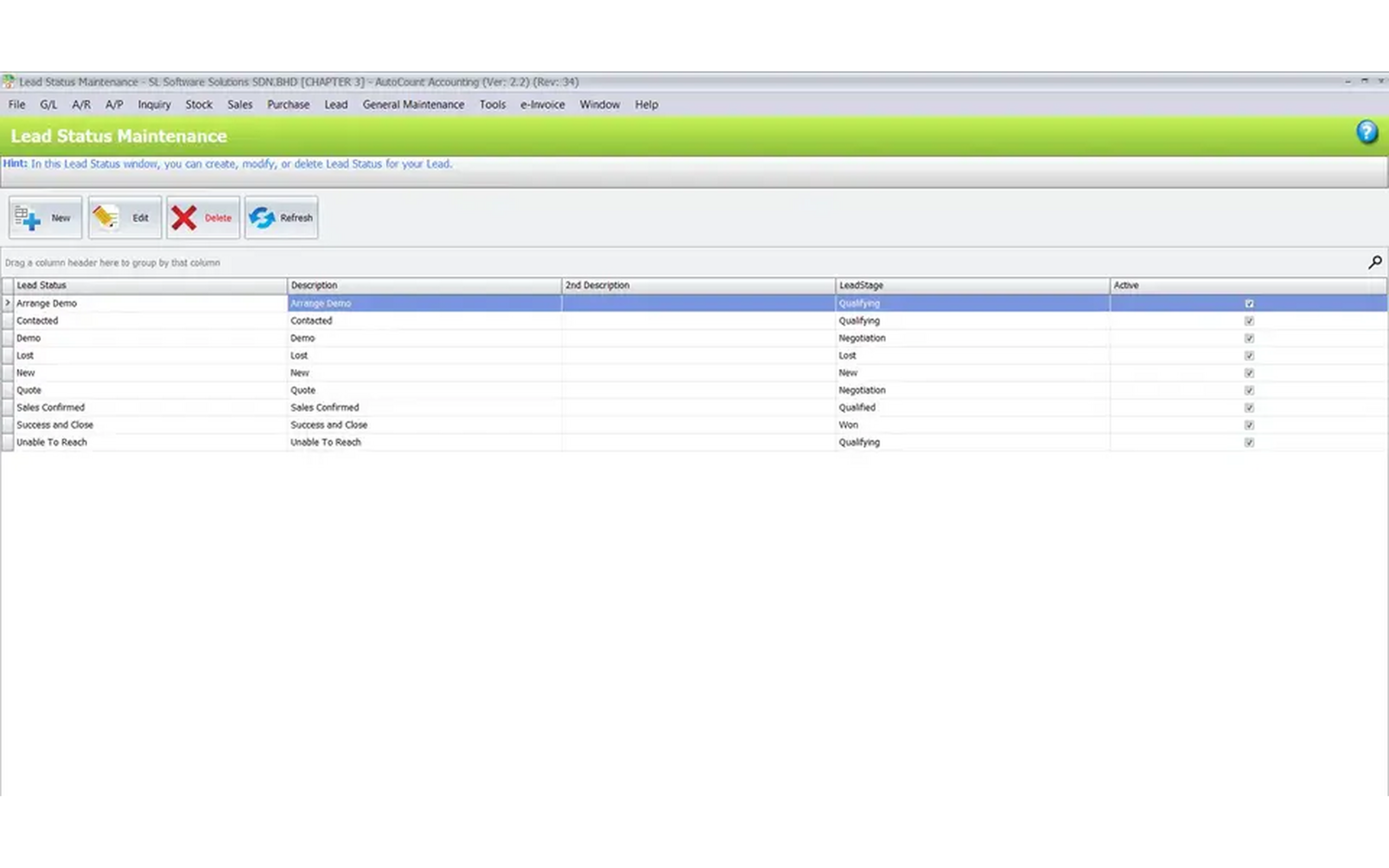
For businesses already using AutoCount, explore whether the available CRM functions and integrations fit your version and sales process.
Review lead management, appointments, service activities and the handover between sales and accounting. Confirm the exact module configuration in a demo.
Which CRM approach suits your SME?
| Your priority | What to evaluate | Example options |
|---|---|---|
| Accounting and CRM workflow | Compatibility with existing AutoCount, leads and business documents | AutoCount CRM |
| Configurable sales pipelines | Customization, workflow rules, app ecosystem | Zoho CRM, Salesforce |
| Marketing-led lead follow-up | Contacts, forms, campaigns, free vs paid functions | HubSpot CRM |
| Visual team coordination | Board-based pipeline, tasks and automations | monday CRM |
Compare current vendor editions before purchasing. No pricing or performance ranking is implied.
From enquiry to follow-up, make the next step clear
A wholesale sales team may receive enquiries through calls or WhatsApp. A CRM can help them assign owners, record customer conversations and review opportunities.
Before choosing a platform, map how enquiries turn into quotations, sales orders and invoicing. Where accounting integration matters, review AutoCount Accounting and integration and customization options.

Three practical steps before buying a CRM
List sales activities
Document leads, customer records, reminders and reporting requirements.
Test with real scenarios
Try a sales pipeline demo using the tasks your team performs every day.
Confirm total cost
Check the current plan, users, integrations, migration and training.
Best CRM Software Malaysia FAQs
Which CRM software is best for a small Malaysian business?
Choose based on your sales workflow, number of users, integrations, budget and availability of local support. A practical trial is more useful than a generic ranking.
Can CRM software replace accounting software?
Usually not. CRM manages customer and sales relationships; accounting software handles financial transactions and reporting. Verify any integration before implementation.
Does AutoCount CRM work with my AutoCount setup?
Compatibility depends on the products, modules, versions and configuration you use. Ask for a workflow demonstration against your existing system.
Should I choose a free CRM plan?
A free plan can help a small team start, but confirm its user limits, automations, integrations, storage and future upgrade costs.
Need help choosing CRM software for your business?
Tell SL Software about your sales process, team size and existing systems. We can help you evaluate whether AutoCount CRM is a suitable fit.