
Wholesale & Trading
WhatsApp orders, re-typing and printed Sales Orders turn growth into delays. Here is how a connected sales order workflow fixes it.

01 / Today
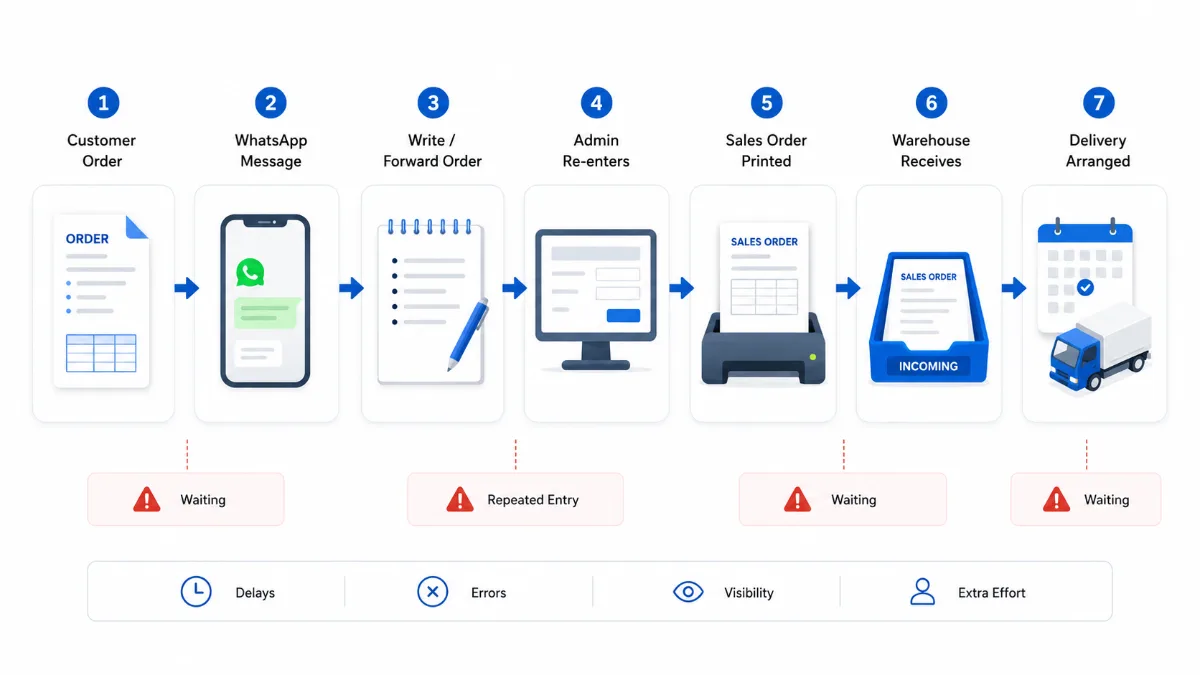
It feels manageable at 20 orders a day. At 200, every handover becomes a bottleneck and the team gets busier, not faster.

02 / The problems
More orders mean more re-typing, more mistakes and more “where is my order?” calls.
Sales records the order, then Admin types it again.
One wrong quantity or address hits warehouse, delivery and the customer.
Sales asks Admin, Admin asks the warehouse, the customer waits.
WhatsApp is great for talking to customers, but messages get buried and versions mix. It should not be your only order record.
03 / Better workflow
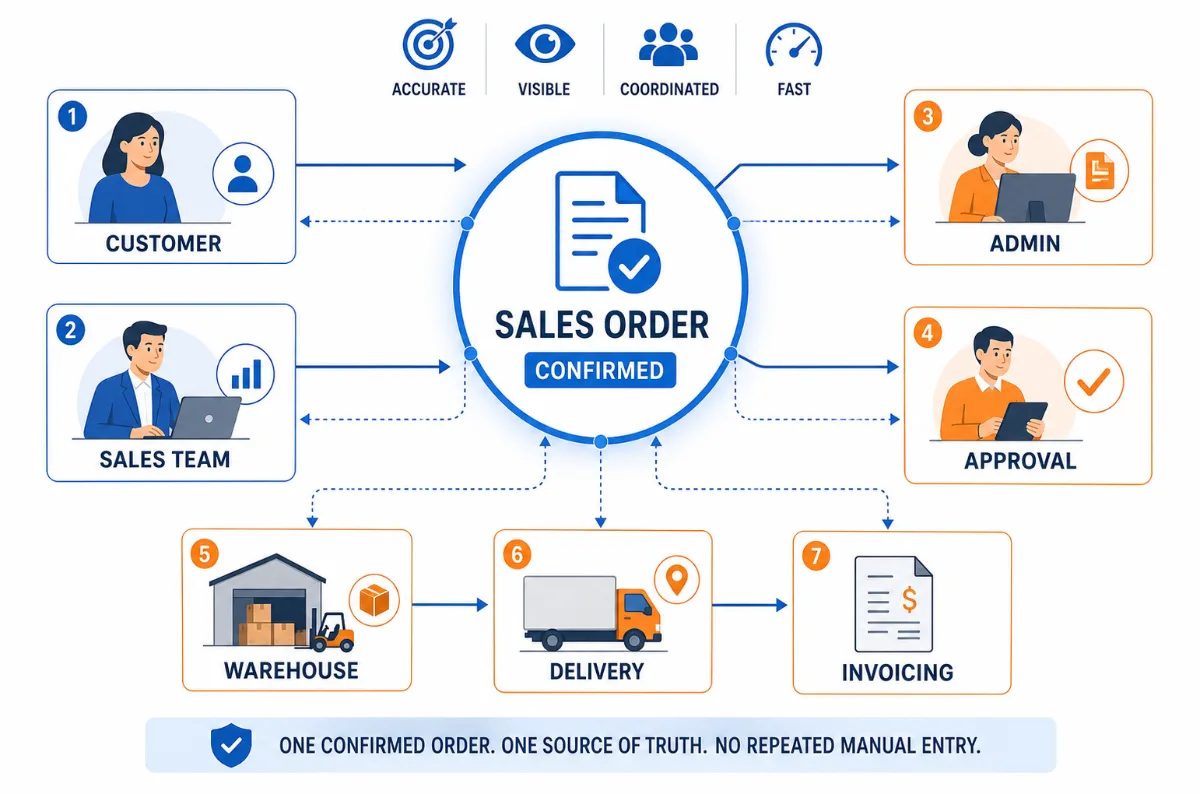
Capture the order once, at the source. Every department then works from the same confirmed record.
04 / Comparison
| Area | Manual | Connected |
|---|---|---|
| Order entry | Typed twice | Recorded once |
| Accuracy | Copying errors | Fewer manual errors |
| Order status | Ask around | Visible to authorised staff |
| Warehouse | Waits for printouts | Starts earlier |
| Growth | Hire more admin | Same team, more orders |
05 / AutoCount
The AutoCount Sales Order Processing module keeps orders in one central record, linked to delivery and invoicing. Add a salesperson app so orders are captured on the spot.
No re-keying orders Sales already entered.
Less copying of items, prices and addresses.
Warehouse gets confirmed orders sooner.
Check status without chasing departments.
Managers see daily and pending orders.
Handle more orders with the same team.
The right setup depends on how you receive, approve, pack, deliver and invoice orders.
06 / Checklist
Ticked several? The workflow, not your team’s effort, is likely the limit. Hiring more staff only works around it.
FAQ
The process to receive, record, approve, prepare, deliver and invoice a customer order.
Each manual order adds re-typing, handovers and follow-ups, so the backlog grows with volume.
Yes, for customer communication. Just do not use it as the only order record.
It keeps Sales Orders in a central system, cuts repeated entry and links orders to delivery and invoicing.
When Admin keeps re-keying orders, mistakes rise, or the team works overtime to keep up.