Repeated manual actions
Custom logic can reduce repetitive steps where standard functions do not fit your workflow.

Customize selected AutoCount Accounting processes to fit the way your business works. Manage scripts, adapt supported screens and business rules, reuse customizations and extend document printing.
For businesses with specific workflow requirements. Available scripting functions depend on your AutoCount setup and implementation.

Every company has its own processes. The AutoCount Scripting Module lets technically qualified users and developers tailor supported AutoCount behaviour without replacing the entire accounting system.
Custom logic can reduce repetitive steps where standard functions do not fit your workflow.
Apply tailored conditions to supported screens and processes.
Adapt report output for document-specific requirements.
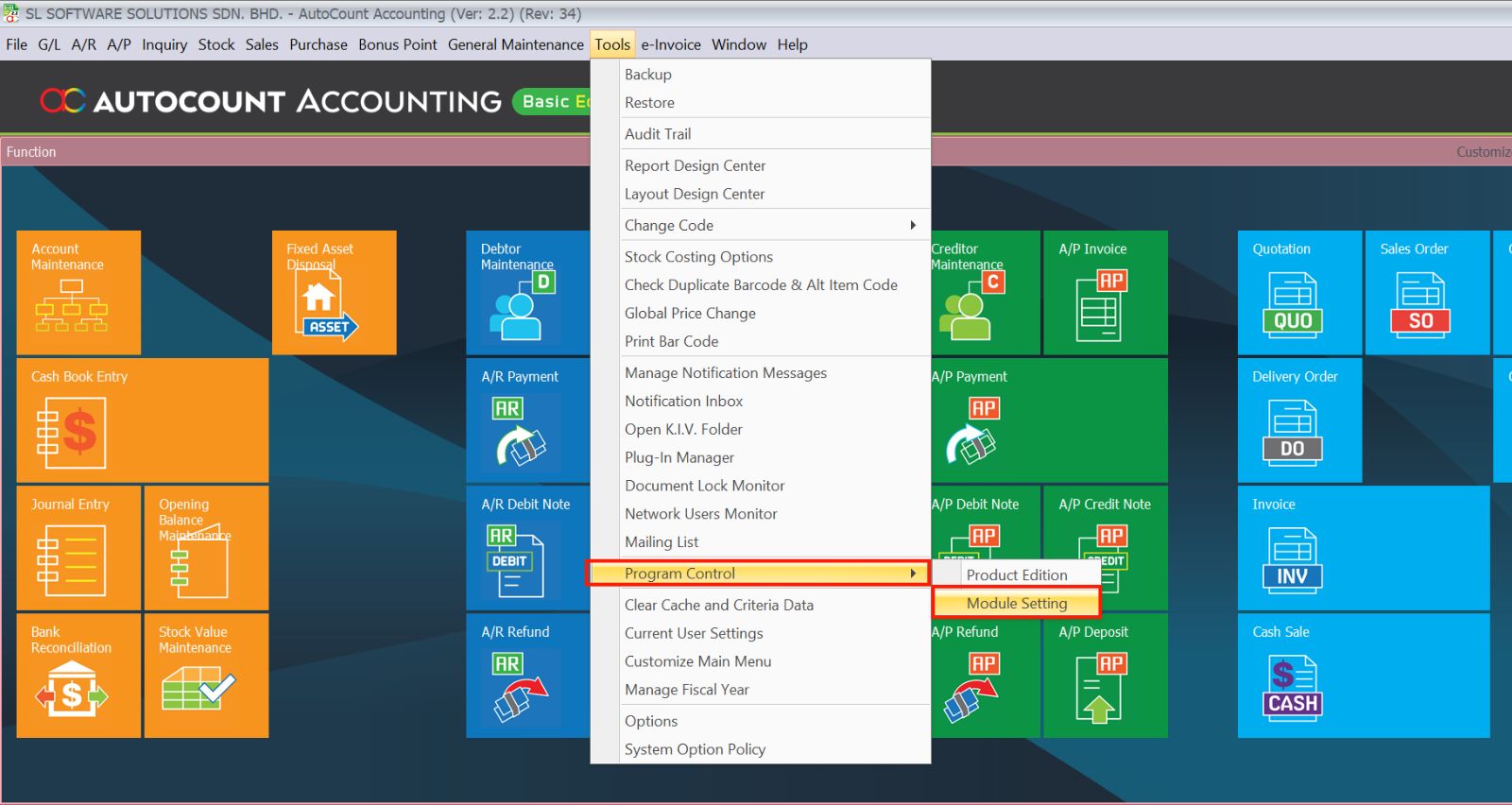
Enable the module in AutoCount, then access scripting through AutoCount Accounting Management Studio. Choose the applicable application entity before editing its script.
Keep customization organised within the AutoCount environment.
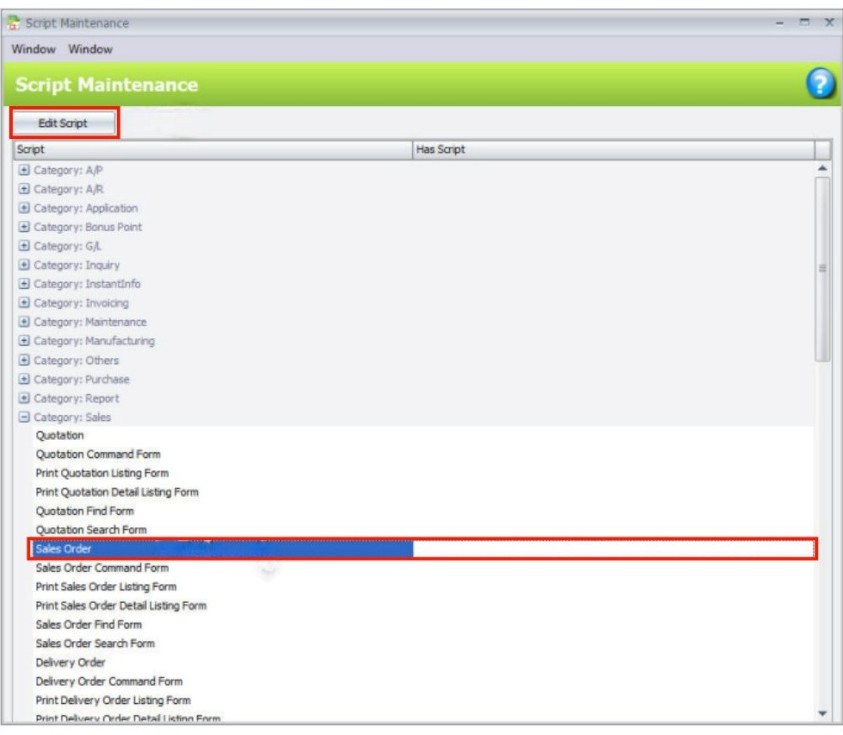
Write or maintain scripts for supported entities such as Sales Orders and Invoices. The documented editor supports C# and VB scripting options.
Adapt selected screen and processing behaviour to the way your team works.
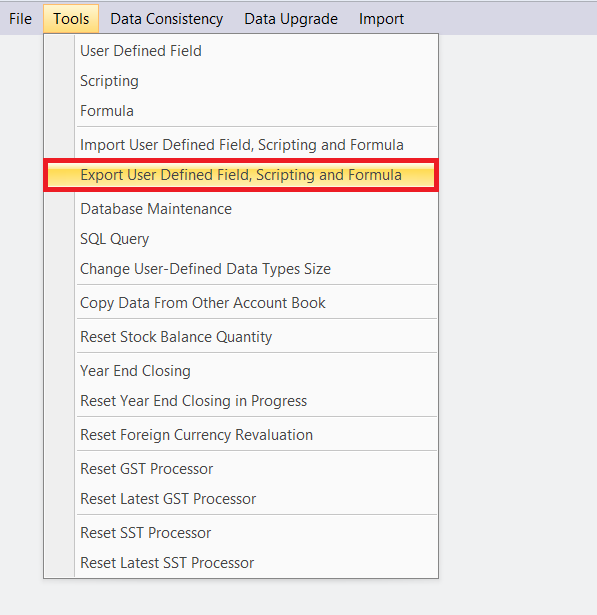
Export selected scripts and user-defined fields from an account book for reuse in another account book, subject to compatibility and validation.
Maintain more consistent custom behaviour across applicable account books.
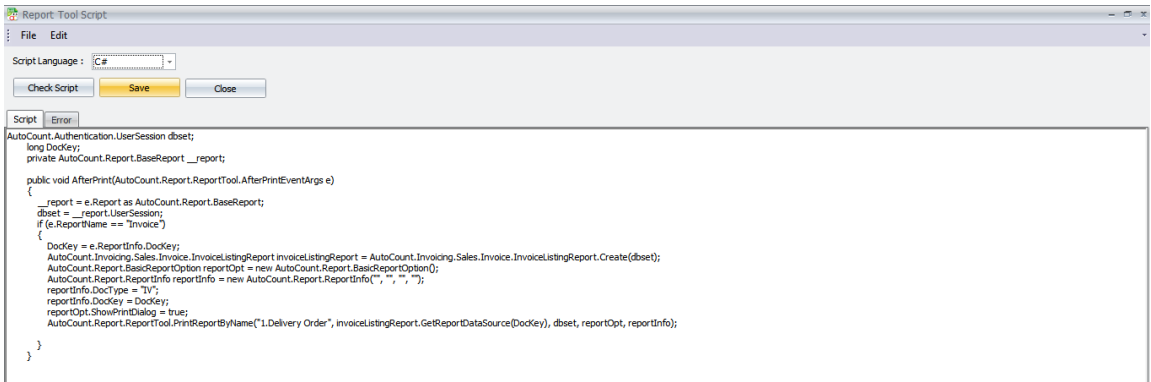
Use scripting for advanced report-output scenarios. The user guide demonstrates a script that produces Invoice and Delivery Order outputs in sequence.
Support special document printing requirements without relying solely on default settings.
Tell SL Software Solutions what should happen in your process. We can review the requirement and advise whether scripting is suitable.
Before commissioning a customization, describe your current AutoCount process and the result you need. Identify the document, screen or report involved, the people who use it and the conditions that should apply. Clear requirements help your implementation team understand whether a script is the right solution.
Each customization should be reviewed against the account book configuration and tested with realistic transactions before deployment. Changes to fields, versions or existing workflows may affect how a script behaves. A documented testing and maintenance approach helps your team keep customization consistent as business requirements evolve.
To understand the wider accounting software platform, visit the official AutoCount website. For module-specific configuration examples, refer to our AutoCount Scripting Module User Guide.
Businesses with document-specific rules or processes beyond standard settings.
Teams that need approved scripts reused across compatible environments.
Organisations with specific invoice or delivery-document printing sequences.
No. It is an optional module intended for advanced customization needs.
The documented scripting editor supports C# and Visual Basic (VB).
The module includes exporting scripts and user-defined fields for reuse. Any imported script should be reviewed and tested in the target environment.
Yes, supported scripting scenarios can customize report and document output. The user guide includes an Invoice and Delivery Order printing example.
Scripting is intended for technically qualified users or developers. Test each change carefully before using it in production.
Speak with our team about your accounting customization requirements and the AutoCount Scripting Module.