Looking back at a past period
Today's outstanding position does not provide the same view as a report for an earlier cut-off date.

See Delivery Order details outstanding at a selected cut-off date. AutoCount Historical Outstanding DO Listing helps Malaysian businesses review historical quantities and values with focused filters and report options.
Ask our team about plugin suitability and version compatibility before purchase.
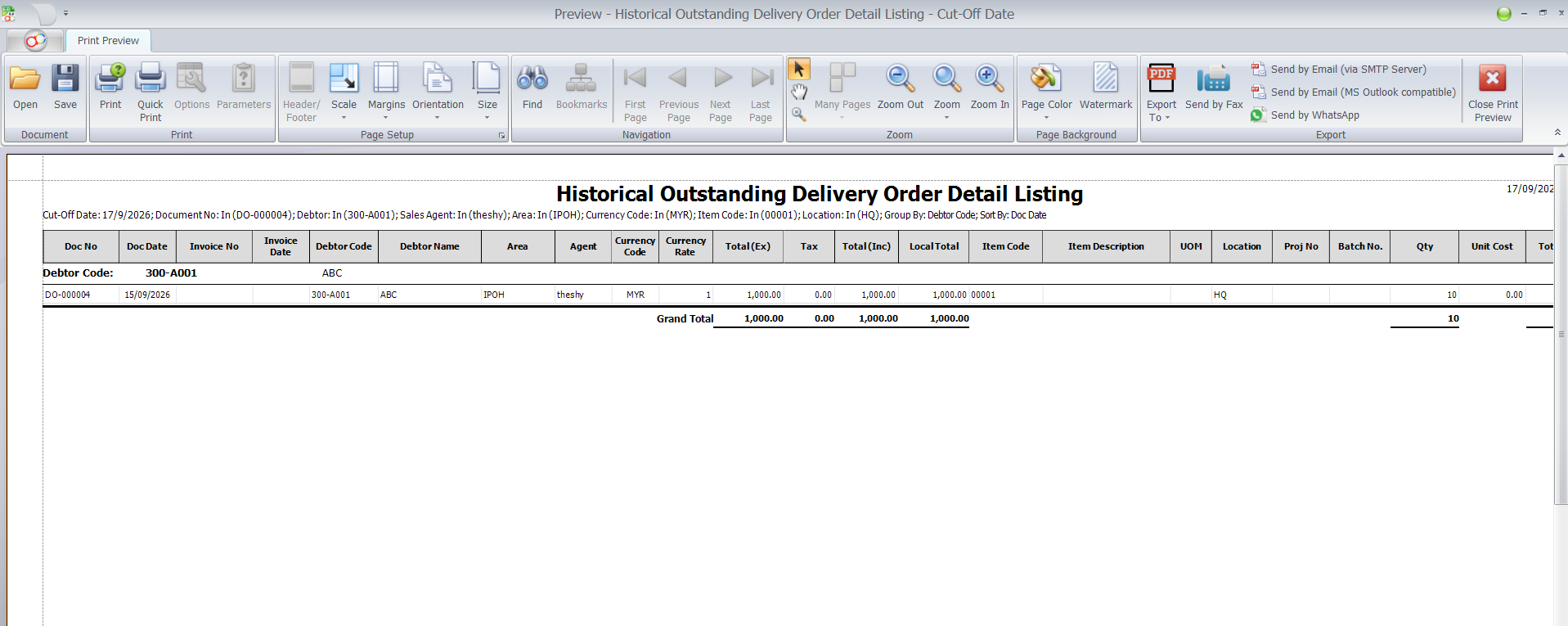
This AutoCount plugin provides a Historical Outstanding Delivery Order Detail Listing based on a compulsory cut-off date. It helps your team review what remained outstanding at that date, rather than relying only on today's position.
Narrow the inquiry by customers, agents, projects, items, locations and batches. Group the results to suit your review, then preview, print or export with the appropriate permissions.

Recognise these challenges in your business? Explore how the plugin can help.
Today's outstanding position does not provide the same view as a report for an earlier cut-off date.
A broad delivery listing makes it harder to focus on a specific customer, item, project or location.
Reviews become harder to follow when the chosen date and criteria are unclear.
Practical capabilities built around the documented plugin workflow.
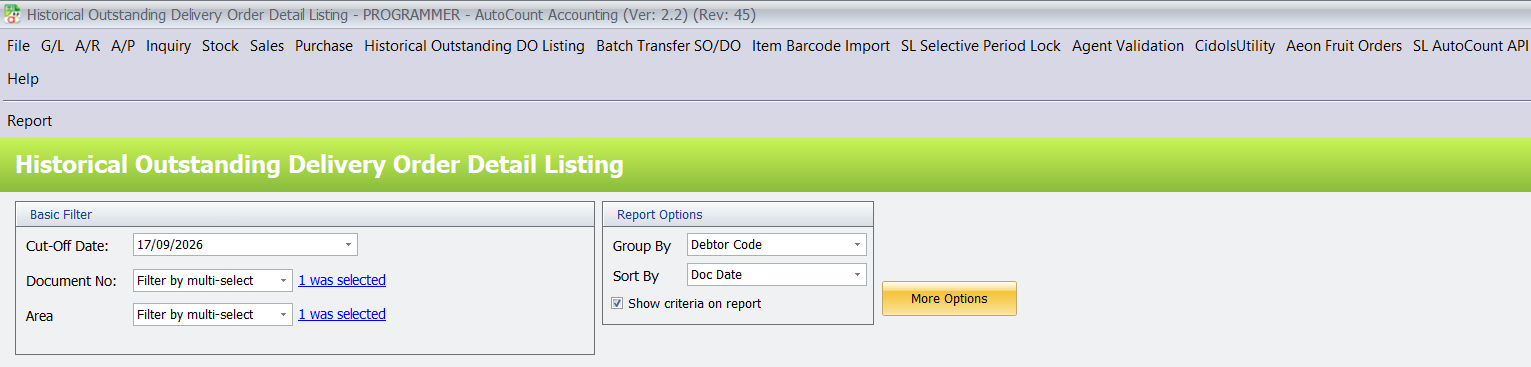
Choose the date for which outstanding Delivery Order quantities and values are required. The compulsory Cut-Off Date defaults to today and can be changed for your review.
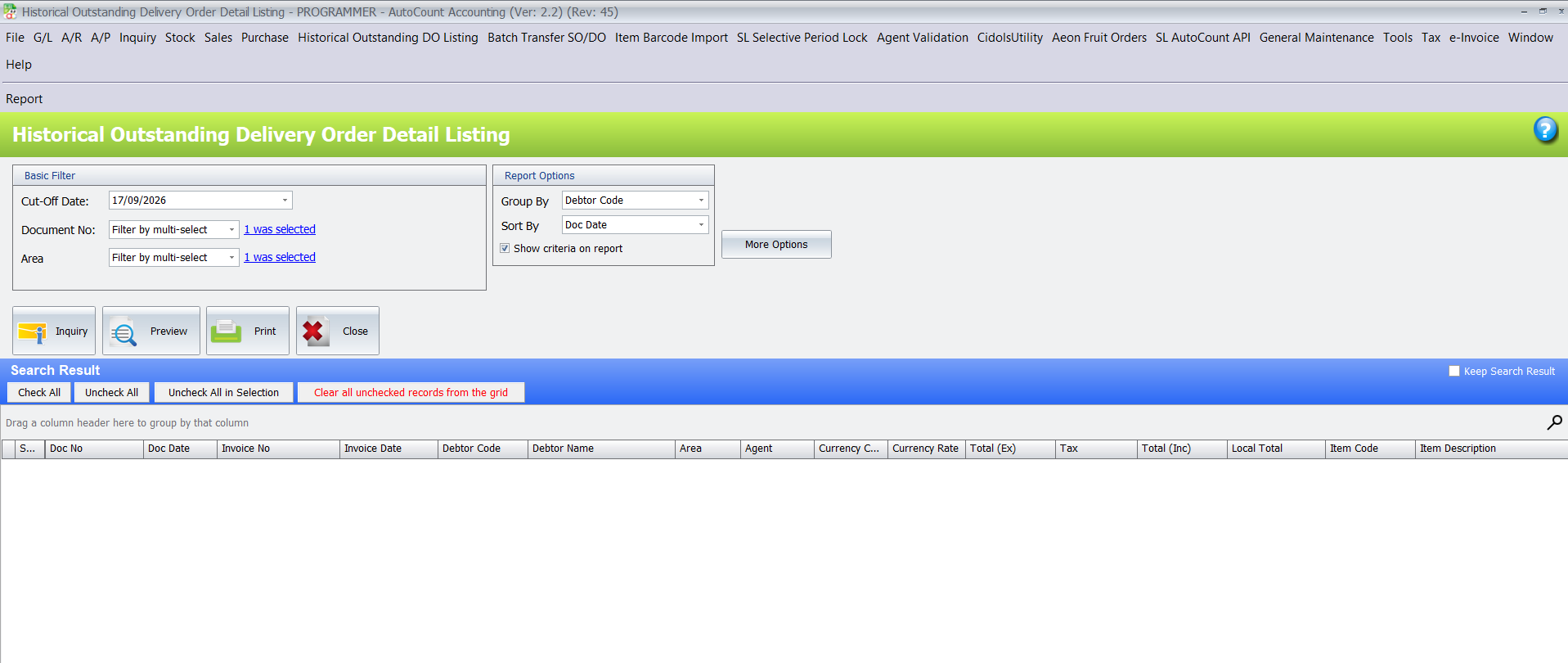
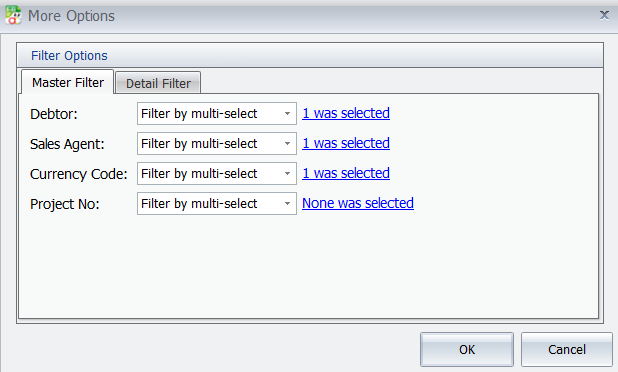
Use Document No and Area filters, plus Debtor, Sales Agent, Currency Code, Project No, Item Code, Location and Batch No under More Options.
Group by Debtor Code, Area, Agent, Currency Code, Doc Date, Month, Year, Item Code, Location or Proj No, or choose no grouping. Select the required report sorting.
Preview, print or export the inquiry results when the corresponding access rights are assigned. Show criteria on report can include the selected date, filters, grouping and sorting.
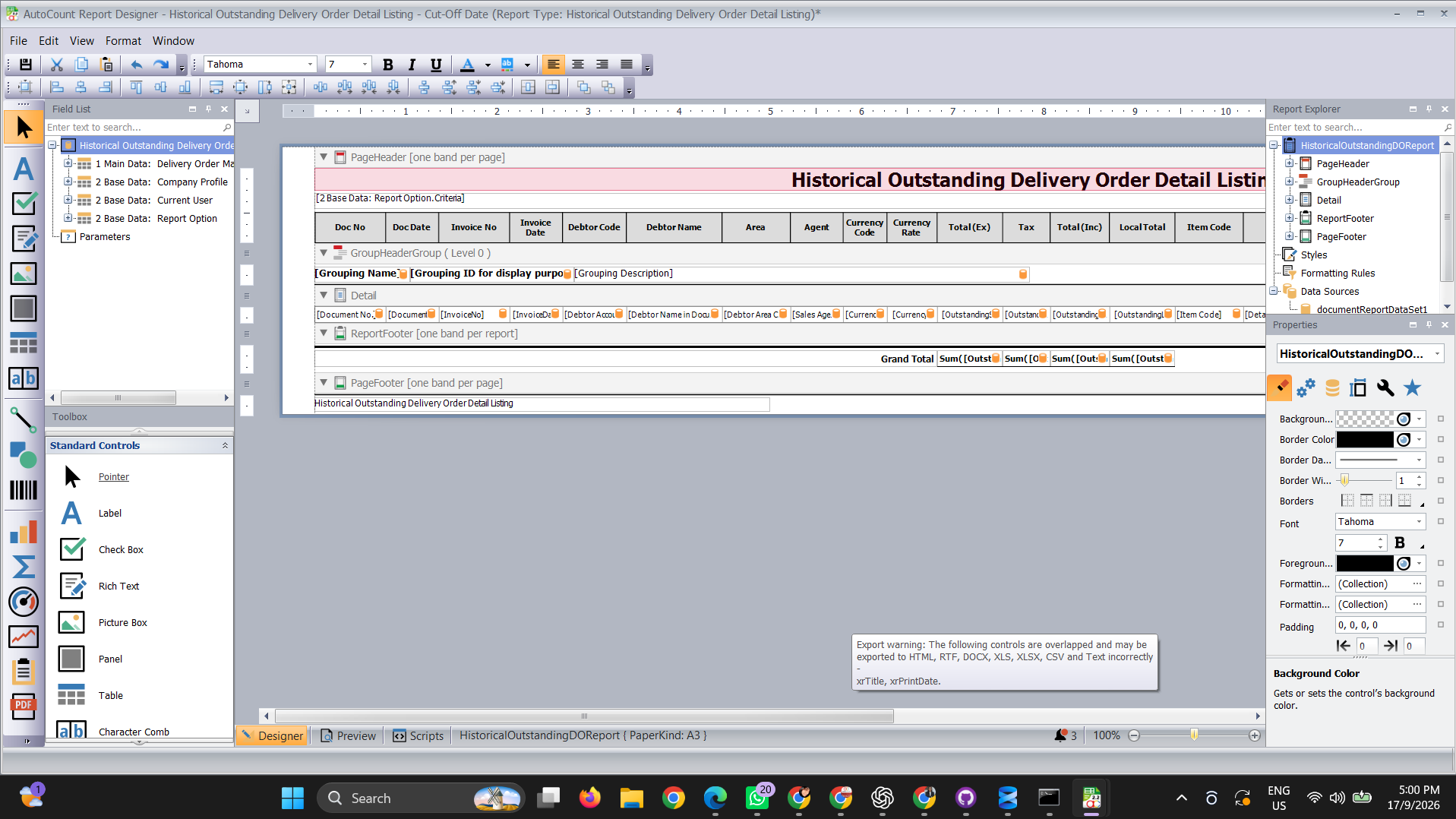
Authorised users can open the report designer, adjust the layout, save it and preview the updated report.
Tell us your requirements and we can discuss a suitable AutoCount setup.
Select the historical cut-off date for the review.
Choose customer, document, item or other relevant filters.
Use Inquiry and review the outstanding details.
Preview, print or export according to assigned rights.
Review outstanding Delivery Order details for selected customers or product groups.
Filter outstanding details by location, item or batch.
Prepare a dated report for internal review and follow-up.
It shows Delivery Order details outstanding at the selected cut-off date, with quantities and values based on that historical date.
Yes. Cut-Off Date is compulsory and defaults to the current date. Change it to the date you want to review.
Yes. More Options includes detail filters for Item Code, Location and Batch No, alongside master filters for debtors, agents, currency and project.
Yes, when your user account has the corresponding Preview, Print and Export access rights.
Yes. Users with report-design permission can customise the listing layout in the report designer.
Contact SL Software for a current quotation based on your setup and licensing requirements. Our team can confirm compatibility with your AutoCount version.
Already using this plugin? Read the AutoCount Historical Outstanding DO Listing User Guide for operating instructions.
Discuss your current workflow with SL Software Solutions and find out whether AutoCount Historical Outstanding DO Listing meets your requirements.