AutoCount Best Practices for Accurate Branch Reporting
Struggling with stock imbalances across branches? When outlets operate in isolation, manual tracking and outdated spreadsheets lead to blind spots, wasted capital, and unreliable reports. Discover how AutoCount’s Multi-Location Module brings real-time visibility, precise branch reporting, and smarter inventory control so your multi-outlet business runs smoother and scales with confidence.
Introduction
If you run a business with multiple branches—whether it is three retail shops or a warehouse paired with a showroom—you have likely felt this specific pain:
You think you have enough stock at Branch A, but the sales team there keeps complaining about shortages. Meanwhile, Branch B is sitting on excess inventory that is gathering dust. By the time you consolidate spreadsheets from every outlet, the data is already a week old. Your monthly “profit” report looks healthy, but your cash flow tells a different story.
This is the reality of fragmented inventory management. The problem isn’t your team’s effort; it’s the lack of a centralized system.
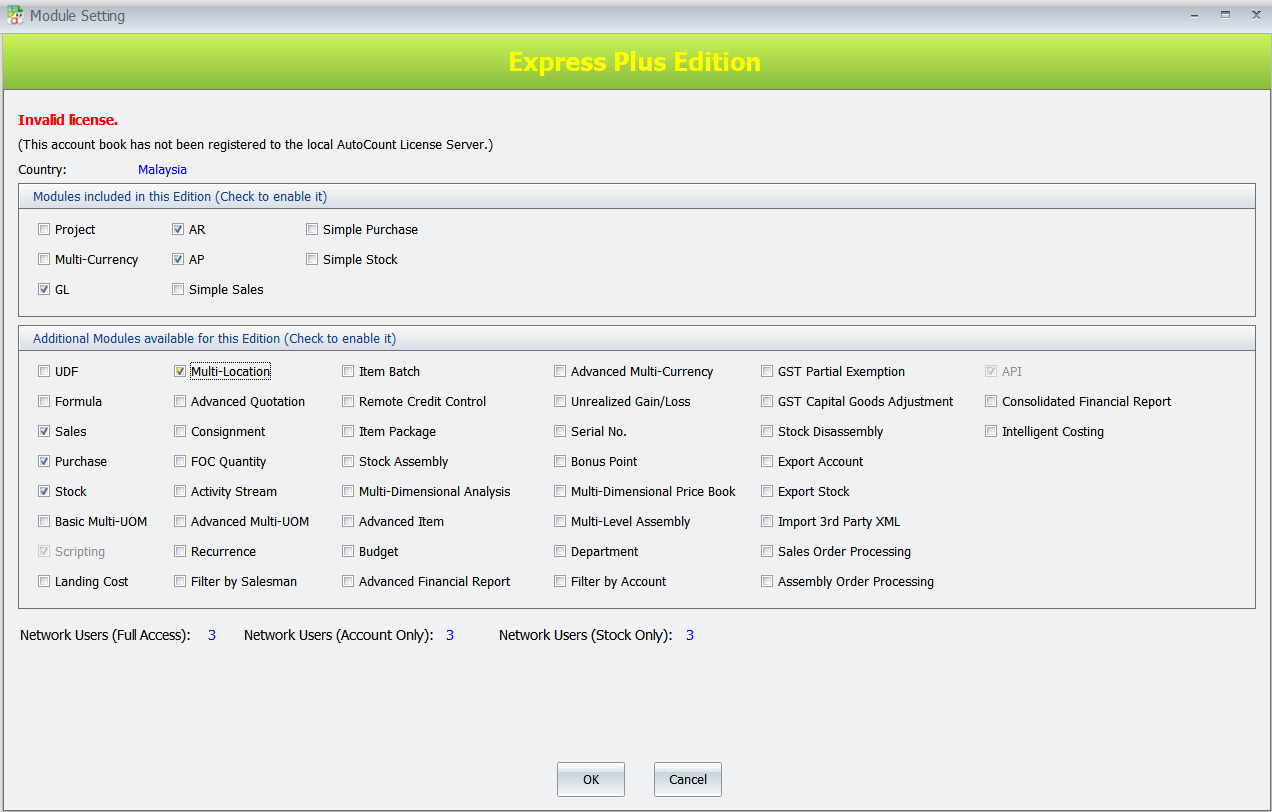
Here is the good news: You don’t need to replace your entire operation to fix this. You need the AutoCount Multi-Location Module.
The 3 Critical Pain Points of Multi-Outlet SMEs (And Why Manual Workarounds Fail)
Before we explore the solution, let’s validate the struggle. Based on the AutoCount knowledge base, these three challenges are the most common among growing SMEs:
The "Blind Spot" Inventory Problem
When your outlets operate in silos, you are essentially flying blind. You might know your total warehouse stock, but do you know exactly how many units of that fast-moving item are physically sitting in your Penang branch right now? Without real-time data, you are forced to over-order to feel safe, which ties up your working capital.
The Branch Reporting Maze
Reconciling stock movements between HQ and outlets often involves chasing emails and manually keying data into Excel. This is not just slow; it is high-risk. A single typo in a transfer quantity creates a domino effect, making your branch Profit & Loss statements unreliable.
The Access vs. Security Dilemma
You want branch managers to be empowered, but you don’t want them viewing cost prices or inventory data from other outlets. Striking this balance with generic software is nearly impossible without complex (and expensive) workarounds.
The AutoCount Solution: One System, Total Command
The AutoCount Multi-Location Module is specifically designed to eliminate these operational brakes. It transforms your fragmented outlets into a single, synchronized network.
Here is how it solves the specific pain points above, based on the module’s core features:
Real-Time Stock Visibility (No More "I Think So")
- You can view live stock balances for every single location directly from the purchase or sales screen.
How it works:
When creating an invoice, simply click “Show Instant Info.” A pop-up window displays exactly how many units are available in each branch (e.g., Ipoh vs. KL) at that exact second. You can make transfer decisions instantly, not next week.
Location-Specific Reporting (Accurate Branch P&L)
- Stop guessing which branch is actually profitable. The module allows you to filter every major report—Stock Balance, Stock Card, Monthly Purchase Analysis—by specific location.
How it works:
You can generate a Stock Balance by Location Report which displays stock quantities side-by-side horizontally, allowing for easy comparison. This turns your vague “overall profit” into clear “branch-by-branch performance.”
Precision Access Control (Security Without Barriers)
- You can grant access without exposing sensitive company data.
How it works:
The system allows you to set a Default Location by User. If a user is assigned to “Penang,” the system automatically defaults their transactions to Penang and—using the Filter by Current User Location feature—restricts their view to only Penang’s data. They see what they need to work, and nothing else.
Best Practice: Setting Up Your Branches for Success
To maximize ROI on this system, do not just install it—implement it strategically. AutoCount recommends these best practices for a seamless rollout:
Standardize Your Location Codes
Do not use vague names like “HQ” or “Warehouse 1.” Rename them clearly (e.g., “KL Main,” “Penang Retail,” “JB Warehouse”).
- Pro Tip: Use the Tools > Change Code function to rename default locations without losing historical data.
Automate the Boring Stuff (Stock Replenishment)
Manual reordering is a major source of human error. Use the Item Level by Location Maintenance feature.
- How it works: Set a Reorder Level for each item at each specific branch (e.g., Item A reorders at 10 units for Ipoh, but 20 units for KL). The Reorder Advice Report will flag only the locations that are running low, and you can generate Purchase Orders directly from that report.
Master the "One-to-One" Stock Transfer
Stock transfers are often where paperwork gets messy. In AutoCount, transfers are clean and auditable.
- How it works: Simply select the From Location and To Location. The system automatically reduces stock at the source and increases it at the destination simultaneously. No double-entry required.
Advanced Tactics: Scaling Beyond Basic Management
As your business grows, your inventory logic needs to grow with it. AutoCount allows you to activate plugins that turn good management into great optimization:
Goods In Transit
Crucial for businesses with long shipping times between warehouses. It tracks stock that has left Location A but hasn't arrived at Location B yet, ensuring your "available stock" figures remain accurate
Stock Replenishment
This moves beyond simple reorder points. It analyzes historical sales data to predict how much stock each branch will need.
Rack Management
For complex warehouses, this tracks inventory down to the specific shelf level.
Conclusion: From Fragmented to Flawless
For the SME owner, growth should feel exciting, not chaotic. The AutoCount Multi-Location Module does more than just track stock—it provides the infrastructure for scale. It ensures that when you open a new branch, you aren’t adding complexity; you are simply adding another node to your well-oiled network. Accurate branch reporting isn’t just about knowing your numbers. It’s about freeing you from the daily firefighting of inventory issues so you can focus on the strategy that grows your business.
Is your current system ready for your next expansion?
Contact our team to see how AutoCount fits your specific business model.