
SL SOFTWARE INSIGHTS / INVENTORY MANAGEMENT
AutoCount Inventory System for Better Stock Control

QUICK ANSWER
Better stock visibility starts with organized inventory records
AutoCount Inventory System brings item details, stock balances and inventory movements into a more structured workflow. Malaysian SMEs can use these records to coordinate purchasing, warehouse operations, sales and stock reporting while reducing reliance on separate spreadsheets.
01 / THE INVENTORY CHALLENGE
When stock records fall behind, every department feels it
A mismatch in stock quantities can affect customer orders, replenishment and daily decision-making. These are the problems SMEs should solve first.
Too much guesswork
More dependable decisions
Uncertain stock balance
Sales staff cannot confidently confirm whether an item is available.
Disconnected records
Separate spreadsheets and delayed entries lead to inconsistent information.
Costly overstock or shortages
Unclear movement makes purchasing and replenishment harder to plan.
02 / HOW AUTOCOUNT HELPS
One inventory workflow. Clearer decisions.
AutoCount supports structured item information and stock movement records. The exact modules and configuration depend on your setup.
Set up items
Use consistent product records.
Record movement
Capture stock in, out and transfers.
Review stock
Check quantities and transaction history.
Plan ahead
Use records to support replenishment.
Stock balance visibility
Review quantities and item records more consistently.
Movement tracking
Record stock coming in, going out or transferring between locations.
Item and UOM management
Organize item codes, product details and units of measurement.
Reorder planning
Use stock information to support purchasing decisions.
Stock reports
Review movement and balances for operational decisions.
Accounting connection
Reduce duplicated work when inventory and accounting share the same system.
03 / REAL AUTOCOUNT SCREENSHOTS
From stock movement to traceable records
Rather than relying on verbal updates, your team can record stock movements in AutoCount. For example, a Stock Transfer document records items moving between stock locations.
Use stock reports and transaction history to investigate differences when physical counts do not match the system.
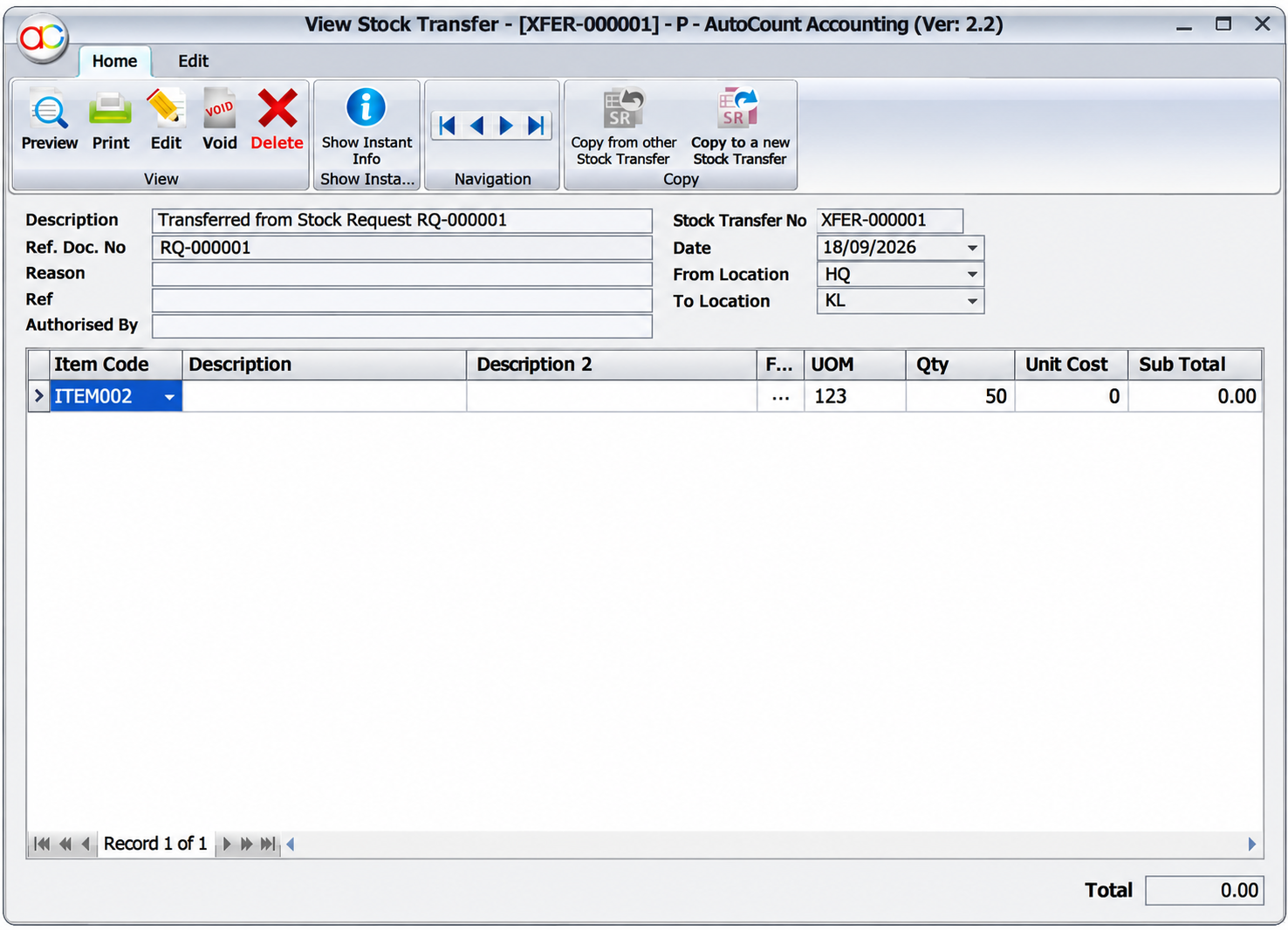
Record incoming items with the correct quantity.
Track transfers and other stock movements.
Review the stock balance and movement history.
Investigate discrepancies before making corrections.
For more detail, read our Stock Adjustment vs Stock Write-Off guide.
04 / PRACTICAL STOCK CONTROL
A better view of your inventory
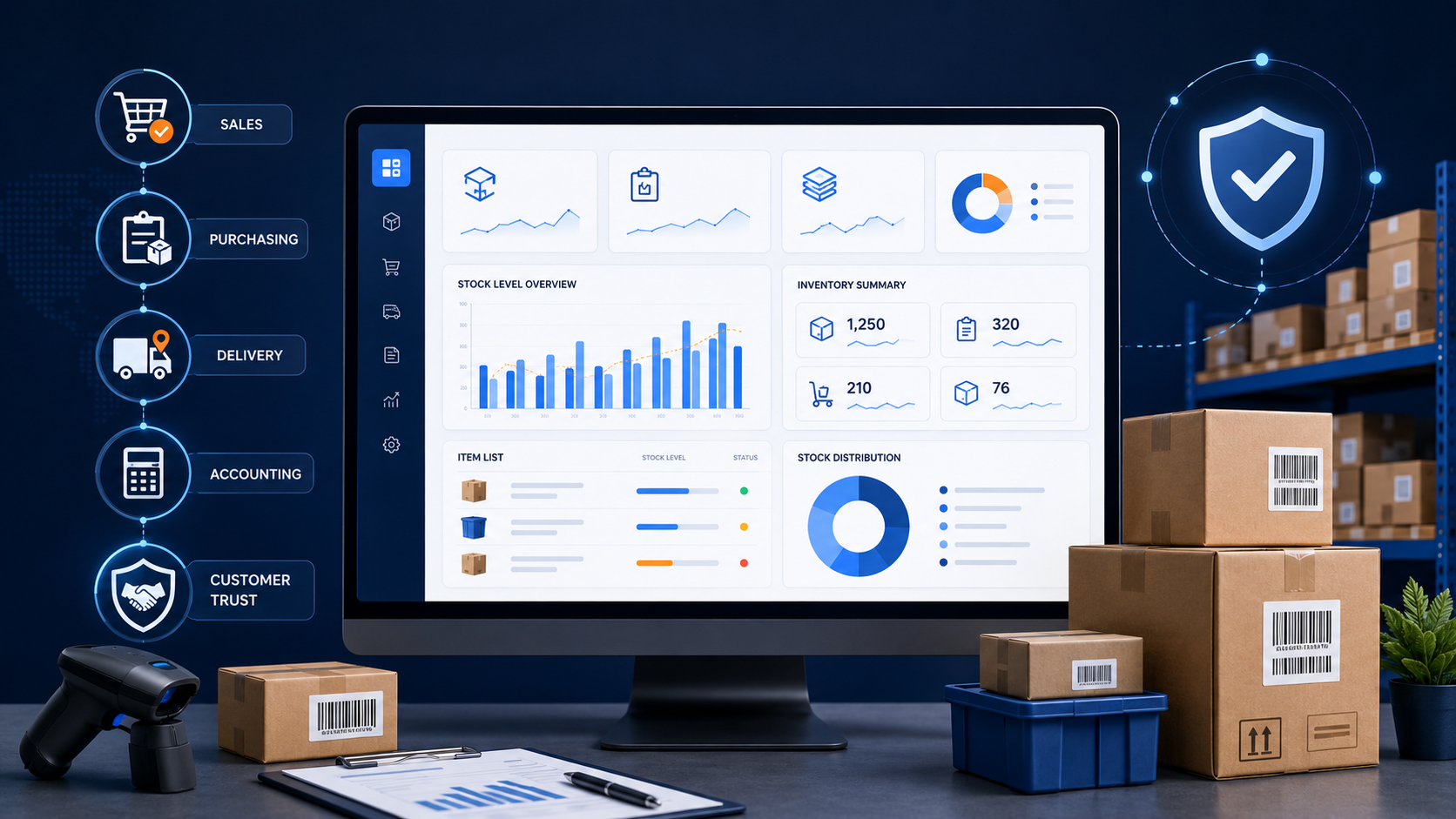
Stock records work best when item codes, units, locations and opening balances are consistent. A clear setup helps teams rely on the same information.
Warehouse, sales and purchasing teams should follow a shared process for recording transactions, checking quantities and resolving discrepancies.
05 / WHERE IT FITS
Designed for everyday SME inventory challenges
Retail shops, wholesalers, spare-parts suppliers and trading businesses often need better visibility of what is on hand and where it is stored.
The most useful approach depends on your number of products, stock locations and how your purchasing and sales teams work.
Explore our Wholesale Inventory Management Guide for related examples.

Clear recording routines help warehouse, sales and purchasing teams work from more reliable information.
Retail & hardware
Track day-to-day movement and item availability.
Wholesale & distribution
Coordinate stock quantities, replenishment and delivery.
Spare parts & trading
Organize similar products using reliable item codes and descriptions.
06 / BEFORE YOU START
A simple readiness checklist
A good inventory system is only as useful as the data and routines behind it. Start with clean item information and decide who is responsible for updating each movement.
With a suitable setup and consistent recording, AutoCount can help SMEs make inventory information more dependable across daily operations.
FREQUENTLY ASKED QUESTIONS