Manual weight deductions
Calculating container or cage weight separately increases the chance of inconsistent net-weight results.

Record cage weights, cage quantities, bird quantities and pricing details in AutoCount Delivery Orders, then review calculated gross and net weight before reporting.
Discuss your weighing process, Delivery Order layout and item setup with SL Software.
A simplified concept view of the documented plugin workflow.
AutoCount Cage Management extends the Delivery Order workflow for businesses that handle goods together with cages or containers. Users record individual cage weights, cage quantity, bird quantity and pricing information against a cage-enabled stock item.
The plugin keeps the calculated cage details with the Delivery Order so authorised teams can review gross weight, net weight and related values before saving and producing the report.
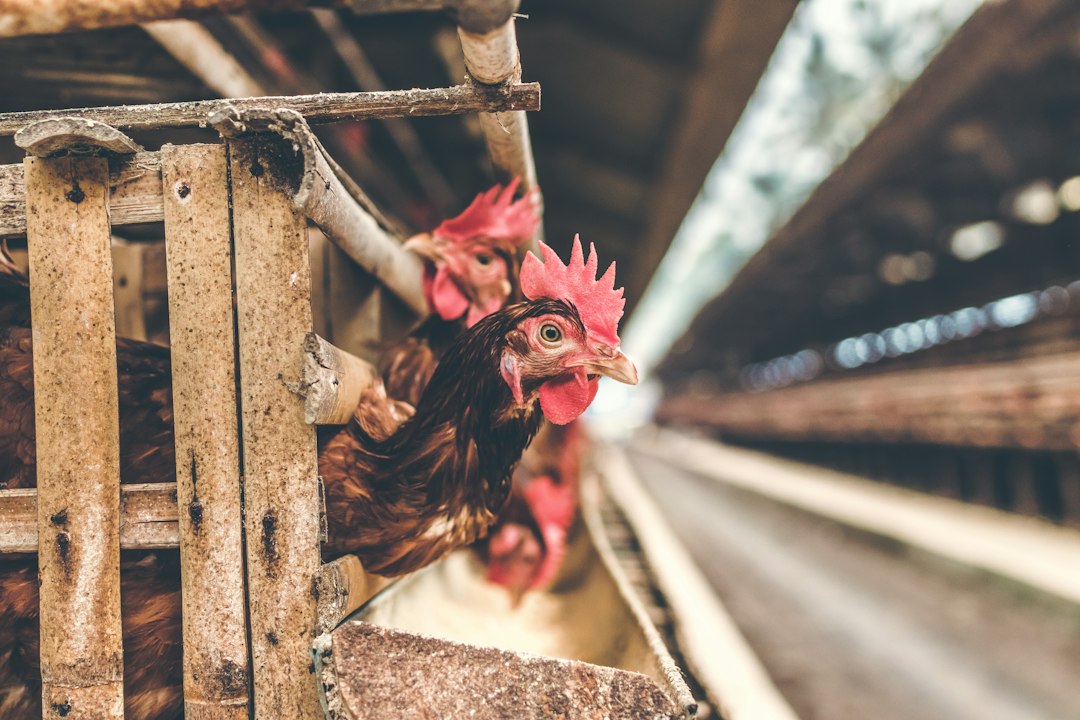
Calculating container or cage weight separately increases the chance of inconsistent net-weight results.
Cage and bird quantities may be separated from the Delivery Order used for billing and fulfilment.
Re-entering weight information for customer documents slows down operational reporting.
These capabilities follow the current Cage Management user guide, from item setup through Delivery Order calculation and reporting.
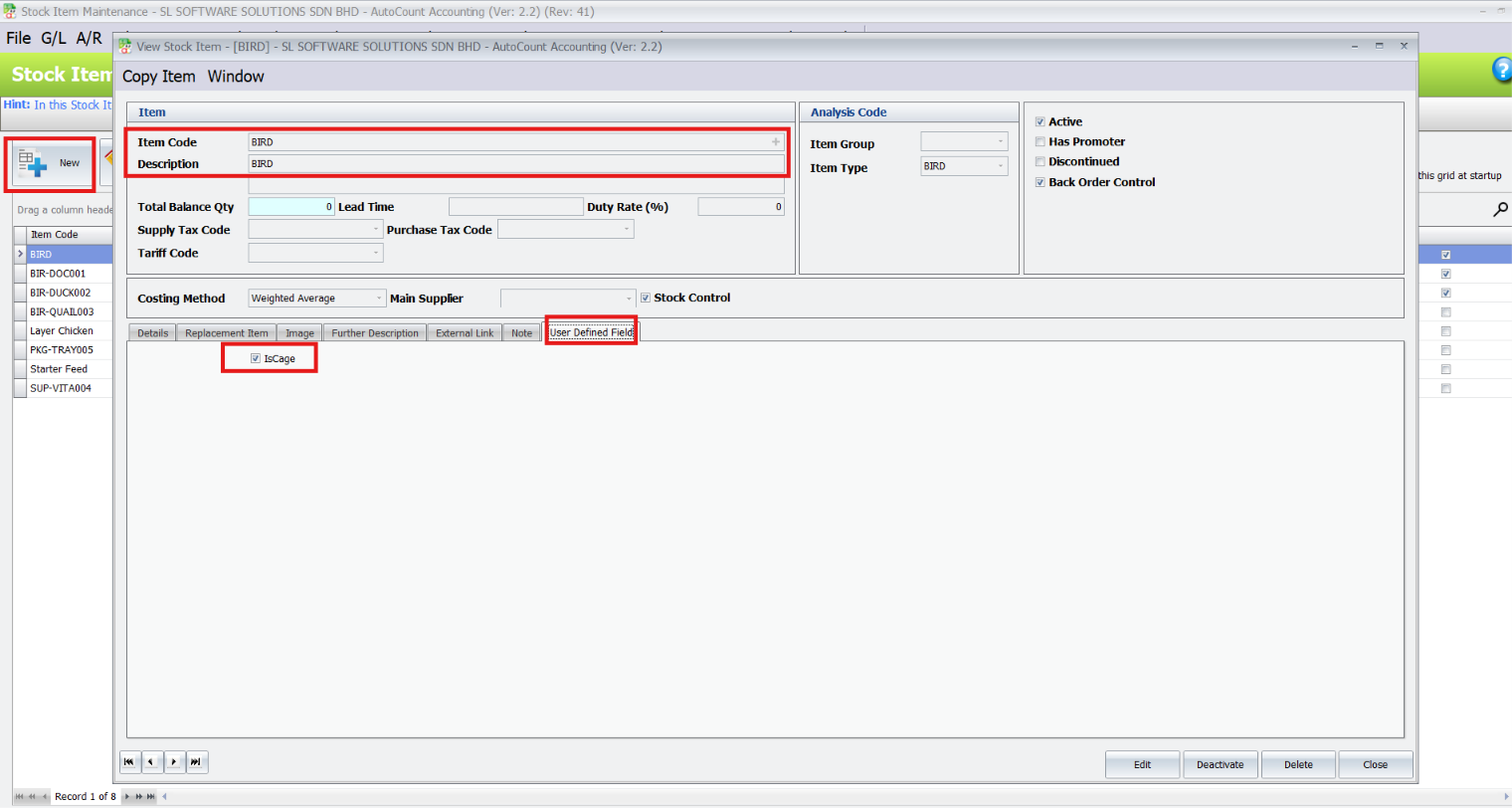
Maintain the required item and enable IsCage in its User Defined Field settings.
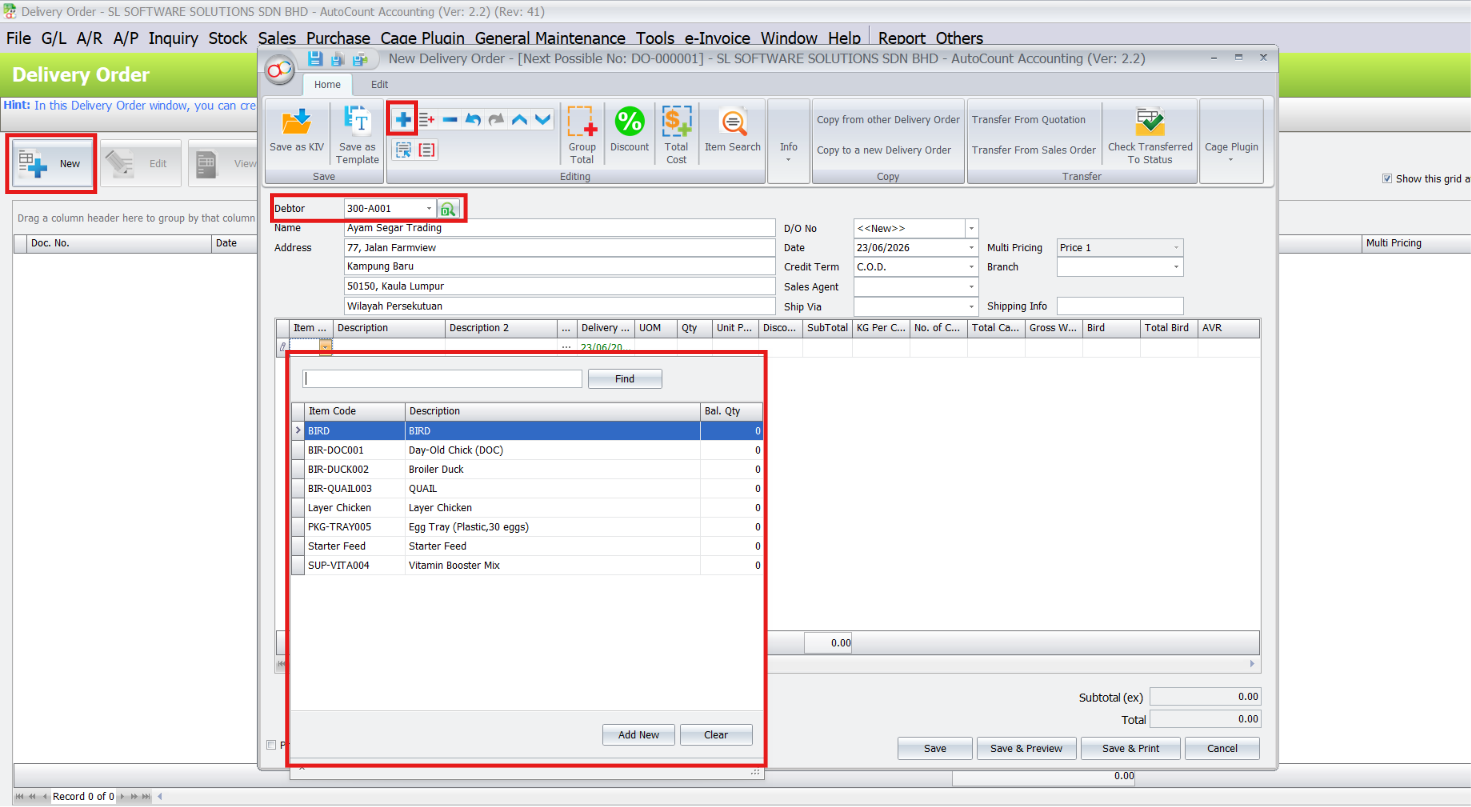
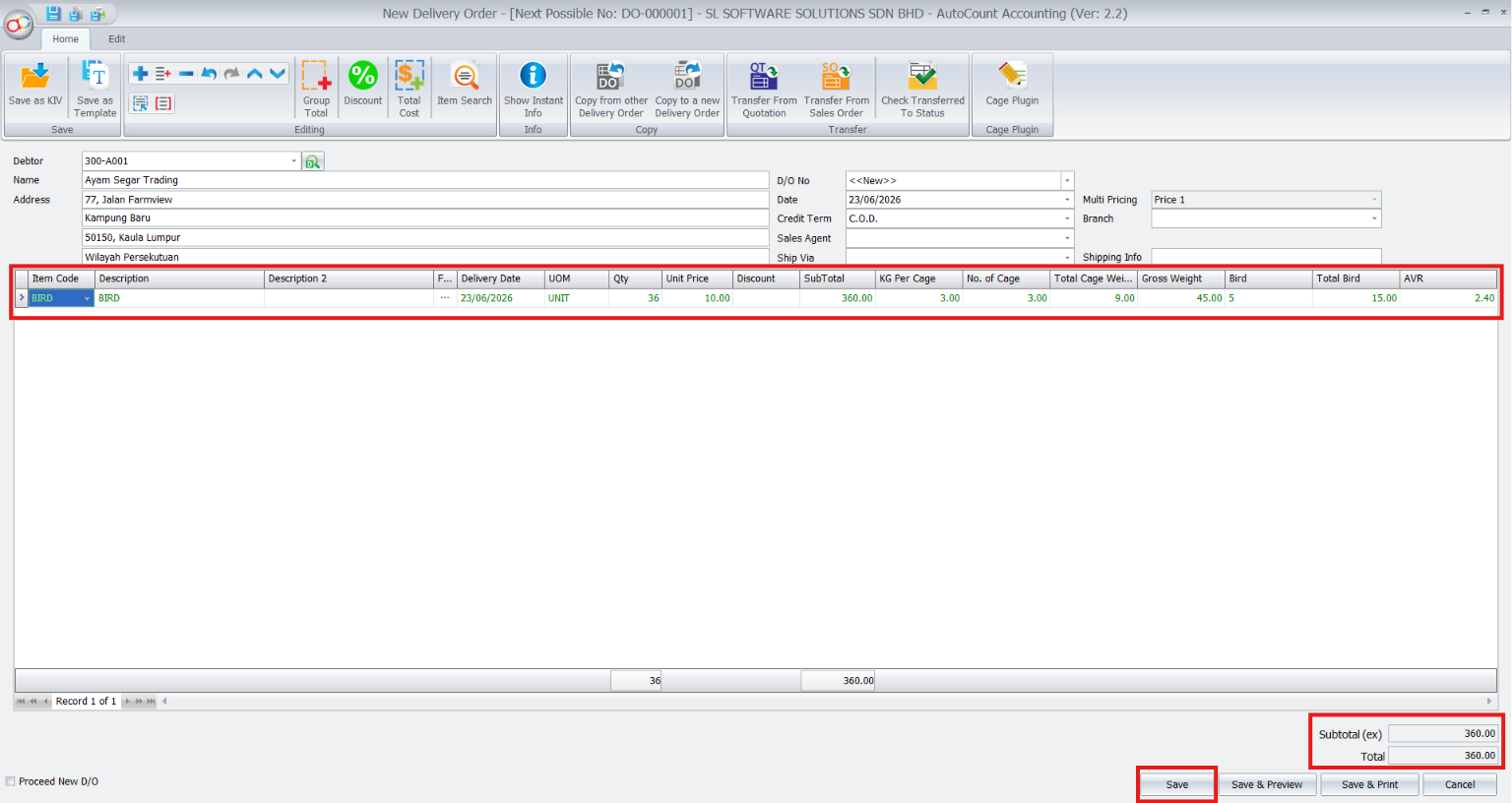
Select the debtor, add the cage-enabled item and open Cage Info for the related weight details.
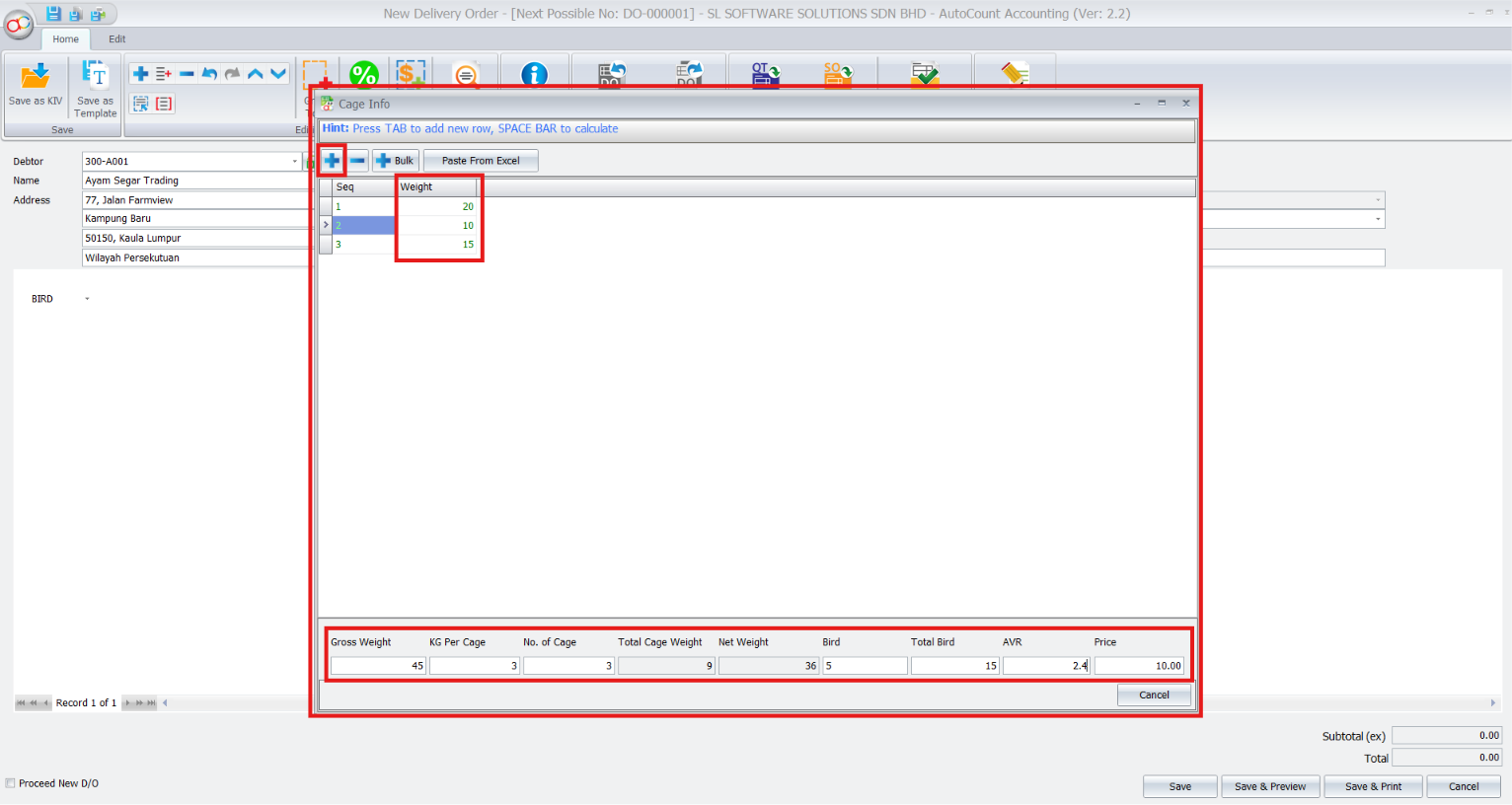
Add weight rows manually, in bulk or by pasting prepared values from Excel, then enter cage, bird and pricing details.
Return to the Delivery Order grid, confirm the calculated details and save the completed transaction.
Arrange a demonstration with SL Software and discuss your AutoCount version, responsibilities and reporting needs.
The exact responsibilities may vary by company, but the documented process follows these practical stages.
Enable IsCage for the applicable stock item.
Select the debtor and add the cage-enabled item.
Enter weights, quantities, birds and pricing information.
Confirm calculations, save and preview the Delivery Order.
Record cage and bird details alongside delivery weights.
Separate product weight from reusable cages or containers.
Maintain traceable gross and net values in Delivery Orders.
The documented workflow uses the recorded gross weight and cage or container weight to determine the net product weight.
Yes. Cage Info includes a Paste From Excel workflow for prepared weight values.
The reviewed cage calculations are saved together with the AutoCount Delivery Order.
Select the saved Delivery Order and use Preview or Print to generate its report.
Confirm that IsCage is enabled for the selected stock item.
Need operating instructions? Read the plugin user guide.
Record cage weights, cage quantities, bird quantities and pricing details in AutoCount Delivery Orders, then review calculated gross and net weight before reporting.