Changing Many Master Codes Individually
When a business introduces new item-code or classification structures, updating each supported record separately can create repetitive work and make progress difficult to coordinate.

The AutoCount Migrator Plugin helps Malaysian businesses manage supported master records through batch code changes, spreadsheet clipboard imports and Bill of Materials (BOM) preparation. Make large data-maintenance projects easier to organise while reviewing records before changes are applied.
Discuss plugin suitability, licensing and AutoCount version compatibility with our team.
As businesses grow, reorganising item codes, maintaining master records and preparing new account books can involve substantial manual work.
The AutoCount Migrator Plugin supports selected batch code changes and spreadsheet-based clipboard imports within AutoCount Accounting. Administrators can prepare reviewed mappings, maintain supported general and stock records, and import relevant BOM information. Available update options and row statuses support checking the results before proceeding with broader maintenance work.
Preparing a new AutoCount account book or reorganising existing records requires more than entering information. Businesses need to manage code mappings, avoid unintended changes and review the results of bulk operations.
When a business introduces new item-code or classification structures, updating each supported record separately can create repetitive work and make progress difficult to coordinate.
New account-book setups may involve many maintenance records. Re-entering supported information individually can increase administrative effort.
Assembly and manufacturing businesses must maintain correct parent items, components, units and quantities when preparing product structures.
Explore the capabilities that help your team organise everyday work.
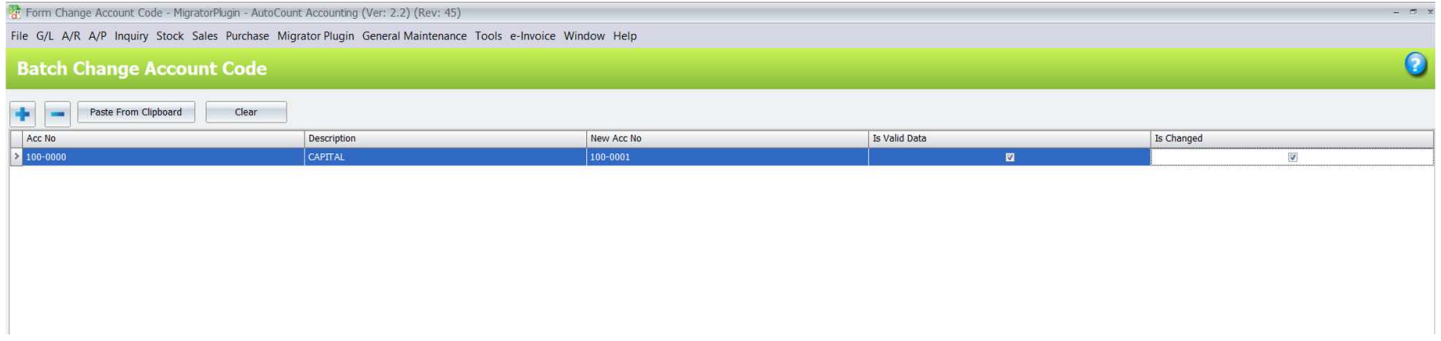
Batch-change supported Account Number, Area Code, Branch Code, Currency Code, Item Code, Member Code, Payment Method, Purchase Agent, Sales Agent and User ID values. Review selected records and replacement values before applying a change.
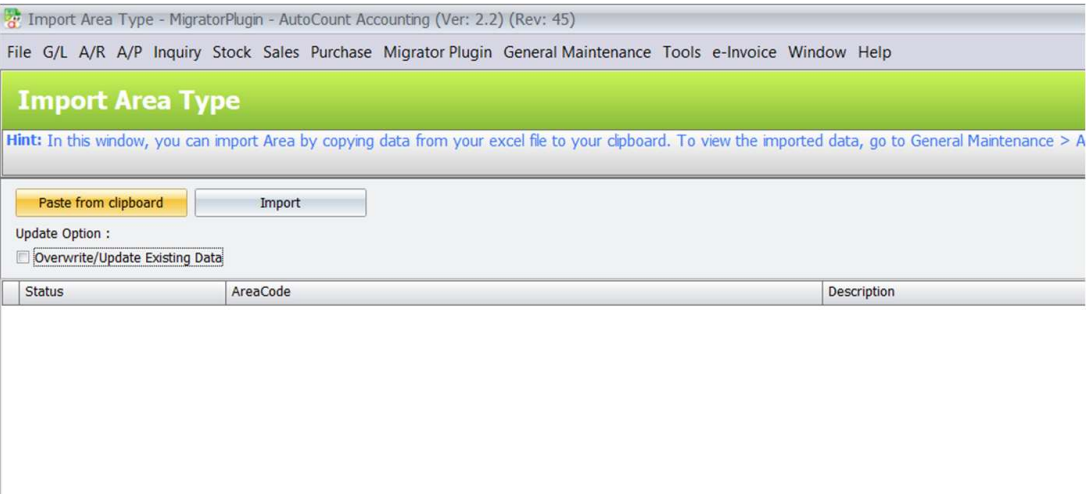
Selected general-maintenance and stock-maintenance information can be prepared in spreadsheets and copied into the relevant import screen. The data must match the supported structure of the selected function.
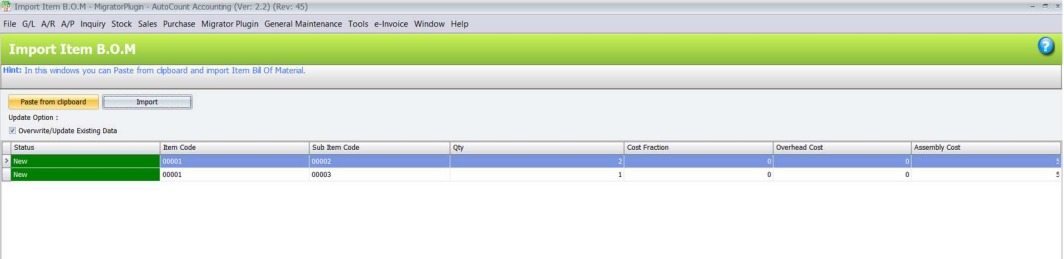
Supported BOM imports help businesses prepare relevant product structures for assembly and manufacturing. Accurate parent items, components, units and quantities remain essential to successful preparation.
Supported import functions provide overwrite or update choices to distinguish how matching records should be treated. Administrators should confirm the intended treatment before applying changes.
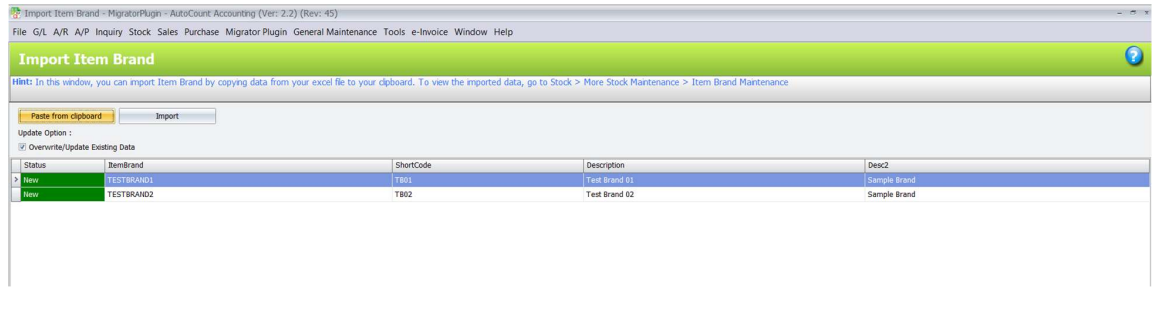
Row-level status information helps operators review import results and identify records that require attention. This supports checking data before considering the maintenance task complete.
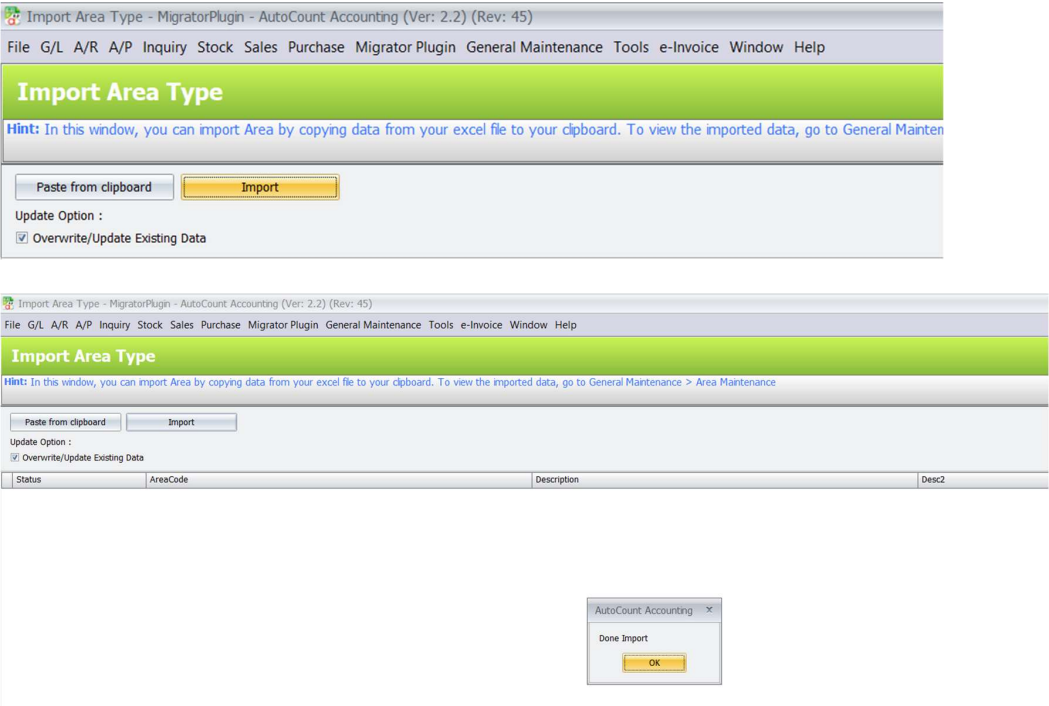
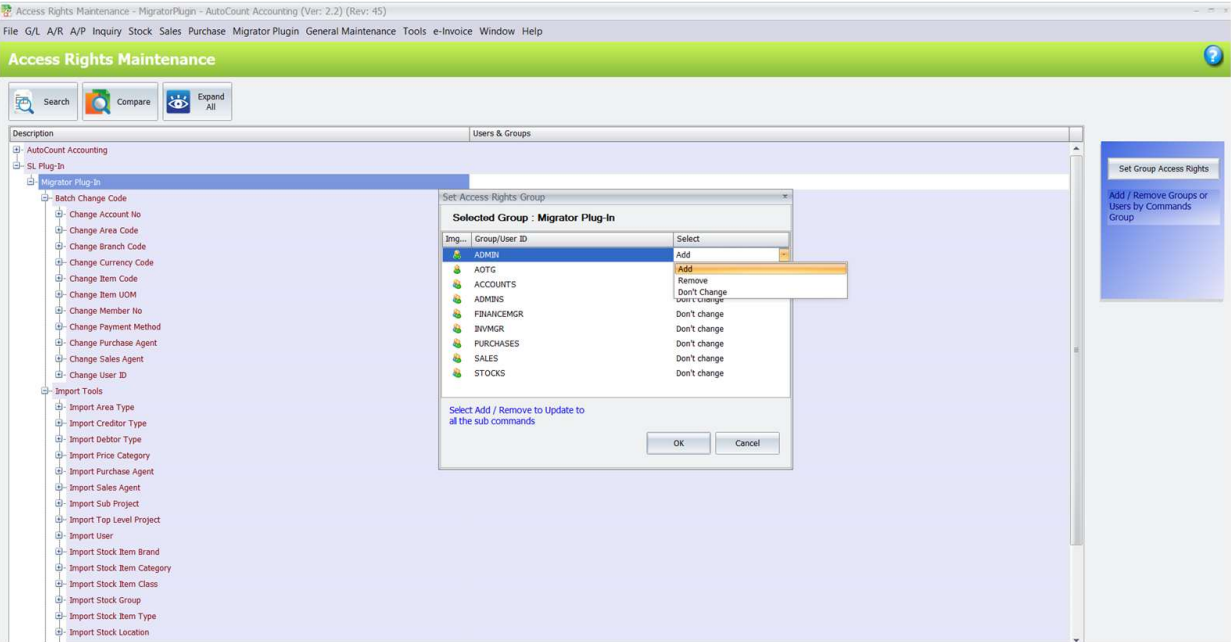
Access rights distinguish permission to open supported functions from permission to apply code changes or imports. Administrators can assign relevant permissions according to staff responsibilities.
Share a sample code mapping, spreadsheet or BOM structure with SL Software Solutions. We can review the supported functions and discuss a representative data-maintenance demonstration.
A distributor is introducing a new item-code format and preparing classification records for an AutoCount rollout. The team needs to coordinate the changes while protecting existing data accuracy.
The administrator prepares the intended old-to-new item-code mapping and identifies the supported records requiring maintenance.
The team prepares the relevant maintenance records in a spreadsheet, checking the required structure and identifying records that may already exist.
The administrator tests representative records in a separate account book and reviews the results before considering a broader operation.
The team examines import statuses, changed codes and relevant linked records to identify exceptions or information requiring correction.
Prepare supported master records when setting up new AutoCount account books or coordinating implementation projects.
Manage supported code changes and maintenance-record updates during system reorganisations.
Organise item catalogue changes, supported classifications and stock-maintenance records as the business expands.
The AutoCount Migrator Plugin supports selected master-data maintenance tasks, including batch code changes, spreadsheet clipboard imports and relevant BOM imports within AutoCount Accounting.
Yes. Batch-change functions cover supported item codes and other master-code types. The exact function and affected records should be confirmed before applying changes.
Supported import functions use data copied from spreadsheets and pasted into the relevant import screen. This is not a universal Excel-file upload facility.
Supported import functions provide overwrite or update choices. The available options and their effects depend on the selected import function.
Yes. Relevant BOM import functions support preparing product structures for assembly or manufacturing. Correct item relationships, units and quantities are still required.
A complete historical-transaction migration is not established by the documented plugin scope. Requirements involving transactions, attachments or complete database migration should be assessed separately.
Provide SL Software Solutions with a sample code mapping, spreadsheet or BOM structure and explain the records you need to maintain. The team can review the supported scope and discuss a representative demonstration.
Already using this plugin? Read the AutoCount Migrator Plugin User Guide for setup and operating instructions.
Find setup instructions or discuss your requirements with our team.
Tell SL Software Solutions about your current workflow. Our team can discuss plugin features, setup requirements and a suitable quotation.