Customer Details Are Scattered
Handwritten prescriptions and separate customer files make it harder to retrieve previous examination details when a customer returns.

The AutoCount Optical Plugin helps Malaysian optical shops organise customer profiles, glasses and contact lens prescriptions, Sales Orders, deposits and final sales documents inside AutoCount Accounting.
Discuss plugin suitability, licensing and AutoCount version compatibility with our team.
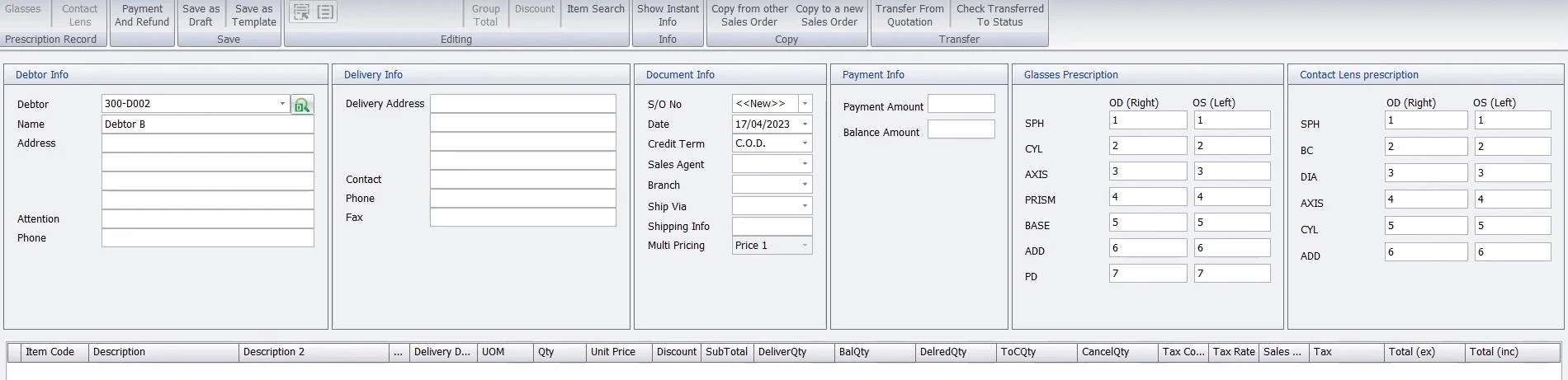
Optical orders bring together customer details, prescription records, eyewear items and payments. The AutoCount Optical Plugin connects those records with your AutoCount sales workflow.
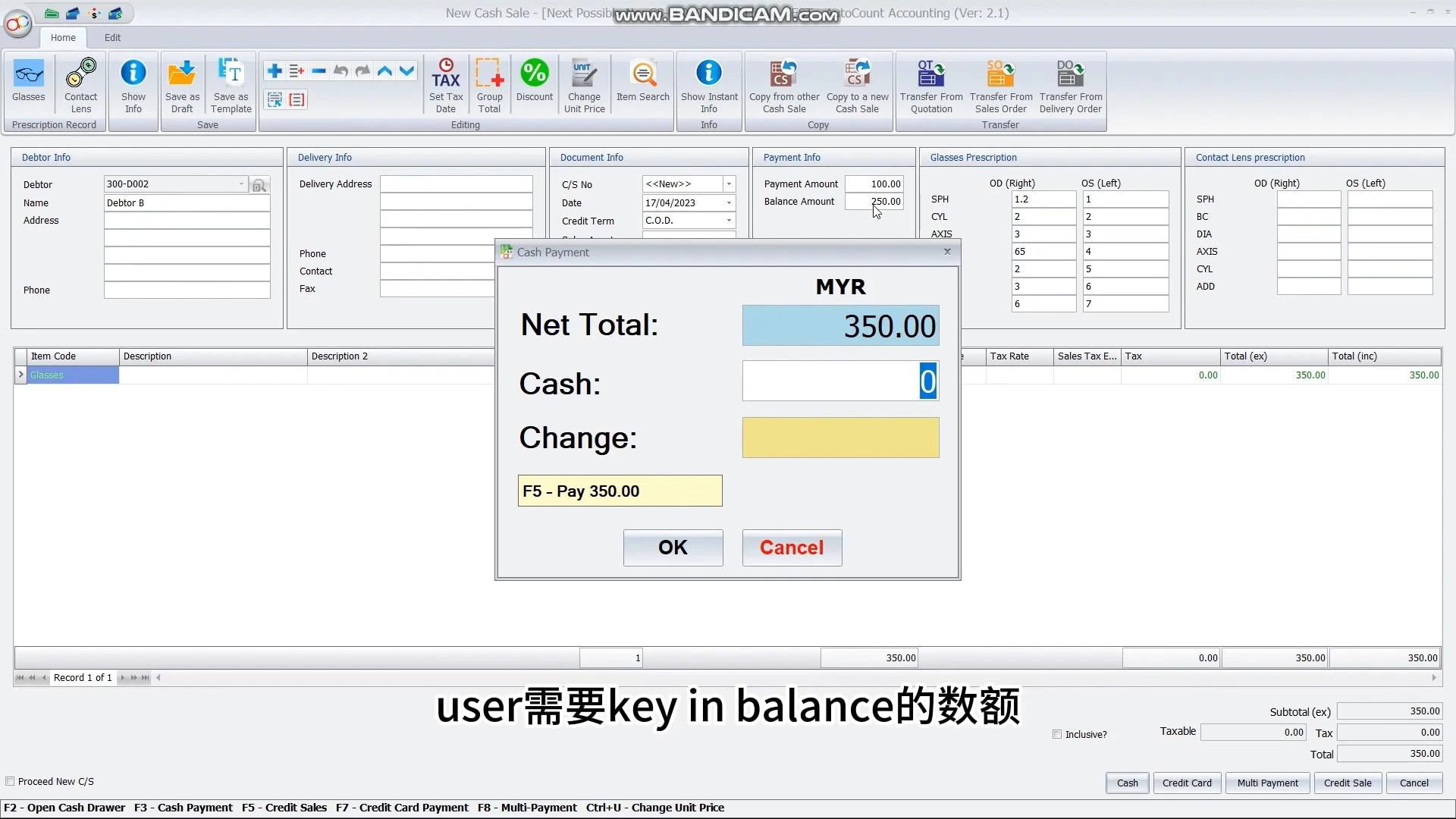
Staff can record glasses and contact lens prescriptions on a Sales Order, collect a deposit, and transfer the order into an Invoice or Cash Sales. Existing prescription records remain available through the customer profile for later reference.
Each prescription sale connects customer details, eyewear selection, order documents and payment history. Gaps between these records create extra checking work.
Handwritten prescriptions and separate customer files make it harder to retrieve previous examination details when a customer returns.
A growing selection of frame models and lenses makes spreadsheet-based stock checking time-consuming.
A quotation may become a confirmed order, followed by a later invoice. Separate documents can lead to repeated entry and checking.
Explore the capabilities that help your team organise everyday work.
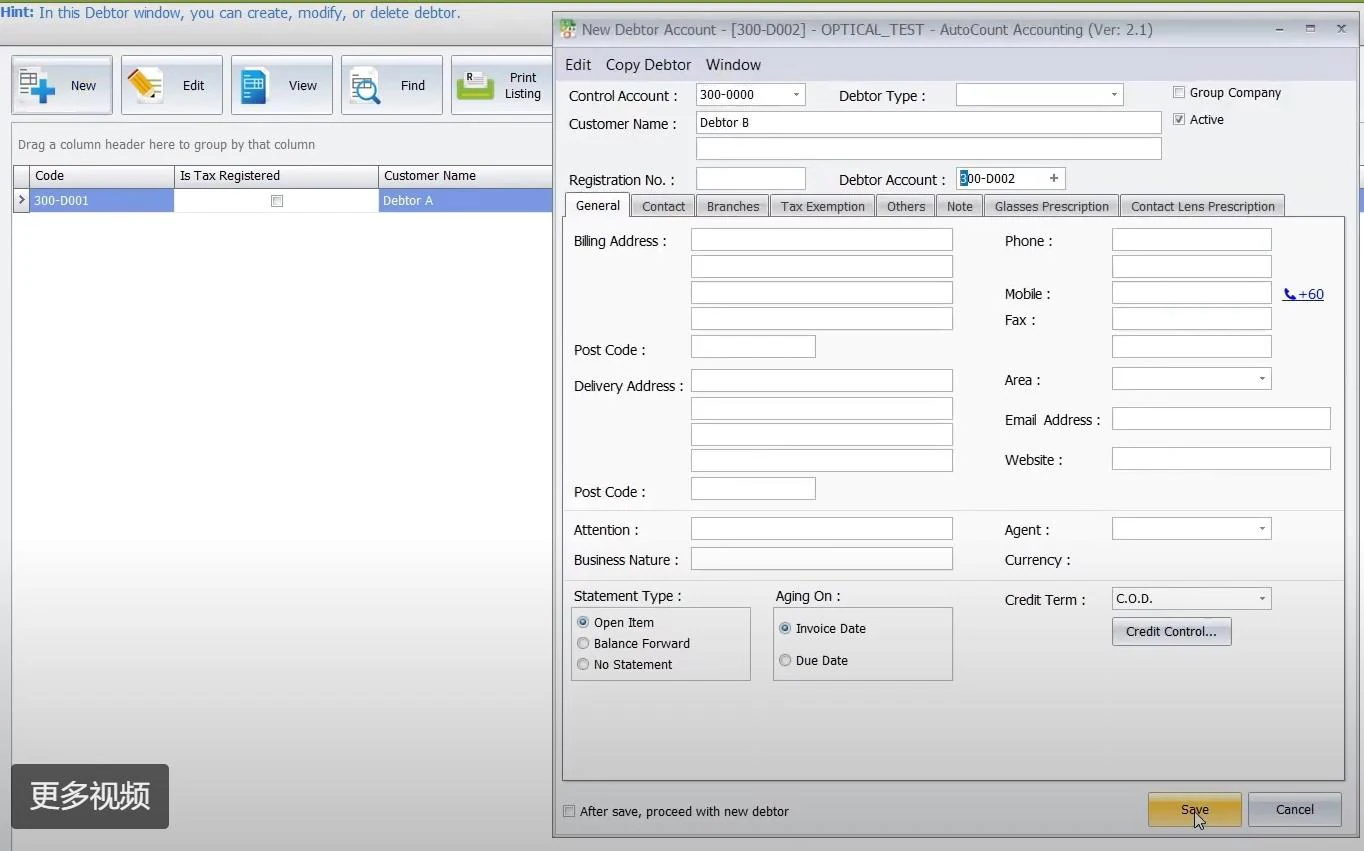
Create customer records in AutoCount Debtor Maintenance so orders and prescription history have a consistent customer reference.
Capture glasses and contact lens details in separate Sales Order prescription panels alongside selected eyewear items.
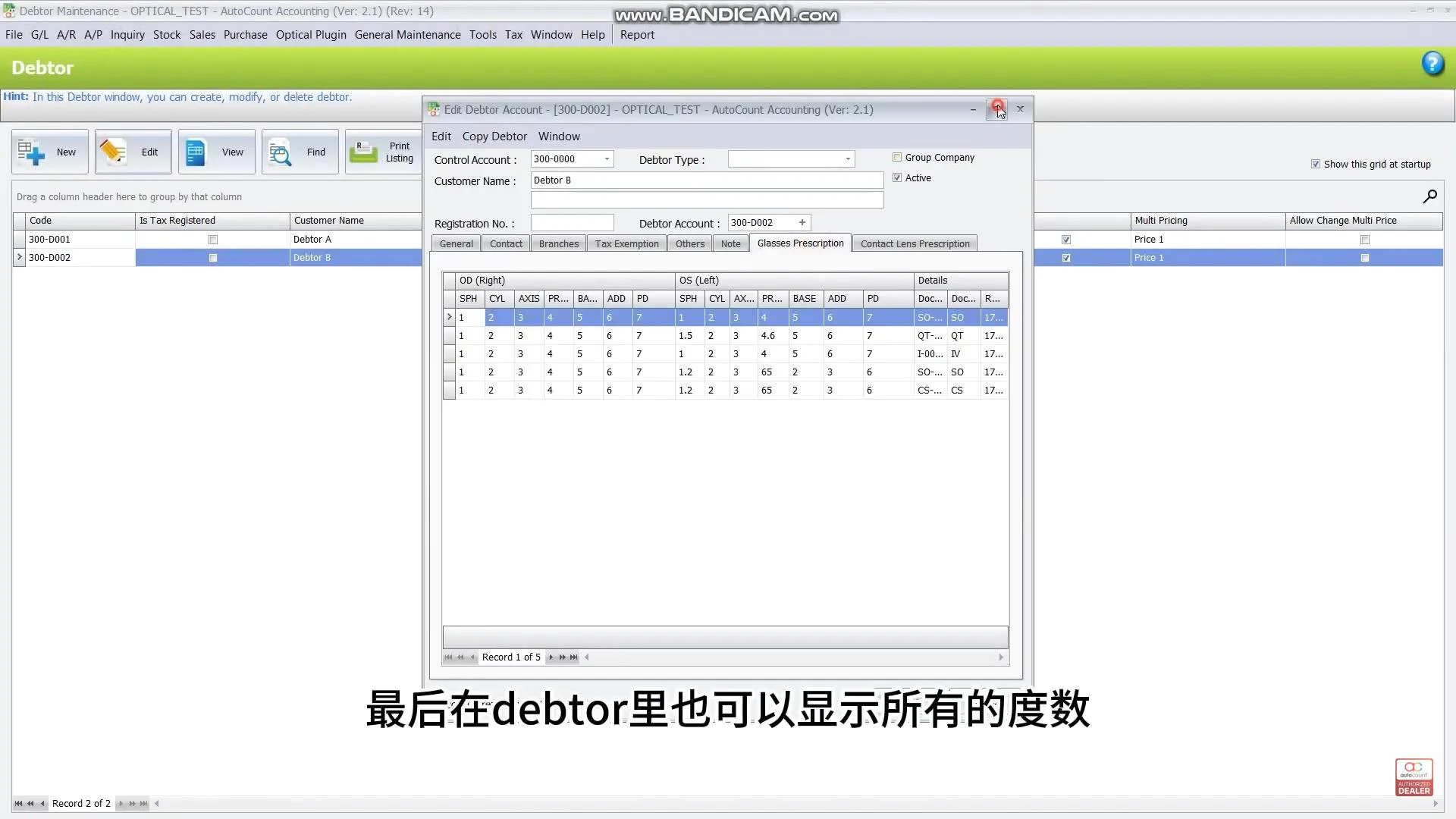
Review glasses and contact lens prescription history from customer records and supported sales screens.
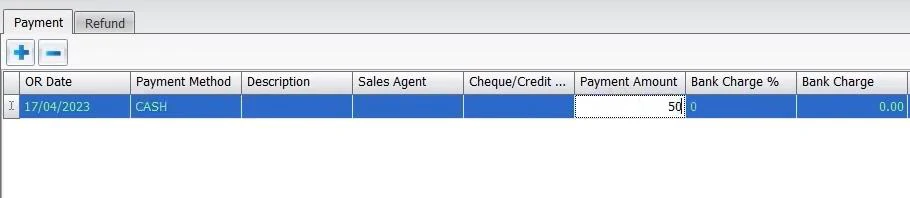
Create an Official Receipt through the Sales Order payment workflow. The deposit is recorded in A/R Payment for later allocation.
Use partial or full Sales Order transfer to create an Invoice, review prescription information and apply the available deposit through Unapplied Payment.
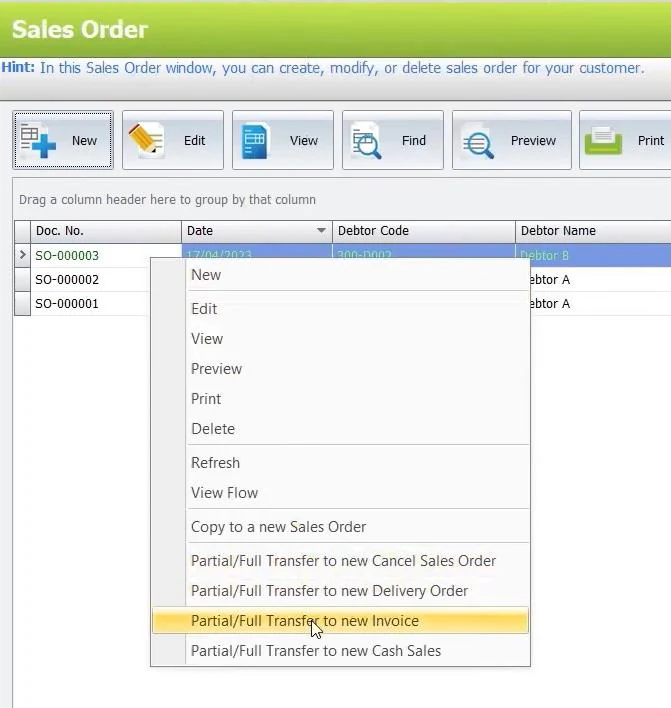
Transfer a Sales Order to Cash Sales and review the available payment choices, including Cash, Credit Card and Multi Payment.
Show us how your shop records prescriptions, selects stock, collects deposits and issues invoices. SL Software Solutions can discuss how AutoCount Optical Plugin fits your workflow.
An illustrative journey for a customer who pays a deposit and returns to collect their eyewear.
Select the customer, enter prescriptions and add eyewear items to the Sales Order.
Create the Official Receipt using the order payment workflow.
Transfer the order to an Invoice or Cash Sales and review prescription records.
Review the available deposit in Unapplied Payment and confirm the appropriate allocation.
Bring customer prescriptions, eyewear orders, deposits and billing records into a more organised sales process.
Maintain frame and related optical item information alongside sales and stock records.
Connect supported examination information with the associated eyewear sales process; specialist clinical requirements should be assessed separately.
It is an optical retail solution used with AutoCount Accounting to support customer prescription-related records, optical inventory, sales documents, deposits, invoices and daily collection reporting.
Yes. The documented workflow includes customer eye examination and prescription-related information such as refractive power, pupil distance and lens specifications.
Supported AutoCount inventory functions can be used to maintain optical items such as frames, lenses and related products. Review the required inventory setup and modules for your business.
Yes. The documented optical workflow includes quotations, Sales Orders and transfer to invoices where applicable.
Yes. The supported sales order deposit process allows the relevant recorded deposit to be applied during final invoicing.
The documented Daily Collection Report includes branch-based reporting. Confirm required modules, stock location setup and any further multi-branch needs with SL Software Solutions.
The verified scope concerns optical customer records and related inventory, sales and collections. Specialist clinical functions or a separate standalone POS should not be assumed without confirmation.
Already using this plugin? Read the AutoCount Optical Plugin User Guide for setup and operating instructions.
Find setup instructions or discuss your requirements with our team.
Tell SL Software Solutions about your current workflow. Our team can discuss plugin features, setup requirements and a suitable quotation.