Cloud Accounting Software Malaysia: What to Look For Before You Subscribe
Introduction

Today, the shift from desktop accounting software to cloud accounting is no longer about whether businesses should move, but when and which system they should choose. For Malaysian businesses, especially SMEs in retail, trading, manufacturing, and services, the benefits are clear. As a result, cloud accounting offers real-time access to financial data, automatic backups, easier team collaboration and the flexibility to grow without heavy IT investment.
However, not all cloud accounting systems are the same. With many options in the Malaysian market, choosing the right one can be confusing. For example, some platforms promise extensive capabilities but fall short in essential features. Meanwhile, others may not meet local requirements such as SST, e-Invoicing and statutory reporting.
At AutoCount System, we have supported Malaysian businesses in moving to cloud accounting for over a decade. We understand what truly matters when selecting a system, and this guide is here to help you make a clear and informed decision.
Why Cloud Accounting Software Has Become Essential for Malaysian Businesses
The traditional desktop accounting model, where data is stored on a single office computer, worked when businesses operated from one location with one person handling accounts. For today’s Malaysian SMEs, this approach is no longer practical.
Today, modern businesses need access to accounting information from multiple locations. Accountants may work remotely, sales teams update data on the go, and directors review reports anytime. Cloud accounting makes this possible by storing data securely online and allowing authorised access from any device.
In addition, cloud accounting removes the need for manual backups, software updates and complicated version control. Consequently, data can be backed up automatically, updates can be applied more smoothly and everyone can work with the same up-to-date information, avoiding common issues found in desktop systems.
-
The Bottom Line
Essential Features to Look For in Cloud Accounting Software Malaysia
Malaysia Tax Compliance
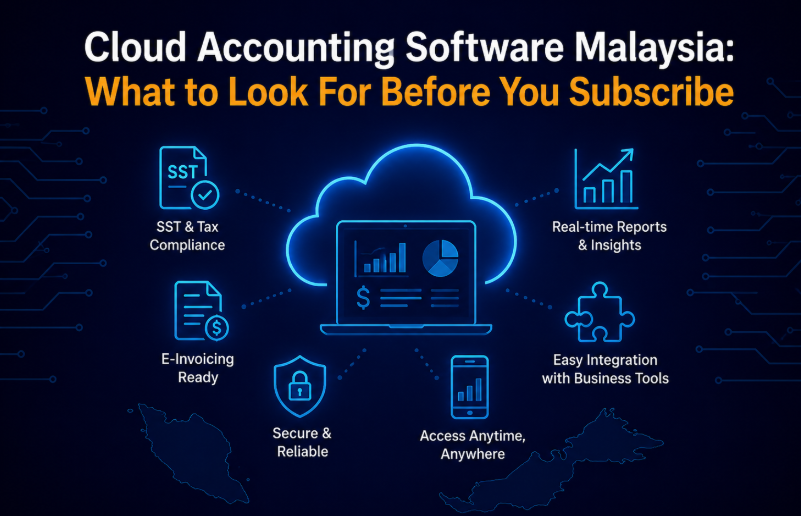
For Malaysian businesses, tax compliance is one of the most important features in cloud accounting software. The system should help you manage SST, tax invoices, e-invoicing, and audit records accurately without relying too much on manual work.
- SST calculation and reporting
- Tax invoice formatting per LHDN standards
- E-invoicing integration for IRBM portal
- Automated tax code assignment
- Audit trail and transaction logging
Real-Time Reporting
Real-time reporting gives business owners, accountants, and managers instant access to updated financial information. This helps you monitor business performance, track cash flow, and make better decisions faster.
- Live profit and loss statements
- Balance sheet and cash flow tracking
- Customisable financial dashboards
- Ageing reports for receivables and payables
- Multi-period comparisons
Multi-Currency Support
If your business deals with overseas customers, suppliers, or online sales, multi-currency support is essential. A good cloud accounting system should help you manage foreign currency transactions clearly and accurately.
- Support for MYR and foreign currencies
- Automatic exchange rate updates
- Foreign exchange gain/loss tracking
- Multi-currency invoicing and receipts
- Currency conversion reports
Integration Capabilities
Cloud accounting software should integrate smoothly with the other systems your business already uses. Strong integration capabilities help reduce manual work, improve accuracy, and streamline your daily business operations.
- E-commerce platform connectivity
- POS system integration
- Banking API for transaction imports
- Payroll system synchronisation
- Third-party app integration via API
Why These Features Matter Before You Subscribe
Security and Data Protection: What You Need to Verify
-
Security Measures to Confirm With the Provider
Data Encryption
Multi-factor authentication (MFA)
Role-based access control
Automated backups and disaster recovery
Compliance certifications
Understanding Cloud Accounting Pricing Models in Malaysia
Typical Cloud Accounting Software Prices in Malaysia
| Package Tier | Typical Price Range | Best For | Main Features |
|---|---|---|---|
| Basic | RM50 – RM100 / month | Micro-businesses, freelancers, and sole proprietors |
|
| Standard | RM150 – RM300 / month | SMEs, retail businesses, and trading companies |
|
| Professional | RM300 – RM500 / month | Growing businesses, manufacturers, and multi-branch companies |
|
| Enterprise | RM500+ / month | Large organisations, franchises, and complex operations |
|
Check the Total Cost Before Subscribing
Compliance with Malaysian Regulations and E-Invoicing Requirements
- Built for Malaysian Compliance
Support, Training, and Implementation: What to Expect
However, even the best cloud accounting software depends on reliable support. When issues arise, you need quick help in a language you understand.
Choose providers that offer local support in Bahasa Malaysia and English, with channels like phone, email, or live chat. Also check their response times and support hours to match your business needs.
In addition, proper training is just as important as technical support. Moving to cloud accounting changes existing workflows. Therefore, proper onboarding and user guidance are essential. AutoCount System provides training, user guides, and dedicated support to ensure a smooth transition.