
Malaysia PCB Calculation: Step-by-Step Payroll Guide
Malaysia PCB calculation made easy: understand how Potongan Cukai Bulanan (PCB) works, what employers need to review and where to obtain the official 2026 calculation rules.
Explore the seven steps
What is PCB and why does it matter?
PCB, also known as Monthly Tax Deduction (MTD), is a system in which employers deduct income tax from applicable employee remuneration and remit it to LHDN. The purpose of Malaysia PCB calculation is to spread income tax payments across the year.
Calculate
Use the approved computerized method or the applicable LHDN electronic schedule.
Record
Keep employee details, remuneration, previous deductions and valid relief information up to date.
Remit
Submit and pay the required monthly deduction by the applicable deadline.
How Malaysia PCB calculation works

These steps explain the Malaysia PCB calculation information flow. They are not a substitute for LHDN’s computerized formula or the official calculation system.
Review total remuneration
Identify normal salary, taxable allowances and applicable additional remuneration such as bonuses. The original guide starts by estimating annual income.
Check employee EPF amounts
Use applicable employee contributions and current permitted tax deduction treatment, not a blanket deduction assumption for every employee.
Review eligible deductions and reliefs
Check the employee’s status and relevant relief claims, including documented claims through TP1 where applicable.
Determine chargeable-income inputs
Review income, deductions and any previous-employer data where relevant. LHDN’s computerized method uses current-year accumulated figures.
Apply the current tax calculation
Use the official 2026 computerized PCB specification or LHDN’s supported electronic method, rather than a simplified annual-tax division.
Account for rebates and zakat
Apply the current eligible rebate and zakat treatment under the official rules, supported by the employee’s information.
Review monthly PCB and remit
Verify the current month result, payroll records and deduction data before making the required LHDN submission and payment.
What payroll teams should verify each month
Additional remuneration: Bonuses, commissions and other additional payments may affect that month’s PCB differently from normal remuneration.
Relief claims: TP1 and previous-employer information through TP3 should be reviewed where relevant.
Contribution figures: Confirm eligible EPF and other permitted deductions according to current LHDN specifications.
Current rules: Use the correct tax year rather than copying last year’s relief limits or formulas.
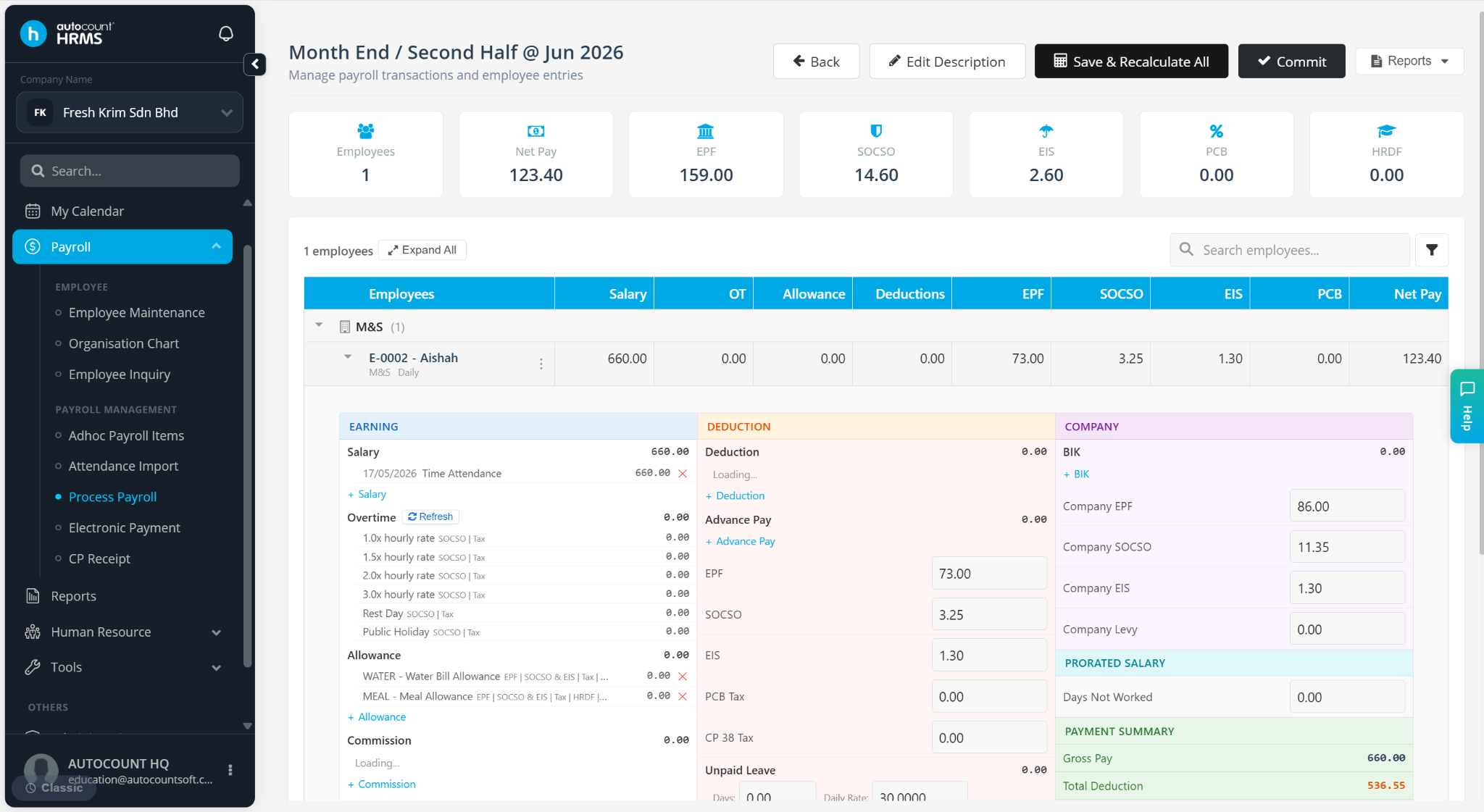
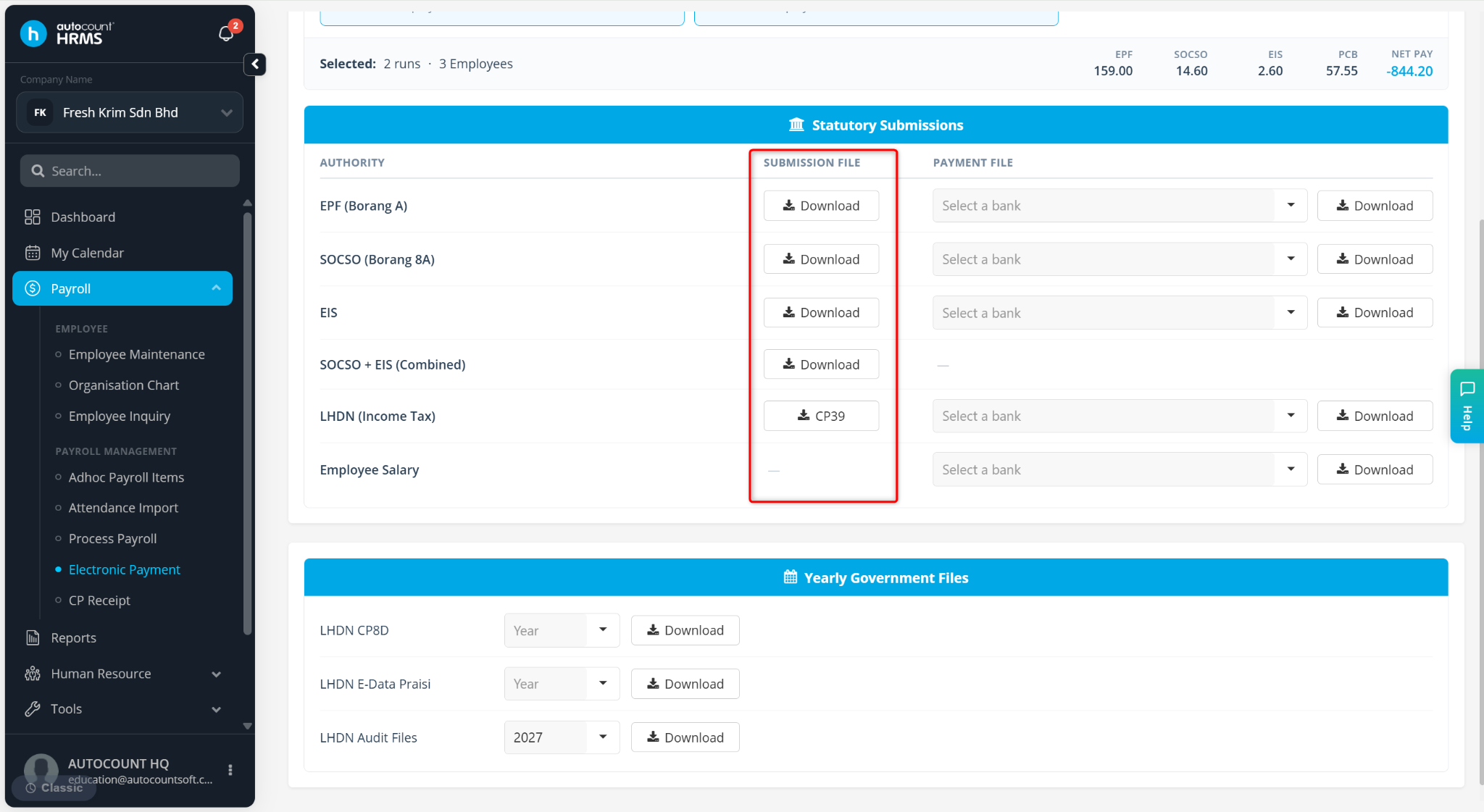
Review salary calculations and statutory files
AutoCount Payroll provides payroll-review and reporting workflows. Confirm the installed edition, employee settings and statutory calculation version before using the output for submission.
Which documents and portals should employers check?
PCB calculation rules
Review LHDN’s published 2026 computerized calculation specification and testing materials.
Employee information
Use the current employee deduction and previous-employment forms where relevant.
Submission and payment
Check the available e-PCB, e-Data PCB or e-CP39 submission and payment channels.
Malaysia PCB calculation FAQs
Can I calculate PCB by dividing estimated annual tax by 12?
That is not a reliable Malaysia PCB calculation method or a substitute for LHDN’s official computerized monthly calculation. Current and accumulated remuneration, deductions and additional pay can affect each month.
When must an employer remit PCB to LHDN?
LHDN states that employers must remit monthly PCB on or before the 15th day of the following month, subject to current official requirements.
What happens when an employee receives a bonus?
Bonus and other additional remuneration need the appropriate treatment under LHDN’s PCB calculation method. Recheck the monthly deduction rather than applying an unchanged recurring amount.
Can AutoCount prepare statutory reports?
The documented AutoCount payroll screens include payroll review and statutory file preparation. Employers should still review calculations, verify output and complete the applicable submission/payment workflow.
Explore AutoCount Cloud Payroll
Review AutoCount Cloud Payroll features or the Malaysia government payroll reports guide for the wider payroll workflow.
Explore Cloud PayrollGet the calculation right
Keep employee data current, review the correct tax year’s calculation method and reconcile each month’s payroll before submission.
LHDN resources for Malaysia PCB calculation
2026 MTD calculation specifications, TP1 and TP3 · LHDN employer responsibilities · PCB payment and submission methods
Reviewed November 2026. For actual PCB amounts, follow the official computerized calculation rules and verified employee information.