
AutoCount Cloud Payroll Features for Malaysian Businesses
Explore AutoCount Cloud Payroll features for payroll processing, payslips, statutory settings and HR workflows—plus optional leave, claims and attendance modules for growing teams.

AutoCount Cloud Payroll Features: From Records to Reviewed Payroll
When HR records, changes and approvals sit in separate spreadsheets, payroll becomes harder to verify. AutoCount Cloud Payroll features provide a more structured process while keeping employee information and review steps accessible to authorised staff.
Organise
Maintain employee, salary and relevant statutory details.
Review
Check payroll results before committing and releasing outputs.
Extend
Add leave, claims or attendance workflows only when your plan and operations require them.
6 Core AutoCount Cloud Payroll Features
Explore genuine AutoCount screenshots in compact preview cards. Each image opens at its original size. Functions vary by plan, permissions and version.
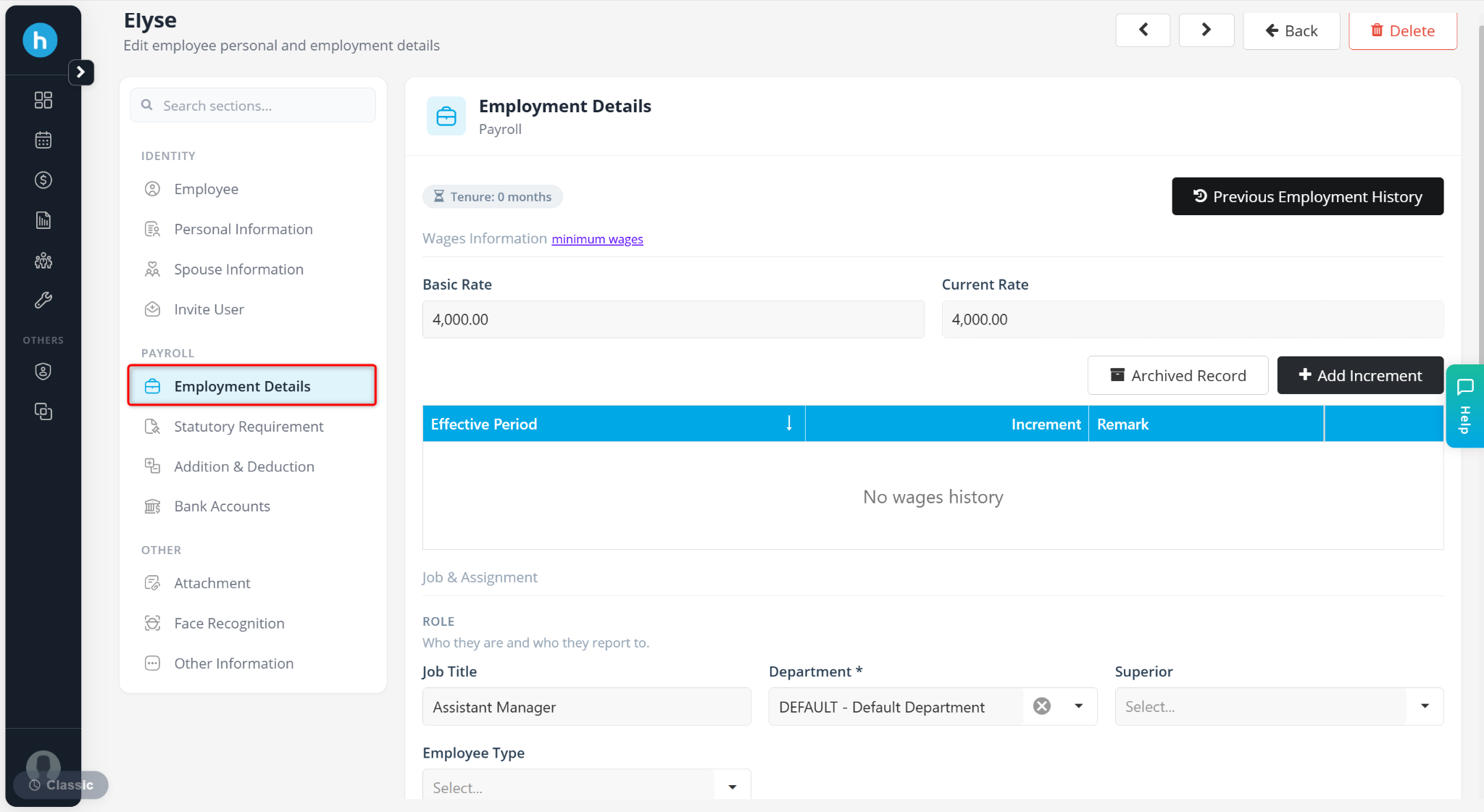
Employee records & salary setup
Keep employment and salary information organised before each payroll run.
 View original AutoCount screenshot
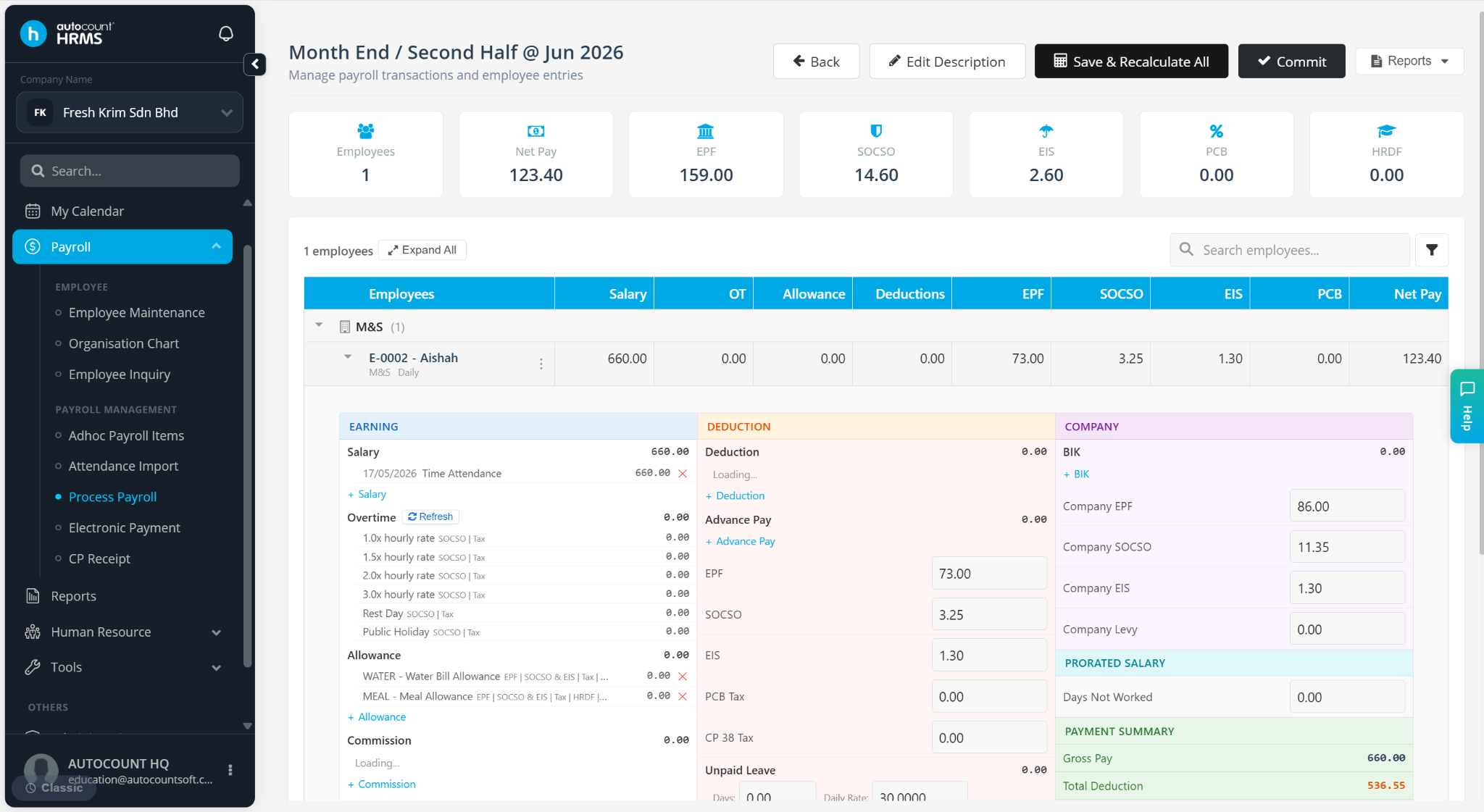
Payroll calculation & review
Check allowances, deductions, statutory amounts and period inputs before committing payroll.
 View original AutoCount screenshot
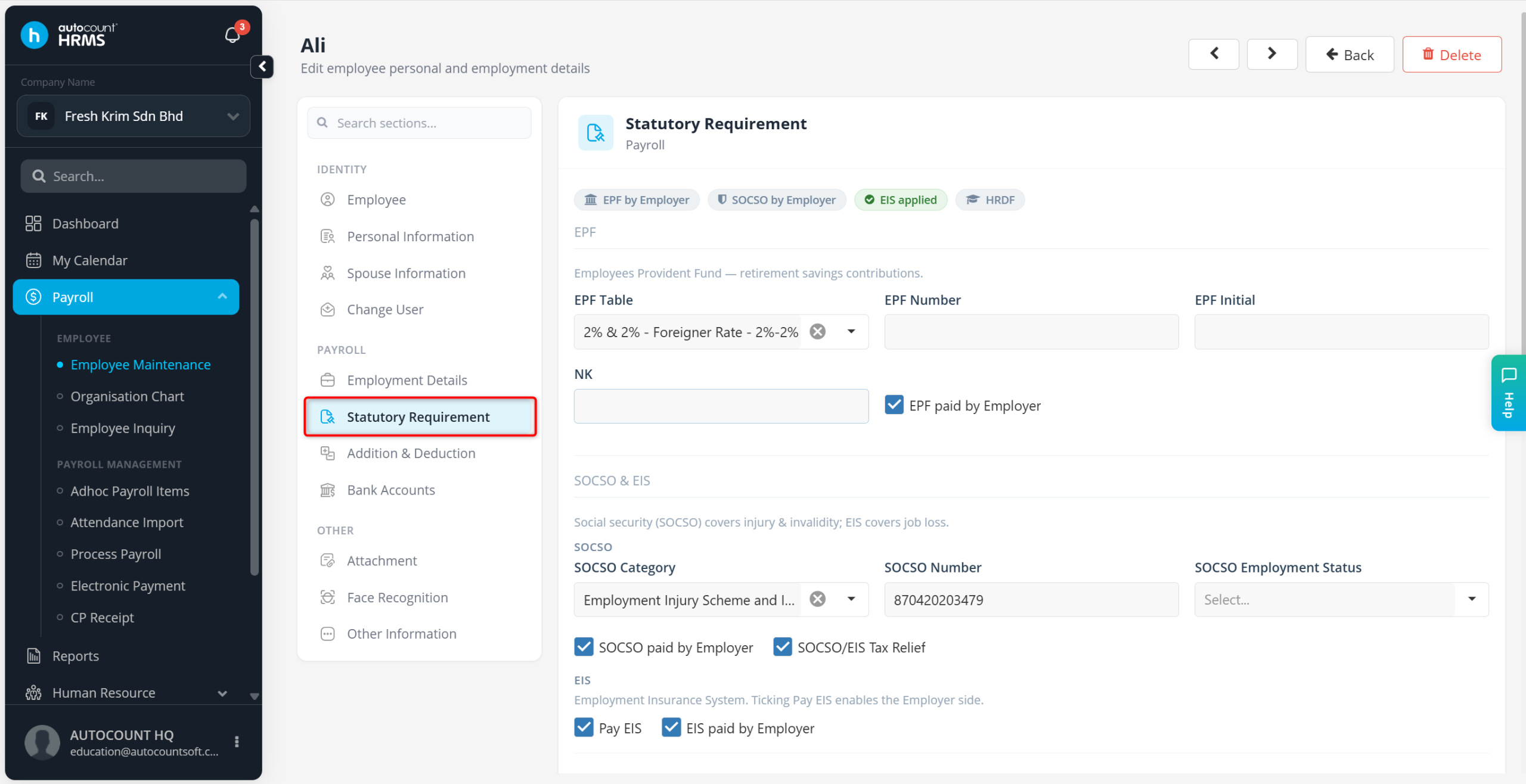
Employee statutory settings
Review the relevant contribution and tax setup for individual employees; rates in screenshots are examples.
 View original AutoCount screenshot
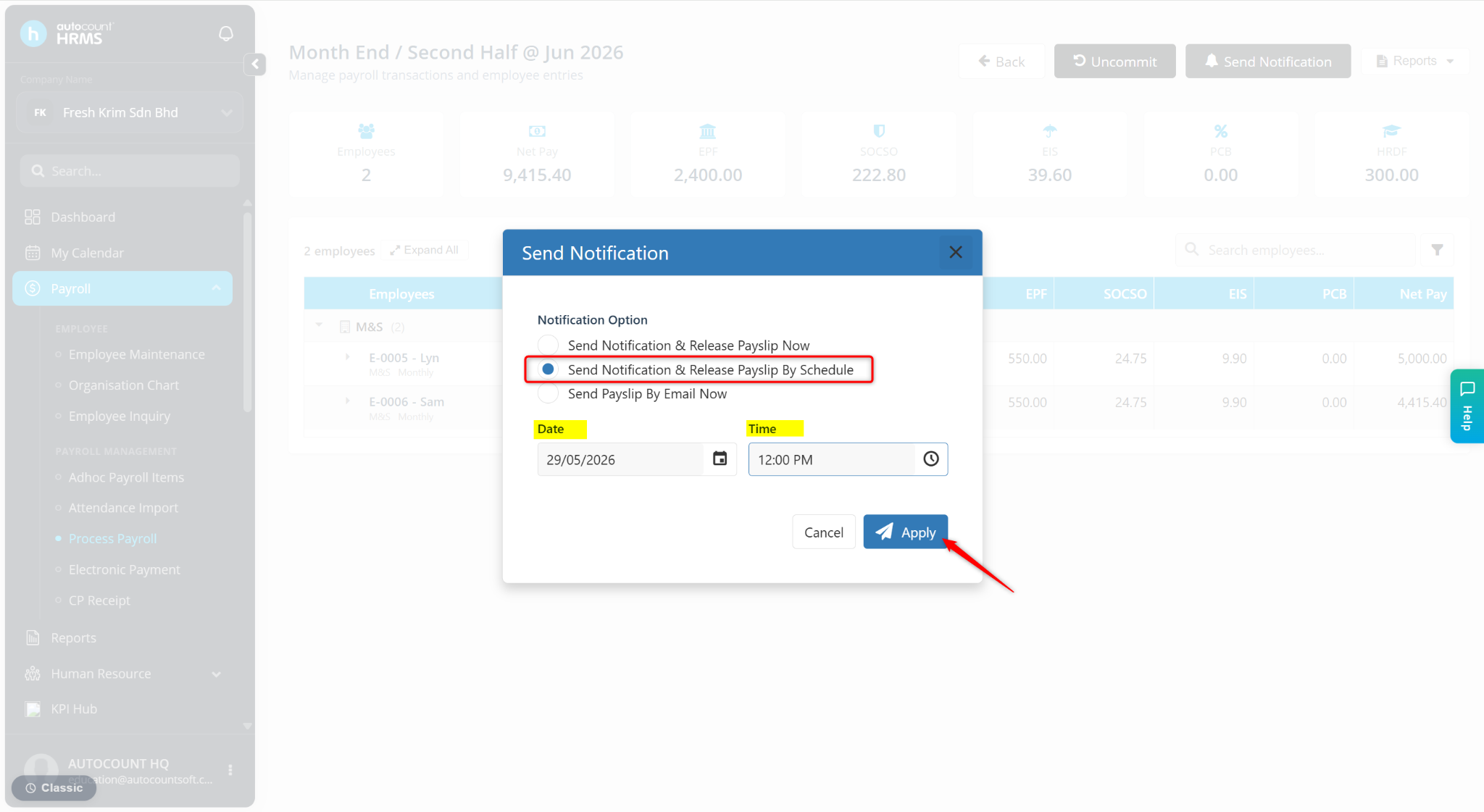
Payslips & employee access
Schedule payslip availability and confirm employee self-service access and subscription requirements.
 View original AutoCount screenshot
Leave applications
Track employee leave requests, balances and approvals when the eLeave module is enabled.
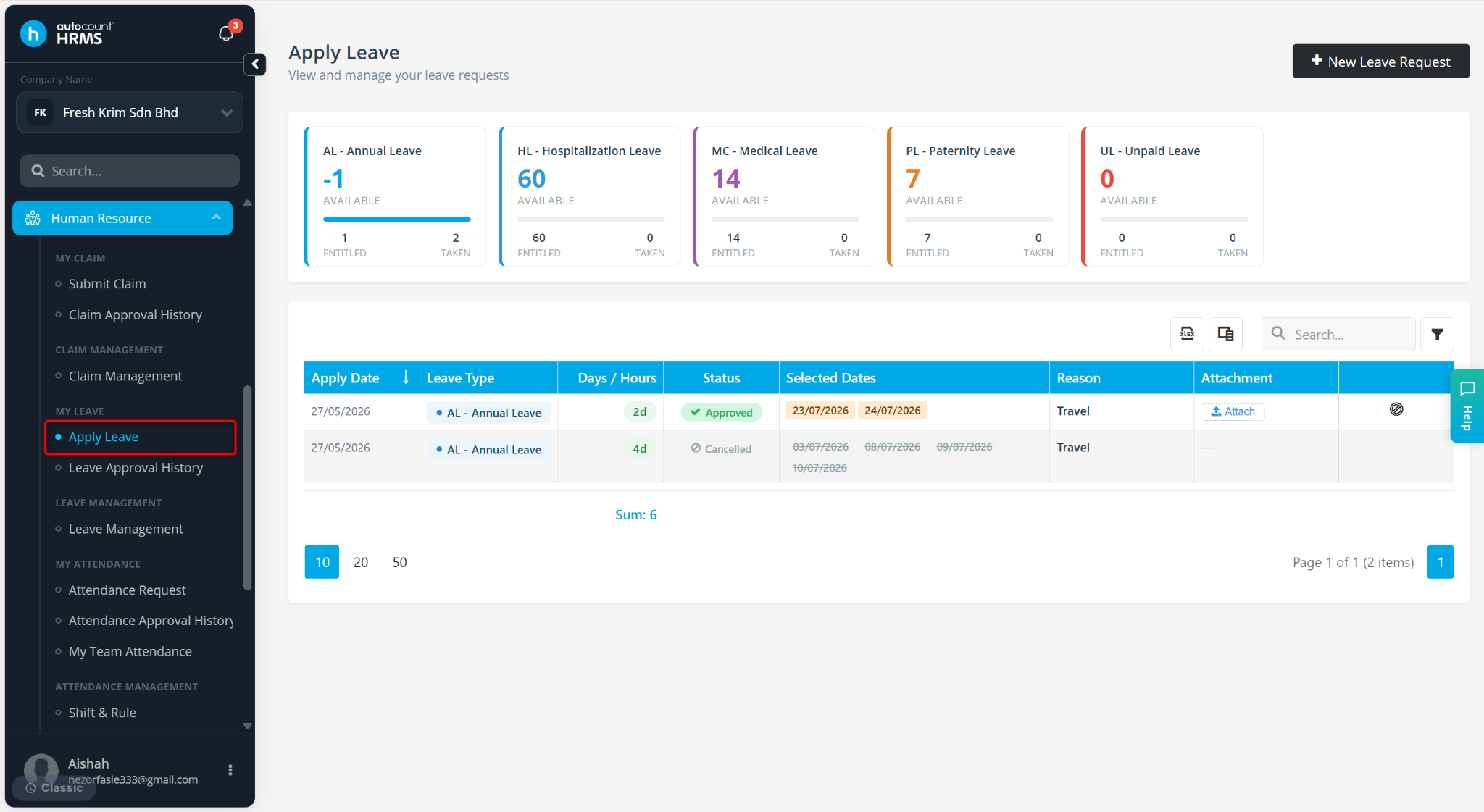 View original AutoCount screenshot
Expense claims
Collect expense details, receipts and approval requests under configured claim rules.
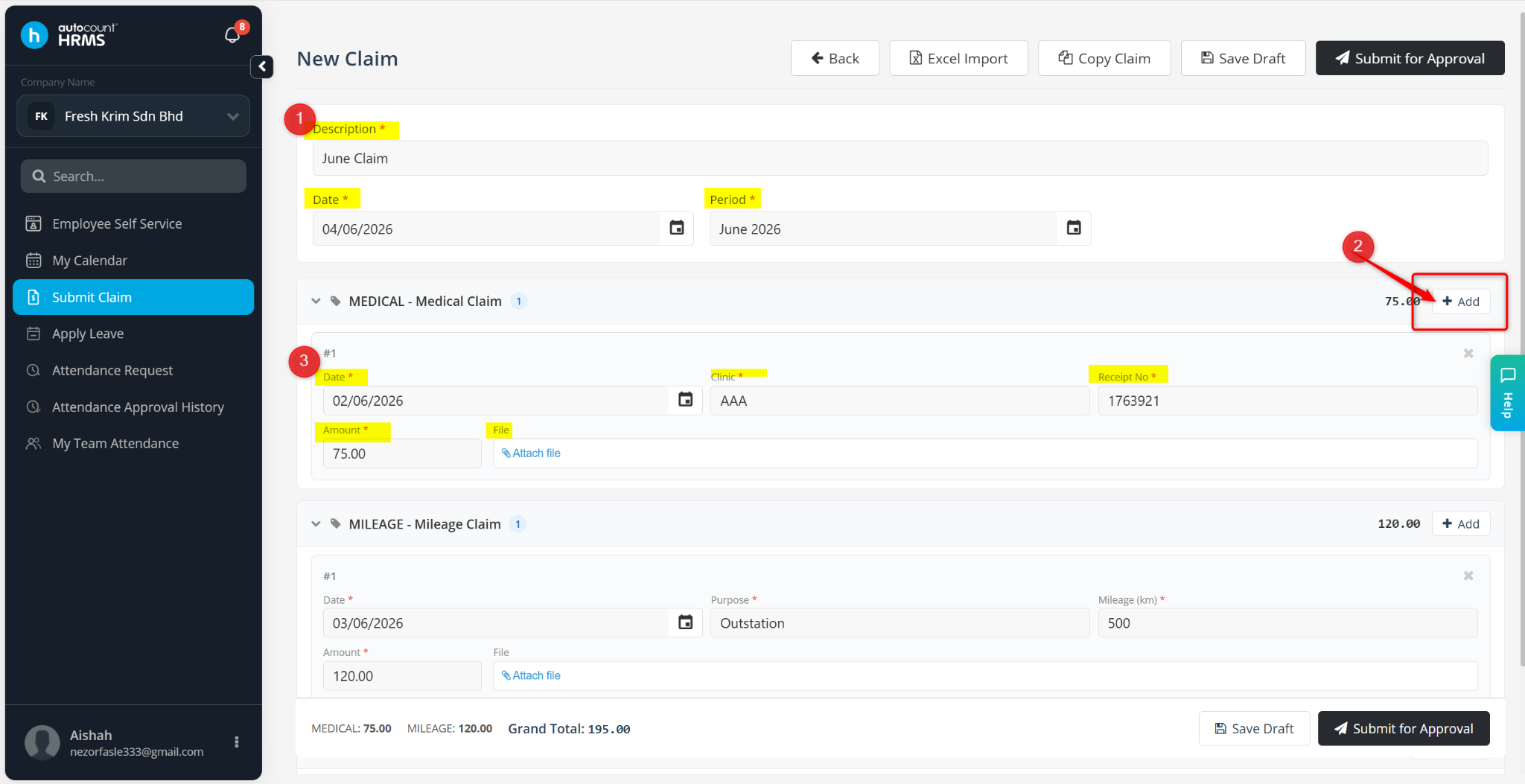 View original AutoCount screenshot

Link approved HR activity to your payroll process
Where optional HR modules are enabled, leave requests, expense claims and attendance rules can be managed through defined submission and approval processes.
Review policies, subscription entitlements and the actual company workflow before enabling additional features.
Attendance, statutory reports and access controls
Use these AutoCount Cloud Payroll features to prepare reporting outputs, define staff access and investigate recorded changes.
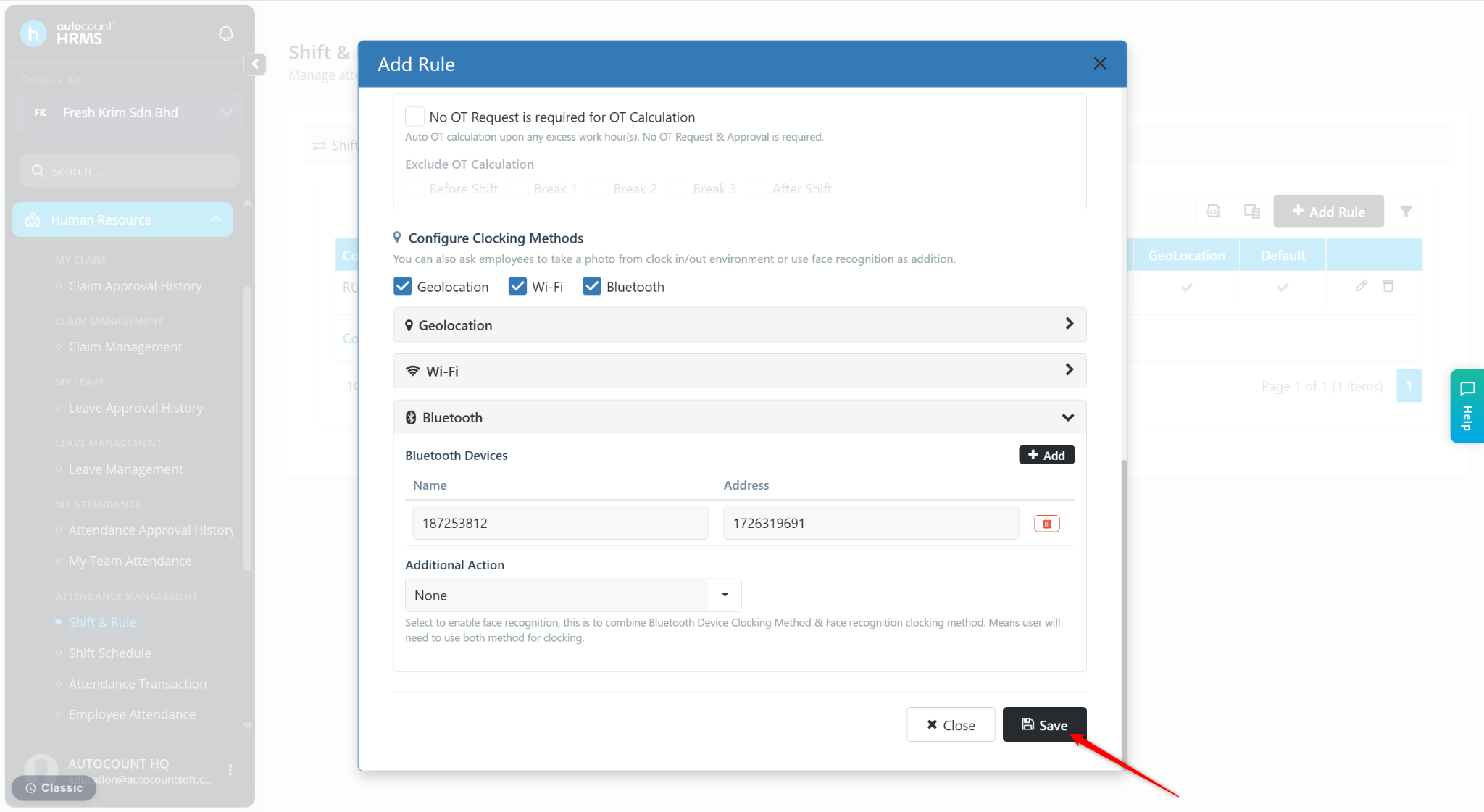
Shift & attendance rules
Configure normal or overnight shifts and applicable clocking rules for the enabled attendance setup.
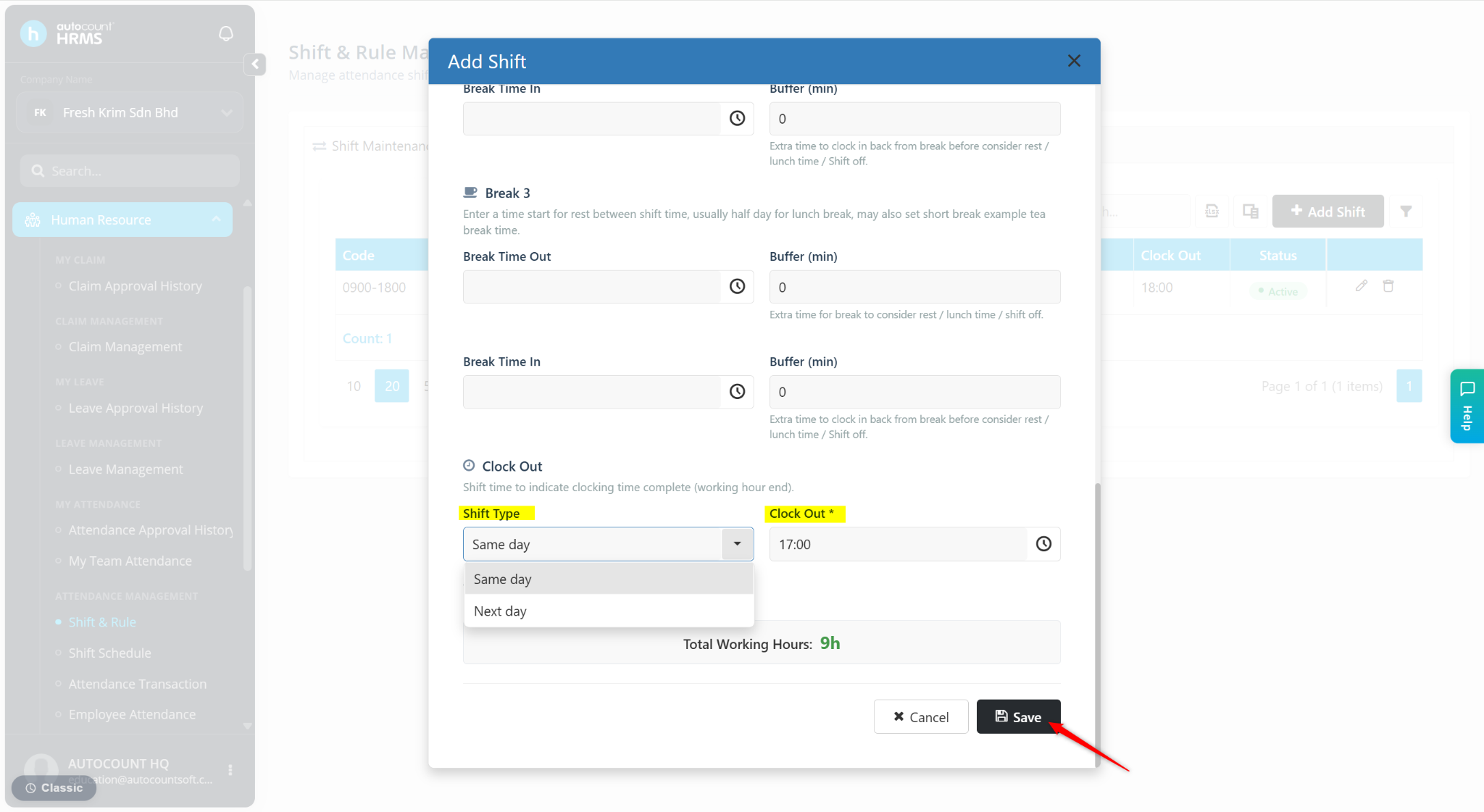 View original AutoCount screenshot
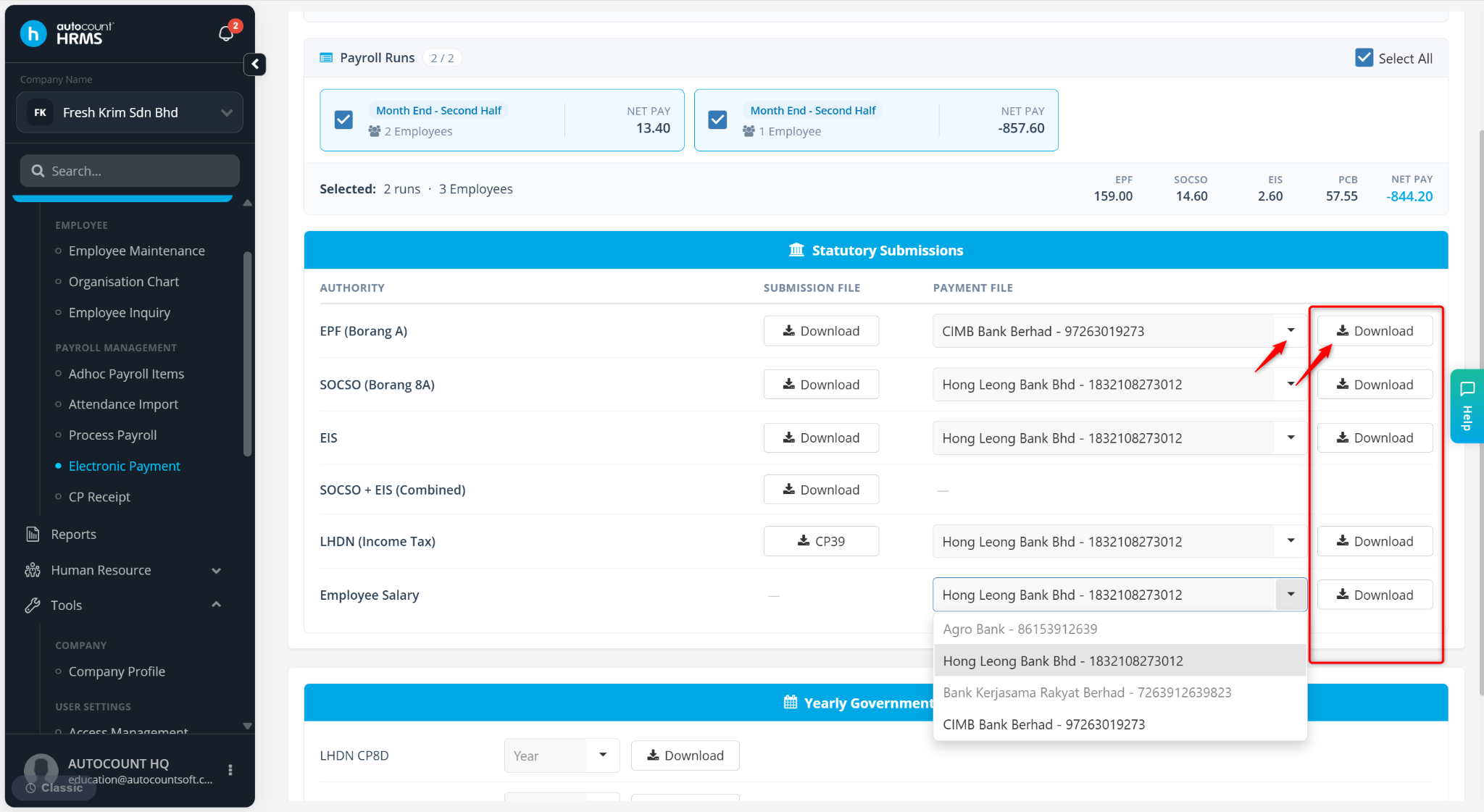
Payroll & government reports
Prepare payroll and statutory reports, then review and submit downloaded files to the correct portal.
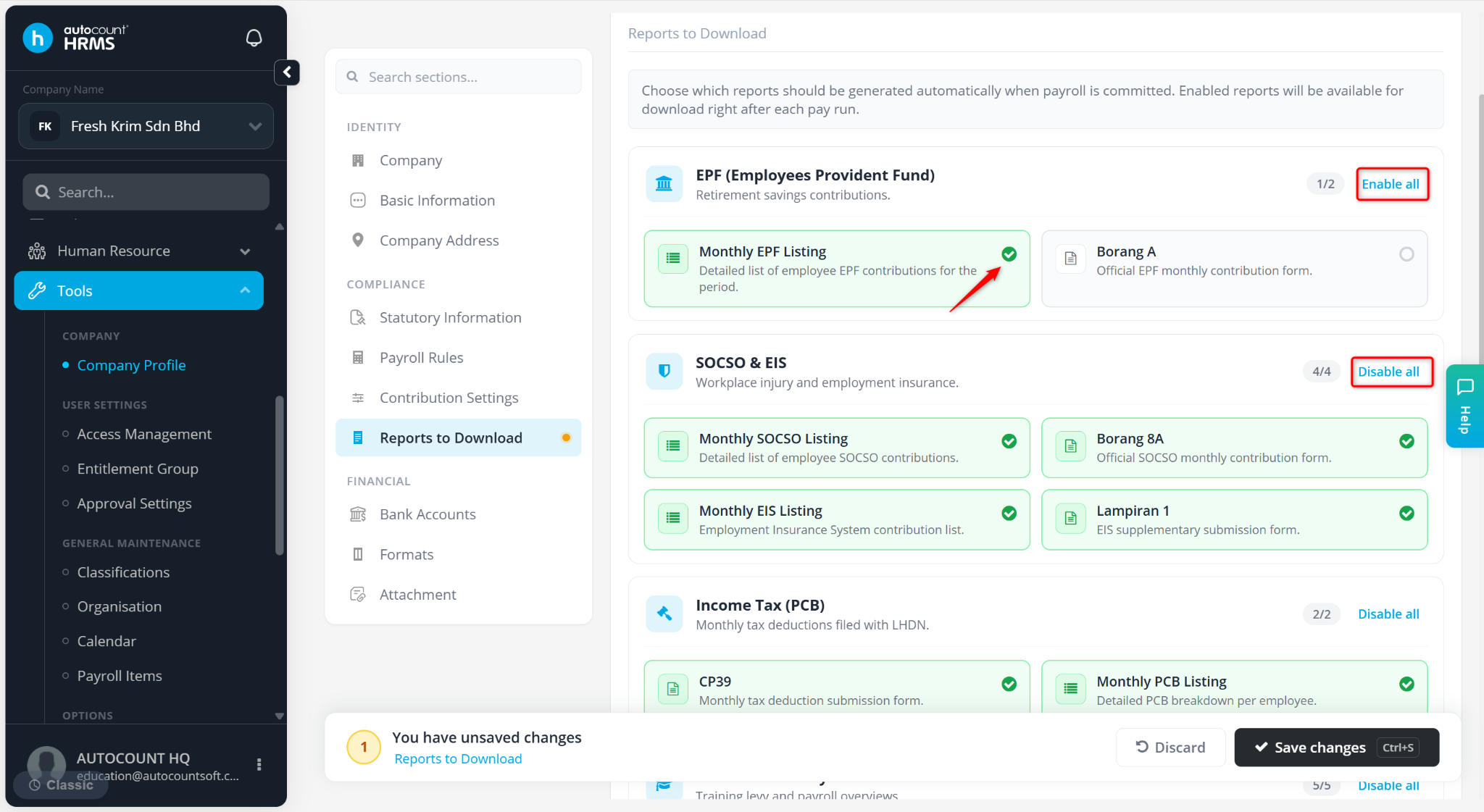 View original AutoCount screenshot
Roles & access permissions
Set appropriate employee and payroll team access to applicable modules and records.
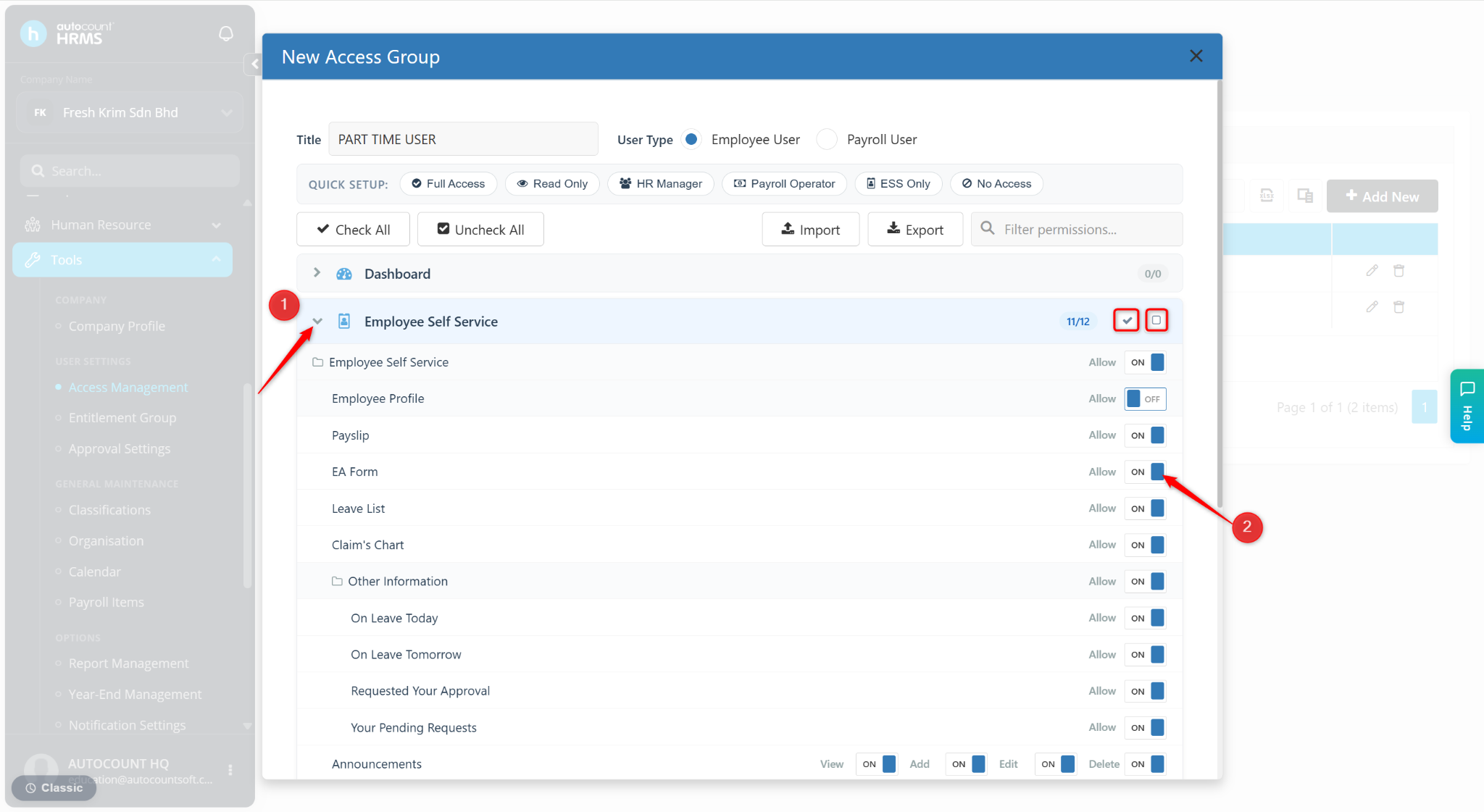 View original AutoCount screenshot
Company activity logs
Review recorded activity when investigating changes, subject to the activities available in the log.
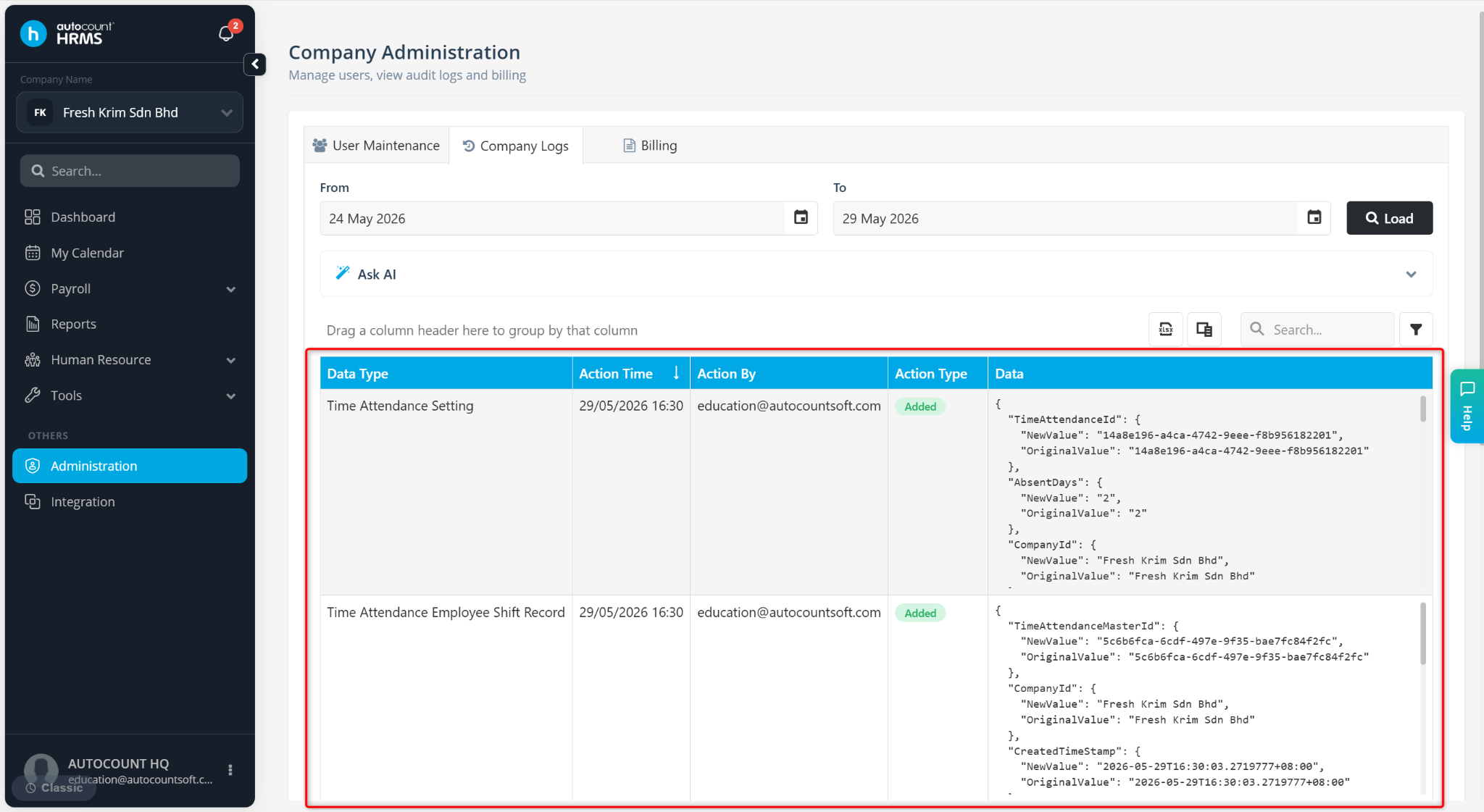 View original AutoCount screenshot
How AutoCount Cloud Payroll Features Work Together

Consider a Malaysian company with office employees and warehouse staff. Employees submit relevant requests, supervisors review attendance exceptions, and HR checks approved information before payroll is finalised.
1. Record
Keep employee, employment and salary details up to date.
2. Confirm
Review period inputs, approved requests and contribution settings.
3. Process
Check payroll figures and prepare payslips and reporting outputs.
AutoCount Cloud Payroll Features: FAQs
Are leave, claims and attendance included in every payroll subscription?
No. These workflows can depend on enabled modules, plan entitlements and product configuration. Confirm the required plan before implementation.
Does AutoCount Cloud Payroll submit statutory payments automatically?
Generating a report or payment file is not the same as paying or submitting it. Verify the downloaded figures and use the relevant official bank or agency process.
Can employees view their payslips?
The documented AutoCount workflows support payslip release and employee access. The employee invitation requirements and available functions depend on the subscription and permissions.
Can HR see changes made in the system?
The original guide documents company activity logs. Confirm which actions are recorded and which users have permission to view them.
Explore AutoCount Cloud Payroll for your team
Review your monthly salary process, reporting requirements and HR workflows with SL Software before selecting optional features.
Related resources
Monthly and yearly payroll reports in Malaysia
Check the latest payroll rules and the applicable subscription features on the official AutoCount website.