
Manage supplier bills, reduce repeated data entry and track outstanding payments with AutoCount Accounting.

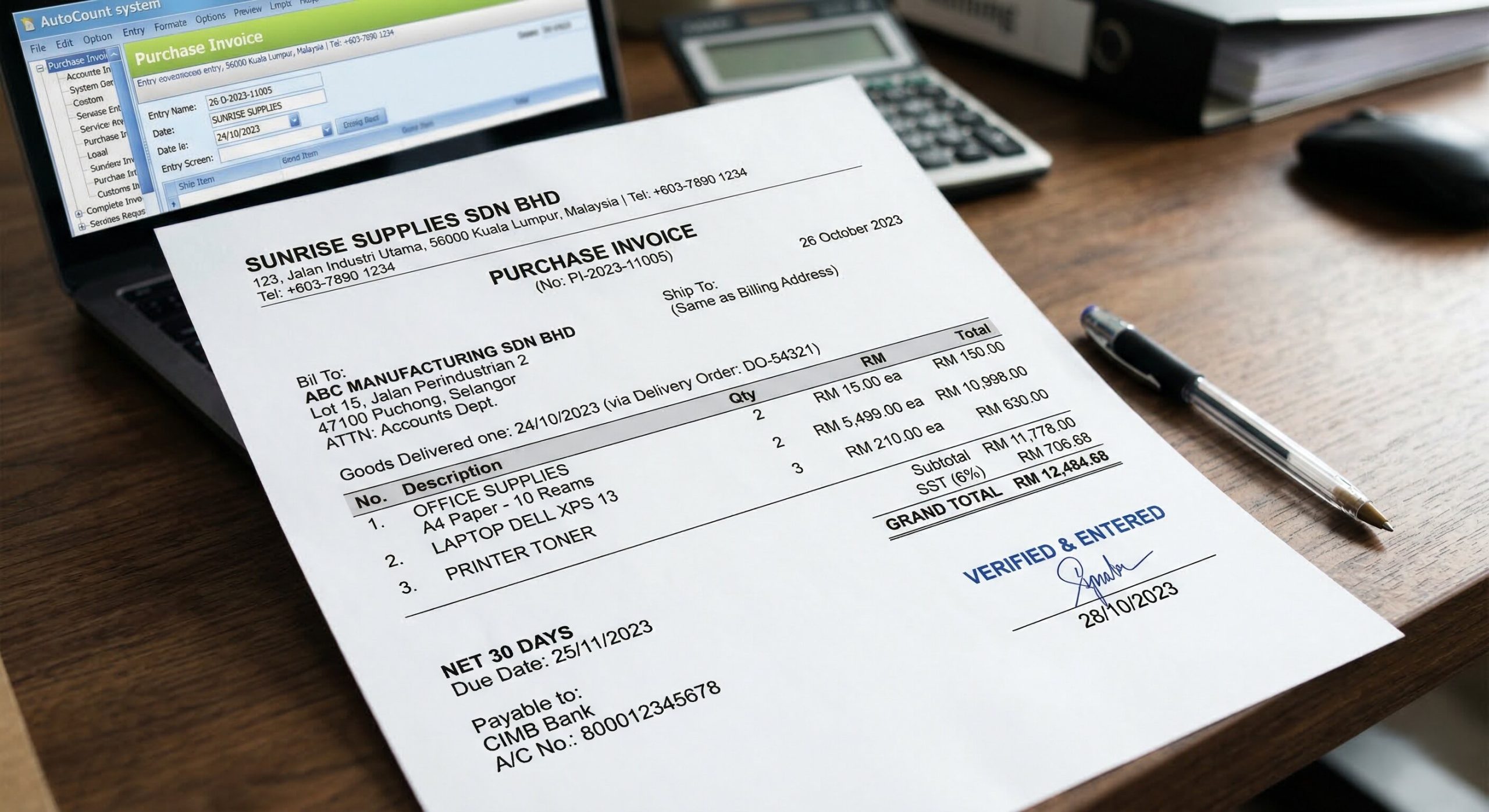
A Purchase Invoice in AutoCount records a supplier bill for goods or services and the amount payable to the supplier.
Enter an invoice directly or transfer details from an existing Purchase Order (PO) or Goods Received Note (GRN), depending on your purchasing process.
Review supplier invoice quantities, prices, tax amounts and payment terms before saving and arranging payment.
Manage supplier invoices from purchase documents through accounting and payment.
Transfer details from an existing Purchase Order (PO) to reduce repeated entry and review the invoiced items, quantities and prices against the order.
Transfer from the Goods Received Note (GRN) when stock receipt has already been recorded. This avoids recording the same stock receipt again.
Compare supplier invoice details with the relevant PO and GRN before saving. Review any differences in quantity, price or total amount.
Review applicable tax codes, tax amounts and supplier payment terms based on your account book settings and the actual supplier invoice.
Saving the Purchase Invoice records the relevant accounting entries according to your account book and posting settings, reducing the need for separate manual entries.
Track outstanding supplier invoices and record payments through Accounts Payable when the bills are settled.

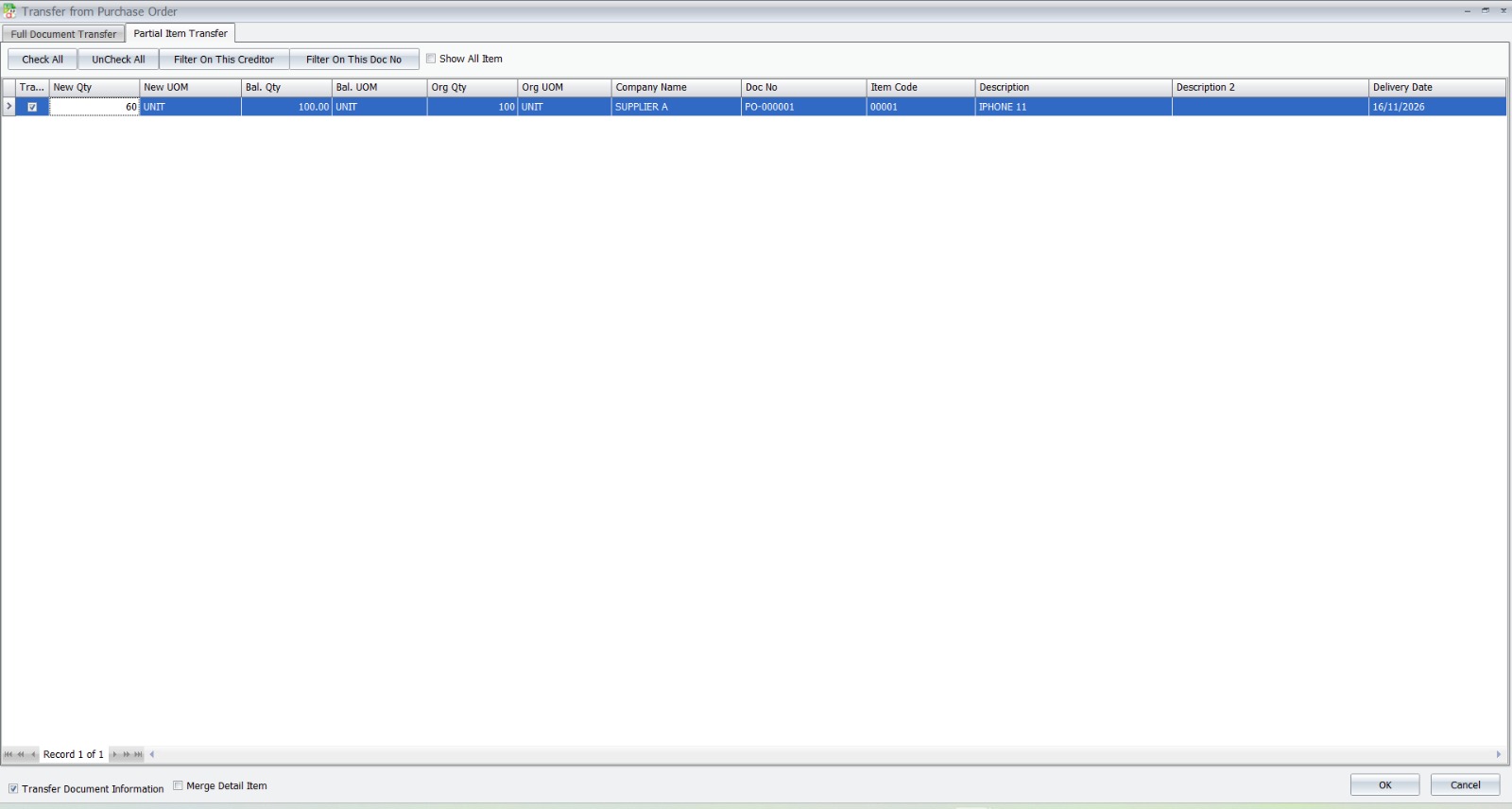
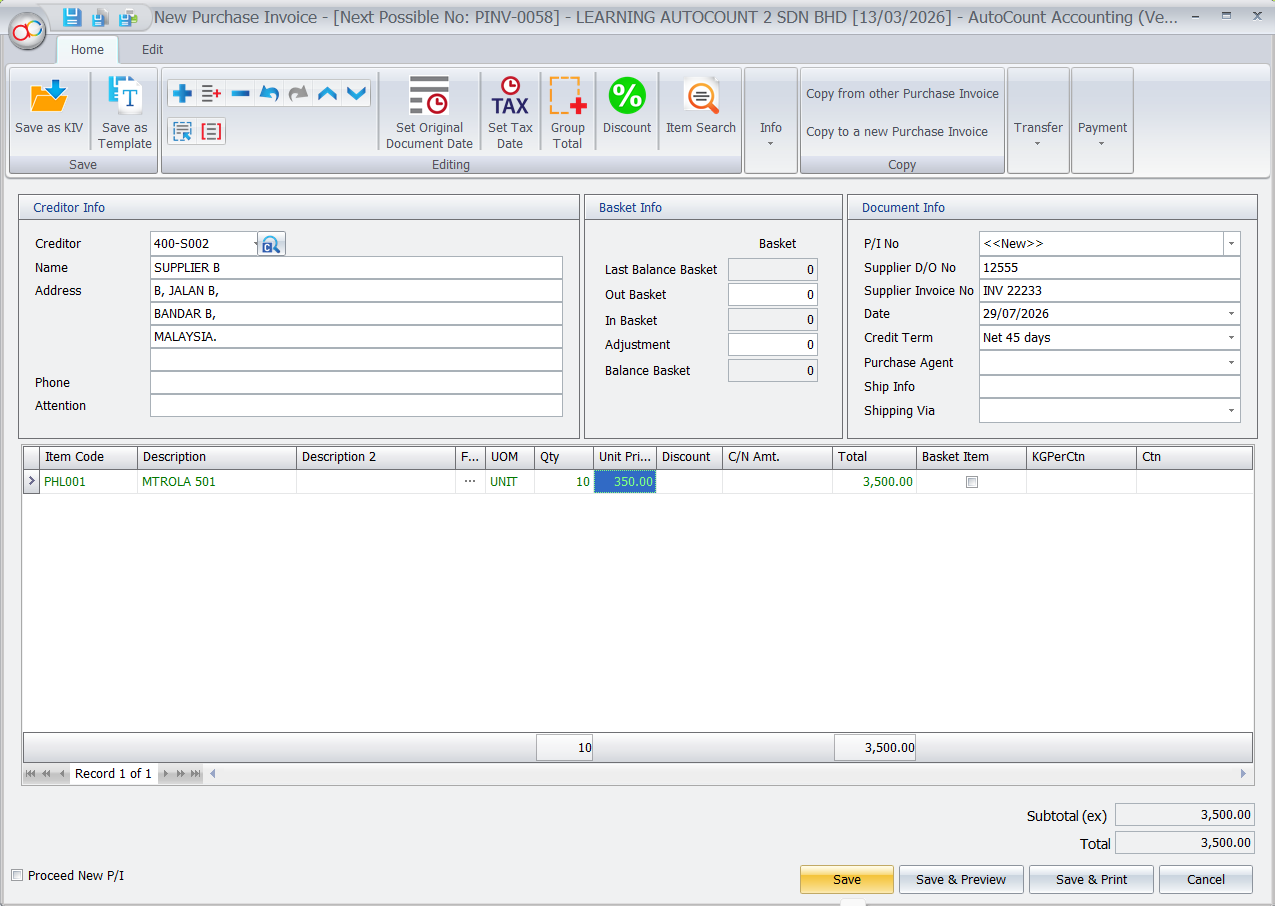
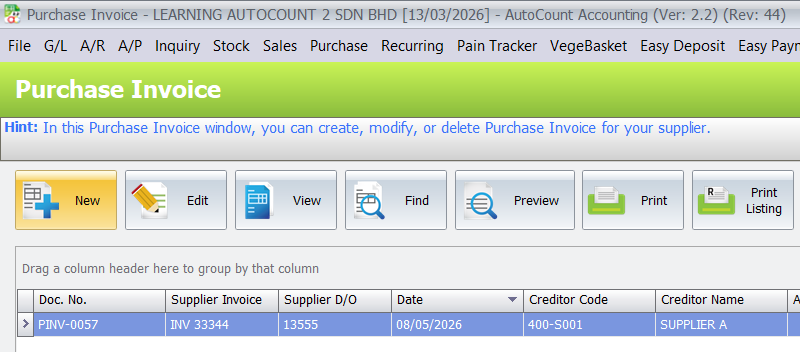
A common purchasing sequence; Purchase Order and GRN are optional depending on your process.
Create a PO when your business requires a formal purchase order.
If stock receipt is recorded separately, create a GRN when goods arrive.
Enter directly, transfer from a PO, or transfer from the GRN if stock receipt has already been recorded.
Check quantities, prices and taxes. Save to record applicable accounting entries.
Manage outstanding invoices and record payments based on agreed terms.
Direct or PO-based invoices can update stock for applicable stock items. A Purchase Invoice transferred from a GRN does not increase the same stock quantity again. Accounting posting follows account book settings.
Transfer existing purchase document details to reduce repeated data entry and save processing time.
Integrated accounting posting helps keep purchase and supplier balances up to date, subject to your account book settings.
Compare invoiced quantities against received goods to identify discrepancies before arranging payment.
Record applicable tax codes and amounts according to your transaction requirements and account book configuration. For Malaysian e-Invoice requirements, refer to the official HASiL e-Invoice guidelines.
Maintain linked purchase records and review supplier bills to help resolve discrepancies.
Monitor outstanding invoices and credit terms to plan supplier payments and manage cash flow.
Illustrative purchase of 50 laptops at RM 2,000 per unit.
Order from Supplier A at RM 2,000 per unit.
Record the stock receipt using a GRN.
Transfer the GRN, review the supplier bill and record the payable before applicable taxes or adjustments.
Review discrepancies before saving, then process supplier payment based on the agreed terms. Transferring the GRN avoids recording the receipt twice.
A Purchase Invoice records a supplier bill and the amount payable for purchased goods or services.
It connects purchasing records with accounts payable and helps staff review supplier bills, reduce repeated entry and monitor outstanding balances.
A Goods Received Note (GRN) records the receipt of goods, while a Purchase Invoice records the supplier’s invoice requesting payment for those goods.
A GRN already records the stock receipt. Transferring that GRN to a Purchase Invoice records the supplier bill without increasing the same stock quantity again.
Yes. You can transfer from a Purchase Order or enter a Purchase Invoice directly if no PO or GRN is required. If a GRN already records the receipt, transfer from that GRN instead.
See how AutoCount Accounting can help your business record supplier bills, manage purchase documents and monitor outstanding payments. Contact SL Software Solutions to discuss your purchasing workflow.