
RESTAURANT & CAFÉ POS SOLUTION
Restaurant POS System Malaysia for Restaurants & Cafés
AutoCount F&B is a restaurant POS system designed for Malaysian restaurants, cafés and food and beverage businesses. Manage customer orders, table arrangements, kitchen operations, billing and sales reporting through an integrated restaurant POS solution.
Take orders faster. Keep your kitchen connected. Manage restaurant sales with confidence.
Suitable for cafés, kopitiams and restaurants. Available features depend on your selected modules and implementation.

What Is AutoCount F&B POS Software?
AutoCount F&B POS software connects front-of-house ordering, kitchen preparation, table management, billing and sales reporting. When choosing a restaurant POS system, Malaysia’s F&B operators can evaluate these workflows together to reduce manual coordination and review daily sales.
Less Manual Coordination
Reduce unnecessary back-and-forth between the service counter, waitstaff and kitchen.
More Convenient Ordering
Offer QR self-ordering and waiter-assisted ordering depending on your service model.
Clearer Order Flow
Make it easier to track dine-in orders and applicable changes throughout service.
Better Business Visibility
Review relevant sales reports and available accounting workflows after the rush.
Restaurant POS System Malaysia: Key Features
Explore QR ordering, waiter-assisted service and kitchen coordination using real product interfaces.
QR Self-Ordering System
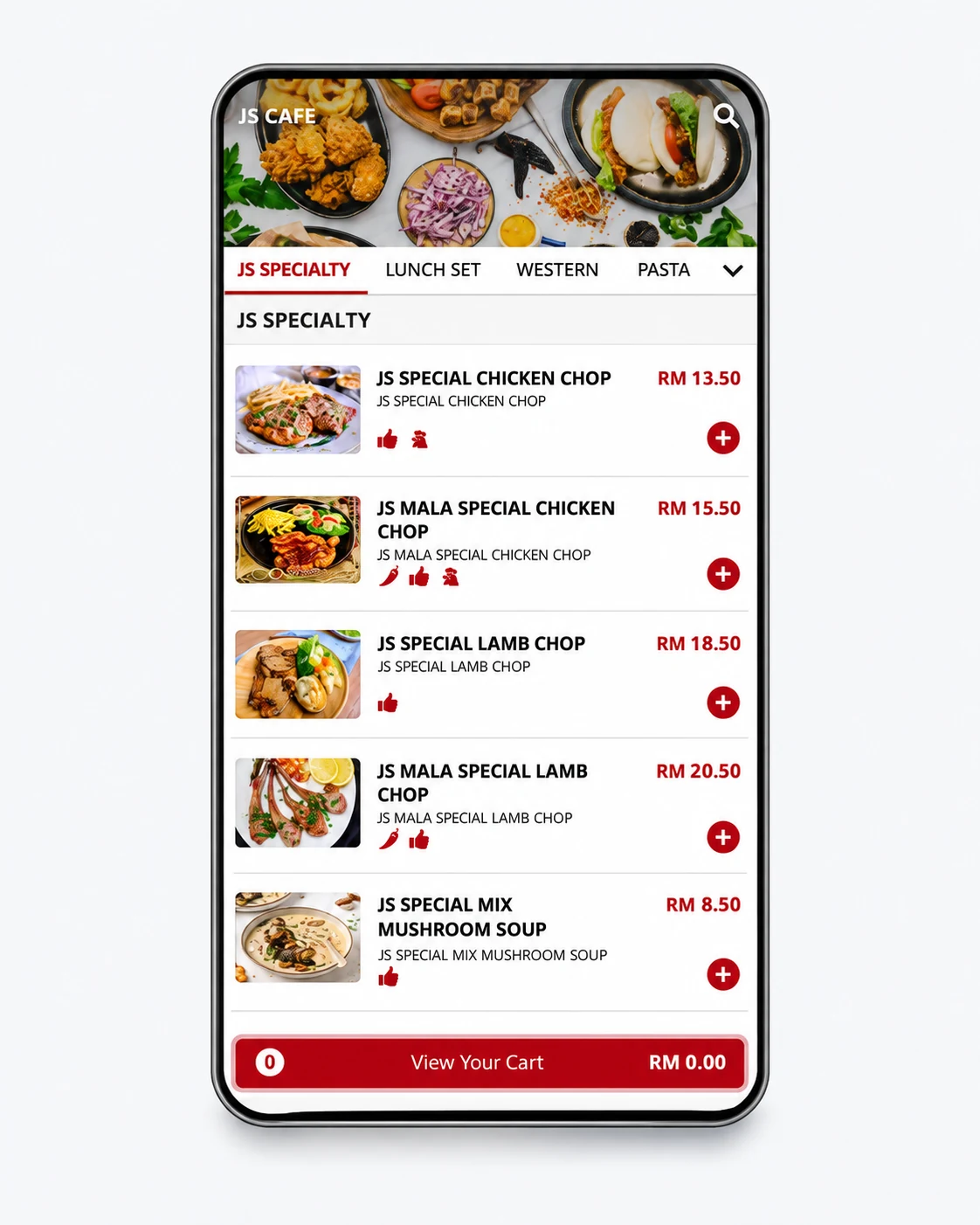
Customers can scan the table QR code, browse the digital menu and submit their order from a compatible phone. Depending on configuration, QR orders may be reviewed by staff or approved automatically.
- 1. Scan the table QR code
- 2. Browse the menu and select dishes
- 3. Submit the order to the restaurant
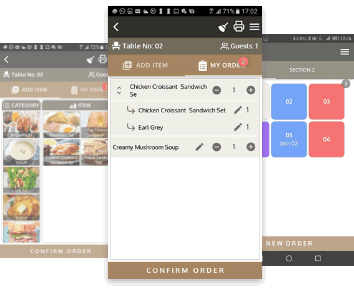
eWaiter Mobile Ordering
Waitstaff can use compatible phones or tablets to take orders at the table and send confirmed orders into the configured kitchen workflow, supporting a more attentive dining experience.
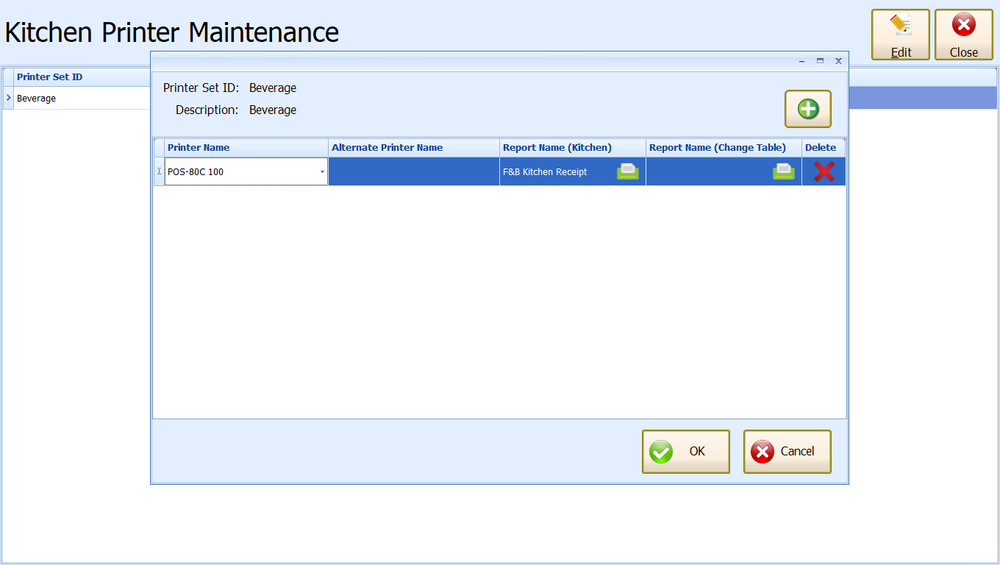
Kitchen Printing and Order Management
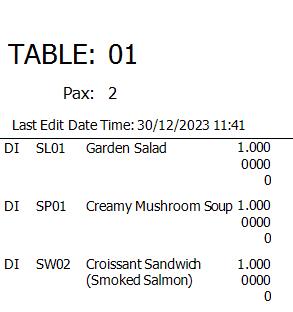
Send confirmed orders to the configured kitchen or drinks station. Clear preparation tickets help staff manage orders during busy service periods.
Manage More Than Orders: Restaurant Operations & Menu Control
Tools for table management, promotions and menu configuration. Available functions vary by edition and licensed modules.
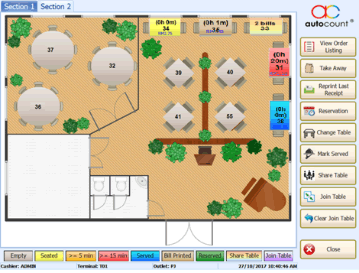
Floor Plan & Table Management
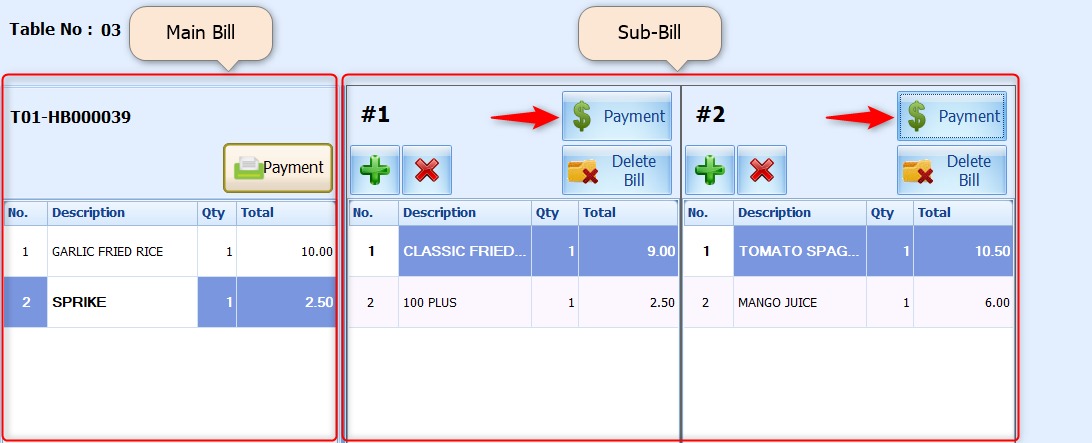
Organise restaurant seating zones and view table-related orders in a visual layout. Depending on your setup, staff can handle table changes, takeaway and split or combined bills.
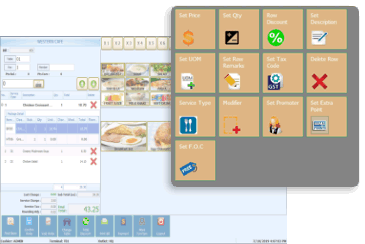
Prices, Discounts & Promotional Offers
Manage eligible restaurant promotions such as member offers, seasonal campaigns and happy-hour pricing. Configure offer rules to help staff apply the correct prices at checkout.
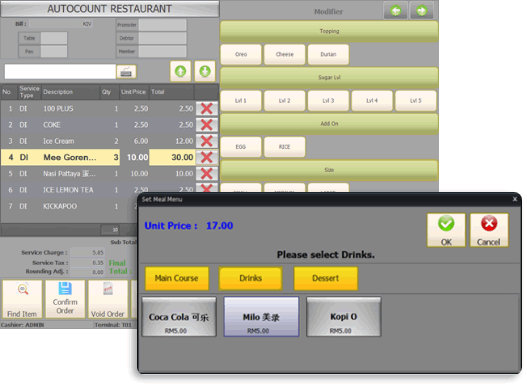
Set Meals, Modifiers & Menu Controls
Build meal combinations and modifiers, manage suitable menu choices and mark sold-out dishes where supported. Ask our team about version-specific reservations, notifications and ingredient reporting.
Inventory & Sales Visibility
Review available stock and sales reports to support purchasing and everyday operating decisions.
AutoCount Accounting & e-Invoice
Connect supported restaurant sales records to compatible AutoCount Accounting posting workflows and evaluate Malaysian e-Invoice requirements. Individual or applicable consolidated e-Invoice processes depend on the licensed version, configuration and your business obligations. Confirm the required setup before implementation.
Bring Diners Back with AutoCount OneRewards
Encourage diners to return. AutoCount OneRewards offers eligible loyalty memberships, points, vouchers and campaign tools.
OneRewards is a separate solution. Compatibility, integration and licensing should be confirmed for your F&B POS version.
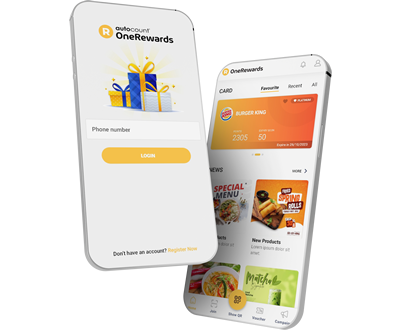
Actual AutoCount OneRewards product image. Availability and POS compatibility depend on your licensed configuration.
A Practical Restaurant Workflow
See how a dine-in order moves from the table to the kitchen and through checkout. Available functions depend on the POS version, licensed modules and outlet setup.
01 · Place Order
QR ordering, waiter-assisted order or POS entry
02 · Prepare
Send confirmed orders to the configured kitchen or drinks station
03 · Serve
Coordinate dining tables and customer requests
04 · Checkout & Payment
Review the table bill and record payment using supported billing and payment options.
05 · Review
Analyse sales and post into accounting where configured
Restaurant POS System Pricing in Malaysia
Request an itemised quotation based on your outlet count, ordering workflow and equipment. Pricing varies by licence, modules and implementation scope.
Software & licences
F&B POS edition, cashier terminals and supported QR ordering, eWaiter and other optional modules. Confirm which functions are included.
Hardware & connectivity
Compatible POS terminals, receipt and kitchen printers, tablets or phones, network equipment and any payment hardware required for your workflow.
Implementation & support
Menu and table setup, printer routing, accounting integration, training and agreed support. Ask which equipment can be reused.
Final pricing and compatibility must be confirmed before purchase.
POS System for Restaurants, Cafés and Food Courts
Explore POS options for cafés, kopitiams, restaurants, food courts and growing F&B operators in Malaysia.
Compare restaurant workflows in our F&B POS feature guide, or explore café and restaurant solutions.
For food courts, discuss counter-based ordering, preparation stations and whether separate operator or outlet arrangements are needed.
Cafés & Coffee Shops
Support quick menu selection, counter operations and takeaway transactions.
Full-Service Restaurants
Support waiter-assisted service, tables, flexible orders and relevant billing workflows.
Kopitiams & Casual Dining
Coordinate busy ordering periods, tables and kitchen communication.
Growing F&B Groups
Discuss reporting, multi-outlet needs and compatible POS/accounting arrangements with our team.
Watch AutoCount F&B POS in Action
中文 · 点餐到付款操作教学
Explore the ordering-to-payment workflow in SL Software’s Chinese tutorial.
LOCAL IMPLEMENTATION & SUPPORT
Why Choose AutoCount F&B POS?
SL Software Solutions helps Malaysian restaurants plan suitable POS hardware, ordering and kitchen workflows, licensing and integrations, with implementation, training and support options.

Local SL Software Team
Implementation guidance, training and ongoing support for Malaysian businesses.
Let's plan the right F&B POS setup
Talk through your restaurant’s requirements with our team:
- Ordering, table & kitchen workflows
- Suitable hardware, licences & integrations
- Implementation, training & support
Frequently Asked Questions
Answers to common questions from Malaysian restaurant owners about ordering, kitchen operations, integrations and implementation.
Yes. QR self-ordering is available as part of the supported F&B solution, subject to your chosen setup.
The eWaiter solution enables ordering through compatible mobile devices. Applicable licensing and hardware should be confirmed.
Kitchen printing workflows can route orders to configured preparation locations where supported.
Supported F&B table and billing functions can provide these workflows, depending on the selected configuration.
AutoCount POS provides accounting integration capabilities. Confirm product compatibility and posting setup with our team.
OneRewards is a separate loyalty solution. Confirm version compatibility, integration and licence scope before purchasing.
Malaysian e-Invoice obligations depend on applicable LHDN rules and the business’s circumstances. We can review your system requirements without assuming every outlet has the same deadline.
Pricing depends on editions, modules, hardware, number of outlets and implementation. Request a current quotation tailored to your restaurant.