Explore 11 AutoCount OneRewards App and admin dashboard features, from digital membership and QR codes to loyalty points, e-vouchers, campaigns and reporting.

Screens are selected from the supplied OneRewards interface presentation and show illustrative records. Click any screenshot to view its full size.
Discover registration, membership cards, points activity, vouchers, campaigns, receipts and outlet information.
Register using a phone number, complete member onboarding and access a personal home screen with membership cards, news and shortcuts.
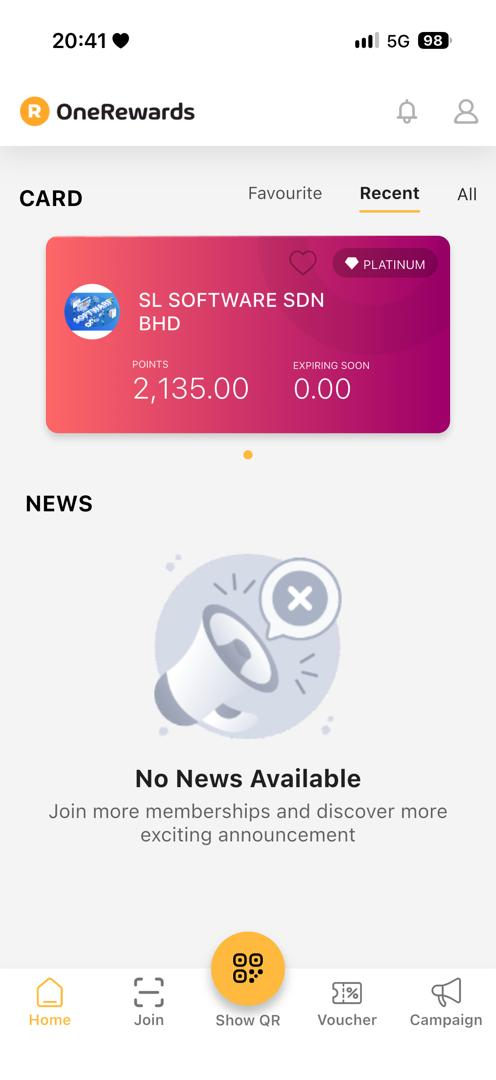
The AutoCount OneRewards App presents registration and the member home screen as two connected experiences. Once registered, members can return to their home screen to check the digital membership card, current points balance and available shortcuts. This gives the customer a clear starting point for exploring the loyalty programme.
Interface reference · 2 screens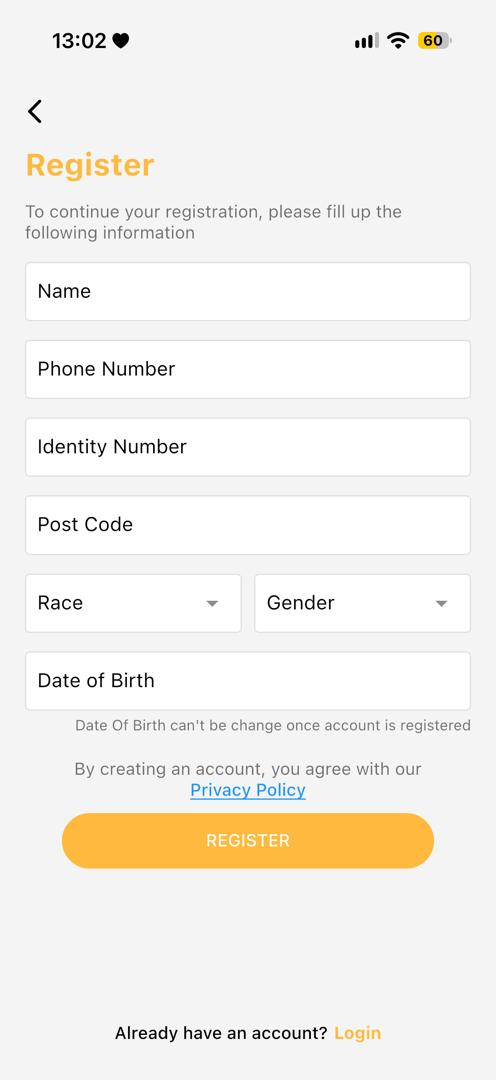
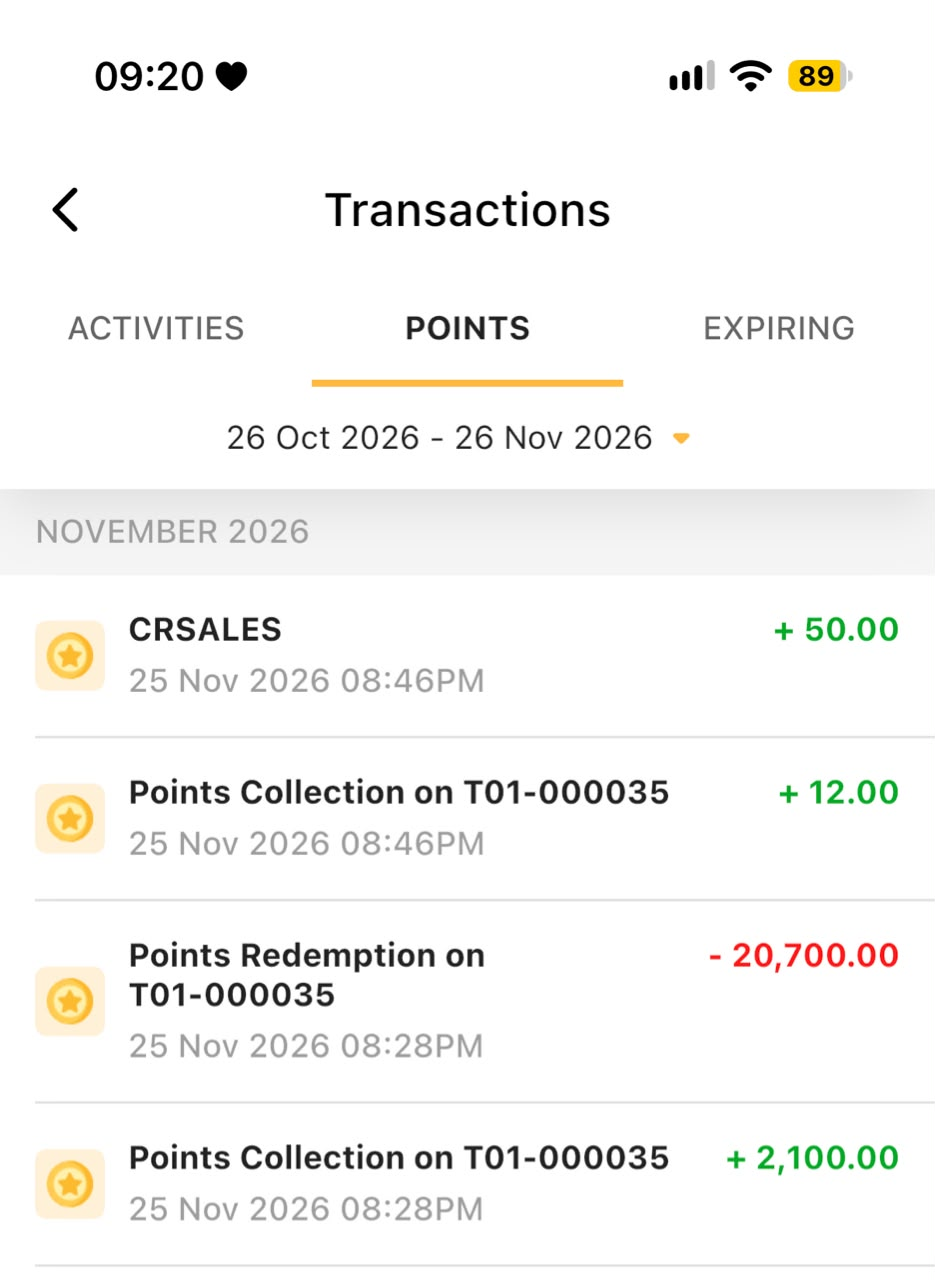
View digital membership levels, show a QR/barcode for points collection or redemption, and review points activity, balances and expiry.
Within the AutoCount OneRewards App, the digital card provides a reference for membership status. The QR code and barcode screen illustrates how the membership identifier is displayed, while points activity shows recorded collections and redemptions. Members can review their transaction history to understand changes in their points balance.
Interface reference · 2 screens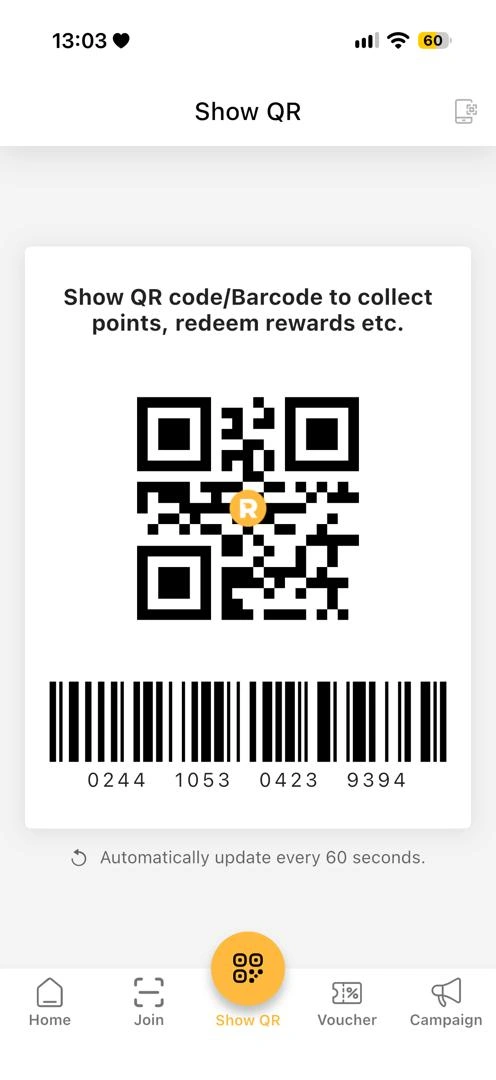
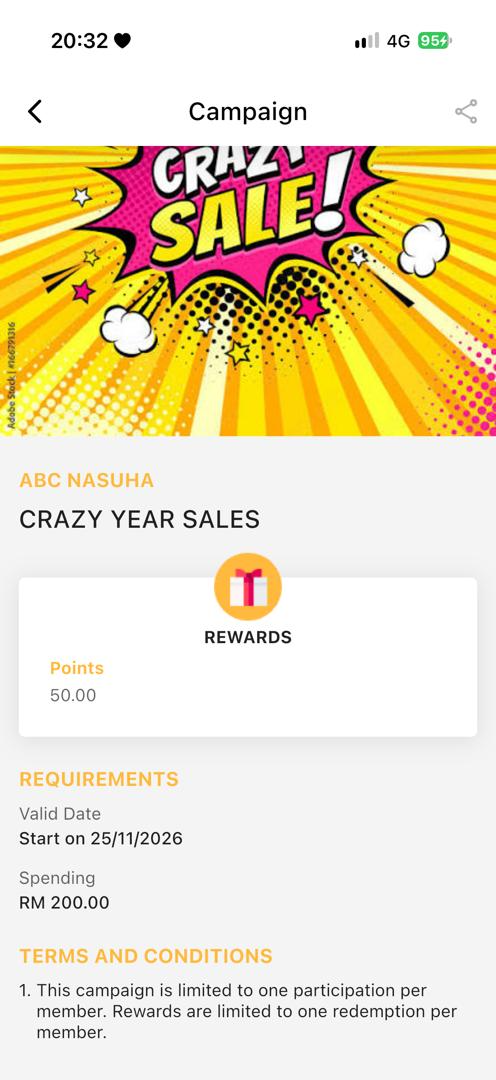
Browse available rewards and vouchers, view campaign requirements, eligible spending, reward points and applicable terms. Voucher codes can be presented for redemption.
The AutoCount OneRewards App brings available vouchers and promotional campaigns into the customer experience. Members can inspect voucher details and campaign conditions before participating. The example screens illustrate how a reward offer may display its discount, qualifying spend, validity period or applicable terms, depending on the configured promotion.
Interface reference · 2 screens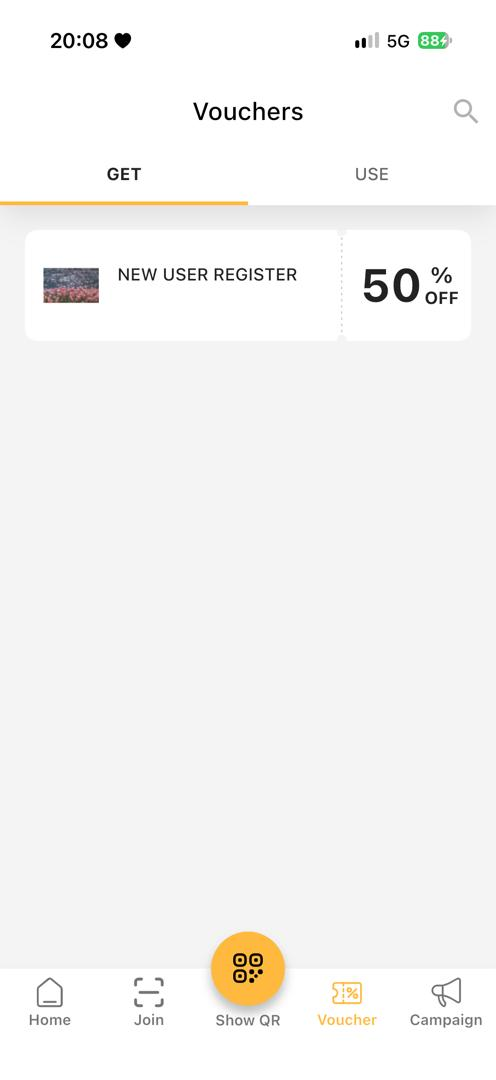
Review digital transaction details, payments, voucher usage, points earned and the updated balance.
Digital receipts connect purchases with loyalty activity. The receipt example displays the transaction summary, payment information, applied voucher, points collected and updated balance. This gives members a reference for reviewing what was recorded after a purchase or voucher redemption, rather than relying only on the current points total.
Interface reference · 1 screen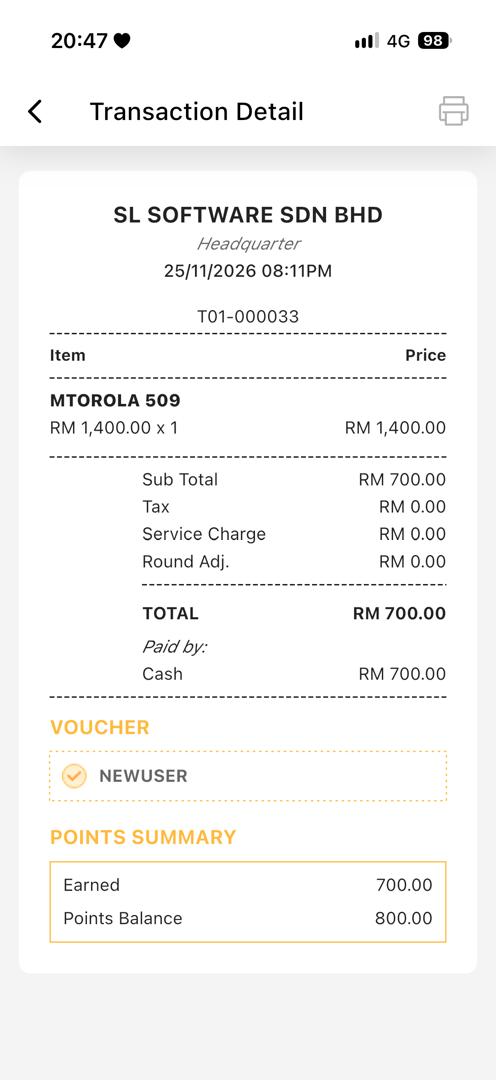
Explore participating outlets, opening hours and contact details; review personal and contact information in the profile screen.
The outlet information screen provides a reference for participating stores, including contact details and opening hours. The separate member profile view shows registered information. Together, these screens illustrate how customers can find store information and review their membership details within the same app experience.
Interface reference · 1 screen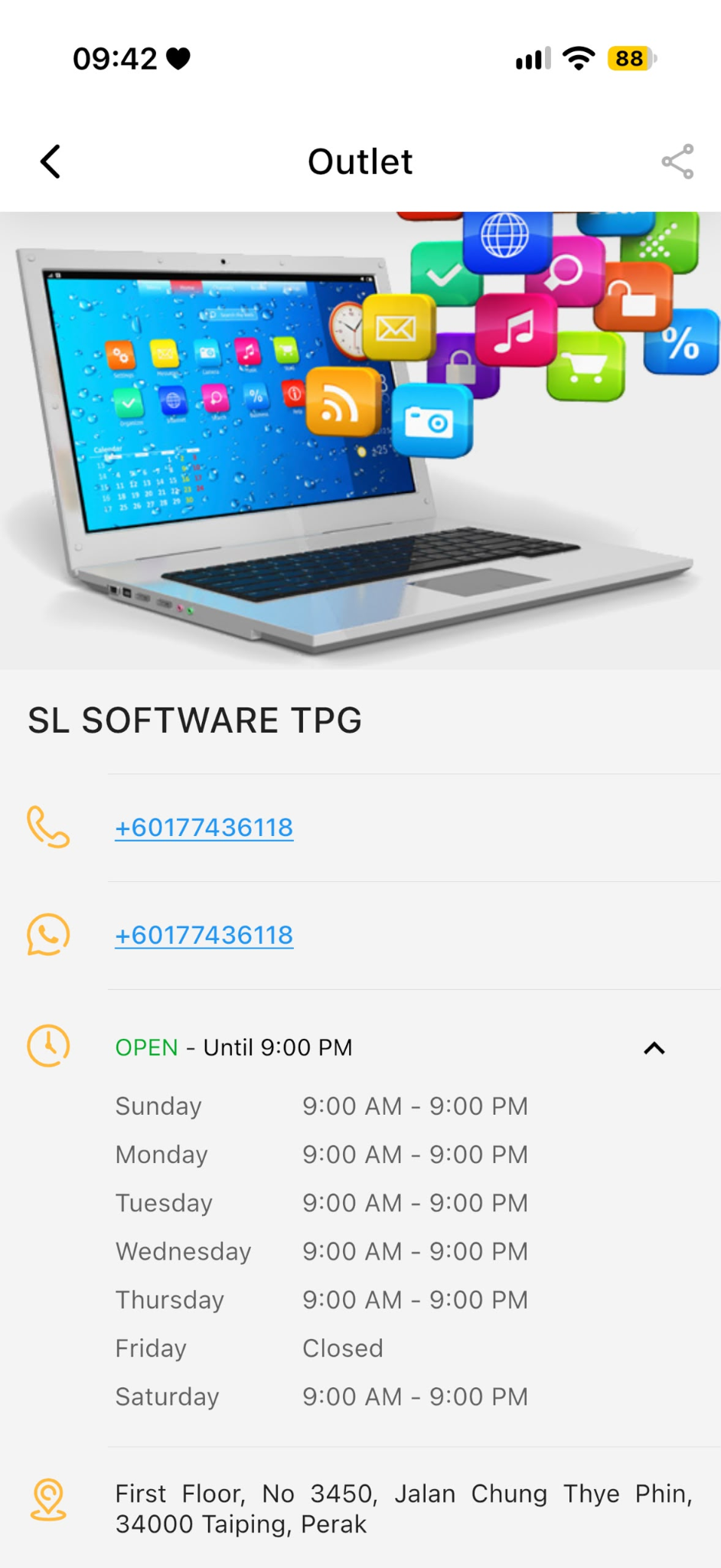
Explore the merchant dashboard, membership controls, points rules, campaign tools and reporting.
The outlet directory helps members identify participating locations. The profile screen provides a separate place to review their registered membership information.
Monitor membership totals, membership events and point movements, collections and redemptions over the selected period.
The admin dashboard complements the AutoCount OneRewards App by presenting membership and points activity from a management perspective. The sample dashboard displays indicators and charts for reviewing membership totals and changes, as well as points collections and redemptions. The figures shown are illustrative rather than actual business performance results.
Interface reference · 1 screen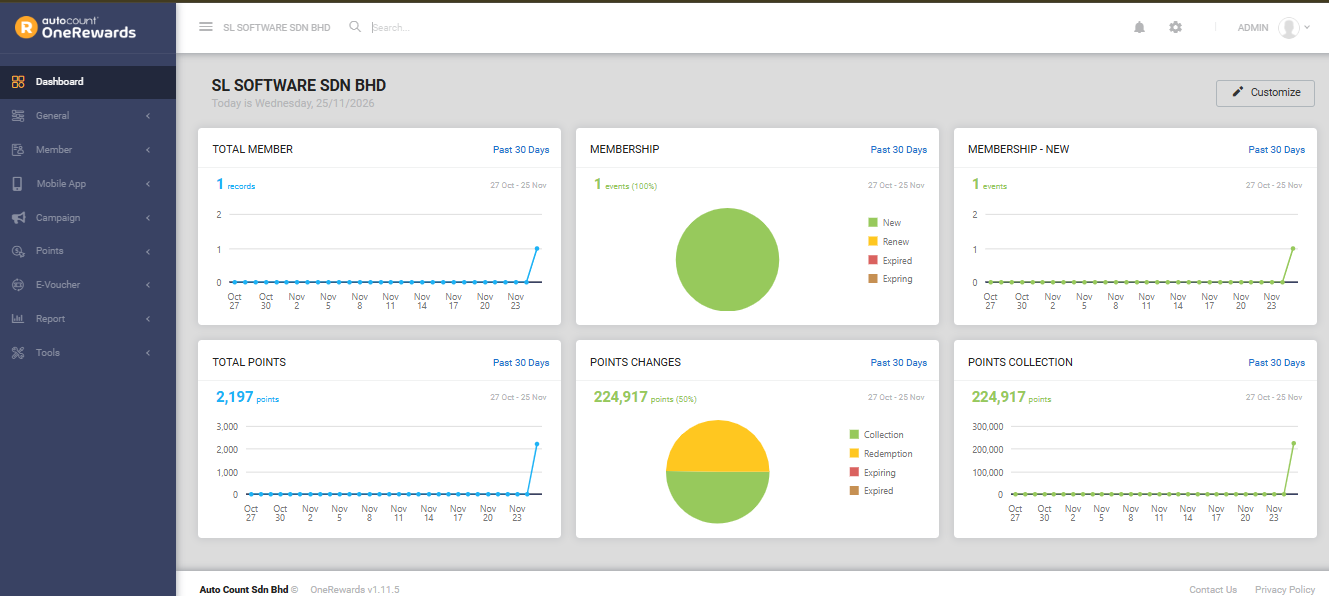
Use the member directory to review registered members, member numbers, membership levels and account status.
The member directory provides a centralized view of registered accounts. Administrators can use the listing to locate individual members and review the information shown for each record, including membership levels and status. This is separate from the customer-facing digital card and provides a management reference for registered members.
Interface reference · 1 screen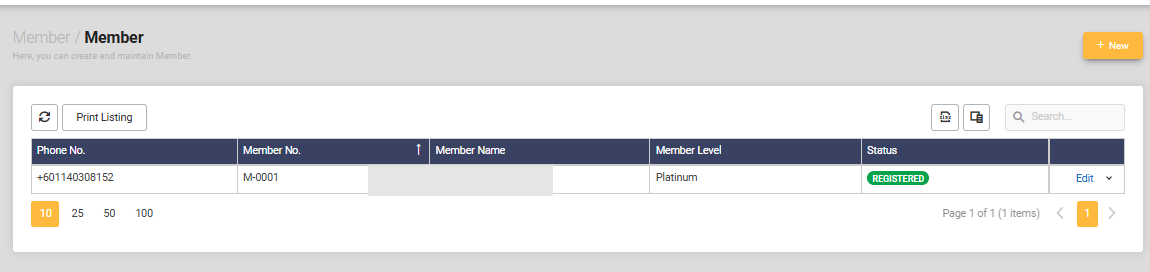
Review member tiers and validity dates; configure membership validity, automatic renewal and signup rewards. The source presentation also shows membership level and referral settings tabs.
Membership settings distinguish programme configuration from individual member records. The reference screens show options associated with membership validity, renewal and signup rewards, alongside membership level and referral settings. These options allow administrators to review how the membership programme is configured before evaluating individual account details.
Interface reference · 1 screen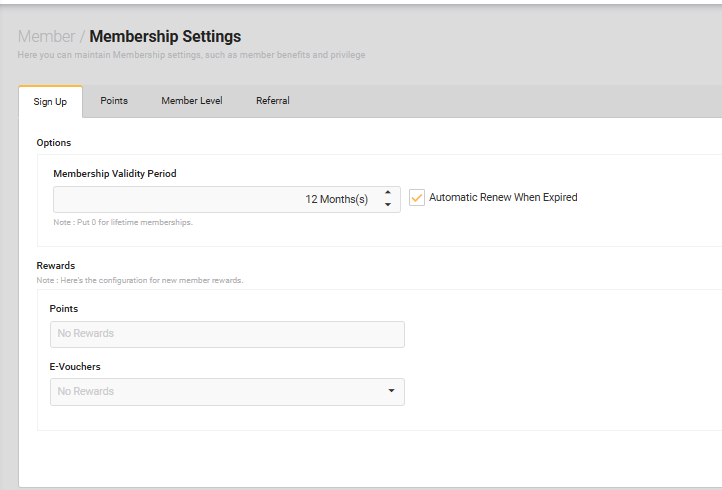
Configure point validity, earning and redemption conversion rates and weekday multipliers. Review collection and redemption activity through the point transaction listing.
Points configuration separates earning rules from redemption rules. The administrator can review the conversion rates, validity settings and weekday multiplier options shown in the reference. The point transaction listing provides a separate record of collections and redemptions, helping explain how recorded activity relates to the programme rules.
Interface reference · 1 screen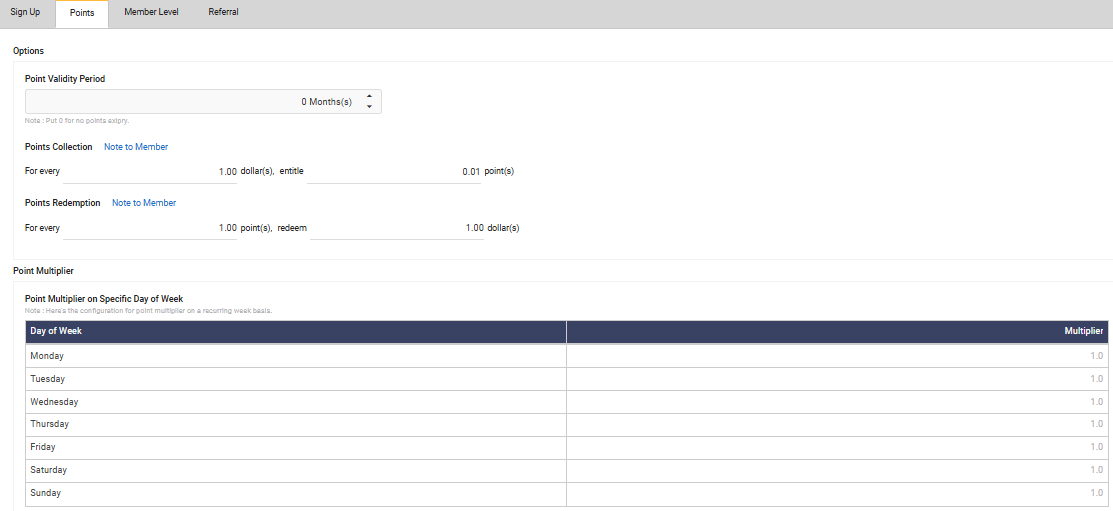
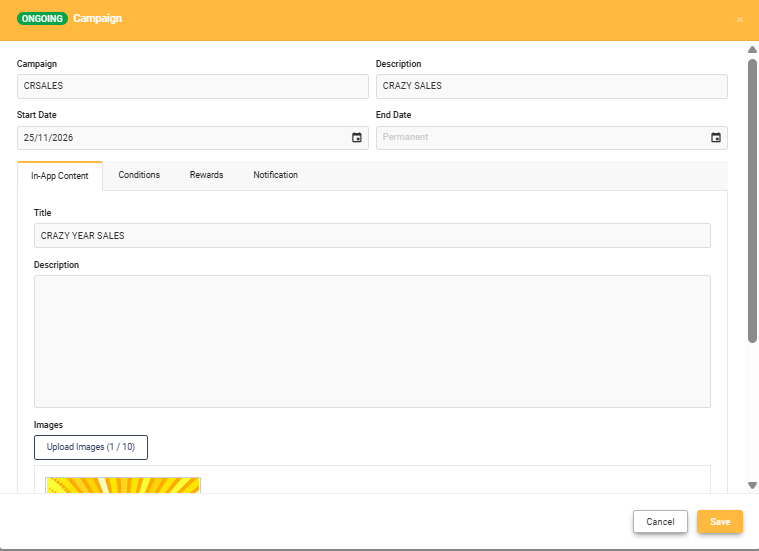
Set up e-voucher discounts, eligibility, distribution and validity. Configure campaign content, conditions, rewards and notifications.
Marketing administrators can review e-voucher settings separately from campaign configuration. The voucher interface shows discount and eligibility conditions, while the campaign interface groups content, conditions, rewards and notification settings. These management screens complement the customer-facing promotions displayed in the AutoCount OneRewards App.
Interface reference · 2 screens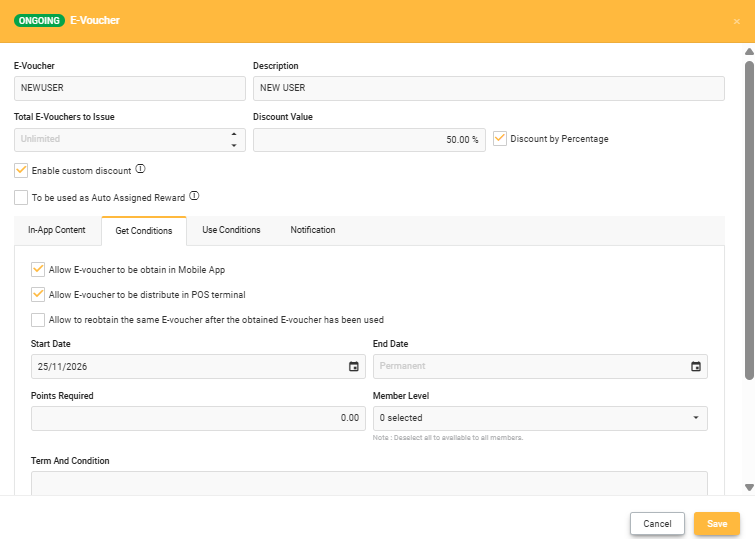
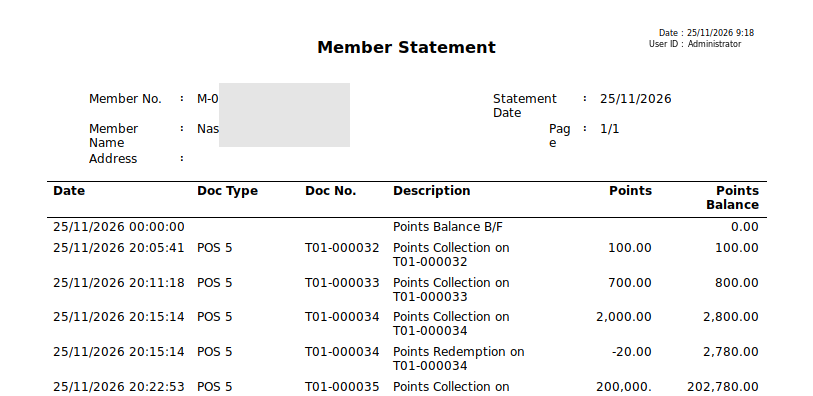
Review member statements and point transaction records, including POS document references, collections, redemptions and running point balances.
The member statement brings together dated transactions, document references, points collected, points redeemed and the running balance. It provides a detailed reference for reviewing a member’s recorded loyalty activity. The point transaction listing offers another view of collections and redemptions for programme reporting and review.
Interface reference · 1 screen