Scattered warranty records
Staff may struggle to connect an item’s serial number with its purchase, sale and warranty case.

AutoCount Warranty 2.0 helps your team manage warranty and service records, track service progress, handle replacements and record chargeable services inside AutoCount Accounting.
Contact SL Software to confirm compatibility with your AutoCount version and business workflow.
Warranty management software helps businesses organise product claims and after-sales service. AutoCount Warranty 2.0 brings warranty and service notes, customer and supplier warranty periods, progress history and replacement records together.
Manage chargeable parts and services, review related stock documents and print warranty records when needed.
When warranty information is spread across invoices, handwritten notes and separate files, even a straightforward status check can take longer than it should.
Staff may struggle to connect an item’s serial number with its purchase, sale and warranty case.
Finding the relevant transaction and serial-number record manually delays the start of a case.
Without one maintained status, different team members may give customers inconsistent updates.
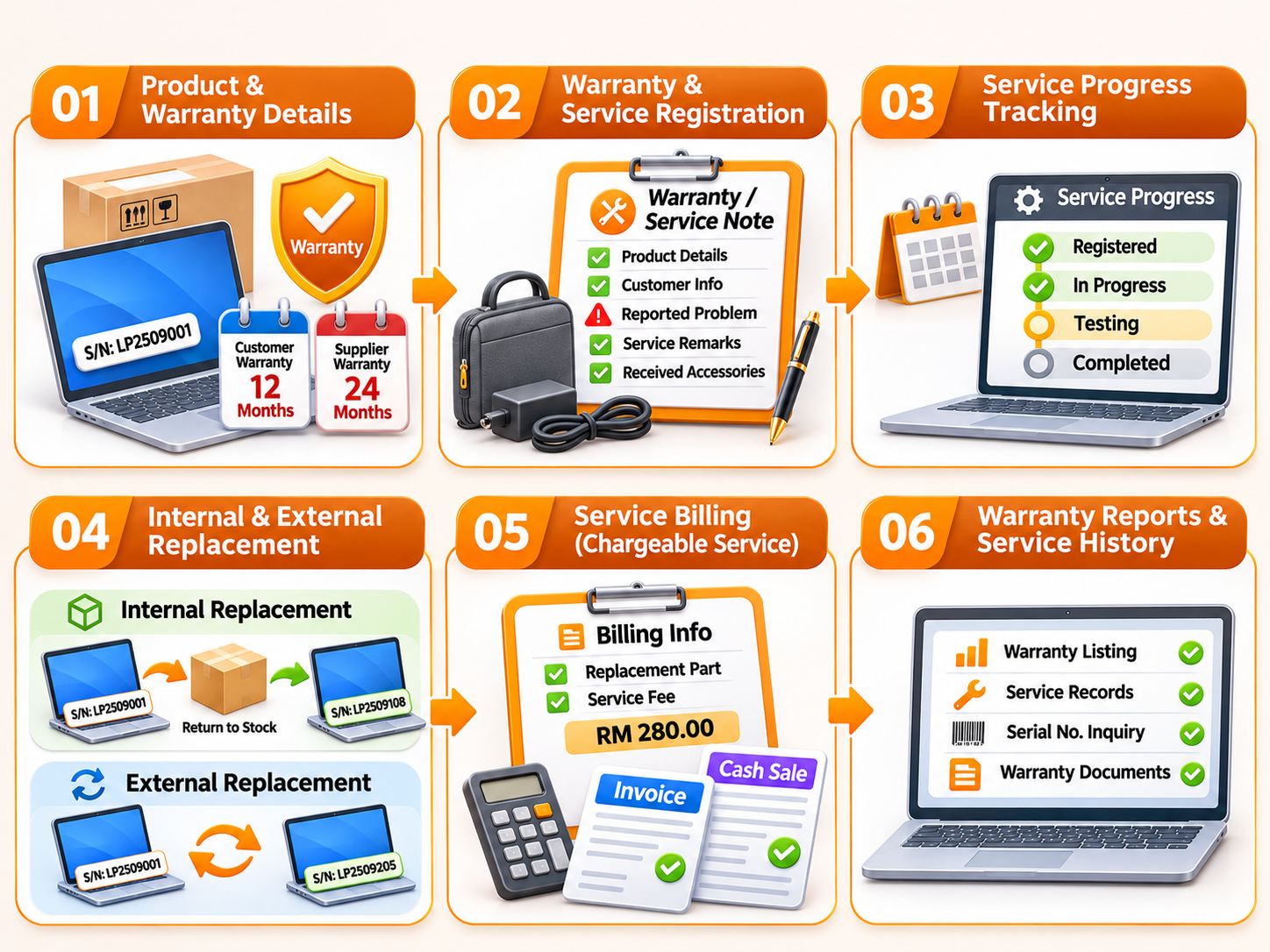
Bring warranty records, service progress, replacements and service billing together in a clearer workflow.
Keep customer, item and warranty details together in one record.
Monitor case updates using maintained status and progress history.
Record external replacements or linked stock adjustments when required.
Manage chargeable services and review warranty documents and history.
Explore the functions that support your daily warranty and after-sales work, with actual product screenshots.
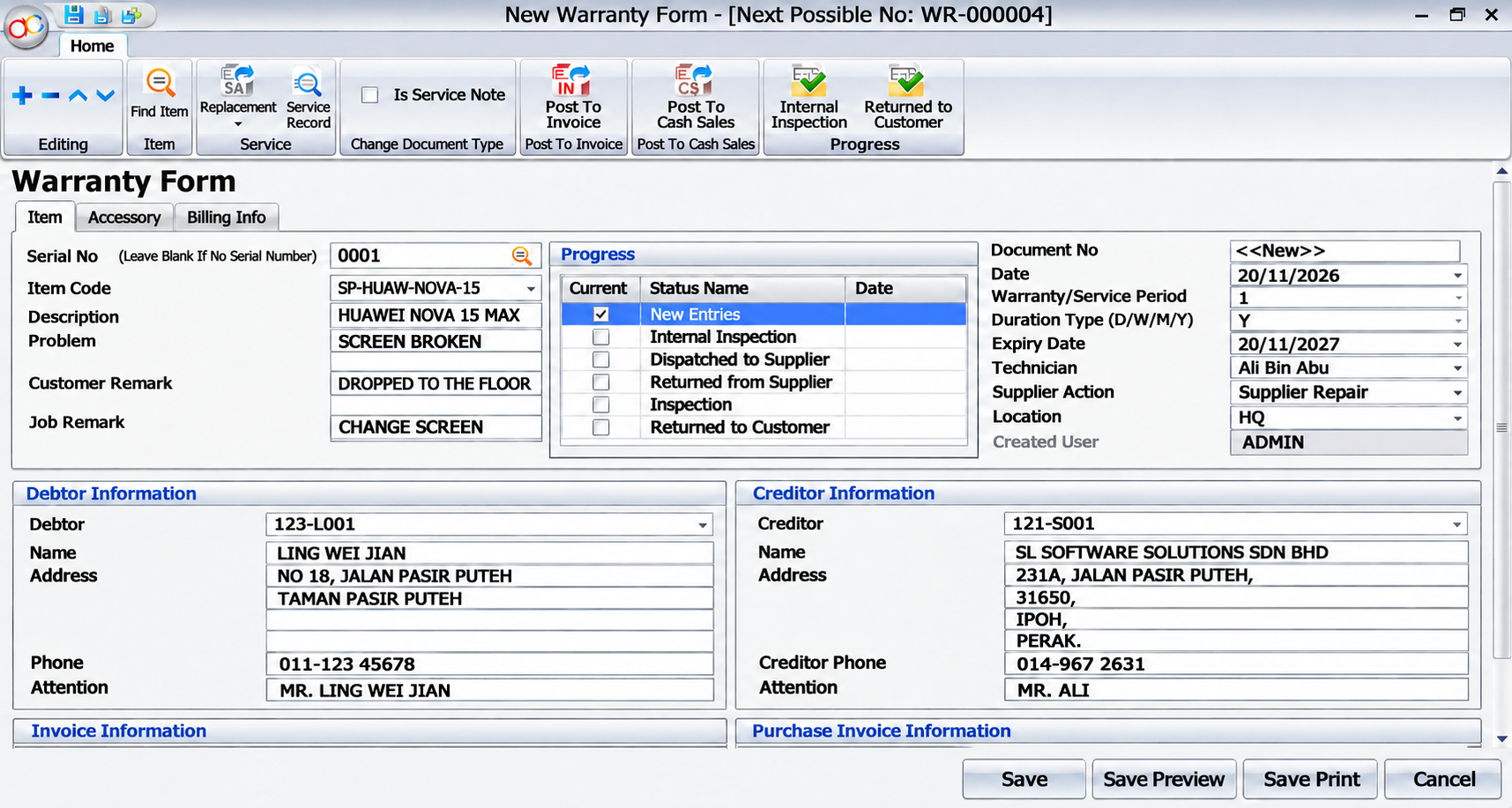
Maintain item, customer and supplier information, reported problems, remarks and received accessories. Records support items with or without serial numbers.
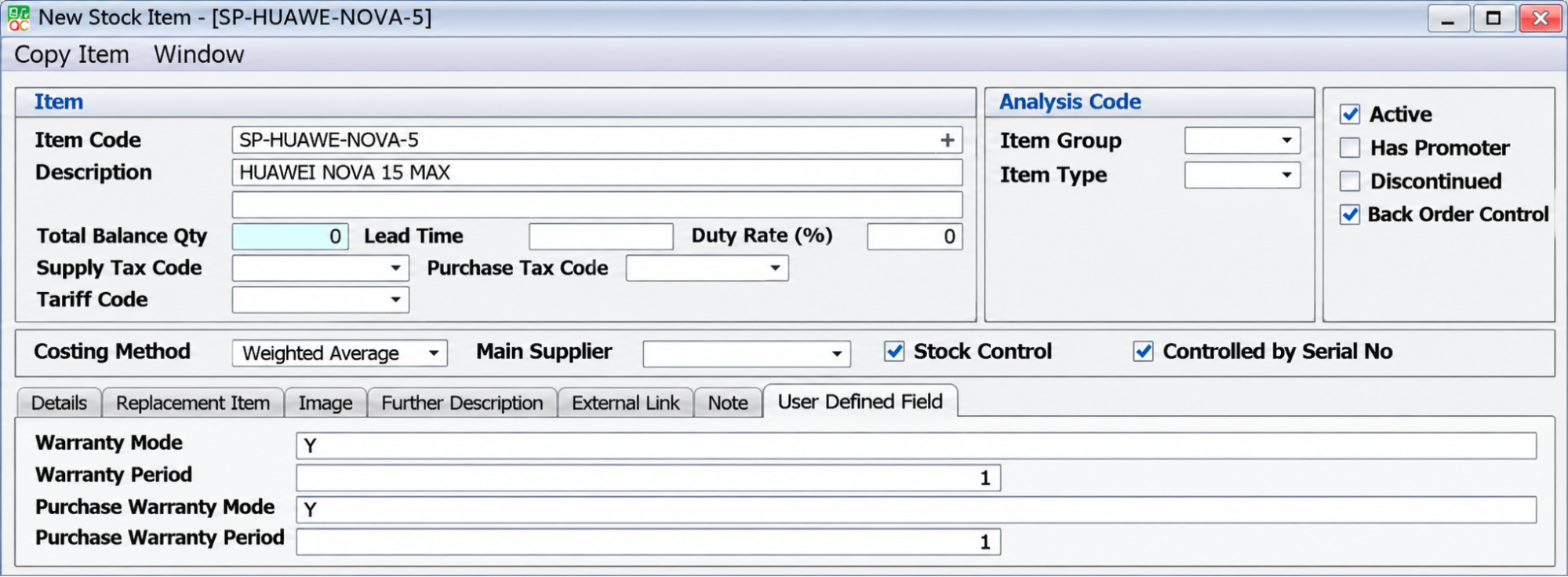
Maintain separate warranty periods for stock items using days, weeks, months or years.
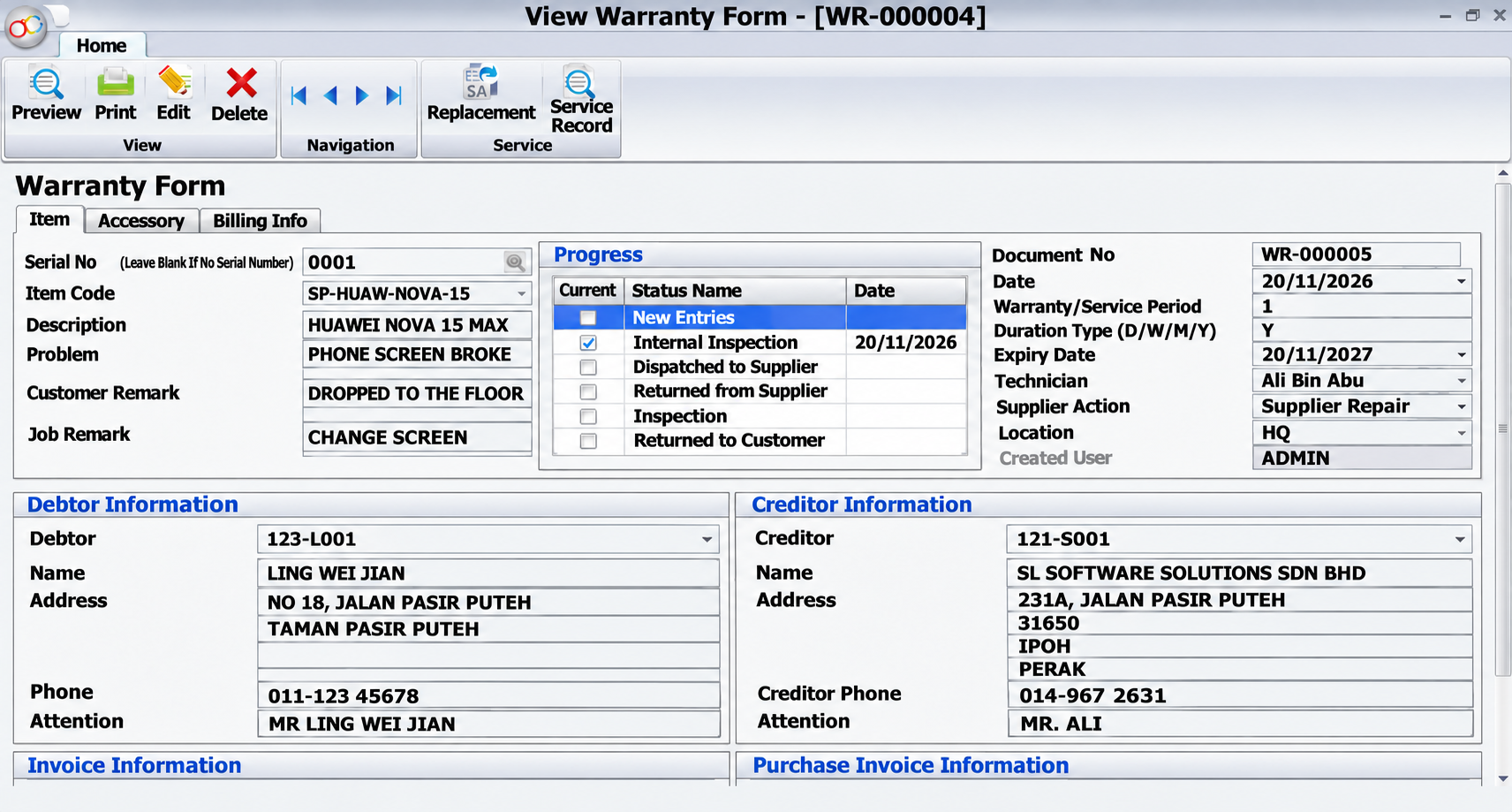
Define status flows and maintain dated progress history. Maintain technician, accessory and supplier action records to support the service process.
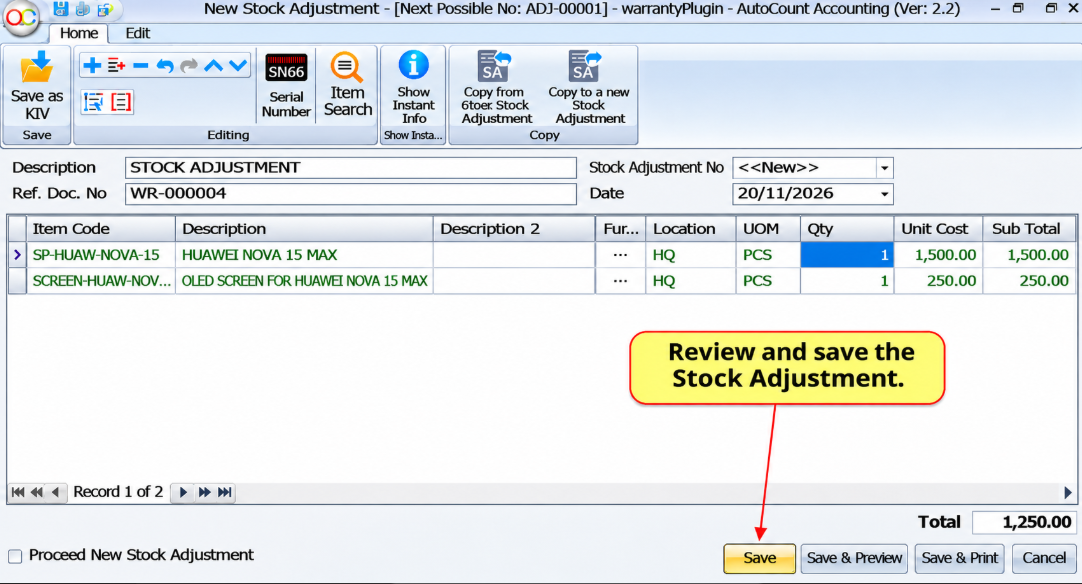
Internal Replacement creates a linked Stock Adjustment for returned and replacement stock. External Replacement records the replacement item and serial number when applicable.
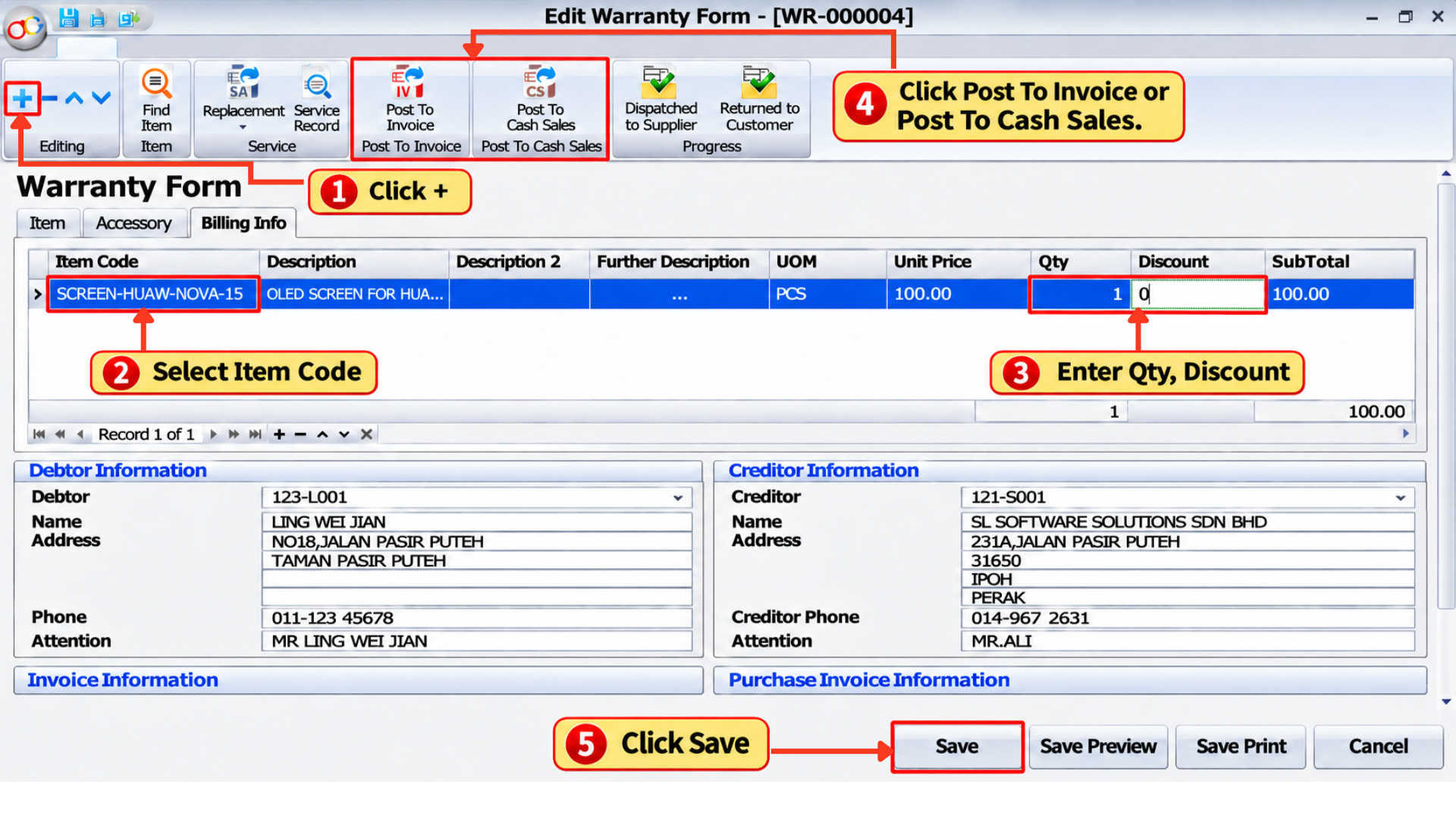
Billing Info supports item, UOM, quantity, unit price and discount, with posting to Invoice or Cash Sales.
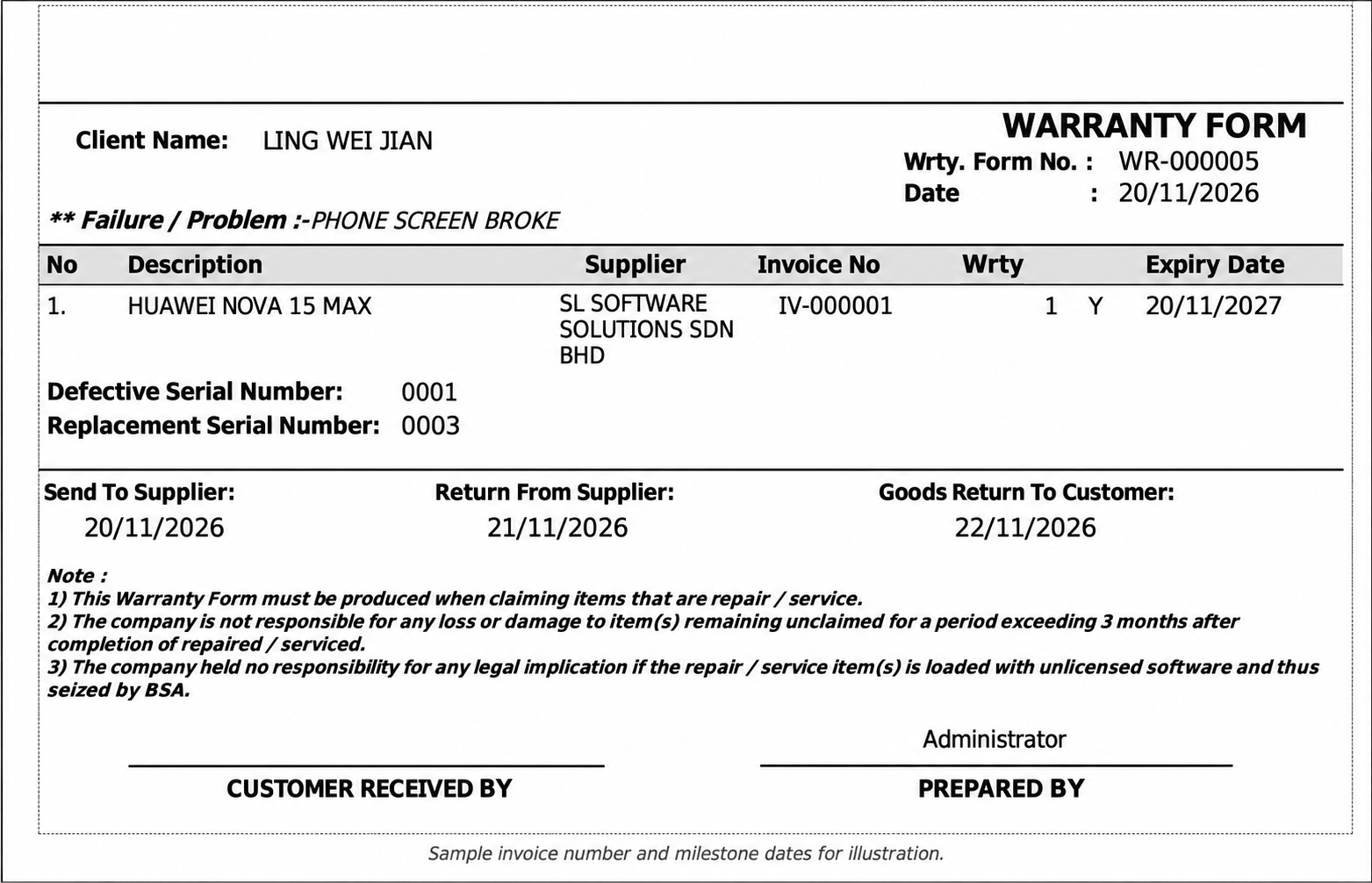
Preview and print Warranty and Service Note documents and listings. Review related Stock Transfer and Stock Adjustment documents through Service Record and check serial-number transaction history through inquiry.
Arrange a product demonstration with SL Software and discuss your AutoCount version and after-sales requirements.
The exact responsibilities may vary by company, but a typical case can involve these activities.
Customer and item details are maintained in a warranty or service record.
Dated service statuses help the team follow the case.
Replacement or chargeable service billing is available when applicable.
Warranty reports and related document history support follow-up.
Track warranty cases for serialised products sold to individual or business customers.
Connect purchased and sold serial-number records with the warranty follow-up process.
Maintain case details and current status while an item moves through after-sales service.
An AutoCount add-on for warranty and service notes, progress tracking, replacements, chargeable service billing and reporting.
Yes. Serial No can be left blank for items without a serial number.
Yes. Separate periods can be maintained for stock items.
Yes. Custom statuses can be maintained to suit the business workflow.
Yes. Internal Replacement links a Stock Adjustment; External Replacement records the replacement item and serial number when applicable.
Yes. Billing Info supports posting to Invoice or Cash Sales.
Yes. Warranty and Service Note output and listings can be previewed or printed.
Contact SL Software for a quotation and compatibility confirmation.
Need operating instructions? Read the Warranty 2.0 Plugin User Guide.
See how AutoCount Warranty 2.0 can support warranty records, service progress, replacements, billing and reporting for your team.