Disconnected production planning
Work centres, operation sequences and material requirements can become difficult to coordinate when maintained separately.

Plan multi-stage production with work centres, operations and BOMs; control Manufacturing Orders and Work Orders; respond to material shortages; and review production costs and reports inside AutoCount.
Contact SL Software to confirm compatibility with your AutoCount version, modules and manufacturing workflow.
AutoCount Advanced Stock Assembly extends the assembly workflow with production work centres, operation sequences, Manufacturing Orders and operation-level Work Orders.
It helps authorised teams plan materials and activities, respond when components are short, record production progress and quality-control decisions, then review linked stock postings, manufacturing costs and reports.

As production gains more operations, materials and responsibilities, a basic finished-goods transaction may no longer provide enough operational control.
Work centres, operation sequences and material requirements can become difficult to coordinate when maintained separately.
Missing components can interrupt approved production unless shortages and replenishment actions are visible early.
Without operation-level activity and QC records, teams may struggle to see what has started, paused or completed.
Explore the features that help your production, warehouse and management teams coordinate manufacturing activities.
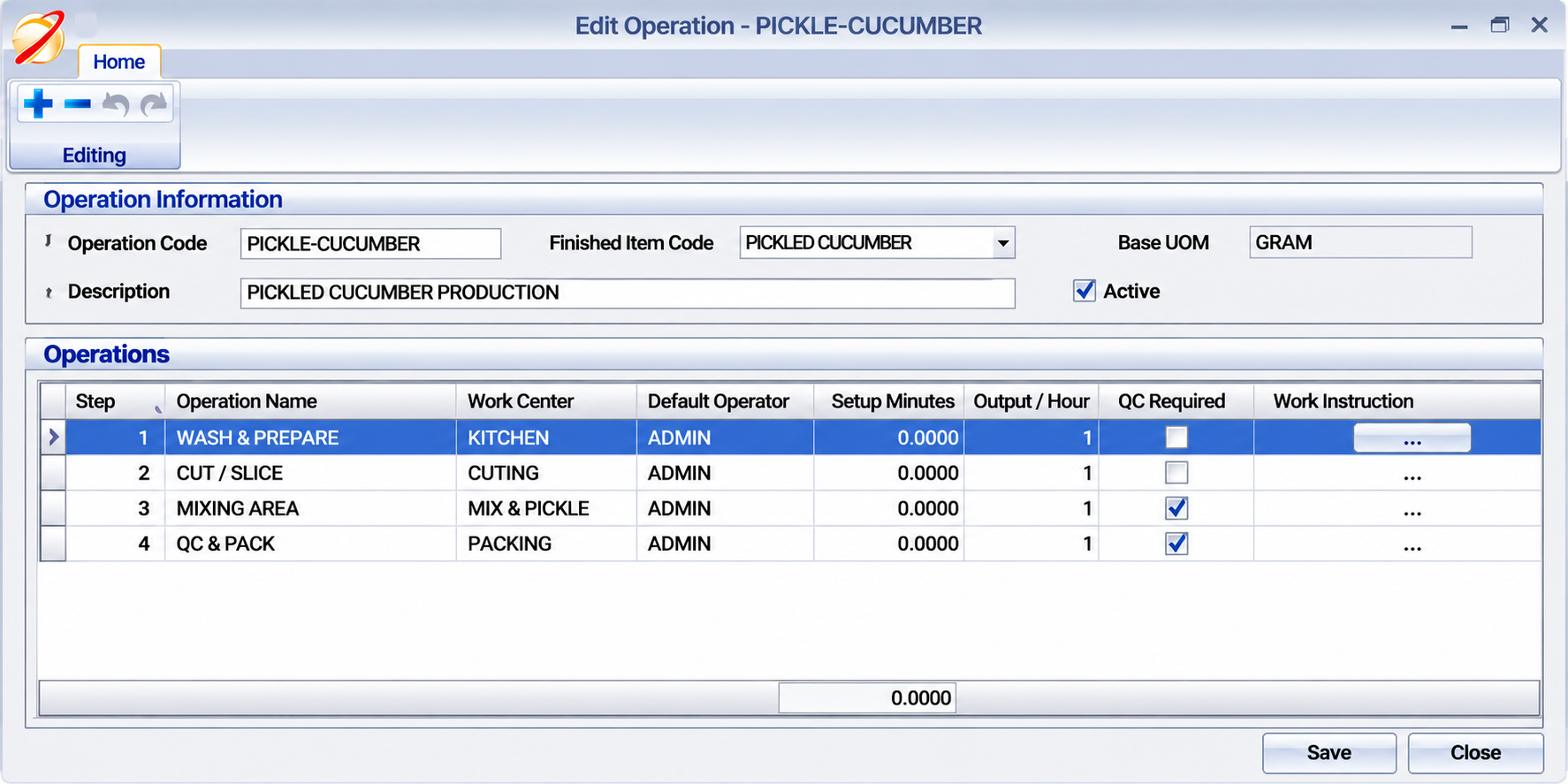
Organise production stages with work centres, operation sequences and work instructions. Assign the relevant work centre to each operation step.
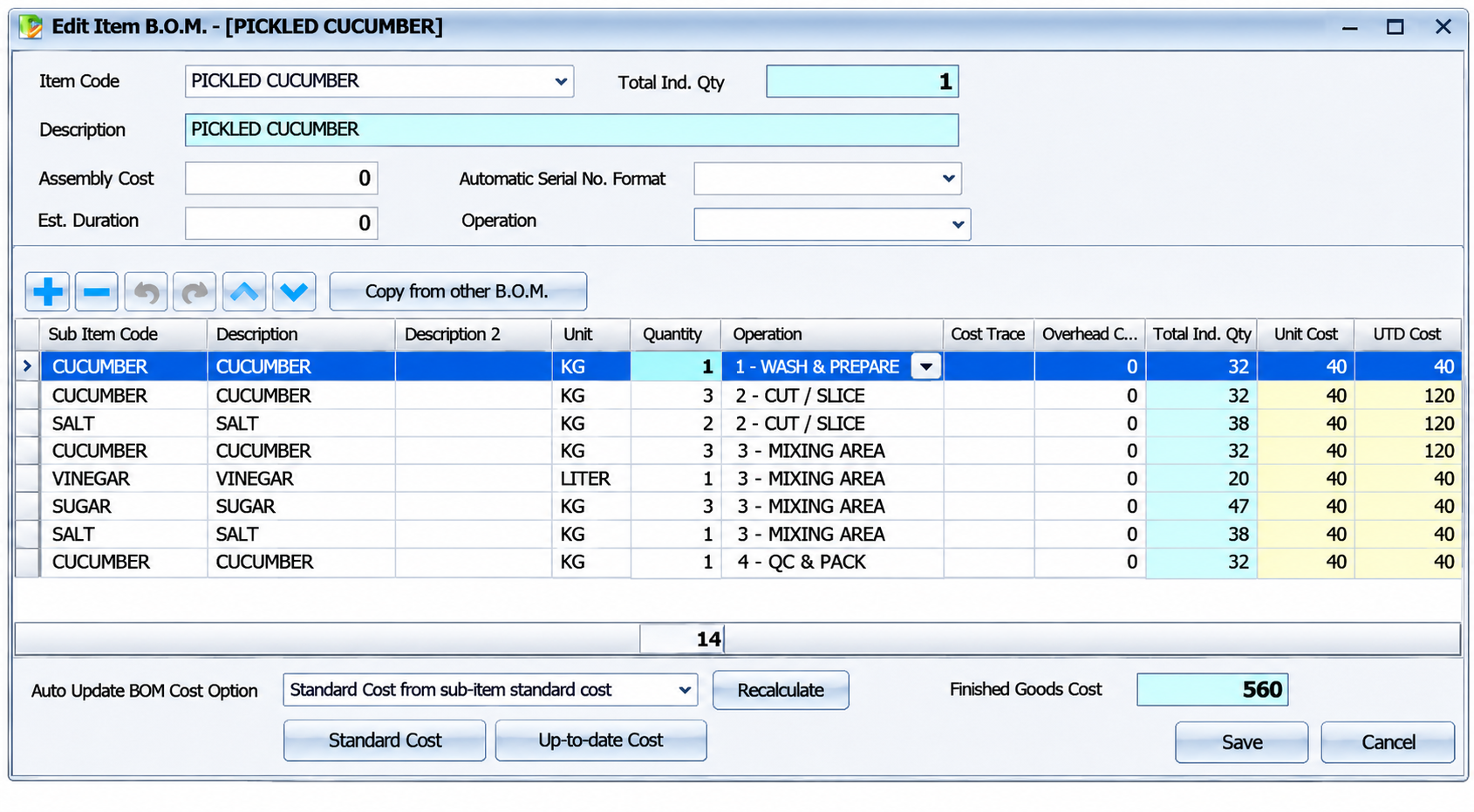
Maintain component quantities, units and consuming operations. Review BOM cost options, including standard or up-to-date component costs.
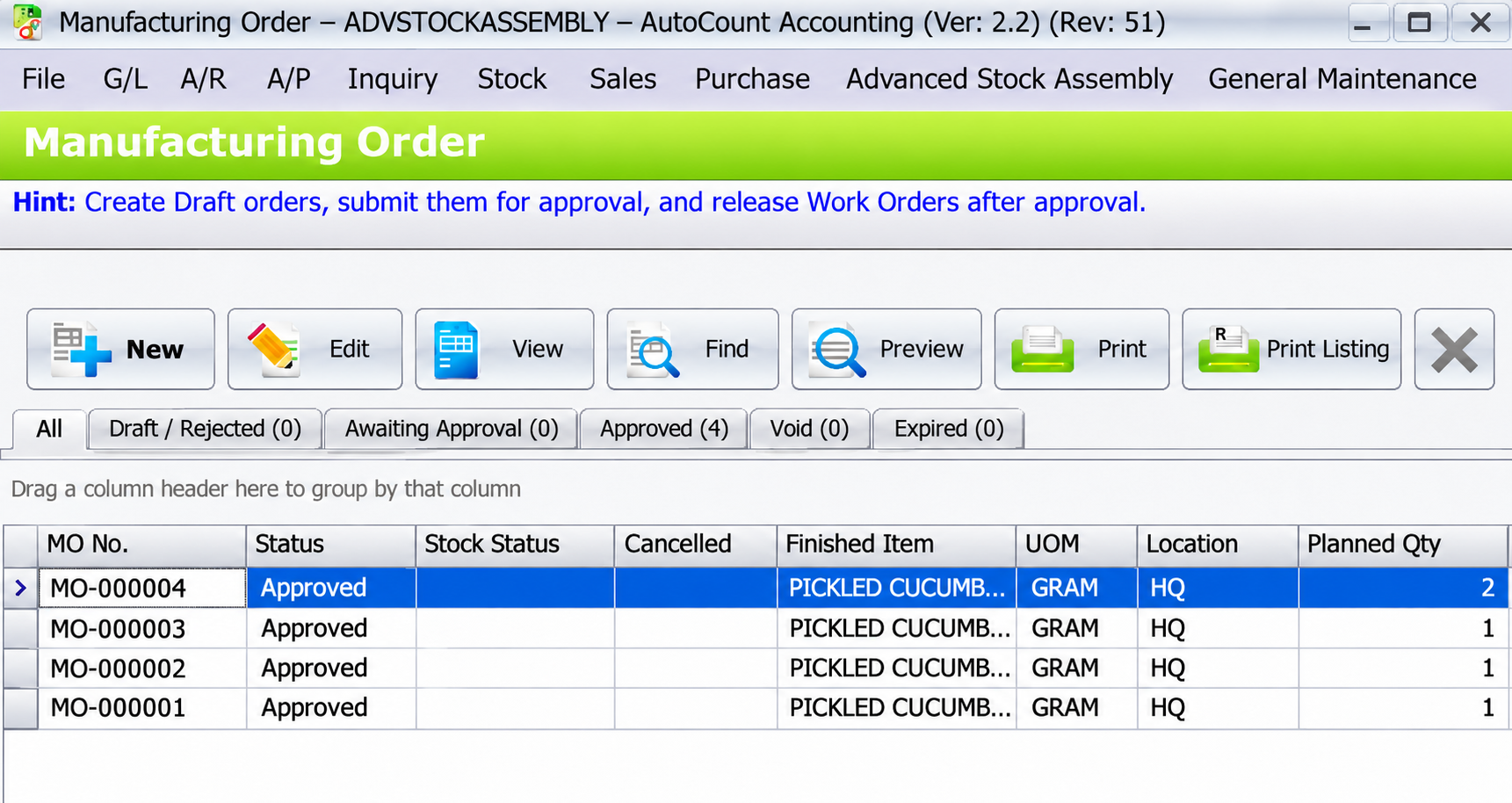
Bring finished-goods quantities, locations, required dates, materials and operation sequences together. Approval is subject to user rights.
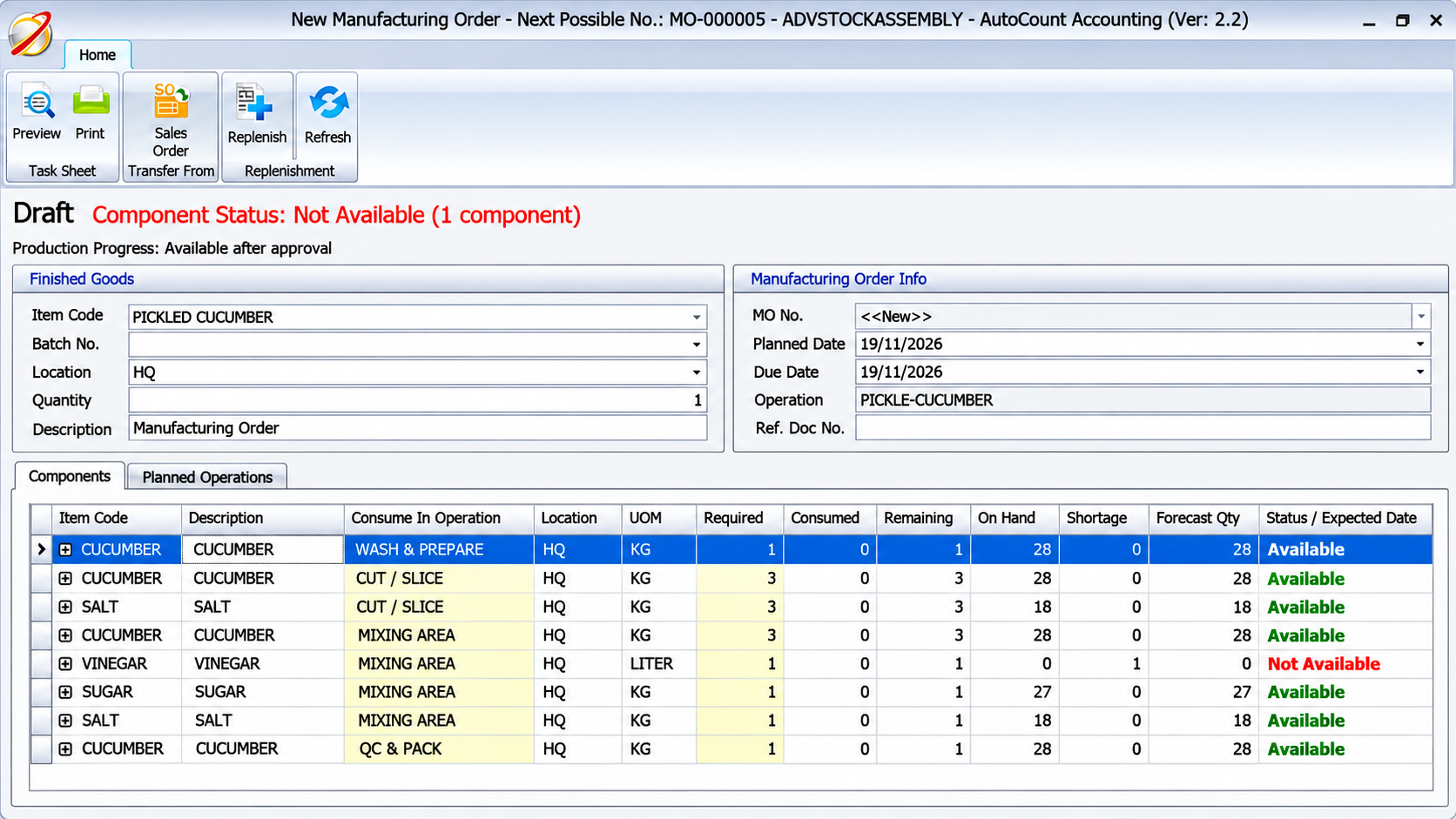
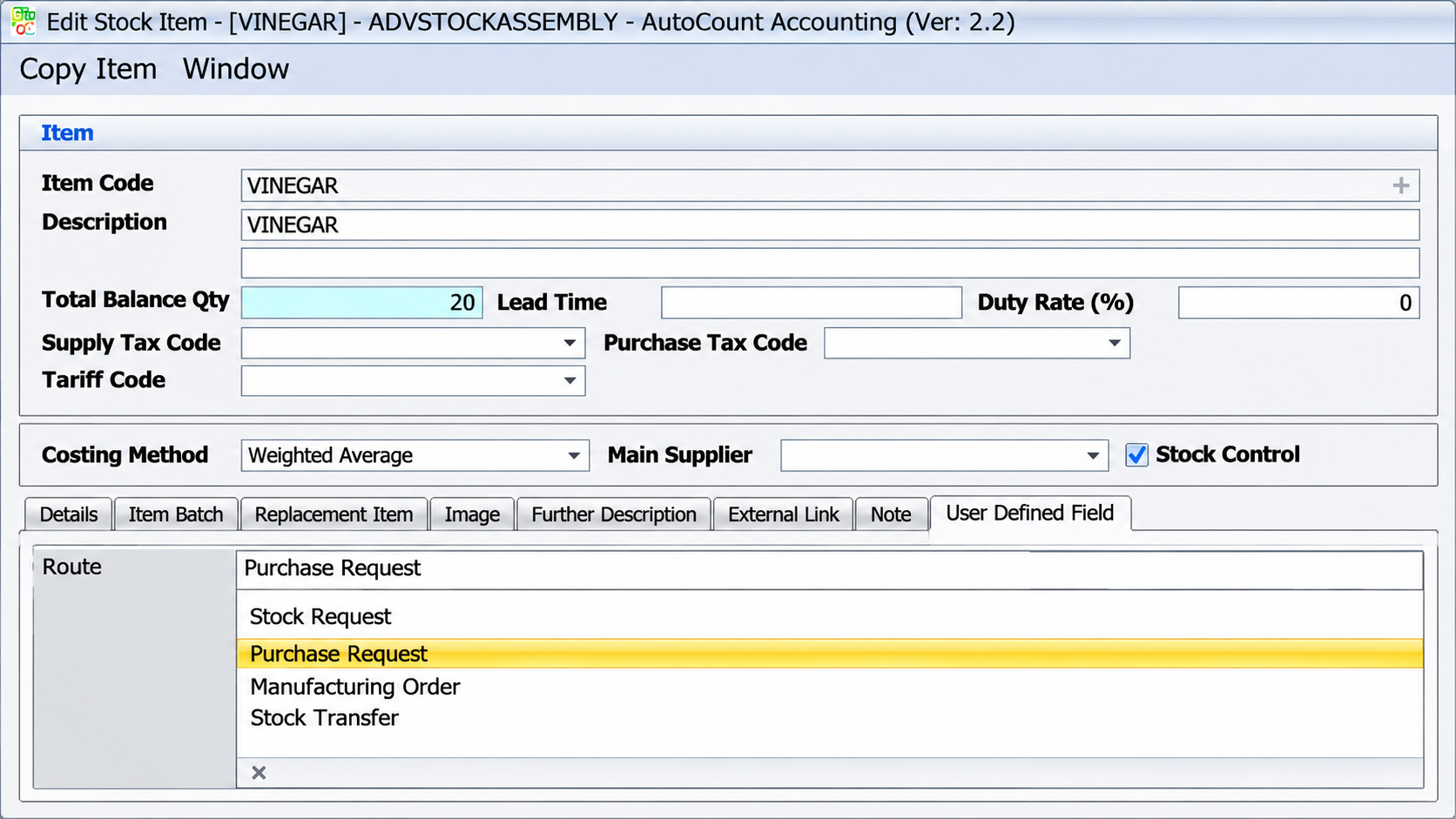
Review component shortages and initiate available replenishment documents such as Stock Requests, Purchase Requests or Stock Transfers, subject to permissions.
Track operation-level progress, activity, material consumption and applicable batch details. Record quality-control decisions where required.
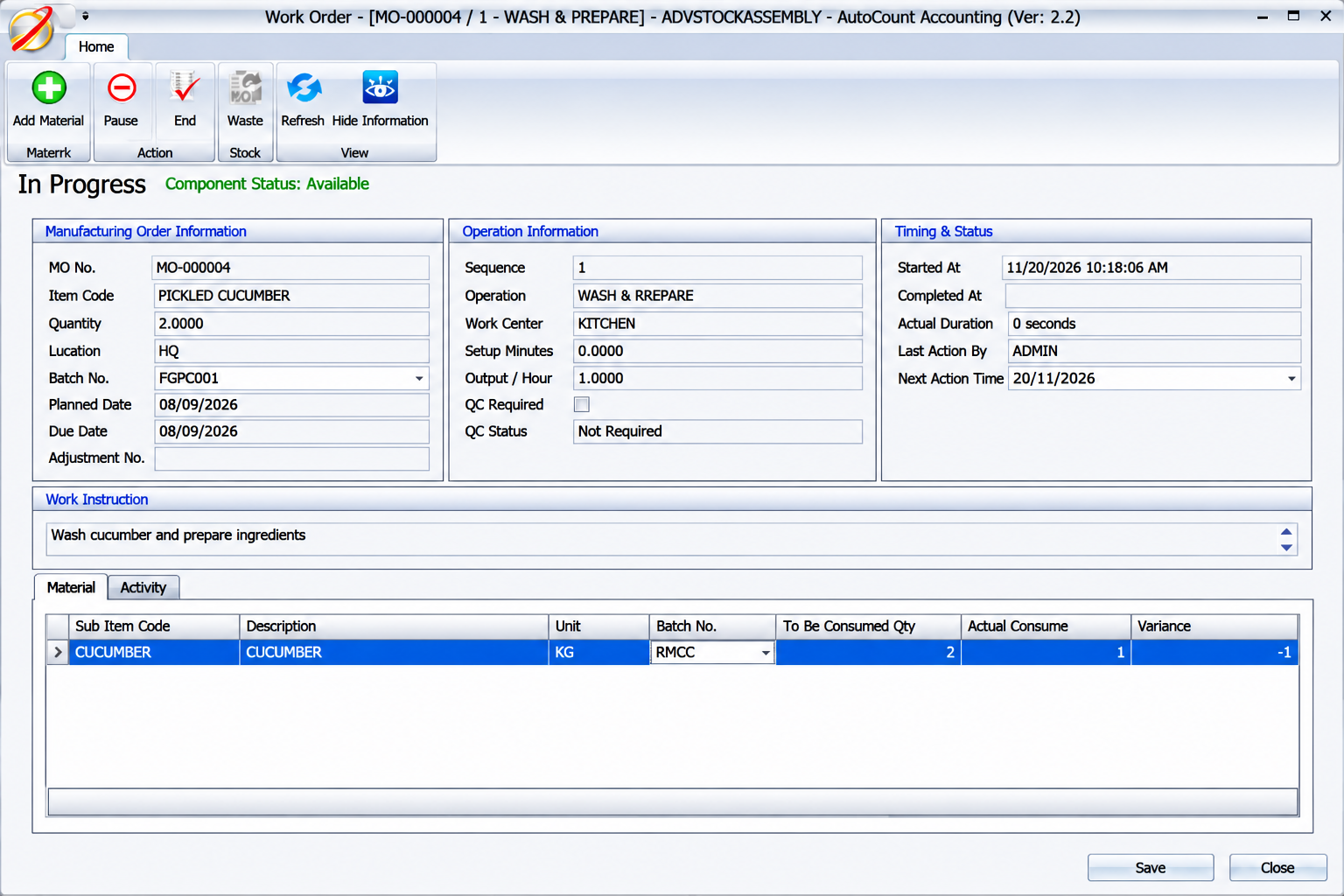
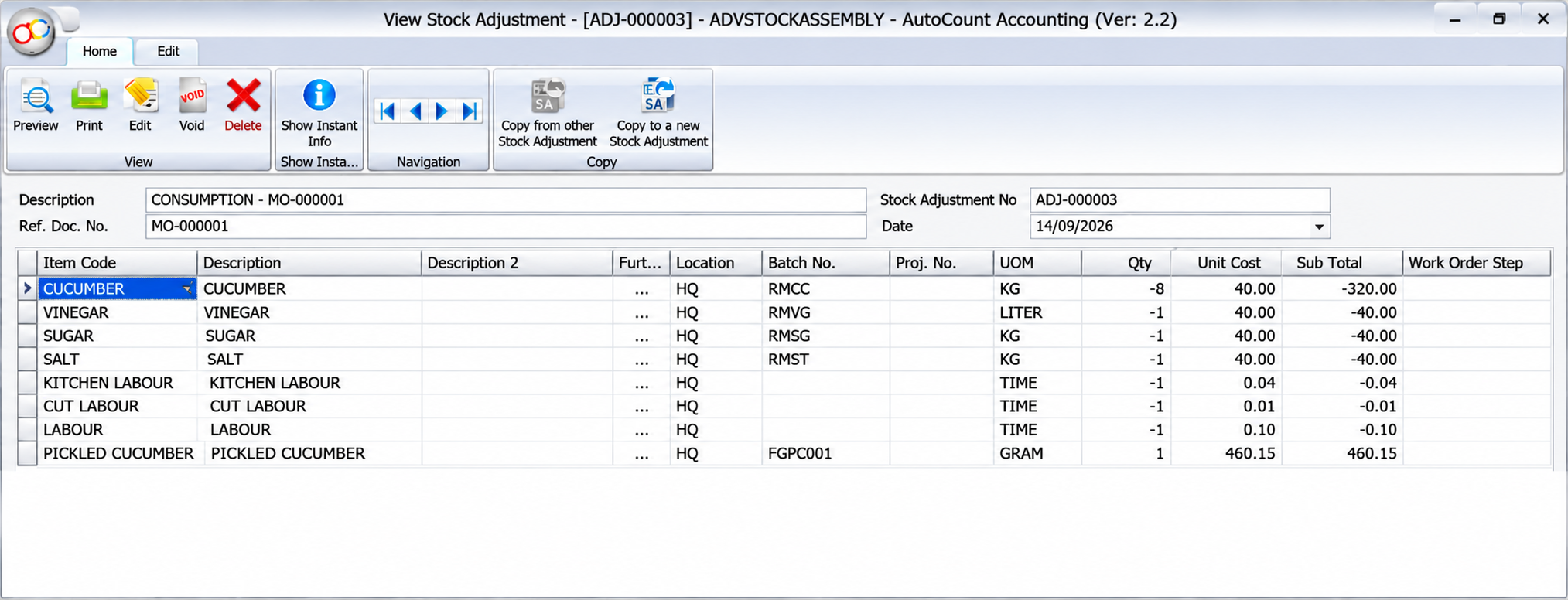
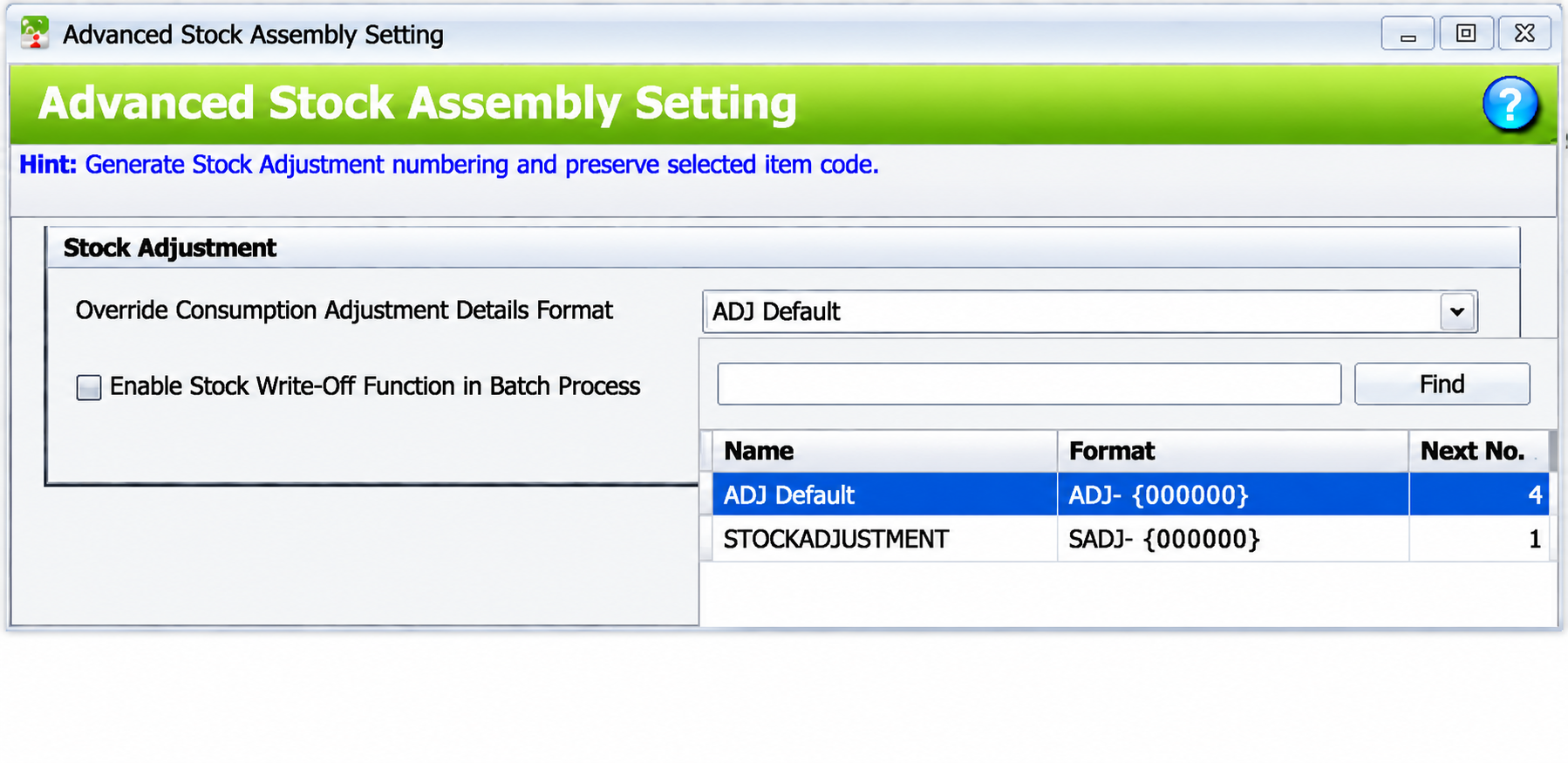
Where configured, Work Orders can link to Stock Write-Off documents. After all active Work Orders are complete and required QC has passed, Produce All posts through a linked Stock Adjustment, subject to access rights.
Use the separate Manufacturing Cost Recalculation function to refresh finished-goods costs when relevant manufacturing information or linked stock documents change. Execution requires the appropriate rights.
Review the Manufacturing Order Task Sheet, Listing and Outstanding reports, alongside documented Work Order WIP and Workload reporting.
Tell us how your team manages manufacturing and we can discuss suitable AutoCount options.
The exact responsibilities vary by company, but the documented process follows four practical stages.
Maintain work centres, operations, BOM components, consuming steps and relevant settings.
Review the planned finished goods, dates, operations and material availability.
Record operation-level activity, material use, completion and required quality decisions.
Post finished goods through the documented workflow, then review costs and production reports.
Businesses assembling finished goods from defined components and operation sequences.
Operations that need separate Work Orders, work-centre assignments and progress tracking.
Teams that need documented replenishment actions before production can continue.
It supports work centres, operations, extended BOM maintenance, Manufacturing Orders, Work Orders, shortage handling, production activity, QC decisions, finished-goods posting, cost recalculation and manufacturing reports.
A Manufacturing Order records the overall finished-good requirement, materials and planned operations. Work Orders manage the individual production operations associated with the approved Manufacturing Order.
Yes. Depending on permissions and native document access, users can review shortages and create an available replenishment document such as a Stock Request, Purchase Request or Stock Transfer.
Yes. The documented Work Order workflow includes activity, material consumption, applicable batch details, completion and Pass QC or Fail QC decisions where required.
No. Work Order completion and finished-goods posting are separate. Produce All creates the linked Stock Adjustment after active Work Orders are complete and required QC has passed, subject to the required rights.
The current guide covers the Manufacturing Order Task Sheet, Manufacturing Order Listing, Manufacturing Order Outstanding and Work Order WIP & Workload.
Pricing depends on your AutoCount setup and production requirements. Request a quotation from SL Software for current pricing and compatibility.
Need operating instructions? Read the Advanced Stock Assembly Plugin User Guide.
Browse the AutoCount add-on catalogue, consult the Advanced Stock Assembly user guide or discuss your manufacturing requirements with SL Software.
See how AutoCount Advanced Stock Assembly can support your BOMs, Manufacturing Orders, Work Orders, costing and production reporting.