Too much screen switching
Staff move between invoice entry and payment entry to record the same transaction.

The AutoCount Easy Payment Plugin helps Malaysian businesses create customer receipts and supplier payments from Sales and Purchase Invoices, with optional automatic invoice knock-off. Keep invoice entry and payment recording connected in one workflow.
Talk to our team about your workflow, plugin licensing and AutoCount version compatibility.
When an invoice is paid immediately, switching between invoice and payment screens adds repetitive work. Easy Payment offers a direct route from a saved Sales Invoice to an Official Receipt, or from a Purchase Invoice to a Payment Voucher.
Your team can review the prefilled payment information, check the amount and invoice allocation, and save the payment in AutoCount. Separate A/R and A/P auto knock-off settings let you choose how invoice allocation is handled.
See how Easy Payment can support a more organised workflow in AutoCount.
Staff move between invoice entry and payment entry to record the same transaction.
Re-entering customer or supplier information adds work during busy periods.
Teams need a clear way to check which invoice a payment will settle.
Six practical features connect invoice and payment operations within AutoCount Accounting.
Create an A/R Payment (Official Receipt) directly from a Sales Invoice. Customer, document date, currency and description are prefilled for review, with the invoice amount available under the CASH payment method in the documented workflow.
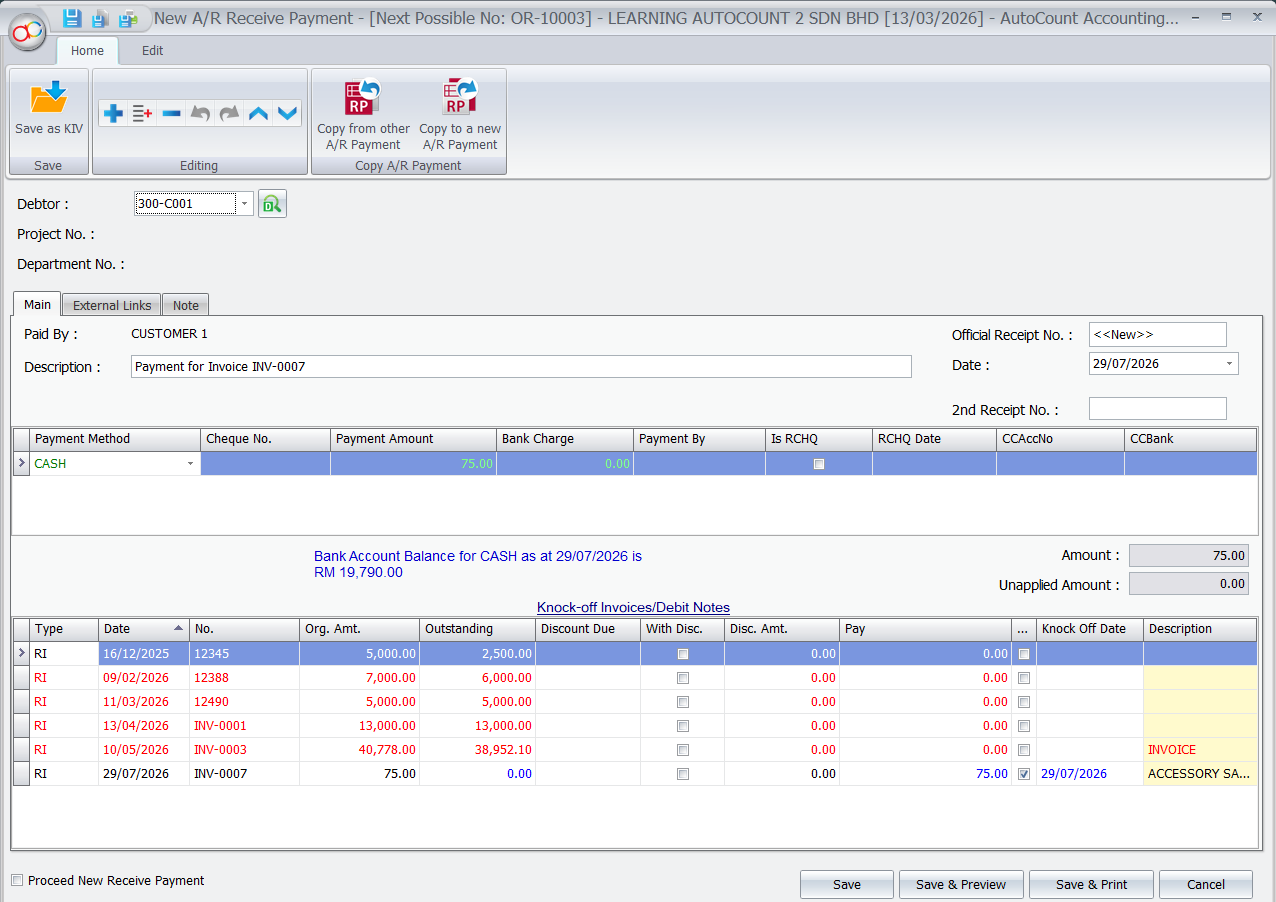
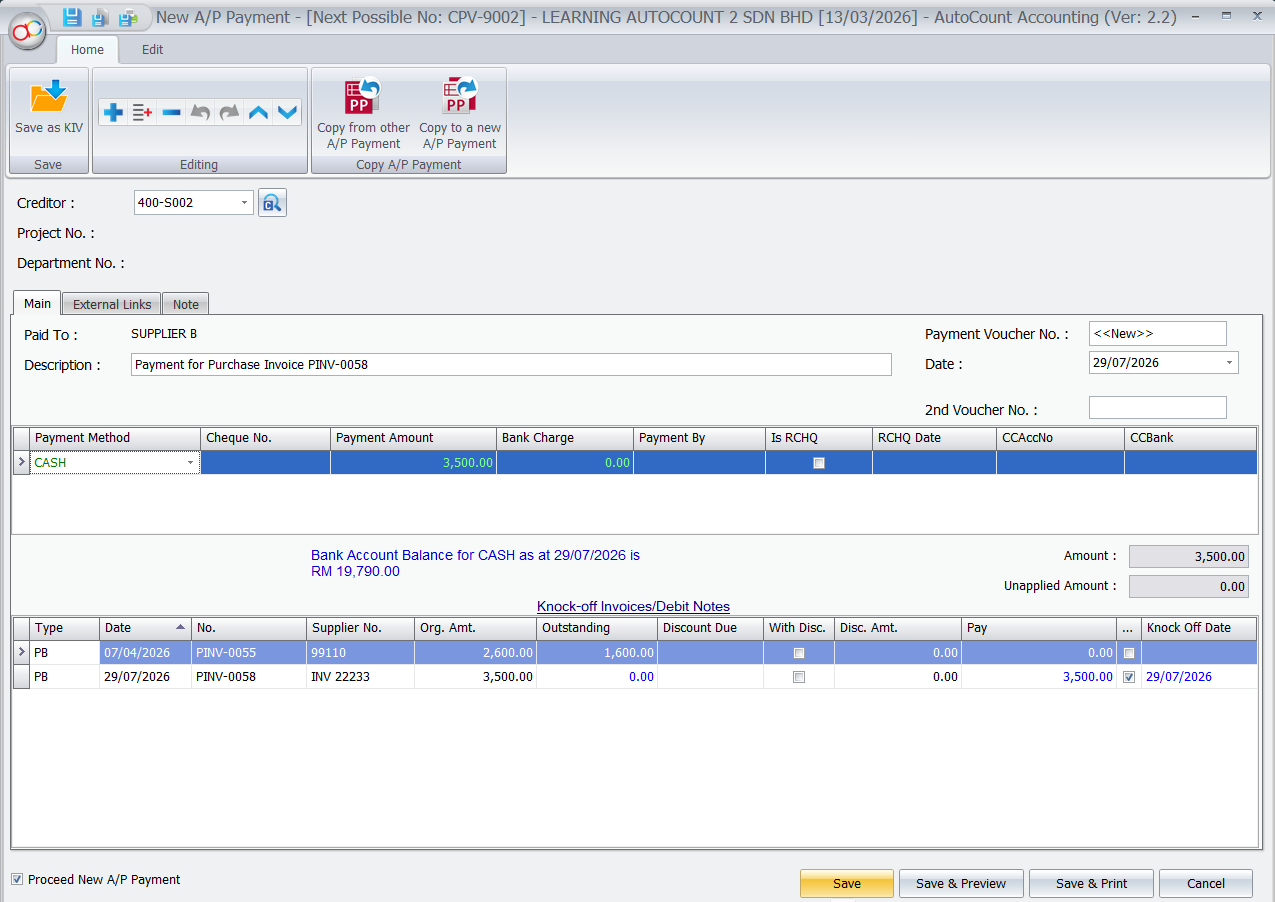
Create an A/P Payment (Payment Voucher) directly from a Purchase Invoice. Supplier and transaction information are prefilled, allowing your team to review the payment method, amount and allocation.
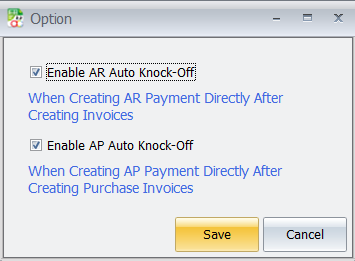
A/R and A/P Auto Knock-Off can be enabled independently. When enabled, the related invoice is selected and the available payment amount is applied for review. Manual allocation remains available when automatic knock-off is disabled.
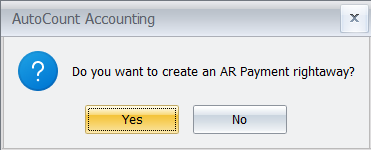
Authorised users can receive a payment creation prompt after saving a Sales Invoice or Purchase Invoice. They can choose whether to proceed with payment recording.
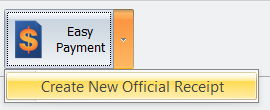
The Easy Payment dropdown provides a convenient route to payment creation from an existing invoice listing, including the Create New Official Receipt option for customer payments.
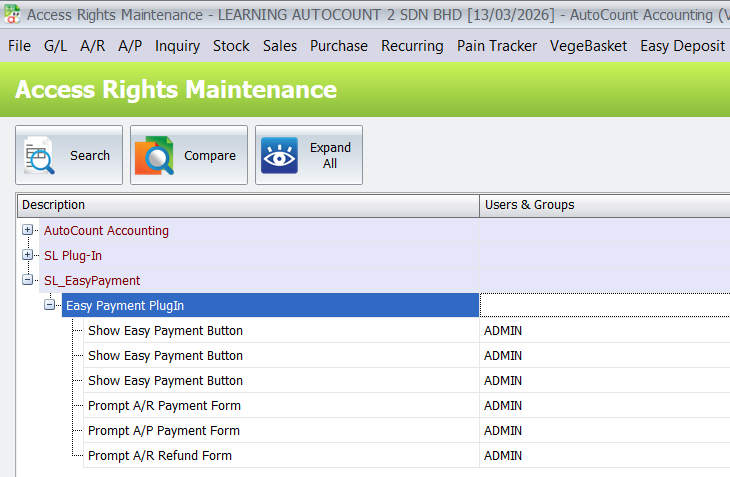
Administrators can manage Easy Payment button visibility and the separate A/R and A/P payment form prompts through user group permissions.
Tell us where your team spends time and what you want to improve.
An illustrative business example using the plugin's documented functions.
Customer and supplier invoices provide the starting point for payment recording.
Relevant transaction details are prefilled for review.
Optional automatic knock-off supports invoice matching.
Official Receipts and Payment Vouchers remain part of AutoCount Accounting.
Record payments for invoices settled at the point of sale.
Connect purchase invoice entry with supplier payment processing.
Reduce repetitive navigation during daily receipt and payment entry.
Yes. It supports A/R Payment (Official Receipt) from Sales Invoices and A/P Payment (Payment Voucher) from Purchase Invoices.
Yes. A/R and A/P Auto Knock-Off are separate settings. Your team should review the payment amount and allocation before saving.
The workflows on this page create and allocate payment records within AutoCount. They do not describe a bank transfer or online payment gateway service.
Yes. The invoice listing includes Easy Payment options for starting the relevant payment workflow.
Yes. Administrators can assign Easy Payment permissions to user groups in Access Right Maintenance.
Contact SL Software for a current quotation. Our team will review your AutoCount version, required workflow and licensing before recommending a setup.
Already using this plugin? Read the AutoCount Easy Payment Plugin User Guide for setup and operating instructions.
Compare add-ons for your business or find practical operating instructions.
Discuss your requirements with SL Software Solutions and see whether the AutoCount Easy Payment Plugin fits your business.
Product functions and compatibility should be checked against your deployed AutoCount version.