Notes scattered across documents
Free-form notes can be difficult to compare across repeated visits.

Configure body-area services, record a client’s selected pain or treatment areas, add the result to sales documents and review previous treatment history.
Discuss document compatibility, privacy procedures and reporting requirements with SL Software.
AutoCount Pain Tracker provides a visual workflow for businesses that need to record body areas discussed or treated during a client visit. Staff configure pain-area profiles, select relevant areas and enter notes before adding the information to an AutoCount document.
The documented workflow also allows authorised users to reopen prior records and review a client’s treatment history alongside the related transaction details.
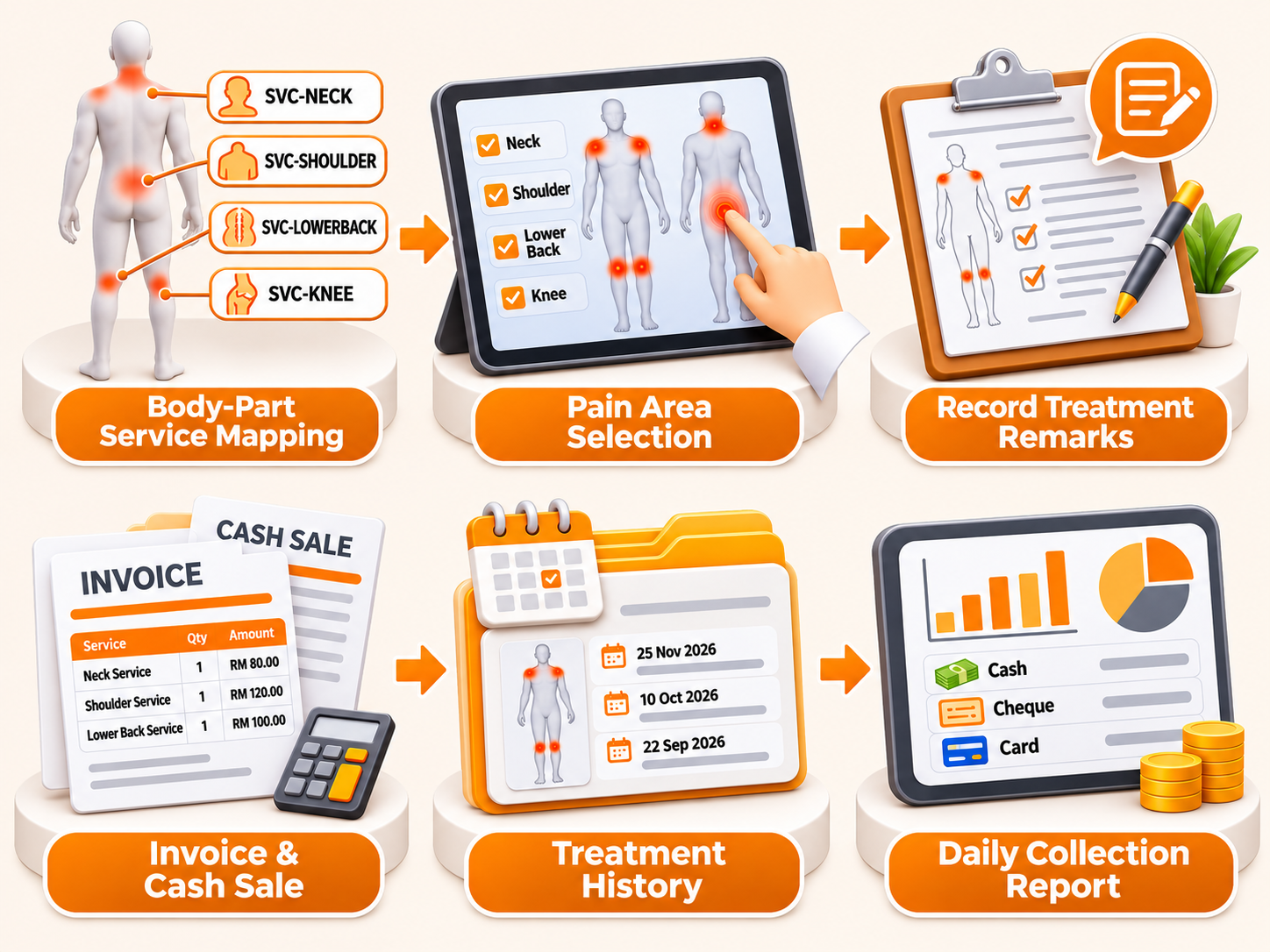
Free-form notes can be difficult to compare across repeated visits.
Text alone may not clearly show which body areas were selected.
Staff need a straightforward way to review earlier treatment records.
Explore the capabilities that connect treatment service setup, visual records, sales documents, client history and daily collections.
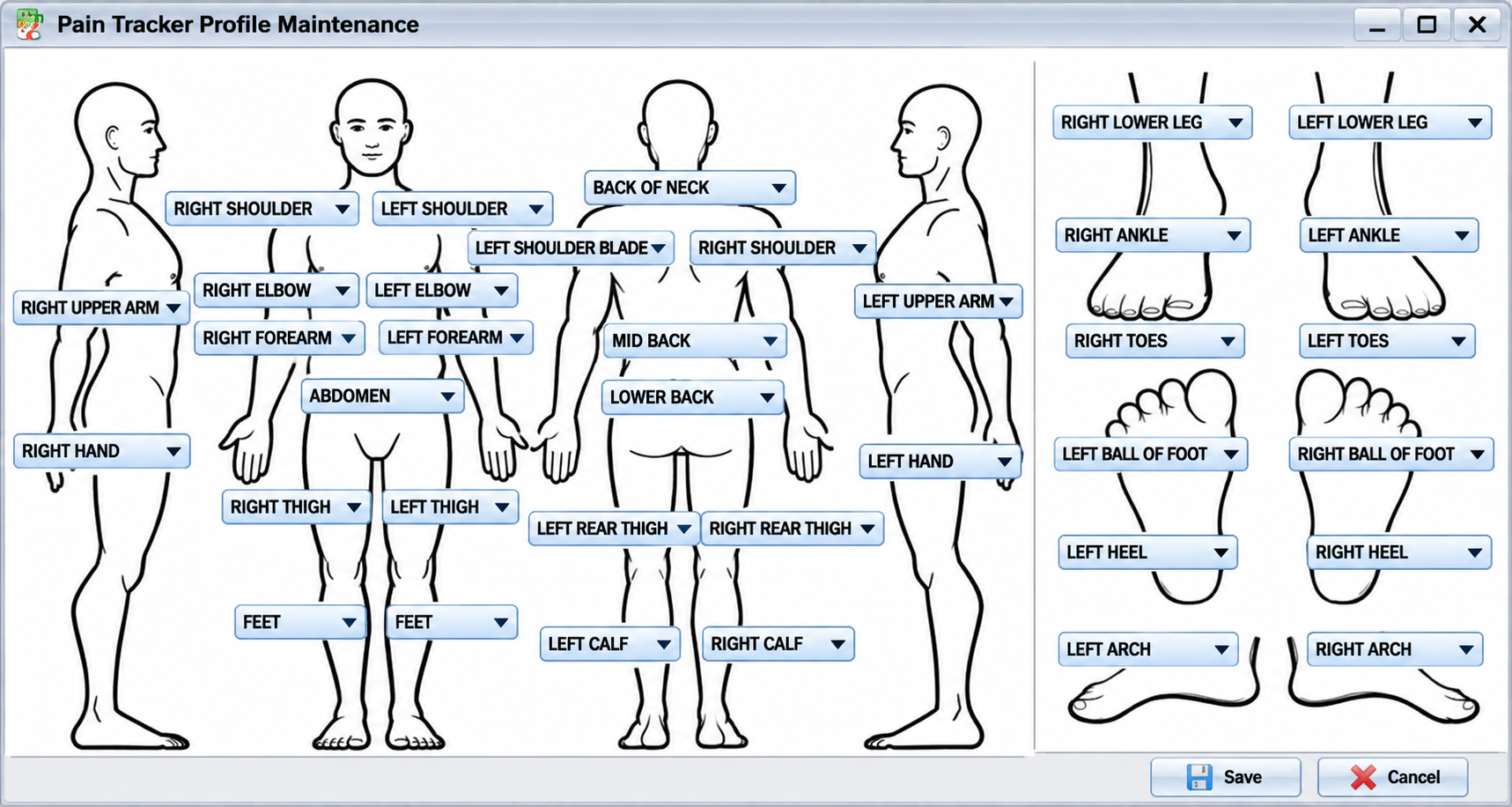
Map body locations to the corresponding AutoCount item or service codes using Profile Maintenance.
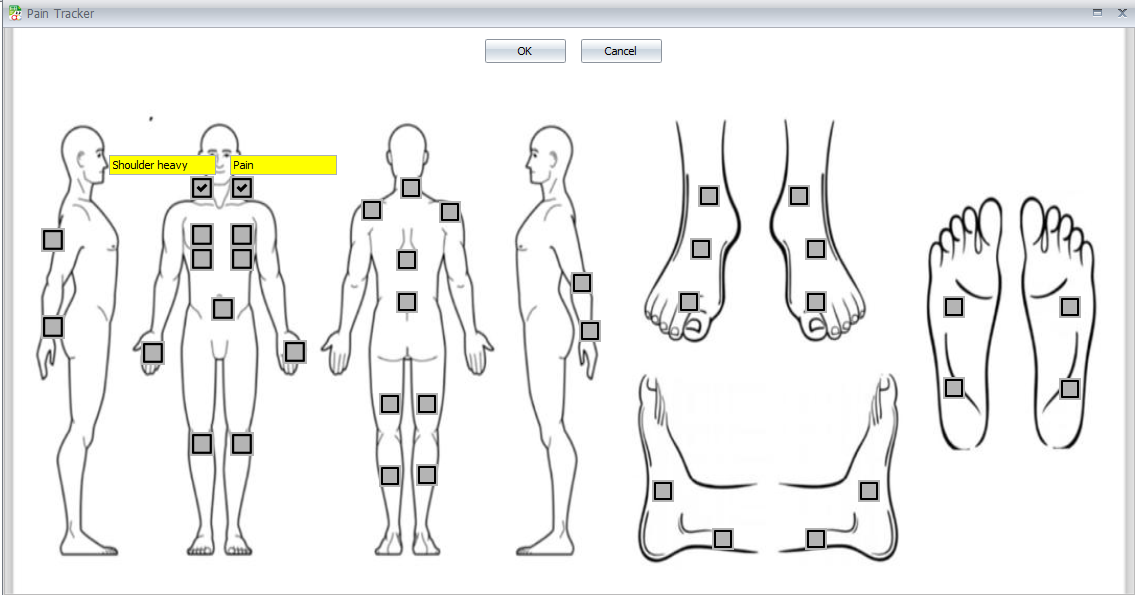
Select affected body areas using a visual diagram and capture relevant remarks.
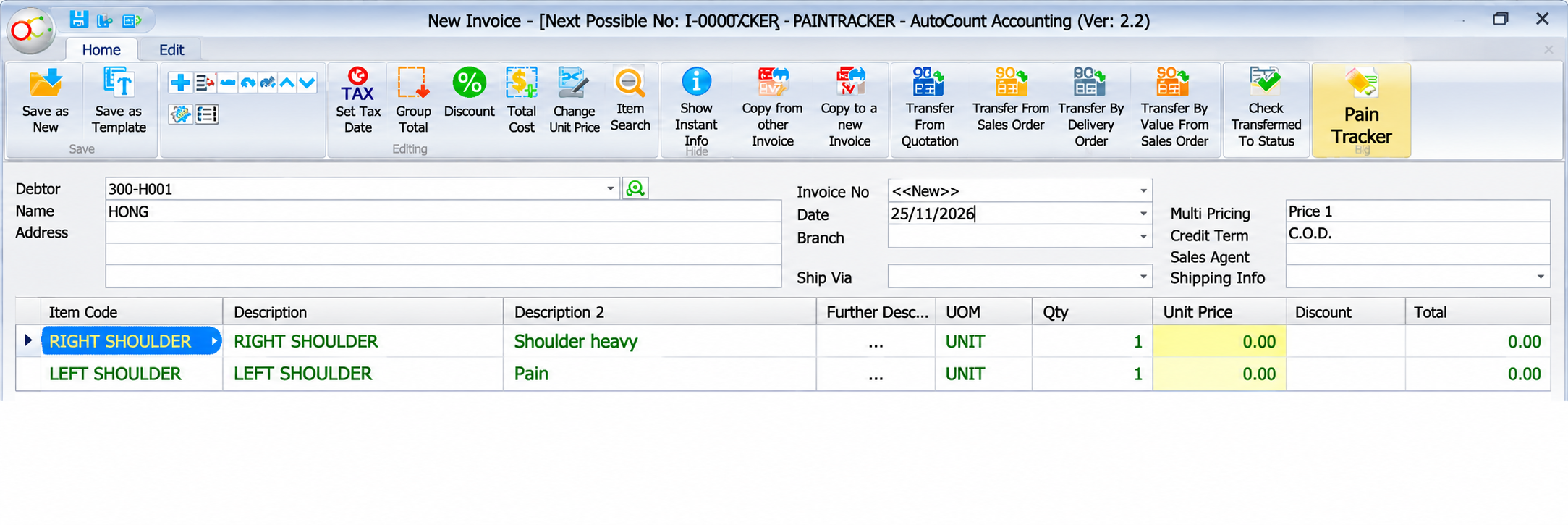
Selected body parts populate the Invoice or Cash Sale with quantity 1. Unit prices are entered separately. Confirming the selection replaces existing document detail rows.
Review non-cancelled Invoices and Cash Sales for a client and see the highlighted body areas recorded previously.
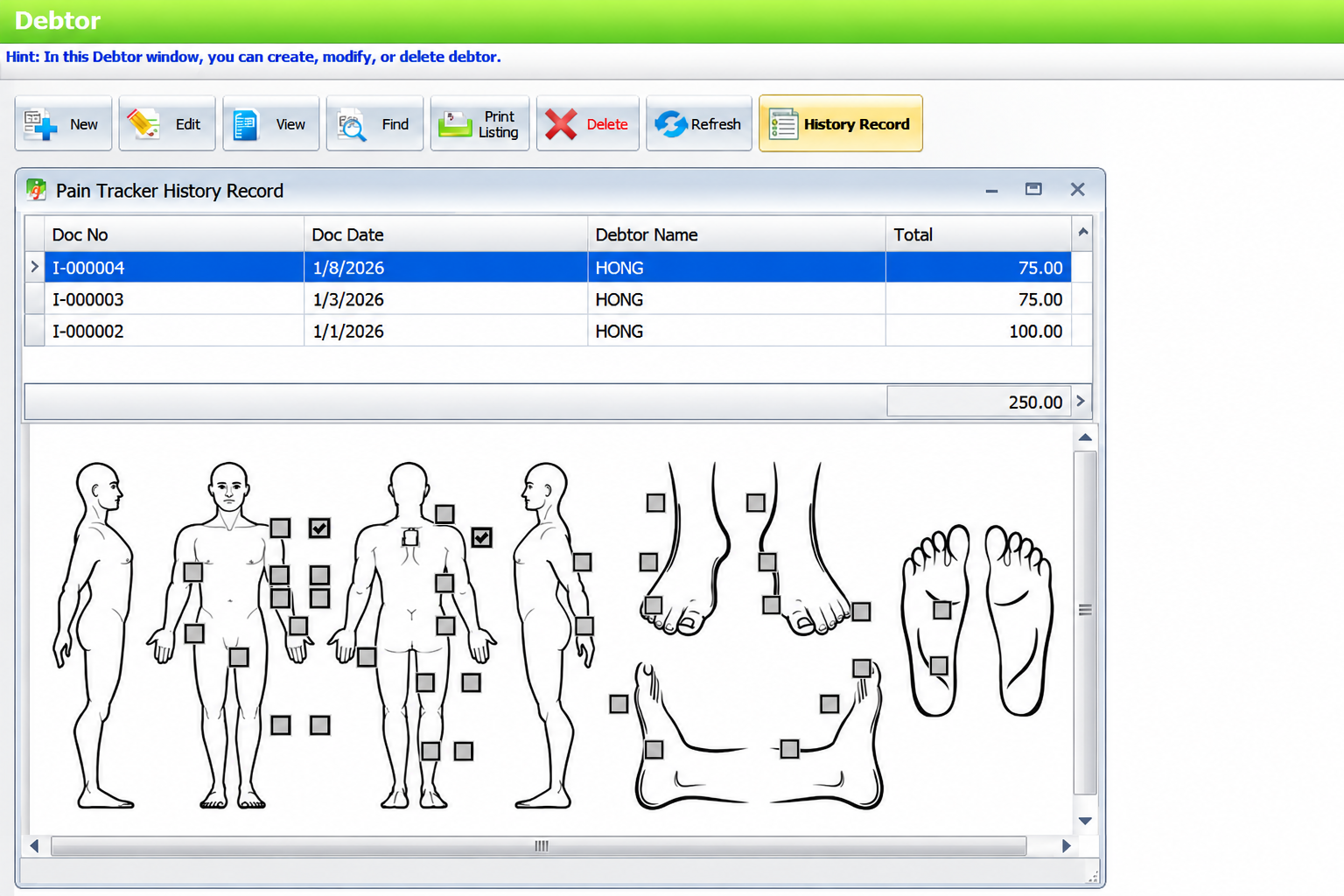
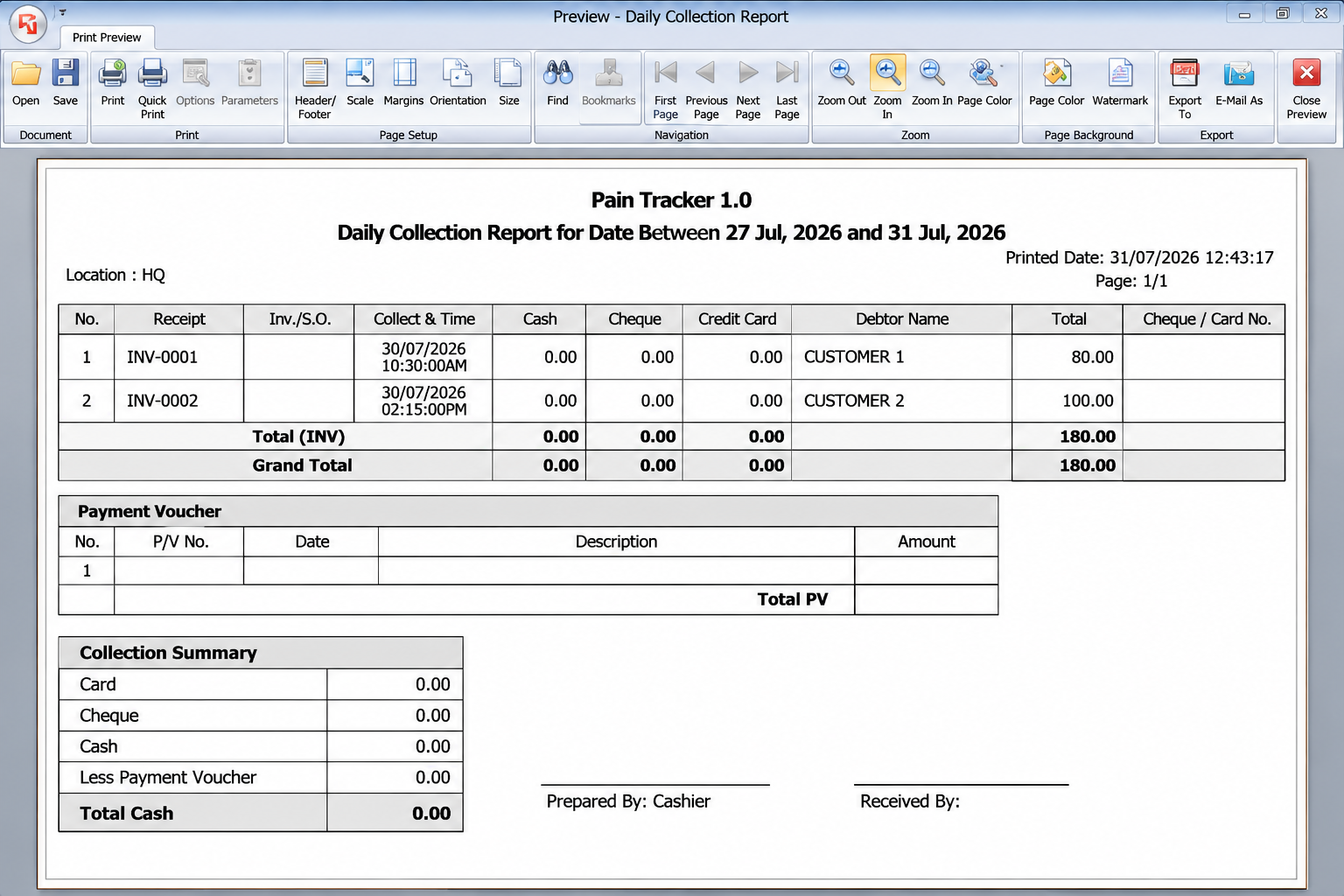
Review daily collections by date and location, including Cash, Cheque and Card payment totals.
Arrange a demonstration with SL Software and discuss your AutoCount version, responsibilities and reporting needs.
The process connects service setup, visit recording and later history review.
Set up the available body areas or services.
Start Pain Tracker from the relevant sales entry.
Select areas, add remarks and confirm the details.
Retrieve previous records when the client returns.
Maintain consistent records for repeat client visits.
Record visual treatment areas alongside sales documents.
Review previous visit details before providing the next service.
The guide documents entering the note in Pain Tracker and adding the selected details to the connected document.
Yes. Authorised users can access the client’s treatment history.
Yes. Both Invoice and Cash Sale are supported. Confirming the selected areas replaces existing detail rows with the mapped body-part items.
Yes. The profile-maintenance workflow is used to prepare the available areas or services.
The guide includes access-right setup so only authorised users can use the plugin functions.
Yes. The Daily Collection Report supports date and location selection and Cash, Cheque and Card payment totals.
Already using this plugin? Read the AutoCount Pain Tracker Plugin User Guide for operating instructions.
Browse the AutoCount add-on catalogue, consult the technical user guide or contact SL Software to discuss your treatment management requirements.
Configure service profiles, record selected treatment areas and give authorised staff a clearer view of previous client history.