Traveller details sit outside orders
Separate records make it harder to relate passenger details to a booked item.

Manage travel bookings' order-related traveller information, customer and supplier deposits, payments, refunds, daily collections and sales-agent commission inquiries in AutoCount Accounting.
Ask SL Software to confirm product suitability, licensing and AutoCount version compatibility.
Manage travel bookings' order-related traveller information, customer and supplier deposits, payments, refunds, daily collections and sales-agent commission inquiries in AutoCount Accounting.
The functions shown here come from the accompanying plugin user guide. Our team can confirm how they fit your workflows and account book configuration.
Operational issues the documented features may help you address.
Separate records make it harder to relate passenger details to a booked item.
Sales Orders and Purchase Orders may need payment and balance checks.
Teams need a date- and location-based view of collection activity.
Finance users need supported inquiry and allocation tools.
Documented plugin functions and their business uses.
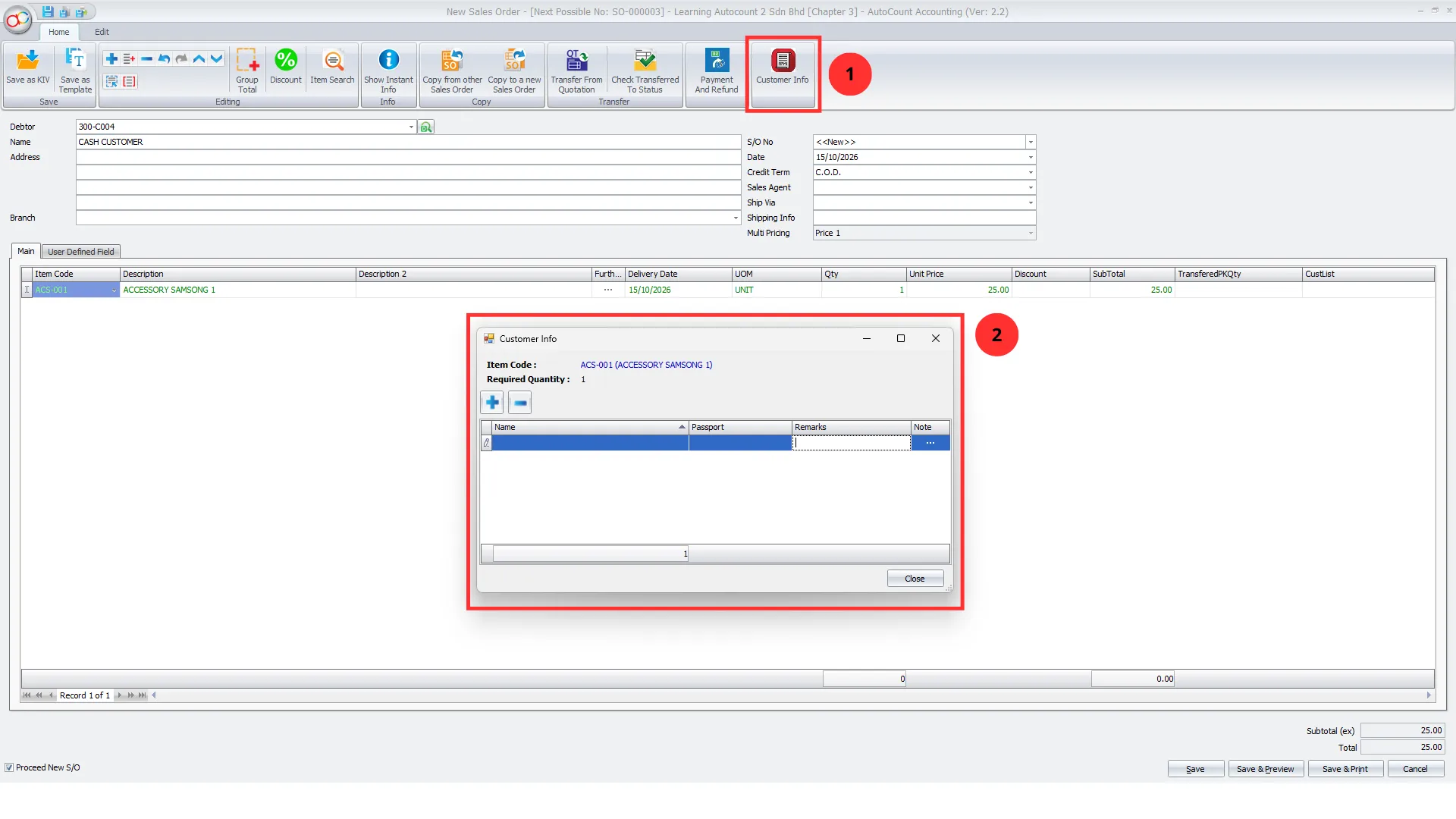
The documented Customer Info function captures traveller name, passport, remarks and notes for the related order item.
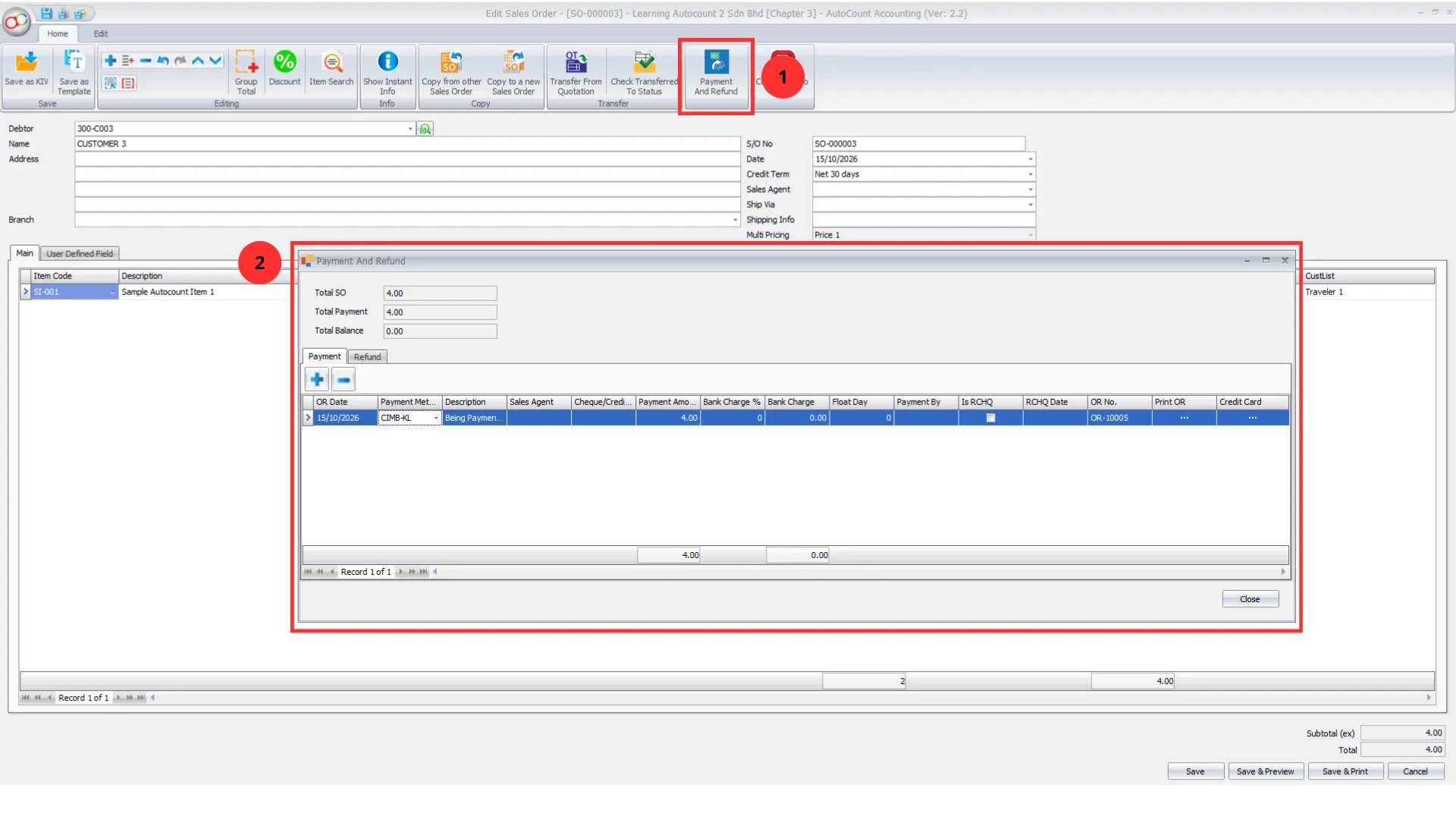
Sales Order and Purchase Order workflows include payment/balance information and relevant Payment And Refund views, subject to permissions.
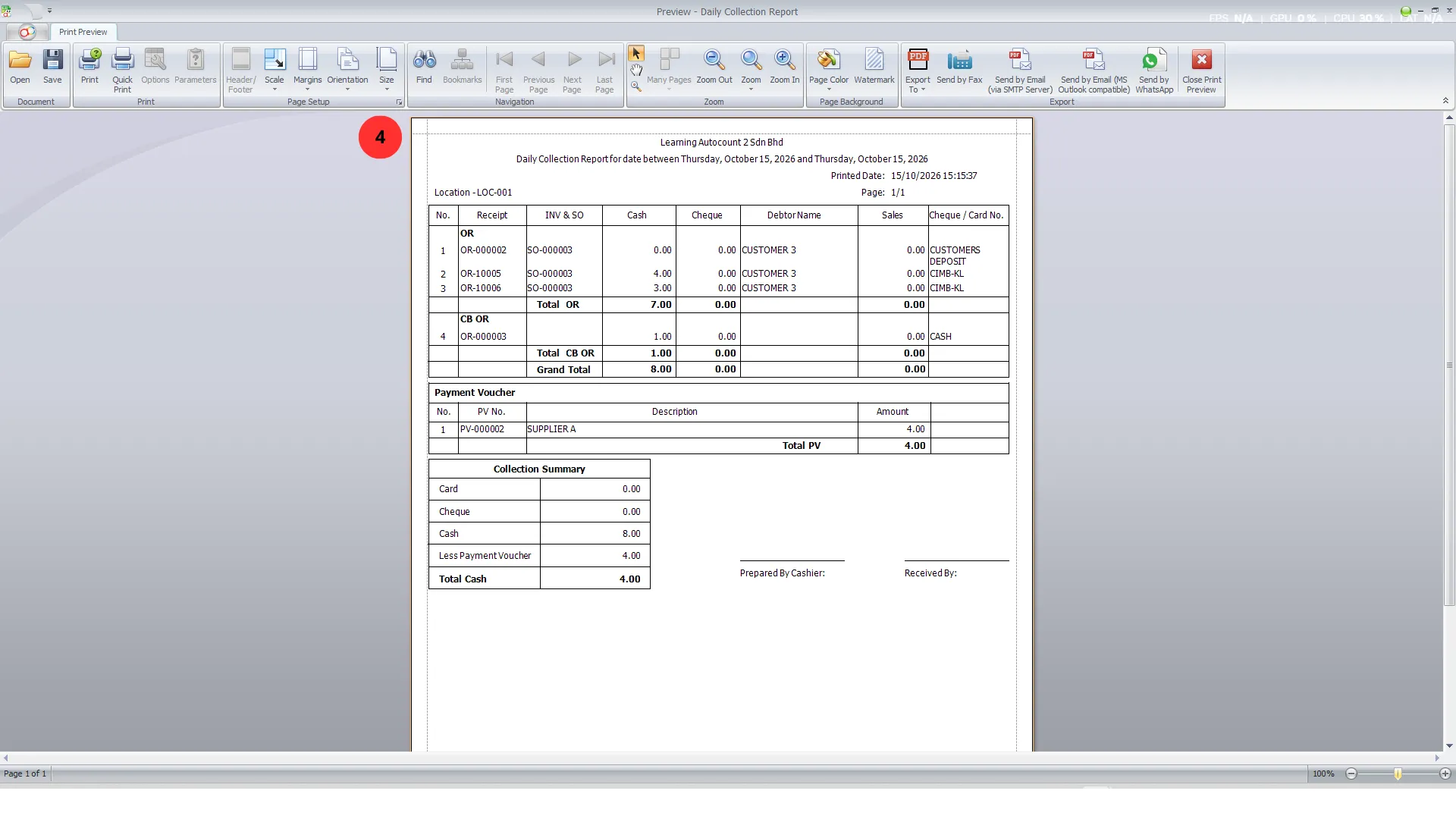
The Daily Collection Report supports selected periods and locations, with a user-permission option to restrict results to the user's location.
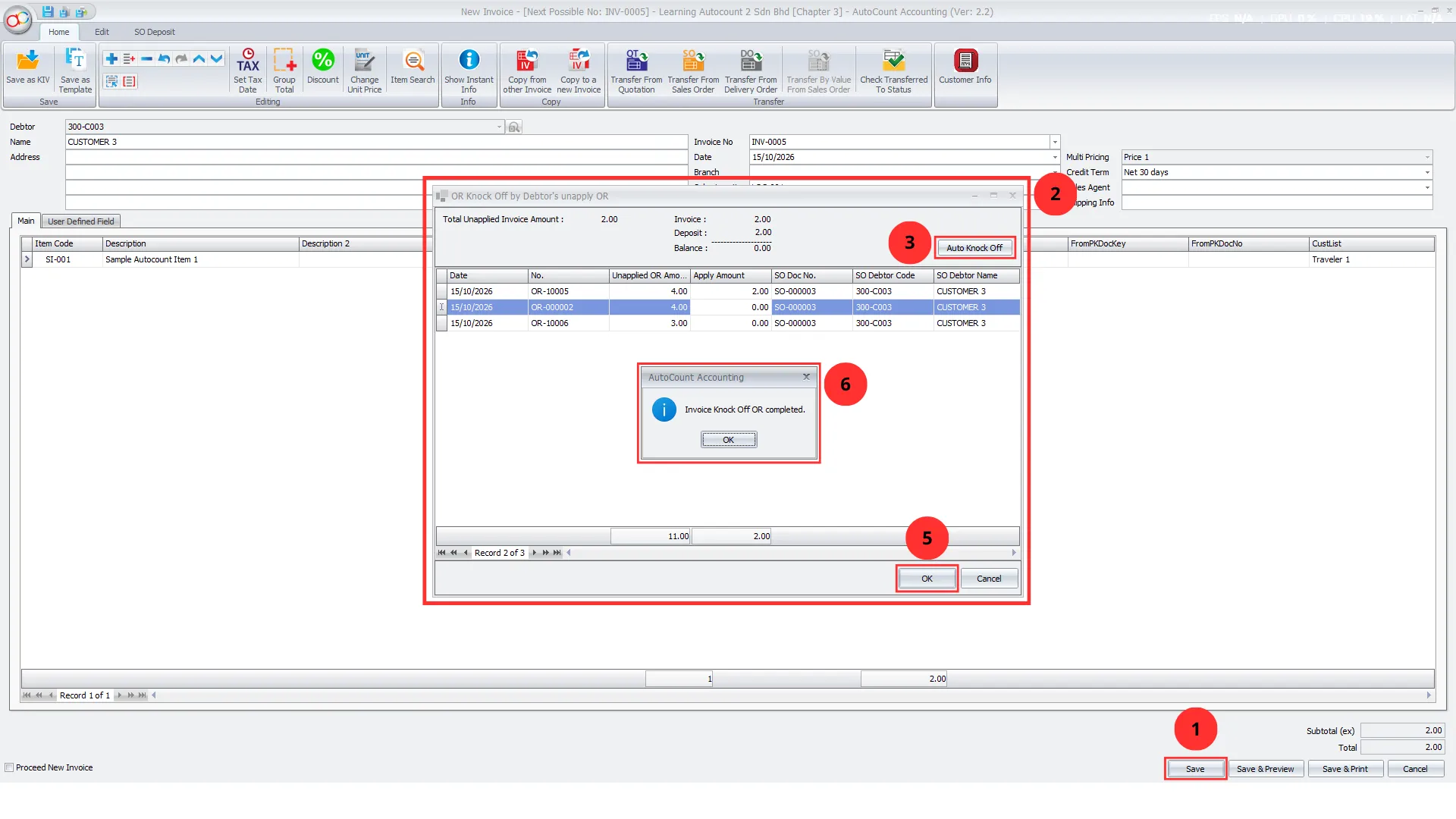
The documented Auto Knock Off function allocates eligible unapplied amounts; Sales Agent Commission provides date and agent-filtered inquiry.
Discuss your workflow, licensing and supported functions with SL Software.
Illustrative business sequence, not setup instructions.
Record booking-related traveller and transaction information.
Review collections by permitted location.
Track payments, refunds and agent-related inquiries.
Yes. The documented Sales Order Customer Info includes traveller name and passport fields.
The guide covers relevant Sales Order and Purchase Order Payment And Refund workflows.
Yes, with date and location criteria and applicable access rights.
Yes. A documented user right can restrict collection reports to the user's own location.
Yes, subject to available amounts and the relevant workflow.
Yes. The guide documents a Sales Agent Commission inquiry and related percentage settings.
Already using the plugin? Read the AutoCount Travel Agency (Tour Plugin) User Guide for detailed instructions.
Ask about available functions, compatibility, licensing and implementation options.