Repeated manual checks
Staff review dates, discount percentages and interest thresholds across separate records before preparing an adjustment.

Encourage earlier customer payments with tiered discounts, define late-interest rules and keep qualifying accounting adjustments connected to A/R Payments. Give your finance team a more consistent way to manage customer settlement policies.
Discuss your credit policies and AutoCount version with SL Software to find the right setup.
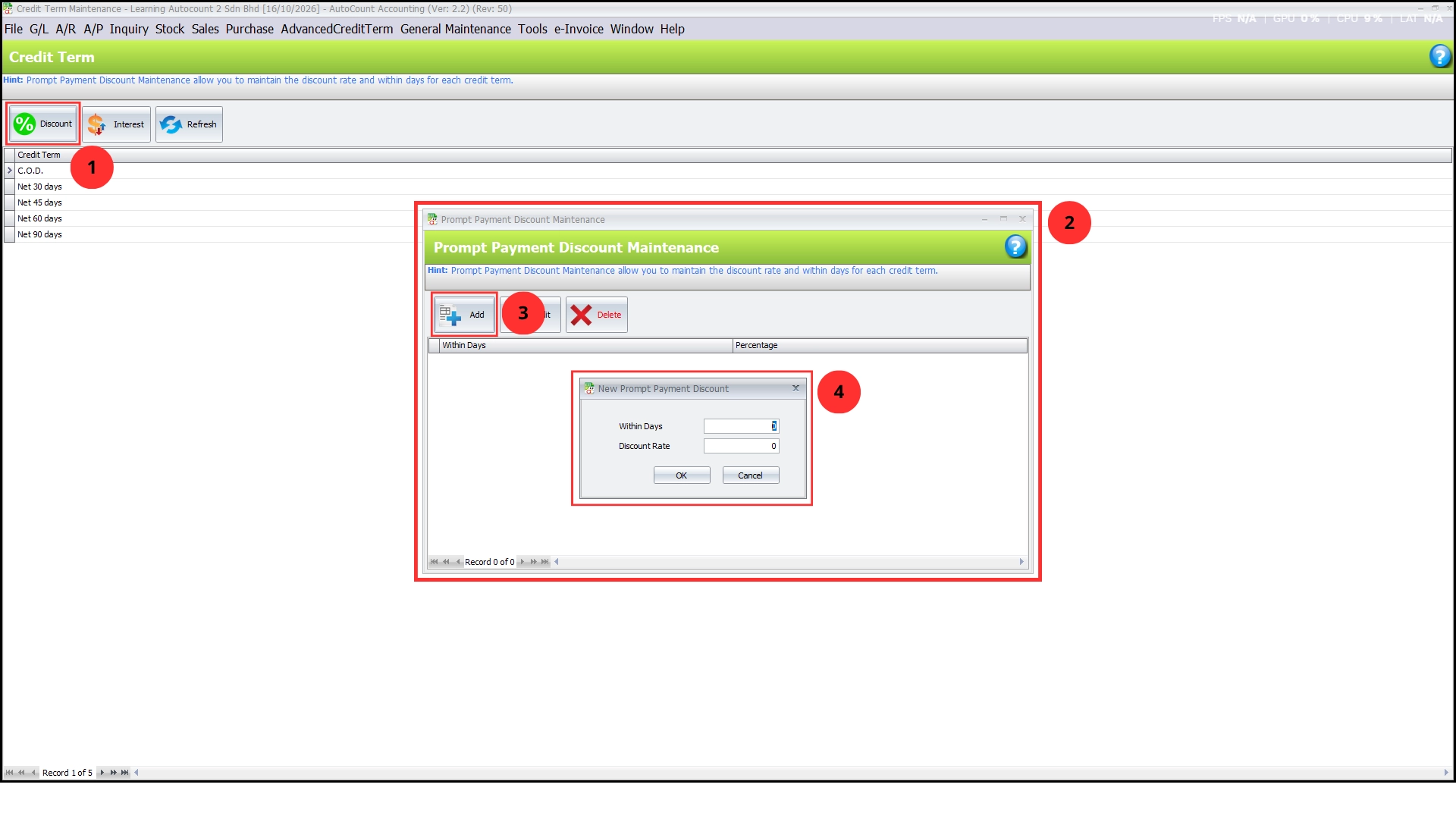
The AutoCount Advanced Credit Term Plugin extends existing credit terms with prompt-payment discount and late-interest charge rules. It helps businesses selling on credit apply agreed settlement policies within the AutoCount Accounting environment.
Instead of checking payment windows and adjustment details in separate files, your team maintains the rules against the relevant credit term. Qualifying adjustments are evaluated when A/R Payments are saved, with related documents handled through the configured posting method.

Different settlement dates and payment policies can mean repeated checking for every customer receipt.
Staff review dates, discount percentages and interest thresholds across separate records before preparing an adjustment.
Different interpretations of early-payment windows and overdue thresholds can make settlement decisions harder to standardise.
Separately prepared accounting documents can make it harder to understand why an adjustment was made and which payment it relates to.
Manage discounts, interest and linked documents through a workflow built around AutoCount credit terms and customer payments.
Maintain payment windows and discount percentages against an existing credit term. Your team can define more than one tier and review the applicable incentive when processing a qualifying customer payment.
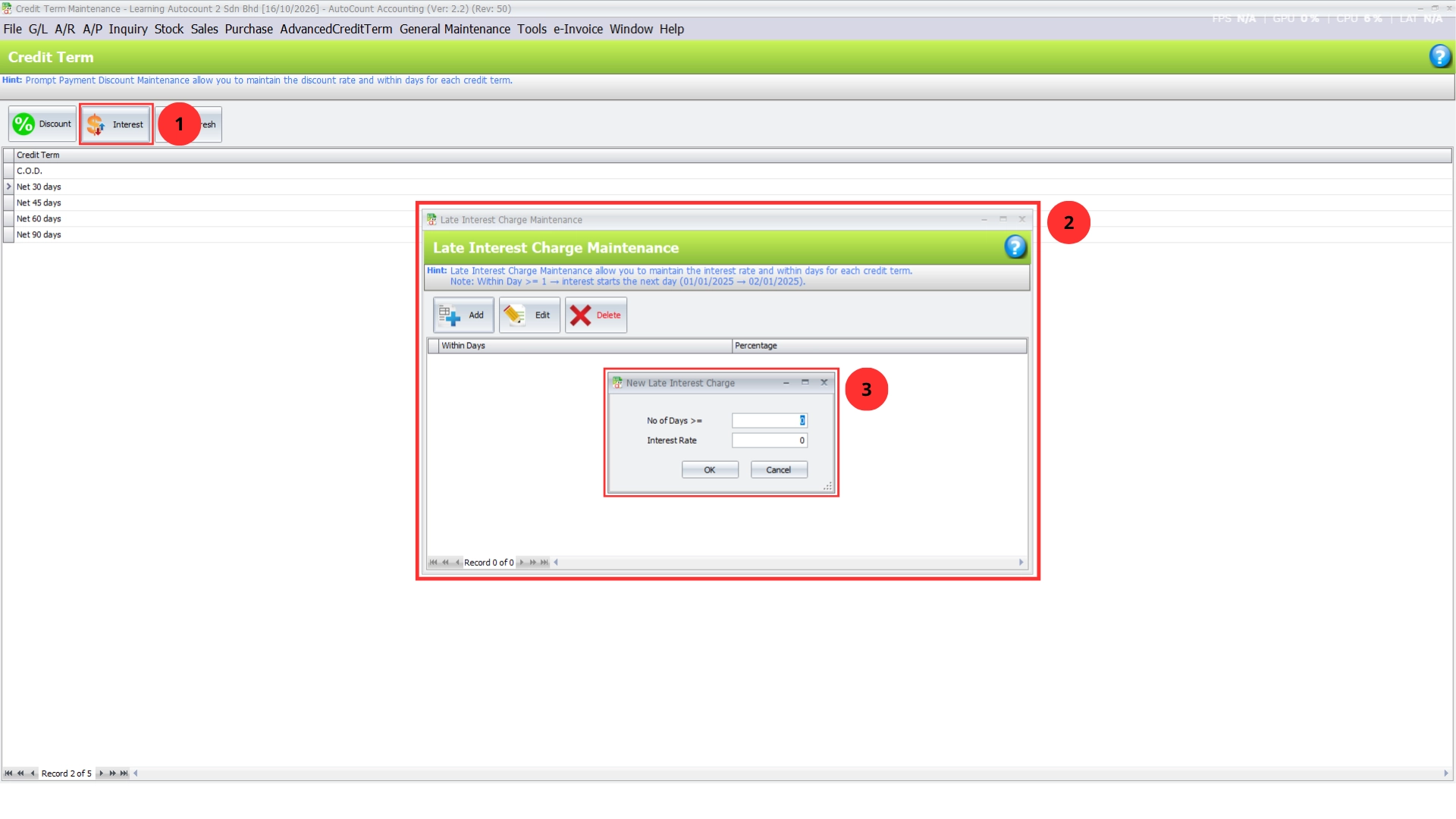
Set late-payment day thresholds and interest rates for the selected credit term. Defined conditions help staff evaluate qualifying late settlements against the same policy instead of repeating separate manual checks.
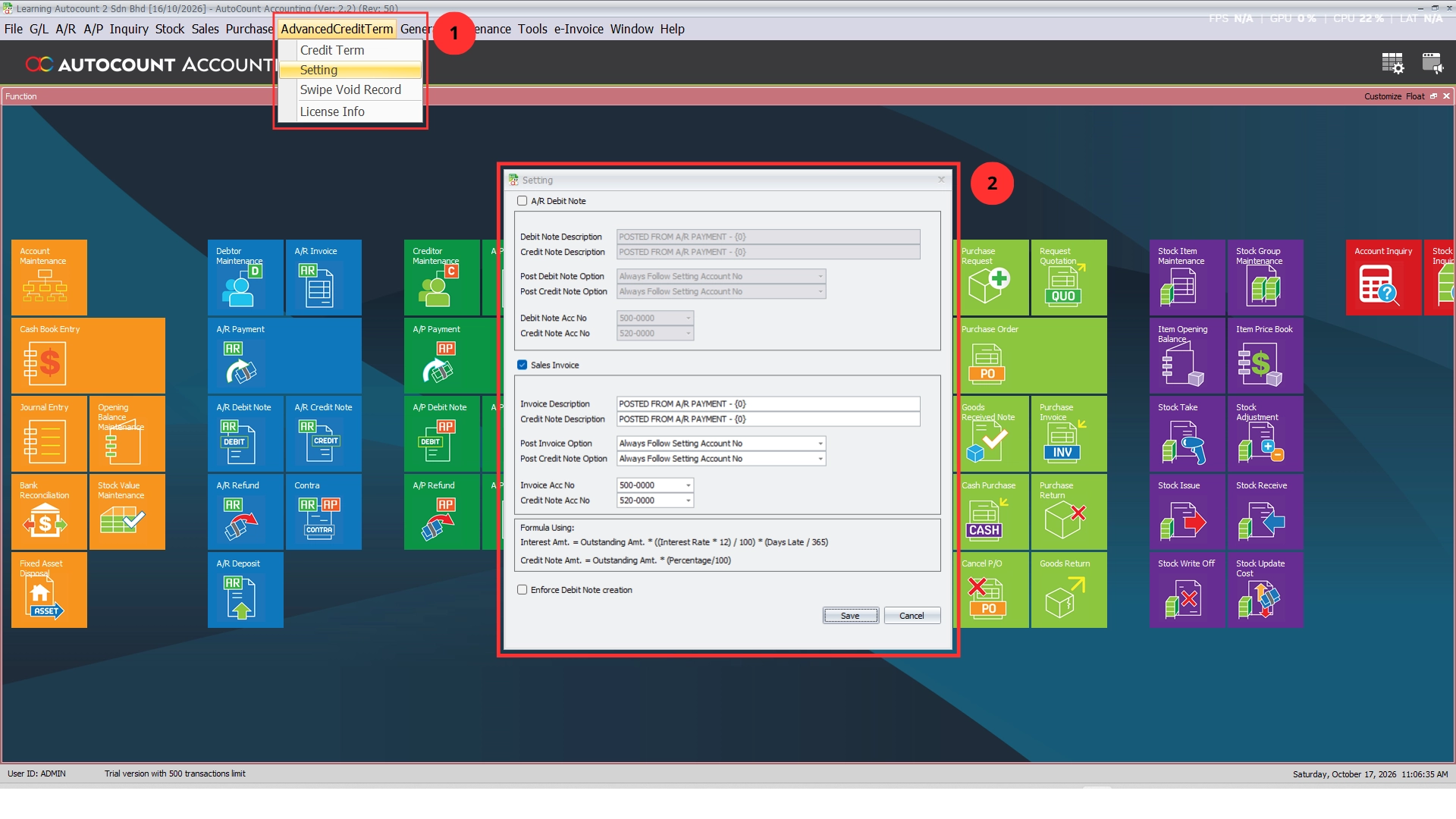
Use A/R Debit Note or Sales Invoice as the interest-document method, with one method selected at a time. Maintain document descriptions, accounts and posting options, alongside the Credit Note settings used for prompt-payment discounts.
The plugin evaluates knocked-off documents and applicable credit-term rules during A/R Payment saving. Depending on the payment date, eligible rule, selected method and calculated amount, it can create or update a related Credit Note for a discount and a Debit Note or Invoice for interest.
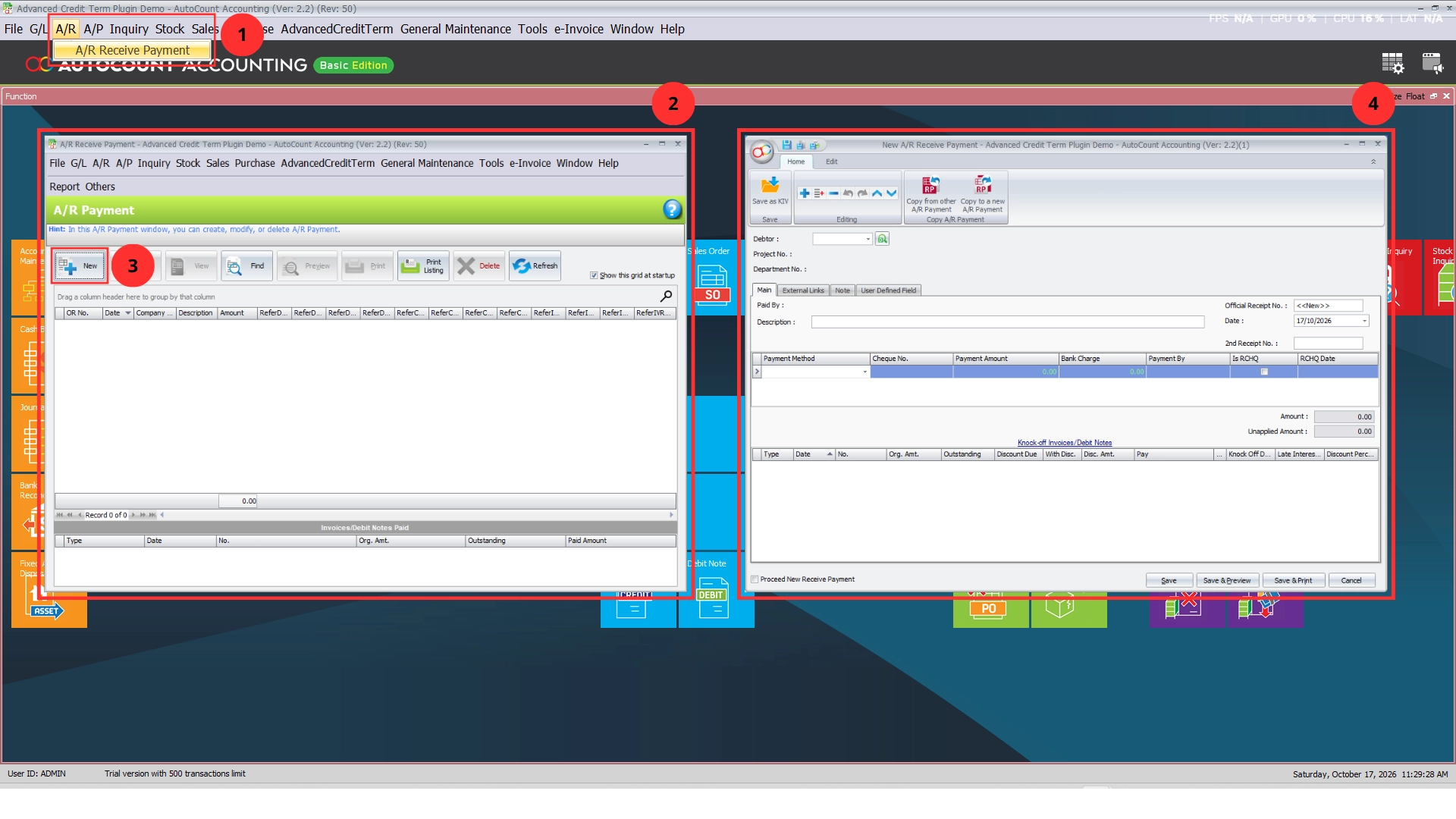
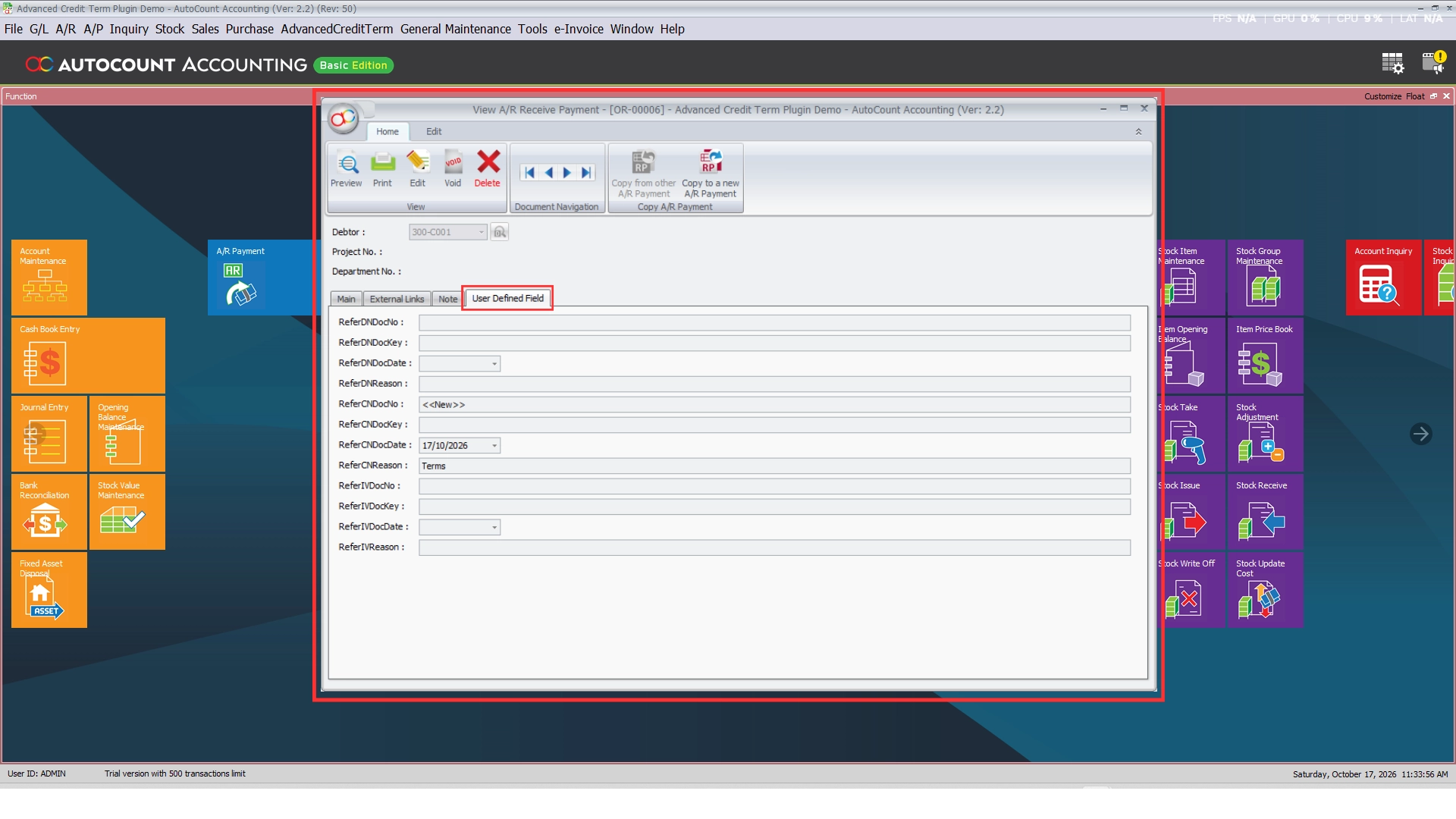
Keep related document numbers, dates and reasons in the A/R Payment reference fields for easier review. For cancelled or voided documents, the Swipe Void Record repair option clears matching payment links when used by an authorised technical user with a confirmed backup.
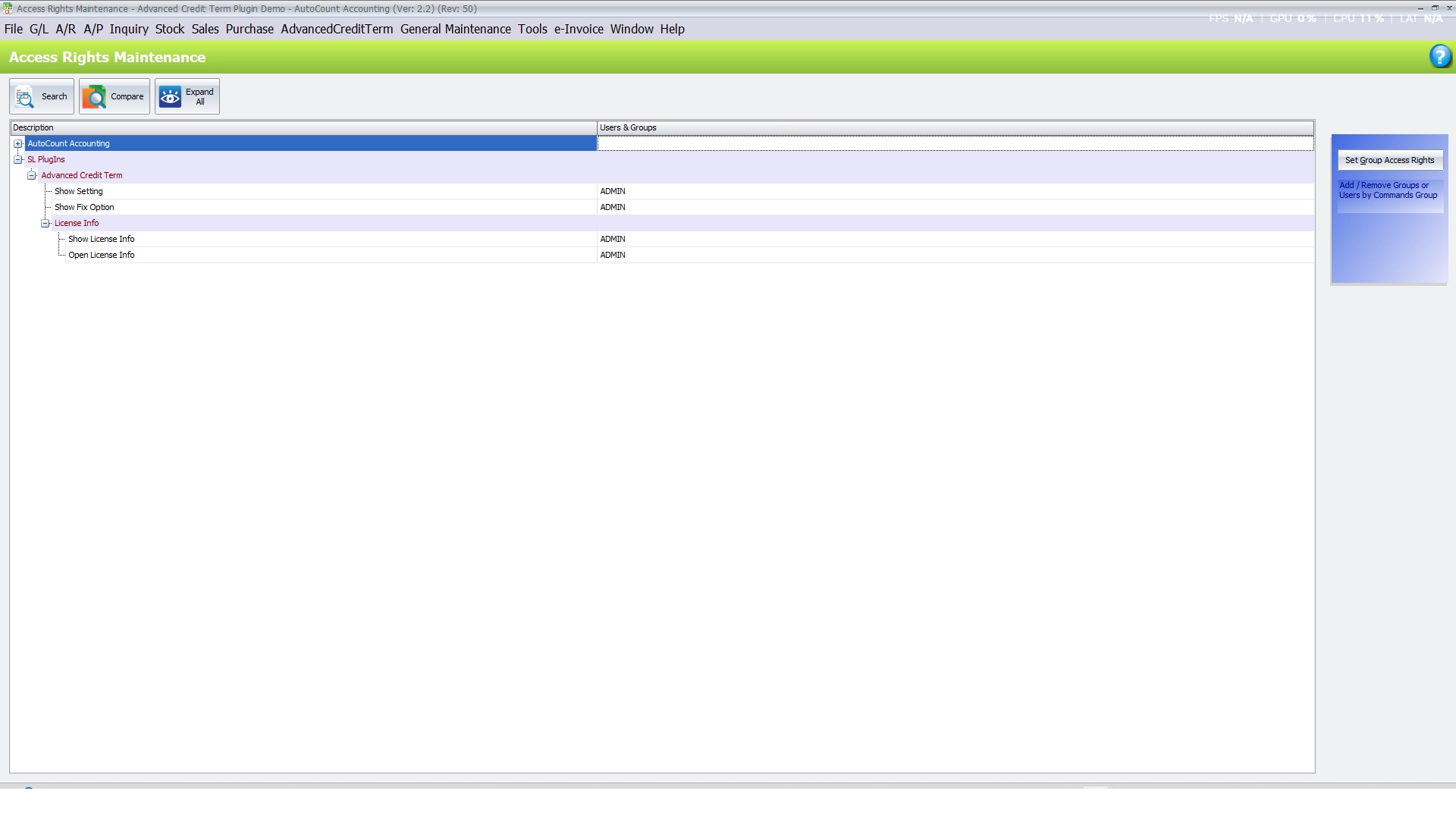
Use credit-term maintenance rights together with plugin permissions for settings, the repair option and license information. Administrators can distinguish routine credit-term maintenance from changes to posting configuration and technical repair actions.
Show us your discount tiers, overdue conditions and payment examples. We can walk through the proposed workflow.
A wholesale business wants to reward qualifying early payments and apply agreed interest to eligible late settlements. The team needs a consistent process from rule setup to document review.
Maintain the approved discount windows and late-interest thresholds against the selected credit term.
Apply the customer receipt to the relevant outstanding documents and confirm the payment date.
Saving evaluates the applicable rules. Complete the related-document details when the workflow prompts for them.
Reopen the payment to review the linked document number, date and reason.
Manage customer settlement incentives and overdue conditions across retailer and dealer accounts.
Maintain defined payment policies when customers purchase on credit and settle at different times.
Reduce repeated checking and review qualifying adjustment documents alongside the original payment.
See the plugin in the AutoCount environment, then ask our team to demonstrate your discount and interest scenarios.
For current operating instructions, refer to the corrected user guide covering version 2.2.29.41.
Read the User GuideIt is an AutoCount Accounting add-on for maintaining prompt-payment discount tiers and late-interest charge tiers against existing credit terms. It connects qualifying adjustments with A/R Payment processing and related accounting documents.
Yes. Prompt Payment Discount Maintenance lets you add multiple tiers using Within Days and Discount Rate for the selected credit term.
Yes. Late Interest Charge Maintenance lets you define day thresholds and interest rates. Review your intended policy and the formulas displayed in Setting before implementation.
Prompt-payment discounts use related Credit Notes. Interest can use A/R Debit Note or Sales Invoice, depending on the selected method. Only one interest-document method can be selected at a time.
No. Related-document creation or updating depends on the payment date, knocked-off documents, applicable rule, selected document method and calculated amount. Ask for a demonstration using your payment scenarios.
The corrected guide covers discount and interest rules, payment-linked adjustments and voided-document references. Automatic reminder delivery is not described in that workflow. Discuss reminder requirements separately with SL Software.
Payment scenarios can vary. Provide examples of partial settlements, multiple payments and the credit terms involved so SL Software can demonstrate suitability against your installed build and intended accounting treatment.
Contact SL Software for a current quotation and compatibility check. Include your AutoCount version, account-book requirements and intended discount and interest policies.
Already using this plugin? Follow the Advanced Credit Term Plugin User Guide for access rights, tier maintenance, posting settings and payment processing.
Browse other add-ons or read the detailed workflow before discussing your setup.
Discuss your credit terms, early-payment incentives and late-interest policy with SL Software Solutions Sdn Bhd. We’ll help you assess how the AutoCount Advanced Credit Term Plugin fits your accounting workflow.
Have your AutoCount version, preferred posting method and sample payment scenarios ready for the discussion.