Repeated manual calculations
Working with calculators and separate worksheets creates extra steps when staff prepare timber transactions.

Record log measurements, apply the relevant deductions and review gross and nett ton totals directly in supported AutoCount documents. Give your timber business a more consistent way to prepare and check transactions.
Discuss your timber formula and AutoCount compatibility with our team before purchase.
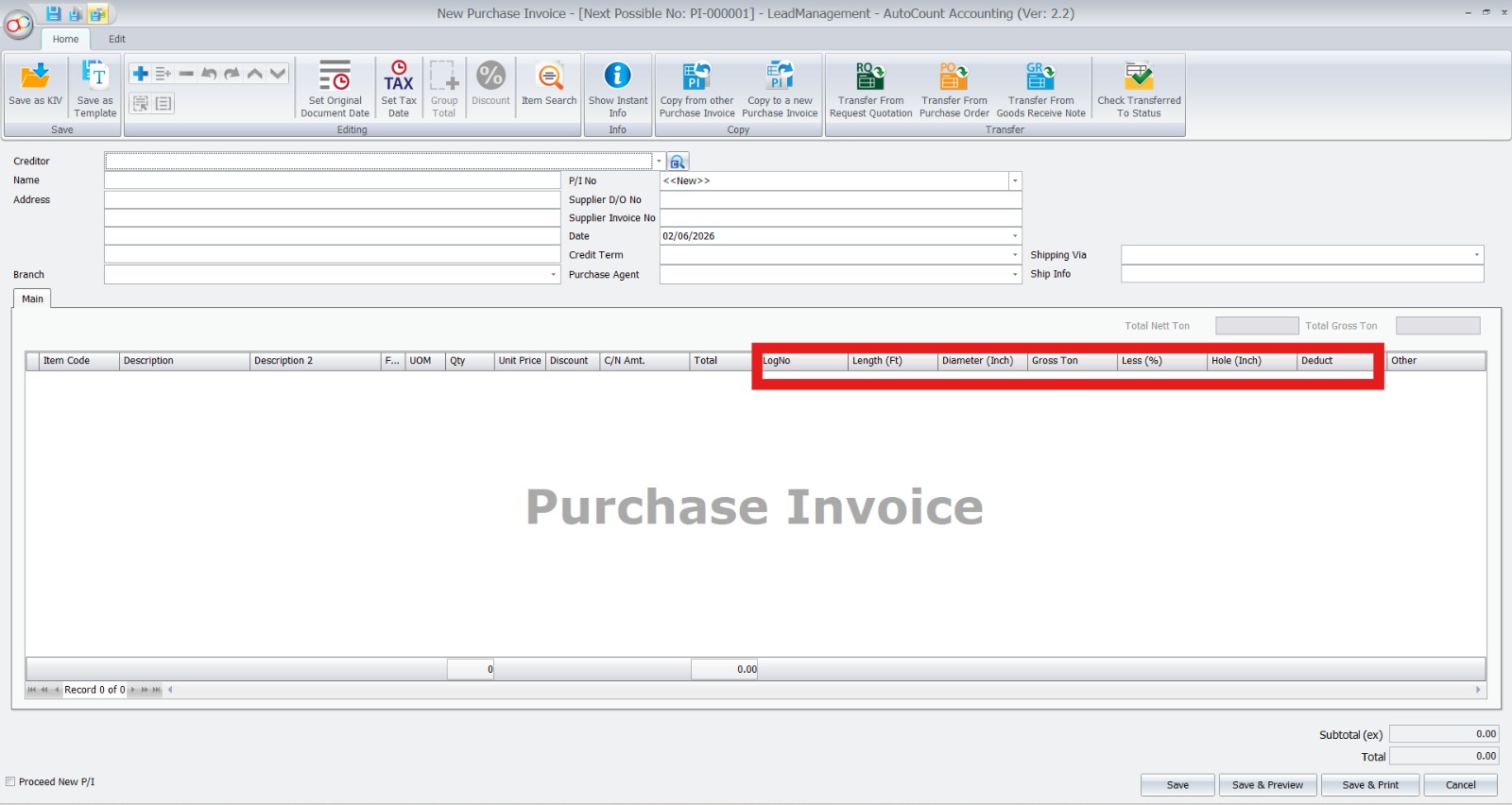
The AutoCount Timber Log Plugin is an accounting add-on for businesses that record individual timber log measurements and calculate timber quantities. It brings log numbers, length, diameter and applicable deductions into the document detail line.
Instead of repeating calculations separately, staff can review the measurement inputs and calculated quantities within their AutoCount workflow. Administrators select the appropriate timber formula, while listing totals make purchase and sales quantity checks easier.
Bring measurement entry, calculation rules and document totals into one structured workflow.
Working with calculators and separate worksheets creates extra steps when staff prepare timber transactions.
Different treatment of length, diameter or hollow deductions can make quantities harder to compare.
Opening individual documents to review timber totals slows down routine purchase and sales checking.
Explore the functions that help your team record measurements, calculate quantities and review timber transactions.
Enter LogNo, Length (Ft) and Diameter (Inch) directly in supported AutoCount document detail lines. Keep the log reference and measurements together while preparing the transaction.
The plugin calculates Gross Ton using the entered measurements and selected timber formula. Staff can review the calculated figure alongside the original length and diameter.
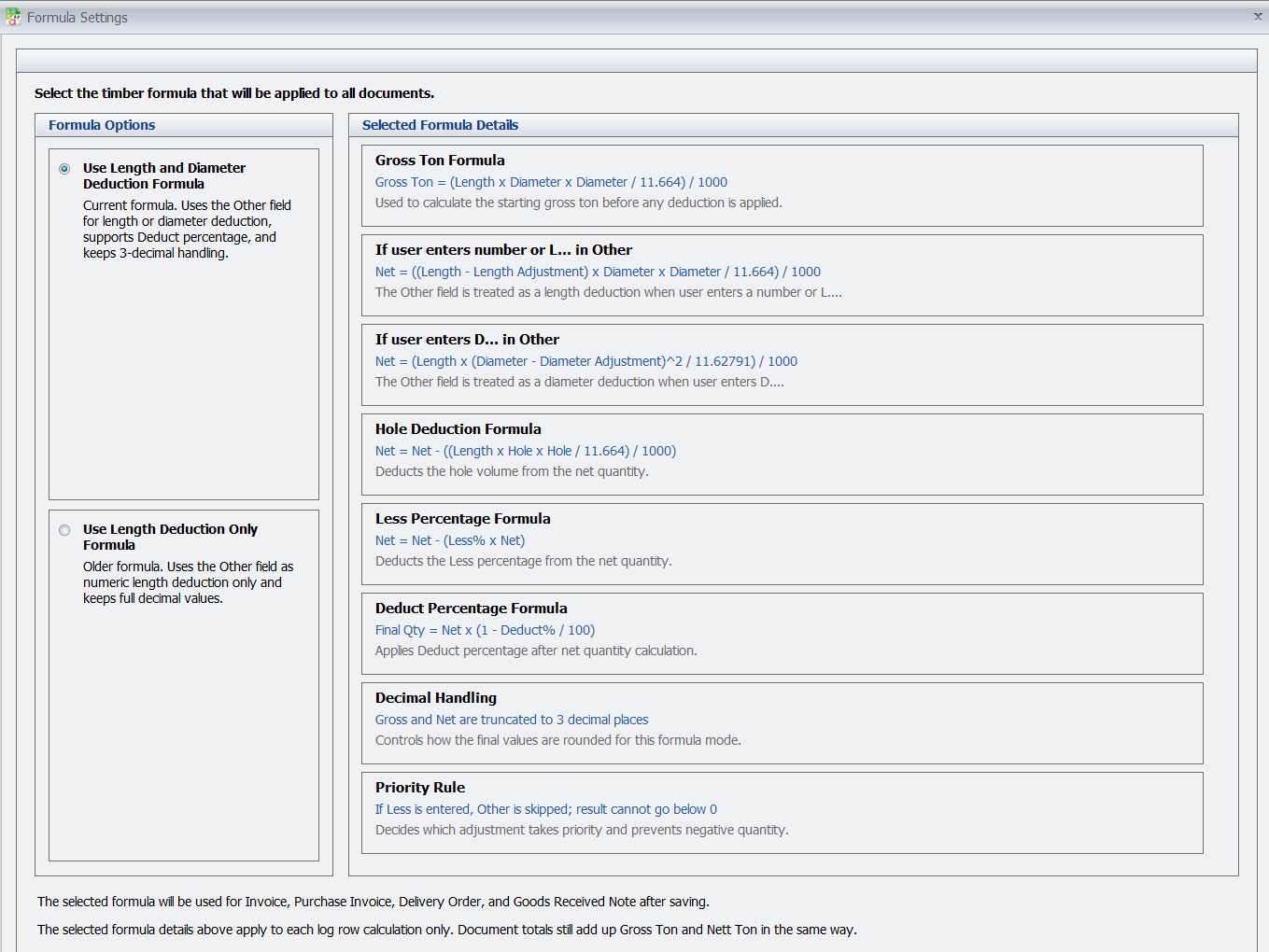
The standard calculation supports length, diameter and hole deductions, together with Less % and Deduct %. Review the final quantity after the relevant deductions have been applied.
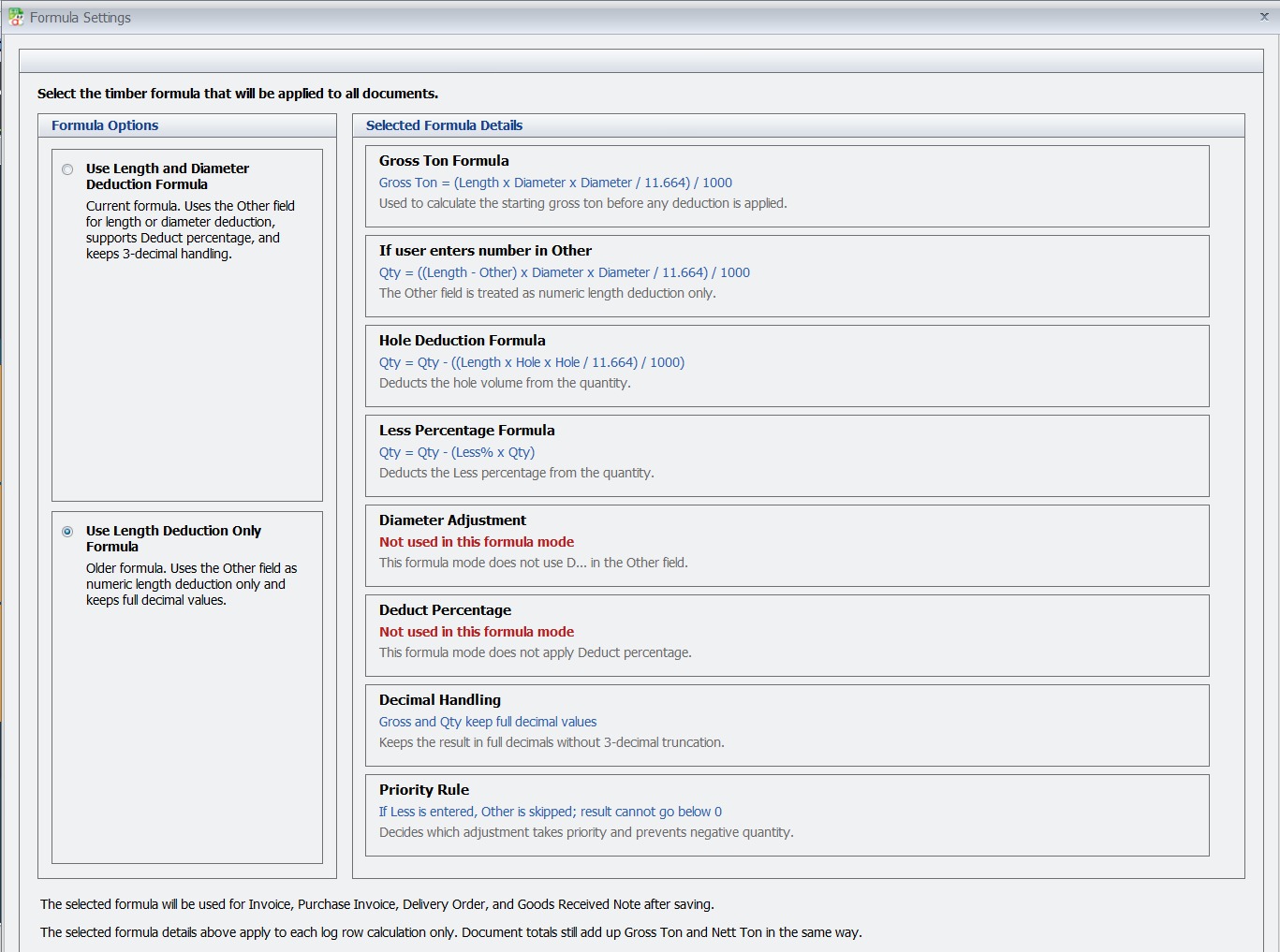
For businesses using a simpler method, Use Length Deduction Only Formula treats Other as a numeric length deduction. This mode does not apply Diameter Adjustment or Deduct Percentage and retains full decimal results.
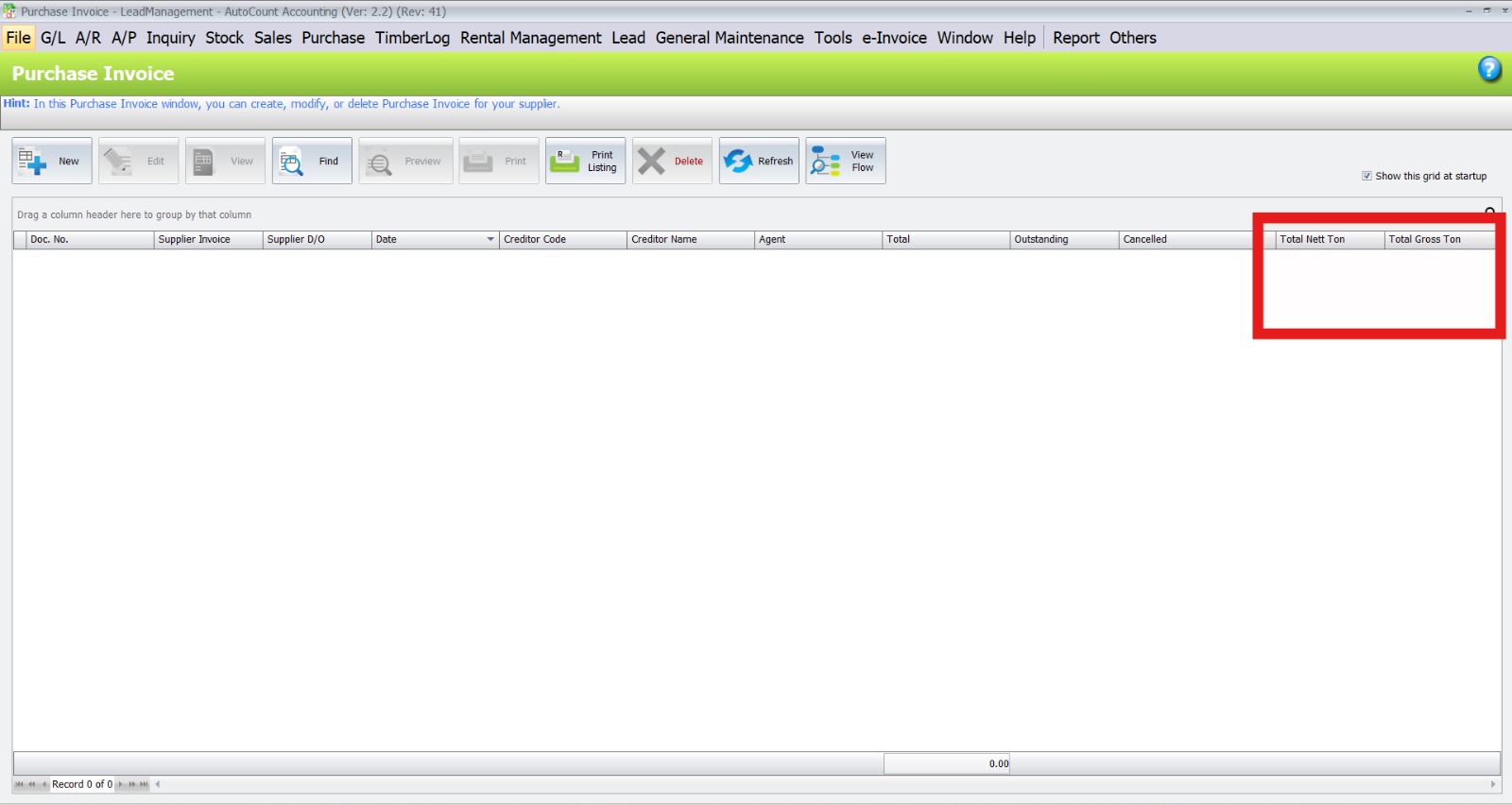
View Total Gross Ton and Total Nett Ton in supported purchase and sales document listings. Review quantities across transactions and open a document when its detail needs further checking.
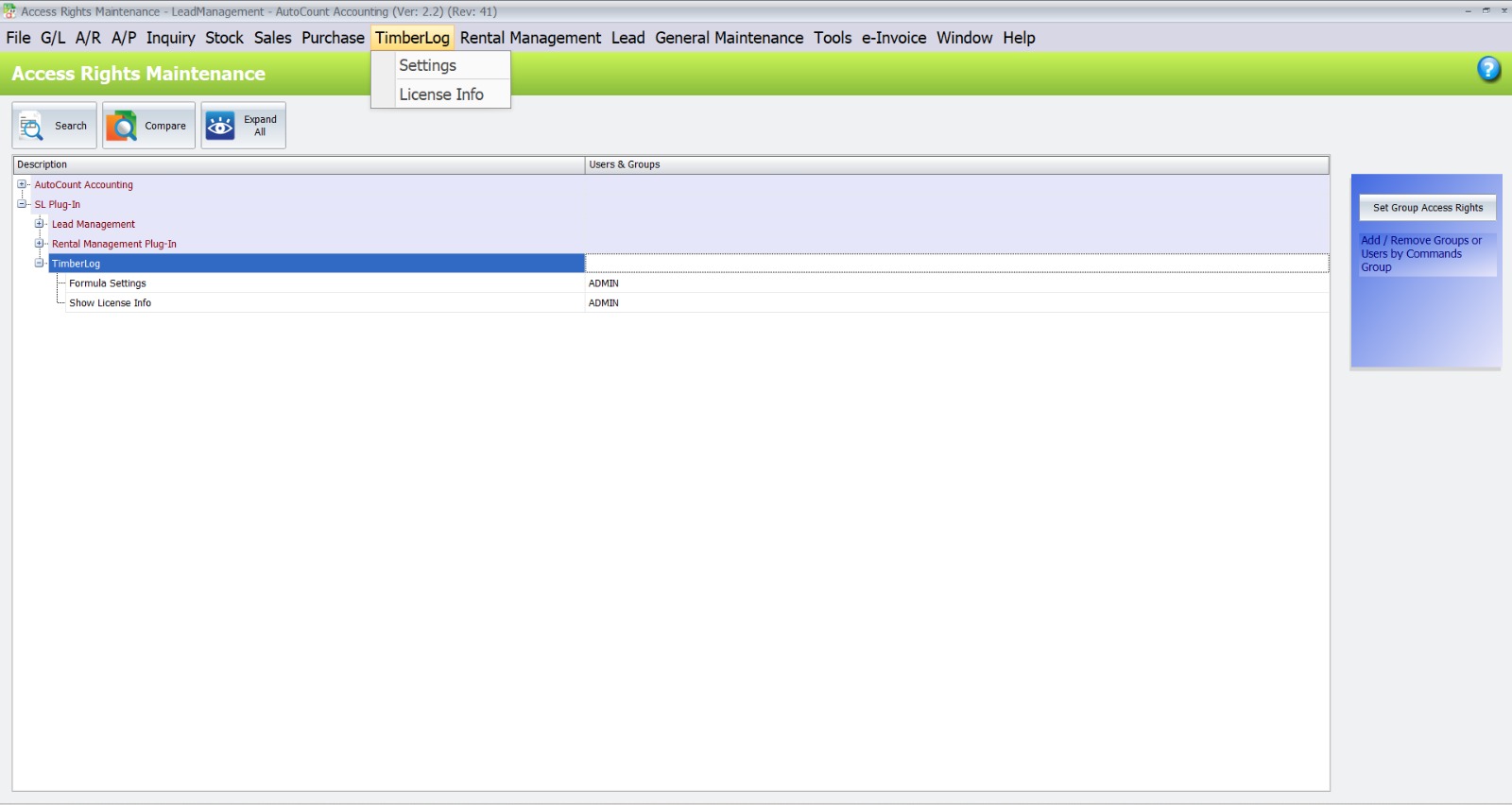
Assign Timber Log Formula Settings and License Information permissions through AutoCount Access Rights Maintenance. Limit access to the staff responsible for maintaining the plugin.
Show us your measurement and deduction requirements so we can review the suitable setup.
A typical workflow for a timber supplier using the calculation method agreed by its business.
An authorised user confirms the timber formula and deduction method required for the transaction.
Staff record LogNo, length in feet and diameter in inches on the supported document.
The team enters applicable deductions and checks the calculated quantity against the measurements.
Gross and nett ton totals help staff check transactions from the document listing.
Record log measurements and review timber quantities when preparing supported sales and purchase documents.
Use a consistent calculation method for logs with different lengths, diameters and applicable deductions.
Keep log references, measurement inputs and calculated quantities together inside AutoCount.
It is an add-on for AutoCount Accounting that records timber log measurements, calculates quantities using a selected formula and displays gross and nett ton totals in supported document listings.
The documented fields include LogNo, Length (Ft), Diameter (Inch), Gross Ton, Less (%), Hole (Inch), Deduct and Other. The way adjustment fields affect the result depends on the selected formula.
The documented standard formula supports hole deductions alongside other measurement and percentage deductions. Confirm the calculation method required by your business during the demonstration.
It treats Other as a numeric length deduction, does not apply Diameter Adjustment or Deduct Percentage, and retains full decimal values. The standard formula uses 3-decimal handling.
Yes. Total Gross Ton and Total Nett Ton are available in supported document listings, helping users review quantities before opening individual transactions for more detail.
Yes. Timber Log includes access rights for Formula Settings and License Information in AutoCount Access Rights Maintenance.
Contact SL Software for a quotation based on your AutoCount environment and requirements. Our team can review compatibility, supported documents and your intended timber calculation method.
Already using the plugin? Read the AutoCount Timber Log Plugin User Guide for access rights, formula settings and transaction entry instructions.
Browse the plugin catalogue, explore AutoCount Accounting or follow the Timber Log operating guide.
Discuss your timber transaction workflow with SL Software Solutions and find out how the AutoCount Timber Log Plugin fits your business.
Supported documents and compatibility depend on your installed AutoCount and plugin versions. Calculation results depend on the selected formula and measurement inputs.